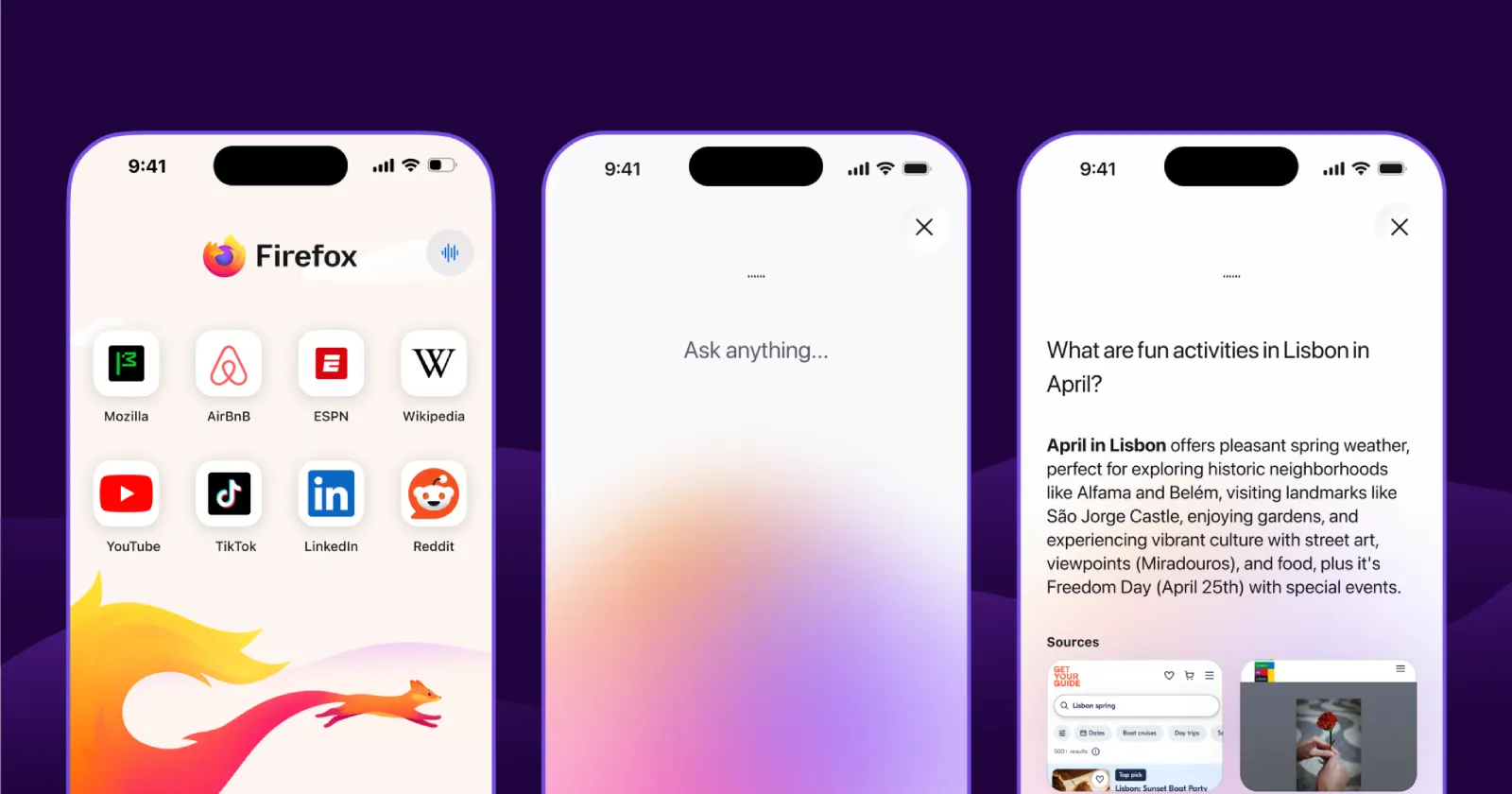
Mozilla has officially released Firefox 153, bringing one of the browser’s biggest feature updates in recent months. After previewing several additions in the run-up to launch, including Vulkan Video improvements for Linux and the iOS release, the desktop update is now live with a lengthy list of new features focused on productivity, privacy, and web compatibility.
The headline addition is undoubtedly native Containers, a feature Mozilla has finally integrated directly into Firefox after years of being available through the popular Multi-Account Containers extension. Containers let users separate different parts of their online life such as work, banking, shopping, or personal browsing into isolated spaces. Each container maintains its own cookies and site data, making it possible to stay logged into multiple accounts simultaneously while reducing cross-site tracking.
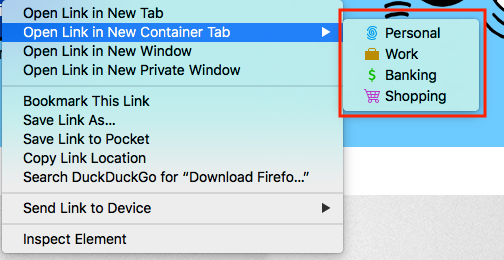
Mozilla says bringing Containers into Firefox itself makes the feature easier to discover, simplifies management, and allows it to continue investing in the experience as a first-party capability. Existing users of the Multi-Account Containers extension can continue using it alongside the built-in implementation while Mozilla works toward feature parity.
The browser also introduces HDR video playback on Windows, provided HDR is enabled in Windows display settings. Mozilla notes that devices supporting only HDR video streaming aren’t currently supported, while some phone-recorded videos may not display in HDR depending on their orientation.
Firefox 153 also significantly expands the browser’s built-in PDF capabilities. Users can now merge multiple PDF documents simply by dragging one PDF into another document’s sidebar, while images can also be inserted directly as new PDF pages from within Firefox’s integrated editor.
Another welcome addition is QR code sharing. Any open webpage can now be instantly converted into a QR code by right-clicking a tab and selecting Share > Generate QR Code, making it easier to share links across devices or include them in printed materials.

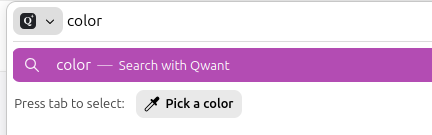
Mozilla has also added a new Color Picker quick action, allowing users to type phrases such as pick color, color picker, or eyedropper into the address bar to sample colors from any webpage without requiring an extension.
On the privacy front, Firefox now displays a prominent red location indicator whenever a website is actively accessing a user’s location, making permission usage much more visible. At the same time, Local Network Access protections are now enabled by default, requiring websites to request permission before communicating with devices or services on a user’s local network.
Extension permissions have also been tightened. Add-ons can no longer access local files automatically, with users now required to explicitly grant the new “Access local files on your computer” permission.
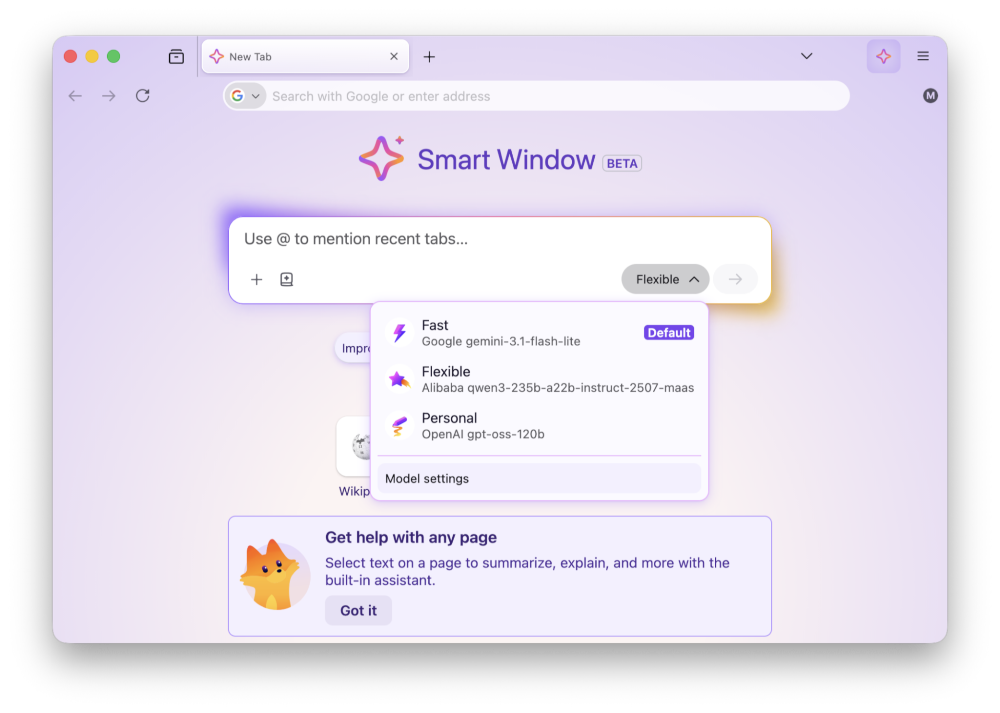
Firefox 153 also introduces a handful of experimental and convenience features. Firefox Labs can now be opened directly from the address bar using a new quick action, while experimental support for the JPEG XL image format has arrived through Firefox Labs for users interested in testing the next-generation image standard. Meanwhile, Mozilla continues rolling out its Smart Window experience, which now includes a traditional address bar in new tabs and lets users choose AI models directly within the assistant. As with previous Smart Window updates, the company says this feature is being enabled gradually.
Beyond user-facing improvements, Firefox 153 includes numerous web platform enhancements for developers, expanded support for Picture-in-Picture APIs, HTTP Compression Dictionaries rollout, improved scrollbar compatibility, and various security fixes.
With native Containers, stronger privacy safeguards, meaningful PDF improvements, and a growing list of productivity features, Firefox 153 represents one of Mozilla’s most feature-rich browser releases this year.


Hillary Keverenge
2723 Posts
Tech has been my playground for over a decade. While the Android journey began early, it truly took flight with the revolutionary Lollipop update. Since then, it's been a parade of Android devices (with a sprinkle of iOS), culminating in a mostly happy marriage with Google's smart home ecosystem. Expect insightful articles and explorations of the ever-evolving world of Android and Google products coupled with occasional rants on the Nest smart home ecosystem.
Next article View Article