
Microsoft Edge is rolling out helpful new tools for website and app creators. Styling gaps, improved keyboard navigation, easier PWA moves, and more.
A detailed blog about these practical new features was officially posted on the developer blog. This is also the first article in a new series of articles, called “New in Edge for Developers.” It highlights tools that simplify building modern webpages and apps.
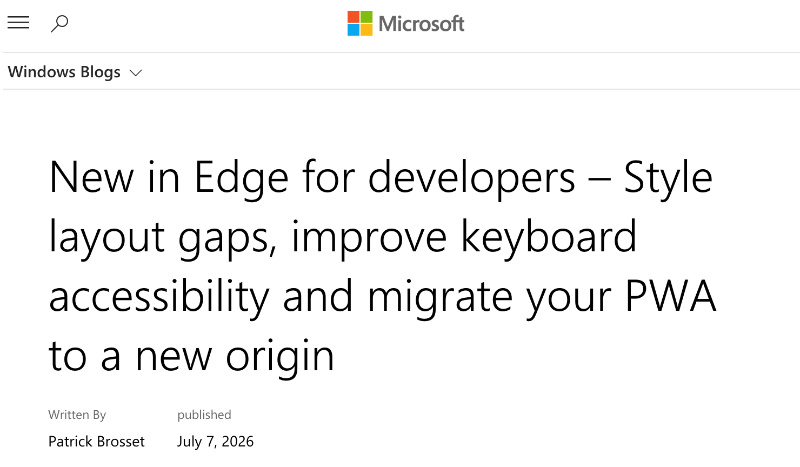
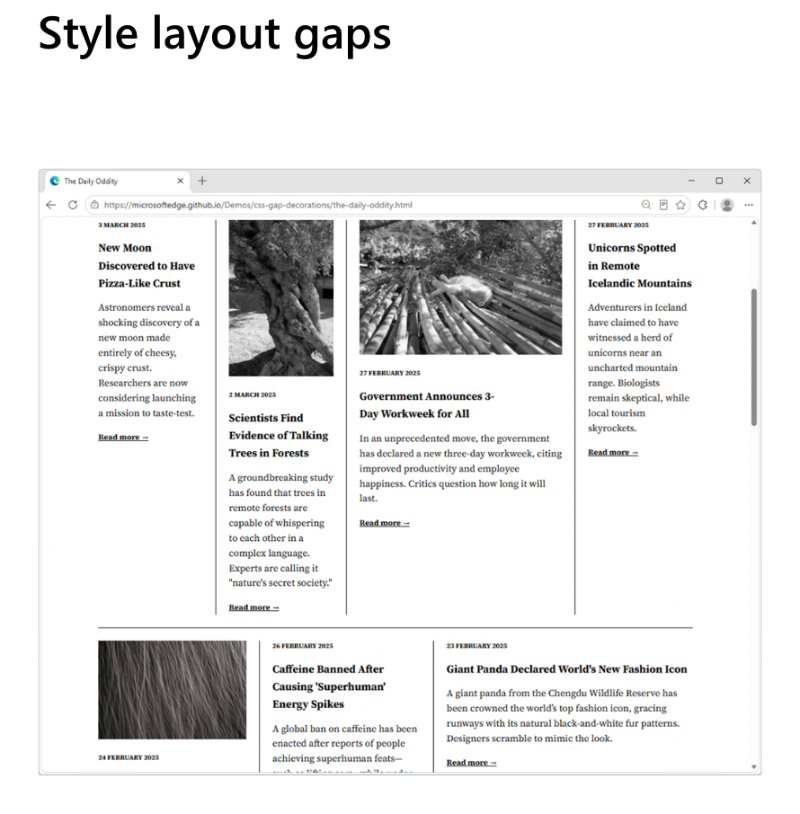
One important addition is CSS gap decorations. Developers can directly style the spaces between items in grids, multi-column layouts, etc.
Using properties such as row-rule, extended column-rule, and others, it’s now possible to apply colors, patterns, and even repeat syntax. This eliminates the need for extra HTML elements and longer lines of code, allowing cleaner/consistent designs with minimal code.
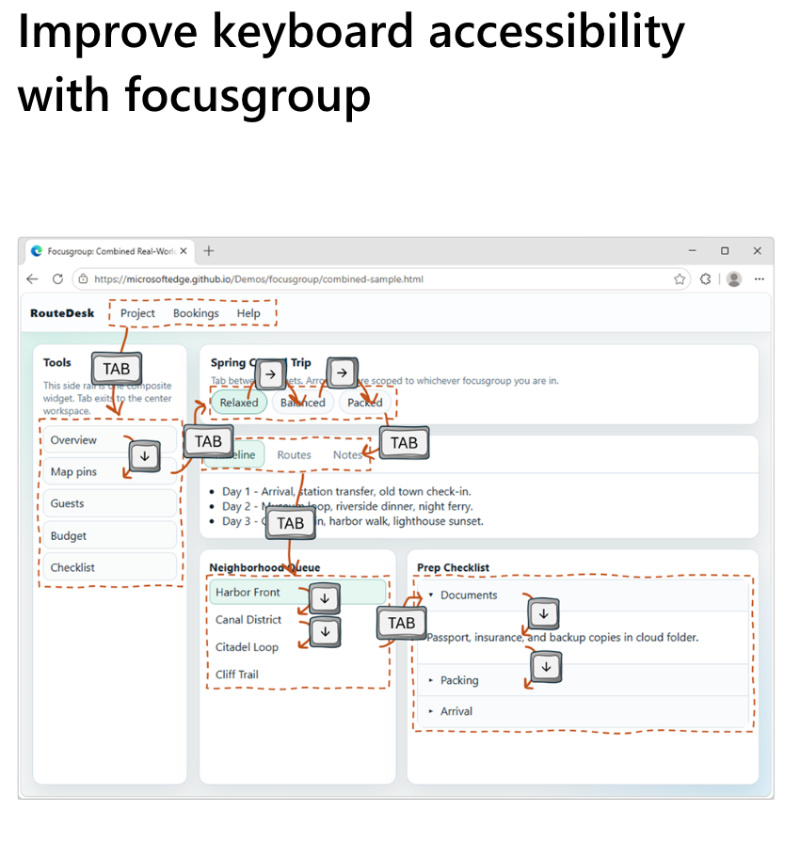
Another key improvement is keyboard accessibility. The new ‘focusgroup’ HTML attribute provides automatic arrow-key navigation for toolbars, tabs, and menus. It also includes “focus memory,” removing the need for custom JavaScript code in certain situations. This makes web interfaces far easier for keyboard users.
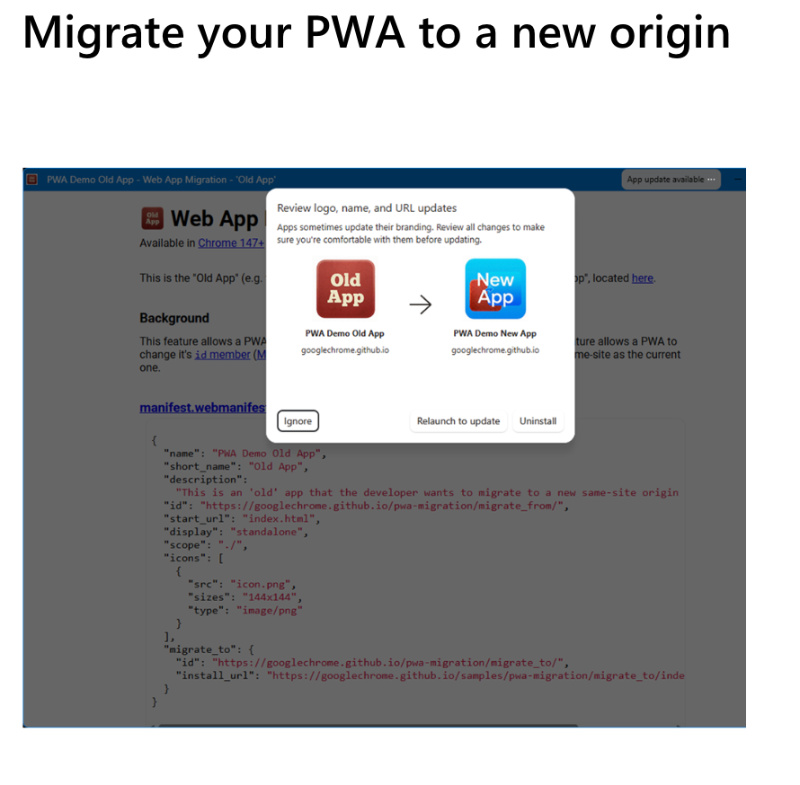
PWAs (Progressive Web Apps) are getting good improvements as well. For PWA developers, seamless migration of the origin site is now possible. In simpler terms, changing the origin of PAW earlier required users to uninstall and reinstall the app. It’s no longer required, since the update preserves installations and permissions, ensuring a smooth transition.
There are further enhancements overall, such as image rendering ones (for sharper scaled images), text-fit, which automatically scales font sizes to fit containers, flex-wrap: balance, which assists in content distribution in flex layouts, and a lot more.
CSS Grid Lanes, Network Efficiency Guardrails, new APIs for on-device AI, and the ability to install web apps with a single HTML element: These were also elaborated upon in the official blog.
All in all, these changes do make Edge more developer-friendly. It’s worth noting that these new features aren’t ready for general use yet, but they’re available for testing and feedback.
In other Edge news, you can now control which sites Copilot AI can browse. We covered that here. Furthermore, we recommend updating your Edge browser immediately, since several security issues were recently fixed in an update (more on that here).


Sudhanshu K
264 Posts
I have been a consumer technology enthusiast for over 5 years. Thanks to my experience in software beta testing and product reviews, I've understood and learnt a lot about what bugs and issues bother people, and I spend time trying to simplify their solutions. I cover smartphones, software, social media, apps, AI, and most consumer tech gadgets. Actively pursuing a Computer Science bachelor’s degree. I'm mostly active on Twitter/X (@TechWhirlUlt), drop a DM or tag me if you want to share info or connect!
Next article View Article