
If you use Microsoft Edge, it’s worth taking a minute to make sure your browser is up to date. Microsoft has released Edge Stable version 150.0.4078.48, and it includes a long list of security fixes that address vulnerabilities affecting the browser.
The update was released on July 3, and Microsoft has published the details through the Microsoft Security Response Center (MSRC). According to the advisory, Edge 150.0.4078.48 patches dozens of vulnerabilities, including remote code execution, information disclosure, spoofing, and security feature bypass issues.
Most of the reported flaws are rated ‘Important’, making this an update you’ll want to install sooner rather than later.
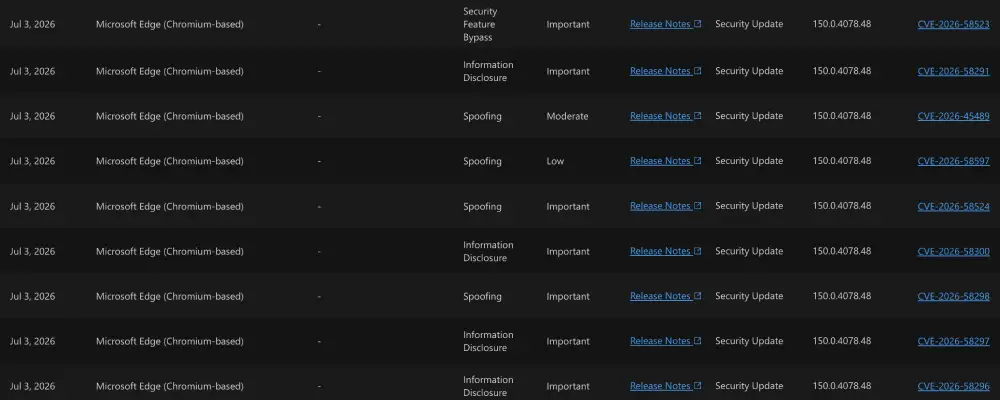
Remote code execution vulnerabilities are among the most serious because they can allow an attacker to run malicious code on a target system. Other flaws fixed in this release could expose sensitive information, let attackers impersonate trusted content, or bypass certain browser security protections. You don’t need to understand what each CVE does, though. Installing the latest version applies all of the available fixes at once.
Some of these patches aren’t surprising. Microsoft Edge is built on Chromium, so it regularly receives security fixes that also make their way into Google Chrome. Google recently released a Chrome security update that addressed 382 vulnerabilities, including 15 critical issues, and many Chromium-based browsers are now rolling out updates based on those upstream fixes.
Edge also received another security-focused Stable update in June that resolved dozens of vulnerabilities, as we highlighted back then.
If you’re running anything older than version 150.0.4078.48, your browser is missing these security fixes. Edge usually downloads updates automatically in the background, but it’s still worth checking that the latest version has been installed.
To do that, open the three-dot menu in the top-right corner of Edge, go to Help and feedback, then select About Microsoft Edge.
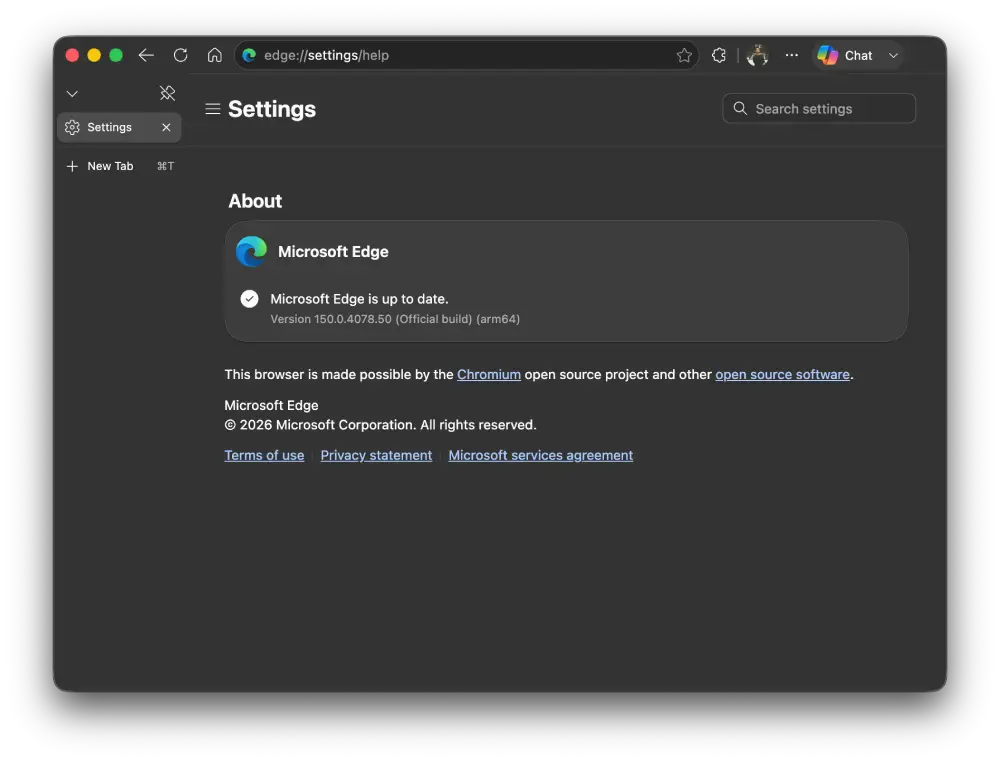
The browser will automatically check for updates and install the newest version if one is available. Once the update finishes, restart the browser to make sure all of the security fixes are applied.


Dwayne Cubbins
3067 Posts
I cover fast-moving stories across apps, online platforms, and everyday tech — phones, wearables, consoles, and whatever else people are fighting with this week. Bugs, rollouts, scams, policy enforcement, and the occasional internet-culture rabbit hole are all fair game. My goal is simple — make confusing tech news readable. When I'm not working, I'm working out or chilling with my dog. Got a tip? You can find me on X @dcubbins.
Next article View Article