Perplexity has rolled out another update for its Comet browser on iPhone, and this one brings a few features people will probably notice right away. Version 26.26.0 is now available on the App Store, so I updated the app on my iPhone to see what had changed.
Reader mode is easily the biggest addition. If you’ve used it in Safari before, you’ll feel right at home. Open a supported article, tap Reader mode, and Comet strips away the clutter, leaving behind just the text and images. Sidebars, popups, and other distractions disappear, making long articles much easier to read on a smaller screen.
It’s even got a neat animation that you can check out below:
Apart from that, Comet’s ad blocker has become more customizable. Instead of simply turning it on or off, you can now choose between Standard, Aggressive, and Disabled from the browser’s settings. That gives you a bit more control over how much filtering you want while browsing.
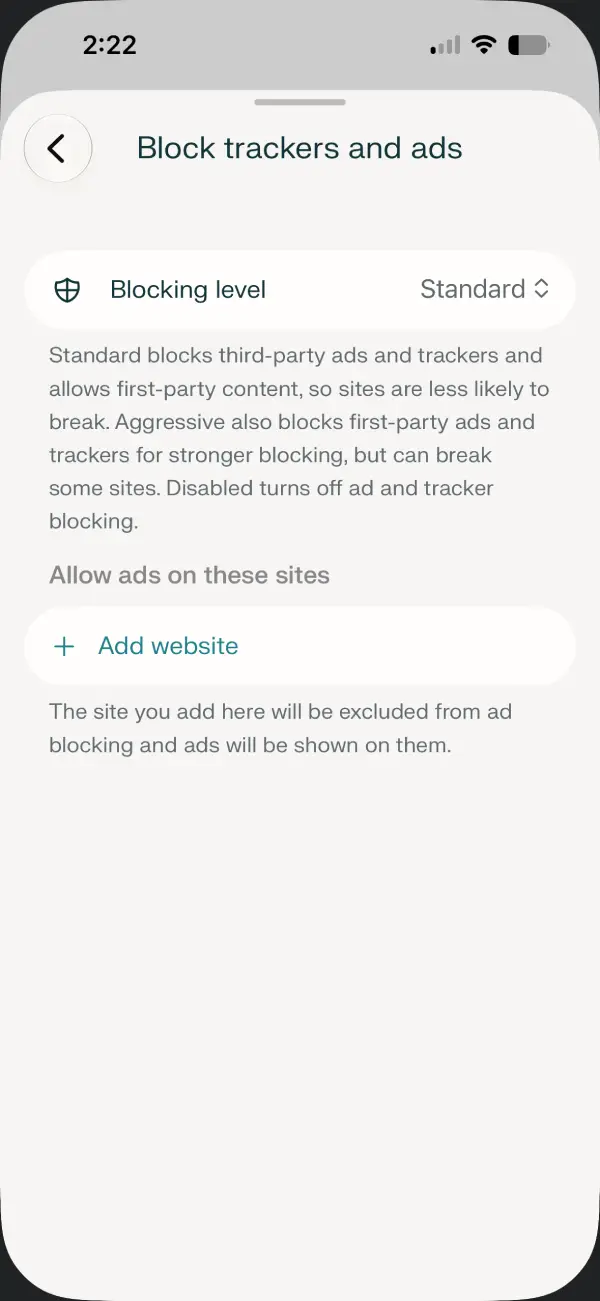
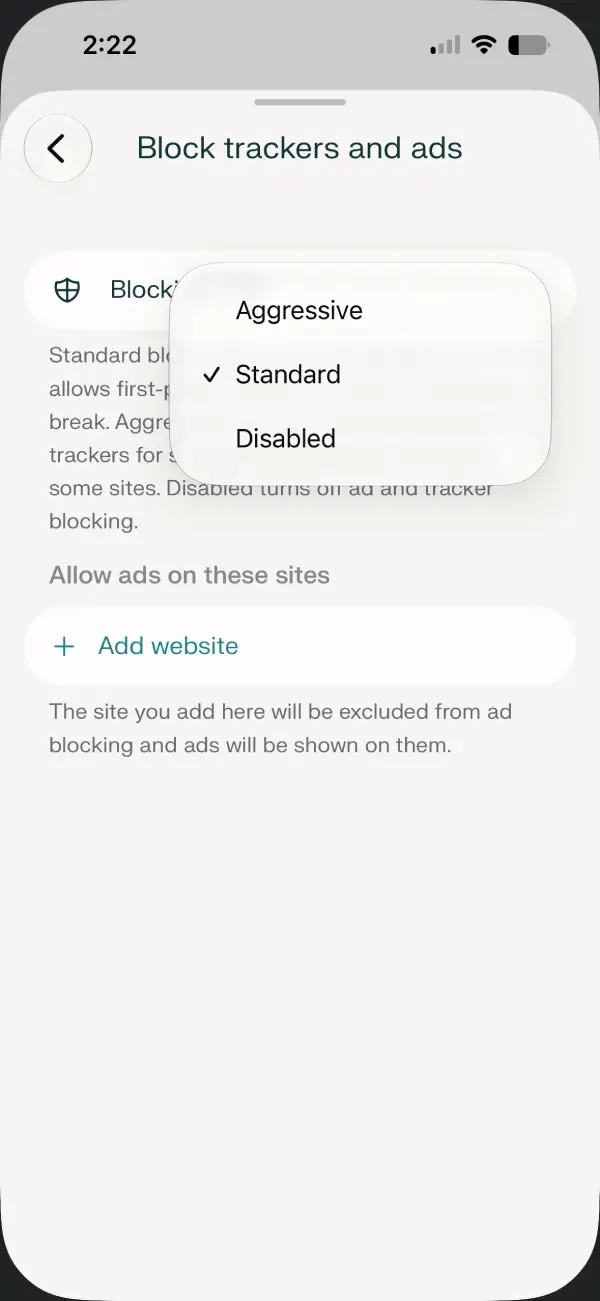
This builds on an earlier update that made site-specific controls much easier to access. Perplexity had already moved ad blocking and privacy options into the Page actions menu, letting you adjust them for individual websites without digging through settings. These new levels act as your default preference across the browser while still letting you make exceptions when needed.
Another addition I was happy to see is tab muting. If a website suddenly starts blasting audio from an autoplaying video, you no longer have to hunt through your tabs to figure out where it’s coming from. You can mute or unmute the current tab straight from the Page actions menu with a single tap.
The update isn’t just about new features. Perplexity has also fixed a few bugs that were getting in the way. The app no longer crashes when resizing its window on iPad, and Sync should stop signing you out every time you relaunch the browser.
There are a handful of smaller improvements too. Text zoom is working properly again on iPad, favicons now load much more reliably across tabs and bookmarks, and the browser’s live theme also colors the bottom toolbar for a more consistent look.
None of these additions completely change how Comet works, but after spending some time with the update, it feels like another solid step forward.


Dwayne Cubbins
3060 Posts
I cover fast-moving stories across apps, online platforms, and everyday tech — phones, wearables, consoles, and whatever else people are fighting with this week. Bugs, rollouts, scams, policy enforcement, and the occasional internet-culture rabbit hole are all fair game. My goal is simple — make confusing tech news readable. When I'm not working, I'm working out or chilling with my dog. Got a tip? You can find me on X @dcubbins.
Next article View Article