





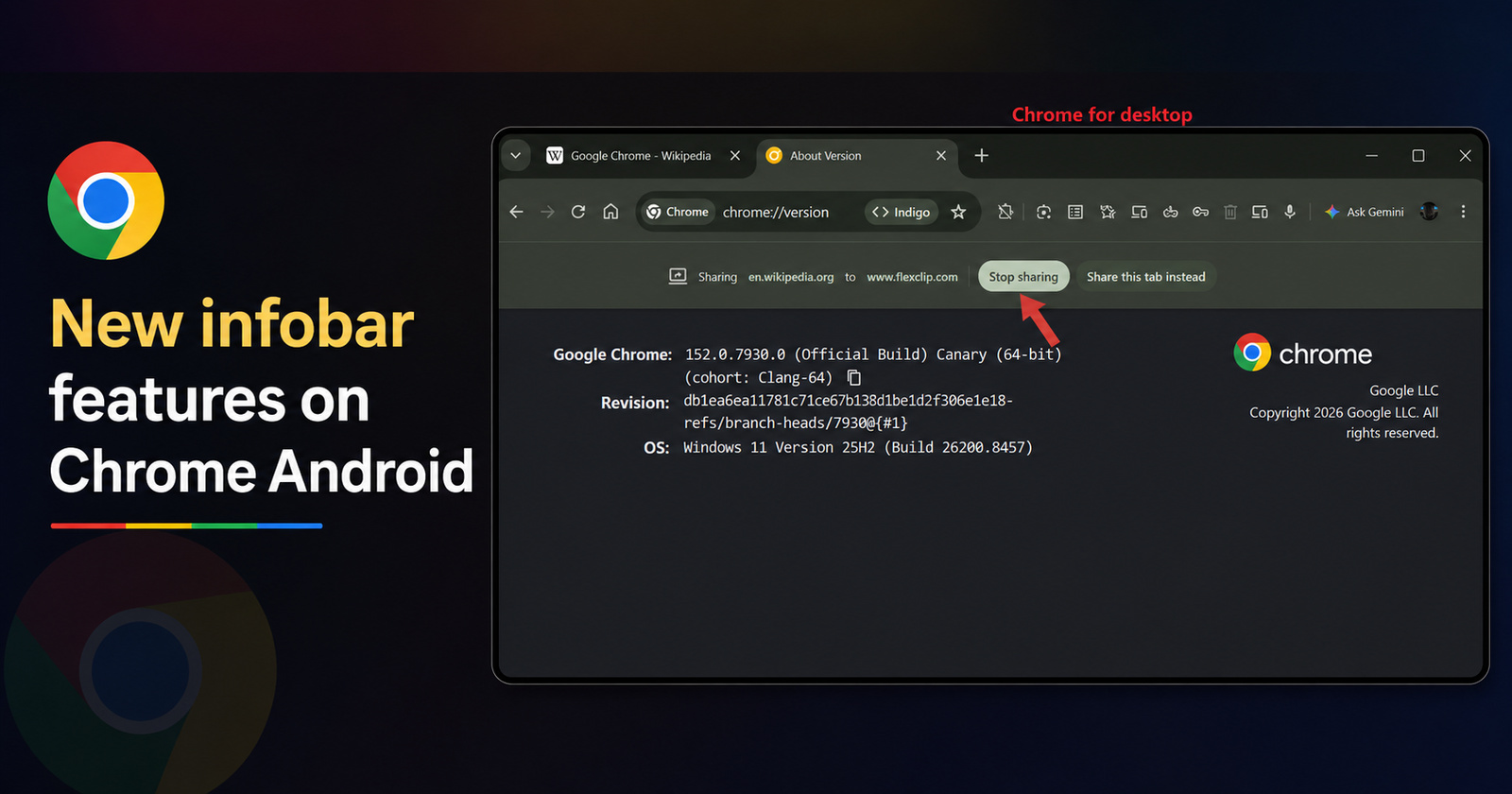
Google is working on a new tab sharing infobar for Chrome on Android. This infobar will appear when you share a tab with websites that host video calls, record your screen, or use similar features. It's the same infobar that appears in Chrome for desktop:https://t.co/JFUUAxM5mA pic.twitter.com/dLfUksQ3er
— Leopeva64 (@Leopeva64) July 5, 2026
On Google Chrome desktop, whenever you share your browser tab to a website that uses your webcam or records your screen, an infobar pops up. It gives you the option to stop sharing, and indicates the name of the site you’re sharing the tab with. This infobar is now being added to the Android app.
Details about this change were posted by @Leopeva64 on X, and you can find the relevant media attached below. Additionally, if you search for “infobar” in the Chromium source code through this link, you can find a description of the changes.
Note: The reference images from the original source only show the infobar of the desktop version, and that’s not the Android version.
Instead of just saying “this tab,” the infobar will specify the exact URL of the website that is being shared, and to which website. For example, YouTube.com is being shared to FlexClip instead of “Sharing this tab to…”
Instead of just getting the option to stop sharing, the updated infobar will also contain an option to share a different tab instead.

If you switch away from the tab that you’re actively sharing, you will also have the option to share your current tab, and not just the previous tab.
I’ve personally checked on Chrome Canary, but this new infobar doesn’t show up yet. If you’re interested in trying your luck, you can grab Canary from the Play Store and check whether the new features show up for you. However, it’s worth noting that Canary is an unstable and experimental version of Chrome, so it’s not for daily usage. It’s intended for developers/testers.
Did you know that Chrome 150 removed Ad Privacy settings? More on that here.
In other interesting news about browsers, copying and pasting is about to get much better on Chrome and Edge. We covered that here.
Disclaimer: The Featured image was generated with AI.

We stand out from the tech-media crowd because we break news stories; we mainly bring you stuff that you won’t find anywhere in the mainstream tech media. Our stories have been picked up by some of the world’s most popular websites and media outlets—more info is available here.

Sudhanshu K
131 Posts
I have been a consumer technology enthusiast for over 5 years. Thanks to my experience in software beta testing and product reviews, I've understood and learnt a lot about what bugs and issues bother people, and I spend time trying to simplify their solutions. I cover smartphones, software, social media, apps, AI, and most consumer tech gadgets. Actively pursuing a Computer Science bachelor’s degree. I'm mostly active on Twitter/X (@TechWhirlUlt), drop a DM or tag me if you want to share info or connect!