





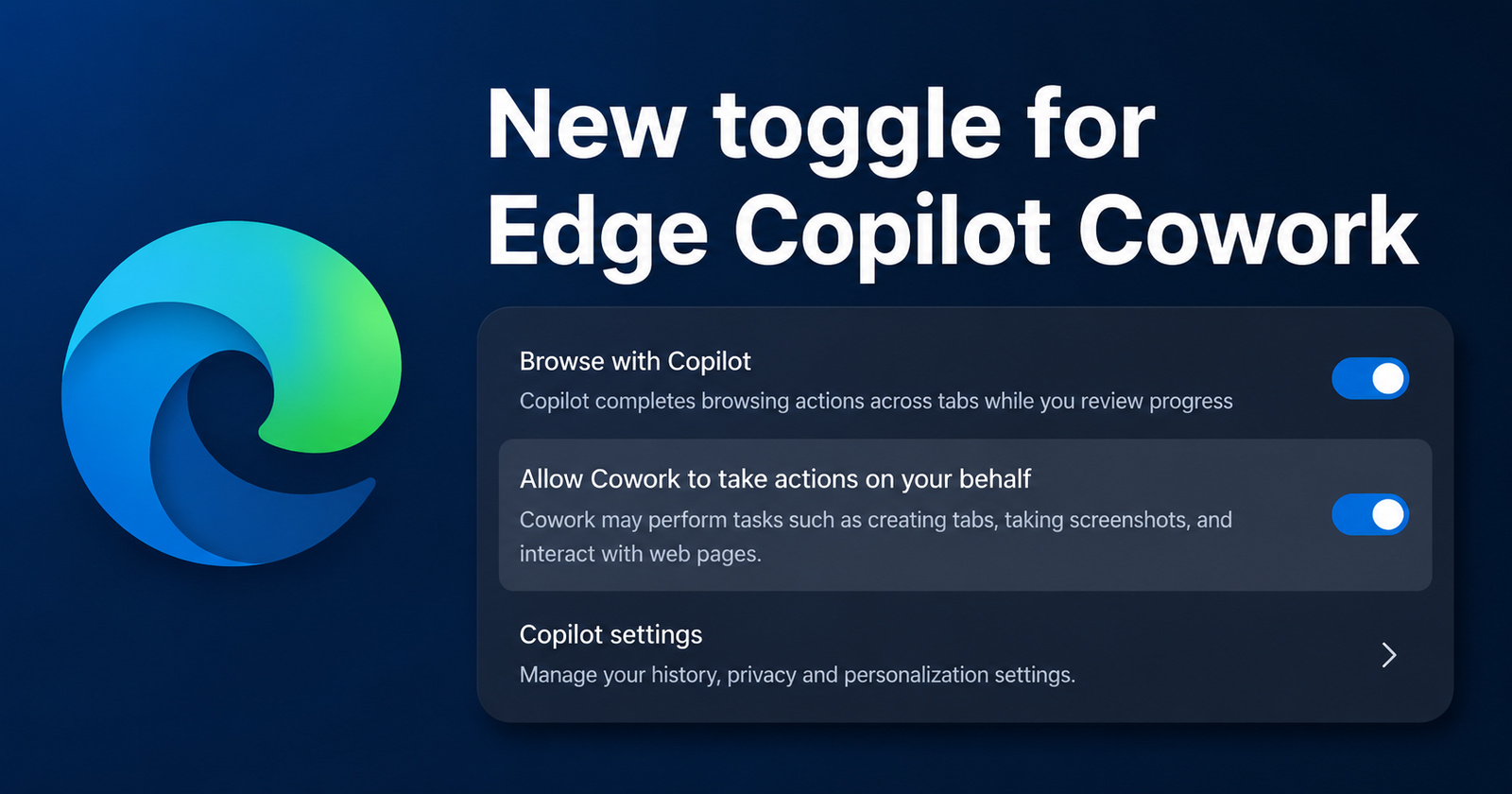
There's a new toggle in Edge's "Copilot and AI" settings page that lets you decide whether the Cowork feature can access Edge to perform tasks on your behalf, like create tabs or interact with pages. This article explains "Cowork":https://t.co/7XE1RN7M29https://t.co/R6pBhCPiIu pic.twitter.com/ne1cjI9J8w
— Leopeva64 (@Leopeva64) July 2, 2026
Microsoft has updated its Copilot Cowork settings in Edge, introducing a new toggle that gives users better control. The option now appears under the “Copilot and AI” settings page.
The toggle is called “Allow Cowork to take actions on your behalf.” This lets users decide whether Microsoft’s Cowork agent can automatically create tabs, take screenshots, or interact with web pages. It appears right below the “Browse with Copilot” menu.
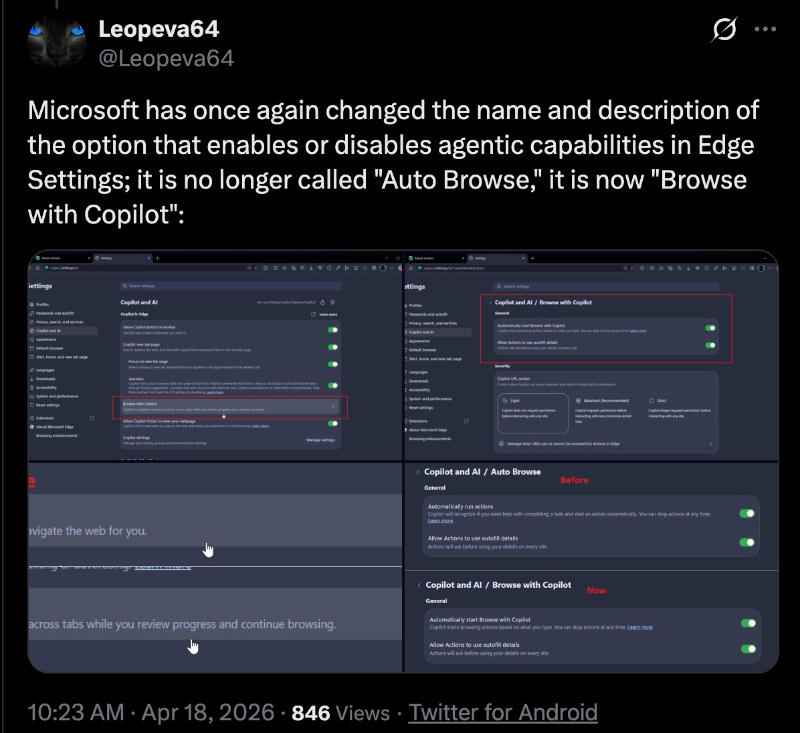
Information about this change was spotted by @Leopeva64 and was shared through a post on X. It also contains media depicting the new setting, and you can view it below.
I was unable to check for the new Cowork toggle (under edge://settings/ai), since I don’t have the required Microsoft 365 enterprise subscription for Cowork. If you don’t have it either, you’ll just see the “Browse with Copilot” menu. The toggle for Cowork controls is absent on the free version.
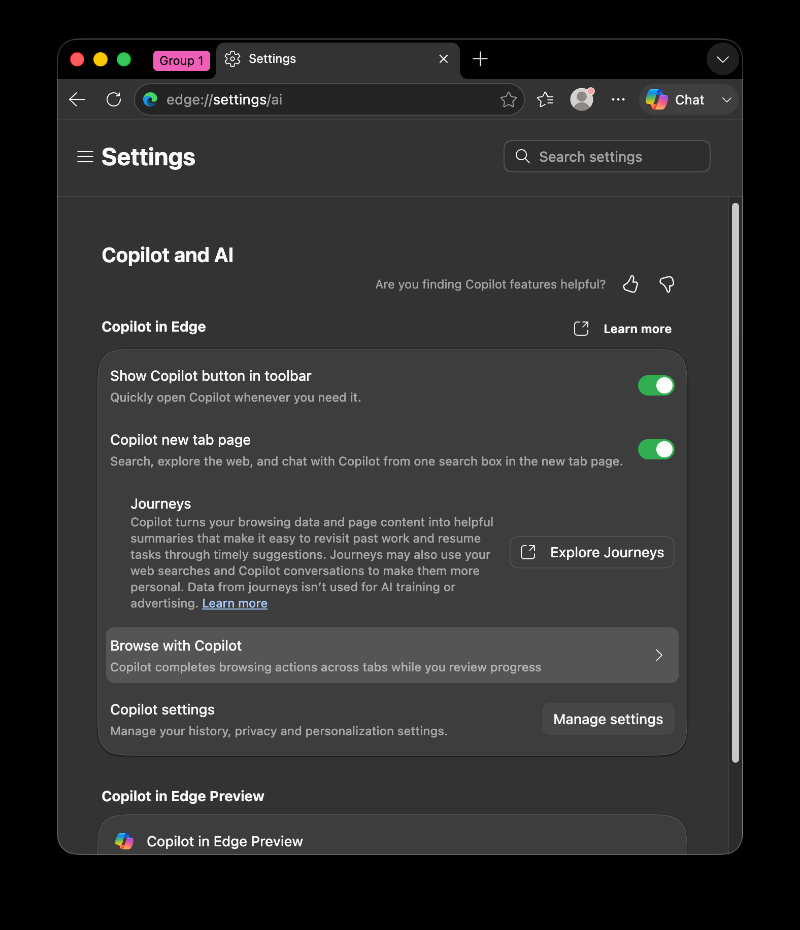
“Browse with Copilot” (which is located above this new toggle) was called Copilot Actions, and the name was then changed to Auto Browse. Finally, the company settled on “Browse with Copilot.” This is what you’ll see in the current stable version of Edge.
For those unaware, Cowork is basically a feature within Microsoft 365 Copilot. It’s different from the normal Copilot browsing feature. When granted permission, it operates in a hidden Edge tab to automate some web-based tasks. Users can continue their usual work in the main browser interface. Microsoft’s official blog page describes the feature in broader detail.
Note: The feature is still a “Preview,” so it’s still not finished. At the moment, it only works on Edge; other browsers don’t support it.
Microsoft has also published the requirements for Cowork, which you can find below.
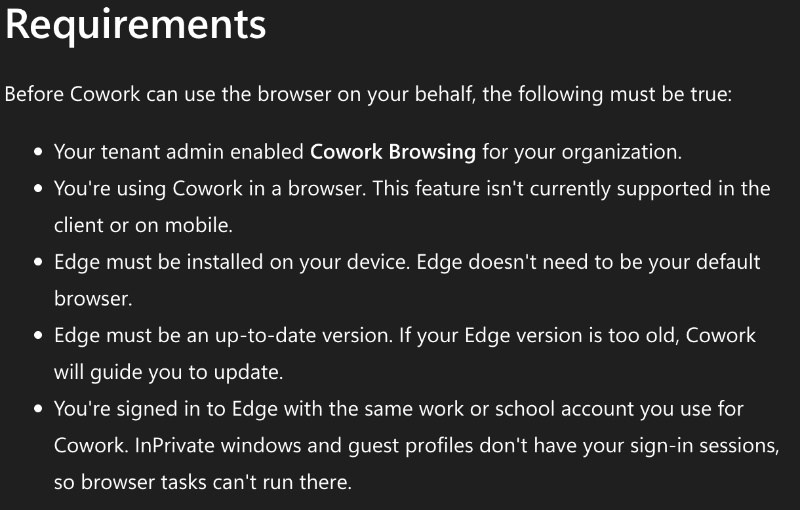
The company emphasizes that the agent only works on websites where users are already signed in. It requires the latest version of Edge.
In other Edge news, Microsoft previously built a version of Windows where Edge itself was the main operating system. We covered that here. Additionally, the company is also working on a Copilot image analysis feature. More on that here.
Disclaimer: The Featured image was generated with AI.

We stand out from the tech-media crowd because we break news stories; we mainly bring you stuff that you won’t find anywhere in the mainstream tech media. Our stories have been picked up by some of the world’s most popular websites and media outlets—more info is available here.

Sudhanshu K
206 Posts
I have been a consumer technology enthusiast for over 5 years. Thanks to my experience in software beta testing and product reviews, I've understood and learnt a lot about what bugs and issues bother people, and I spend time trying to simplify their solutions. I cover smartphones, software, social media, apps, AI, and most consumer tech gadgets. Actively pursuing a Computer Science bachelor’s degree. I'm mostly active on Twitter/X (@TechWhirlUlt), drop a DM or tag me if you want to share info or connect!
Next article View Article

DuckDuckGo says its browser's AI toggle is getting a redesign "very soon"
DuckDuckGo is planning to redesign the AI toggle in its browser very soon. In a new episode of the ‘Duck Tales’ podcast released on July 1, Chief Product Officer Beah...
Jul 03, 2026 2 Min Read