
Firefox for Android just rolled out a new feature that lets you shake your phone to get an AI summary of whatever web page you’re reading. Mozilla quietly bundled this tool into the Firefox 152.0 update on June 16, and it’s now expanding to users globally. You don’t even have to look for a specific button if you’re in a rush. A quick physical shake triggers the browser to parse the article for you instantly.
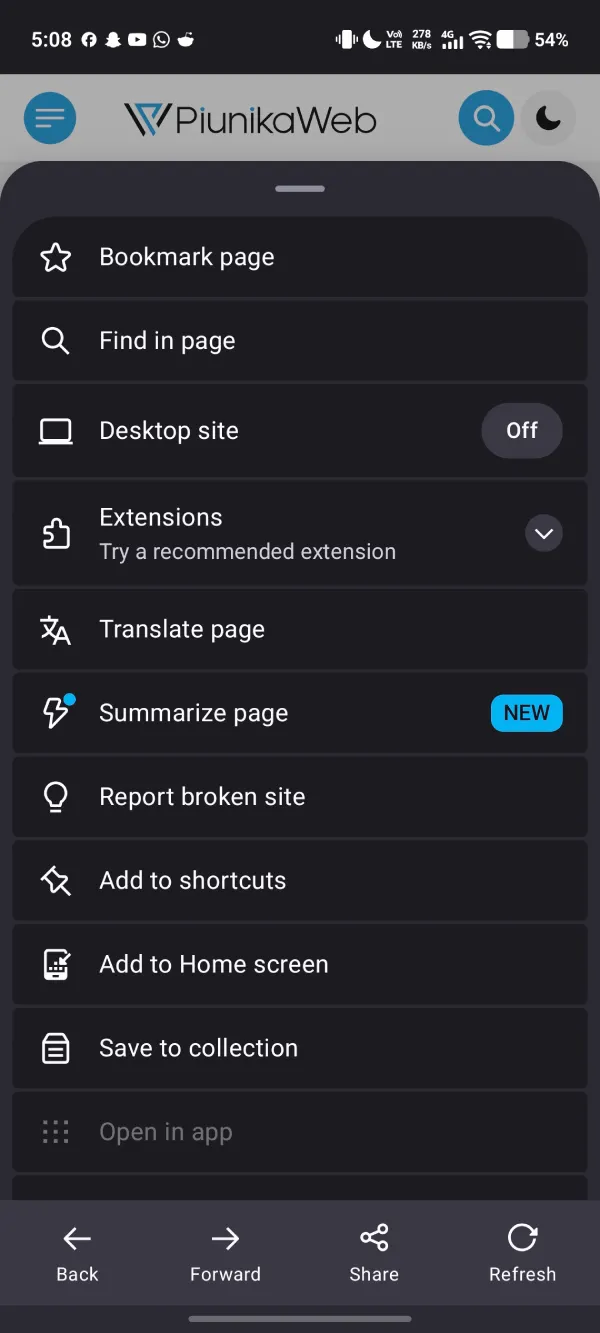
I tested the feature today on a few tech articles to see how it holds up in daily browsing. Opening the main browser menu shows a bright blue “NEW” tag right next to the brand-new Summarize page option, which you can see exactly in the screenshot below.
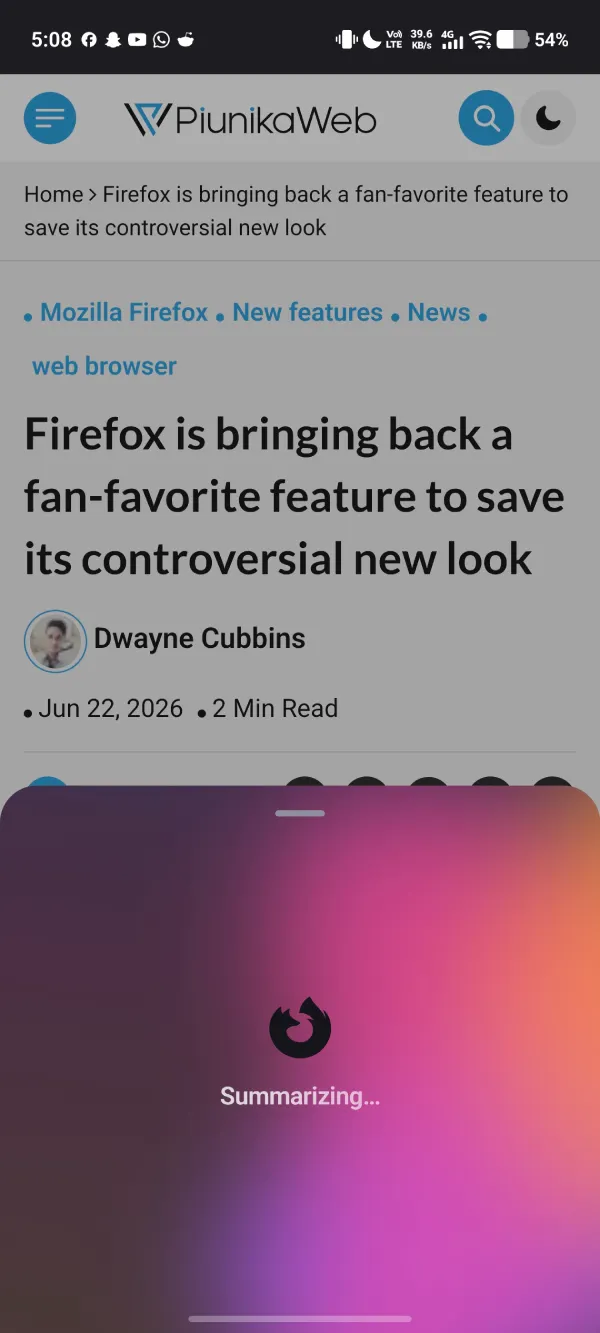
Tapping that option or shaking the device immediately pulls up a colorful gradient overlay that says it’s actively processing the text. The loading animation takes only a few seconds to analyze the entire document.
The actual results show up quickly and break the text down into scannable chunks, structuring everything into clear buckets like what happened and why it matters. Here’s how it summarized a recent article of ours:
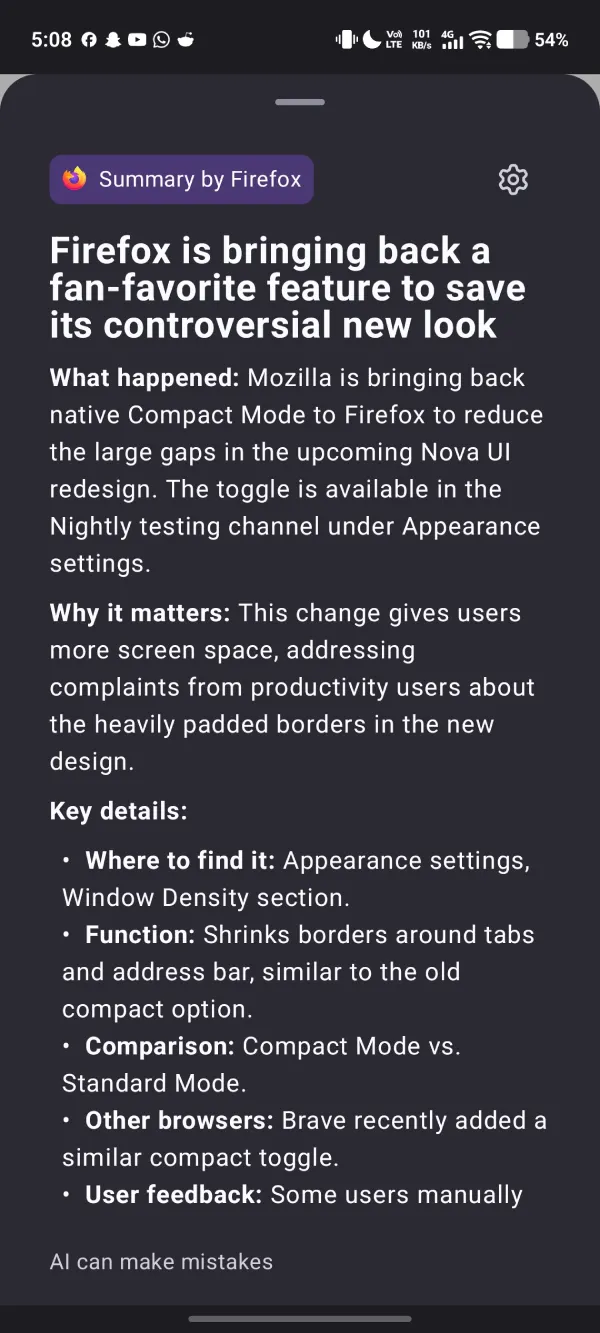
The tool runs on the Mistral Small 3.1 AI model through Mozilla’s cloud infrastructure, but it only works on English webpages under 5000 words that support Reader View. It can’t scrape text hidden behind paywalls or work while you browse in Private Mode. A small warning at the bottom also notes that AI can make mistakes, so you should still double-check crucial facts before relying on them entirely.
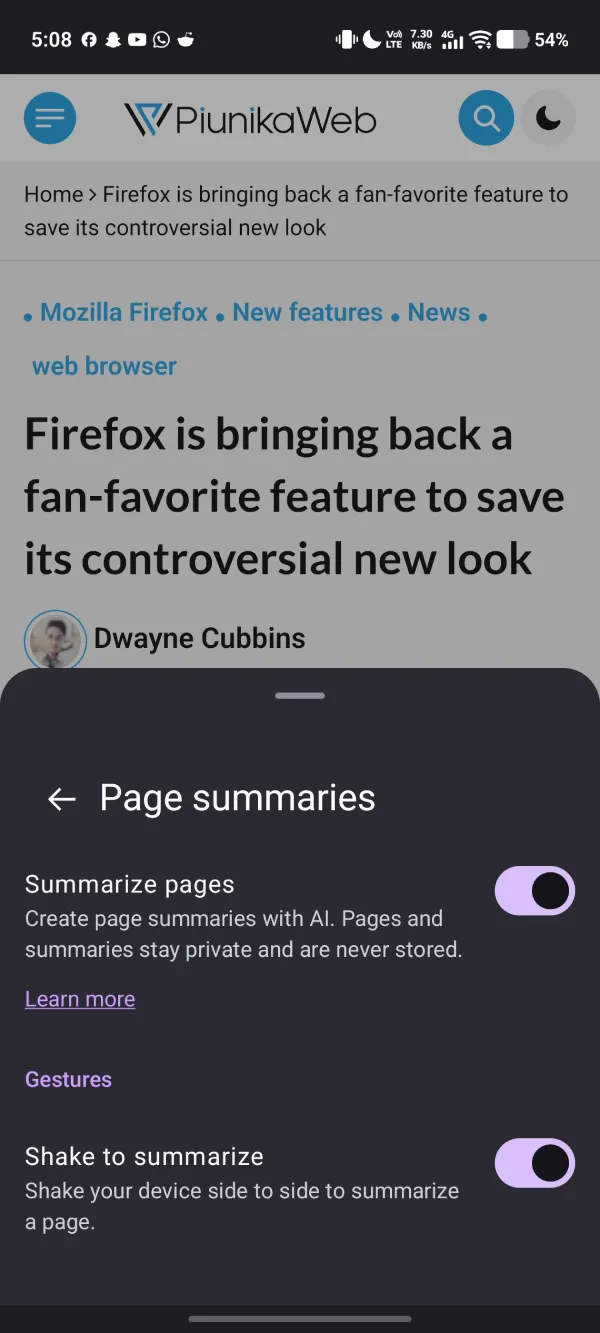
You have complete control over how this gesture behaves if you find yourself triggering it by accident. In the ‘Page summaries’ setting, you have the option to toggle off the ‘Shake to summarize’ feature. And if you don’t want it at all, you can disable it completely by toggling off ‘Summarize pages’. This makes it in line with Mozilla’s goal to offer opt-outs for AI features.
Mozilla says the text gets processed securely through its own hosted servers before sending the clean summary straight back to your mobile screen, following its usual strict privacy standards to protect your reading habits.
This major version update also brought along a new World Cup widget for sports tracking, better pinch-to-zoom performance on cheaper phones, and a hidden setting that makes the homepage act like a standard desktop tab. You can read the official Firefox 152 release notes to find the full breakdown of everything included in this build. Mozilla dropped a quick follow-up patch with version 152.0.1 to clean up early bugs as the rollout reaches more Android devices this week.
The team is also staying busy on the desktop side, recently bringing back the native Compact Mode to fix massive empty gaps in the upcoming Nova UI redesign.


Dwayne Cubbins
3088 Posts
I cover fast-moving stories across apps, online platforms, and everyday tech — phones, wearables, consoles, and whatever else people are fighting with this week. Bugs, rollouts, scams, policy enforcement, and the occasional internet-culture rabbit hole are all fair game. My goal is simple — make confusing tech news readable. When I'm not working, I'm working out or chilling with my dog. Got a tip? You can find me on X @dcubbins.
Next article View Article