Firefox 152 brings a welcome change for Android users, which fixes the homepage behavior. A hidden setting makes the homepage act as a real tab, just like in most other mobile browsers and on Firefox for desktop.
Normally, opening a new tab merely displayed an overlay on top of the existing webpage and didn’t actually “create” a new tab. Now, there’s a new secret setting called “Homepage as a New Tab,” which fixes this by making the homepage behave like a standard tab.
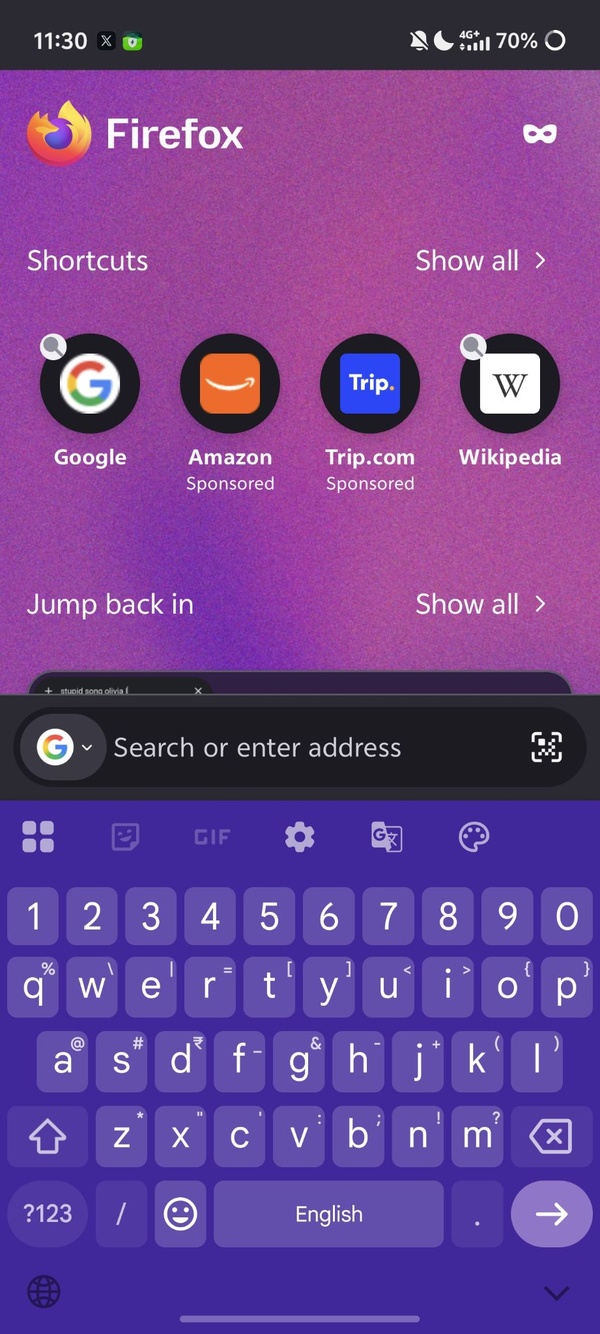
Mozilla has not highlighted this change in the official Firefox 152 release notes, but users have discovered it through testing the new version on Android. Notably, it’s a hidden feature for now, available only through settings.
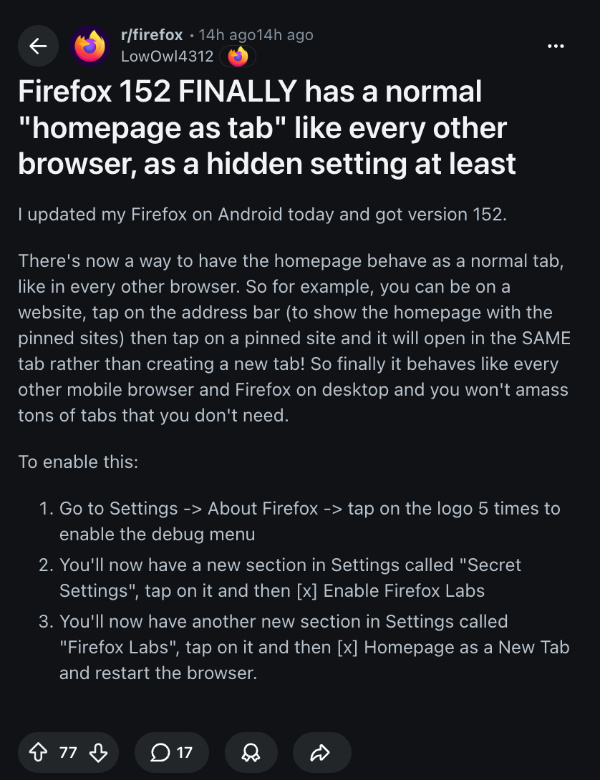
To enable the feature, follow these steps:
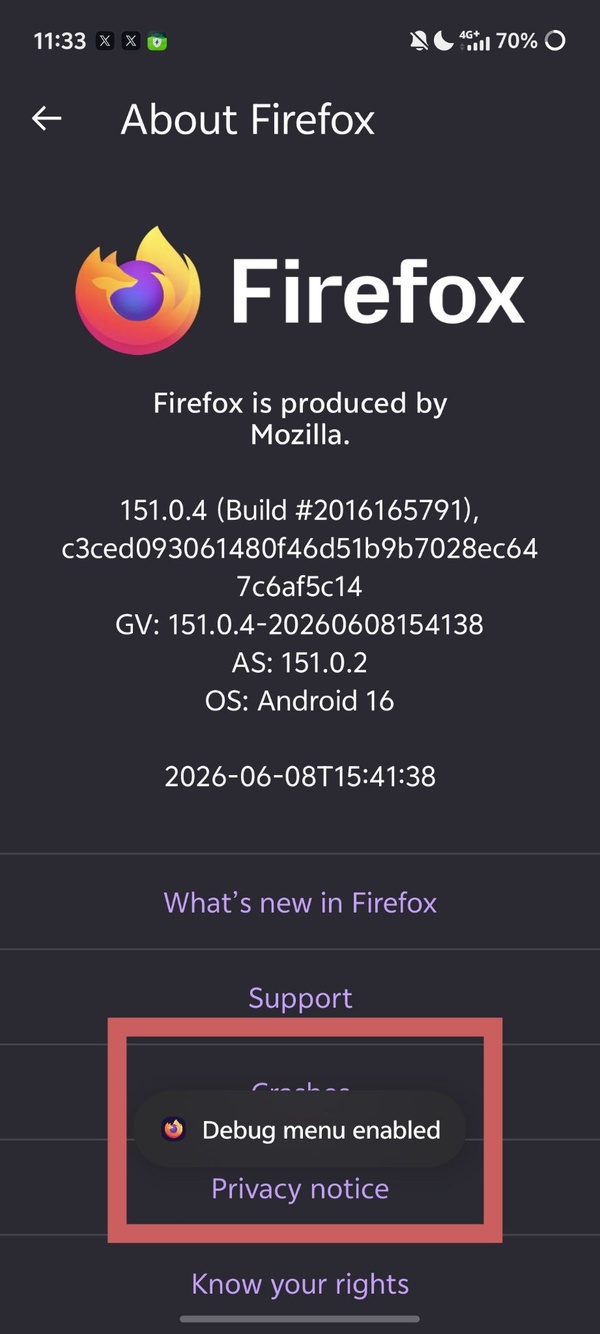
- Open Firefox Settings and go to “About Firefox.”
- Tap the Firefox logo 5 times to unlock the debug menu.
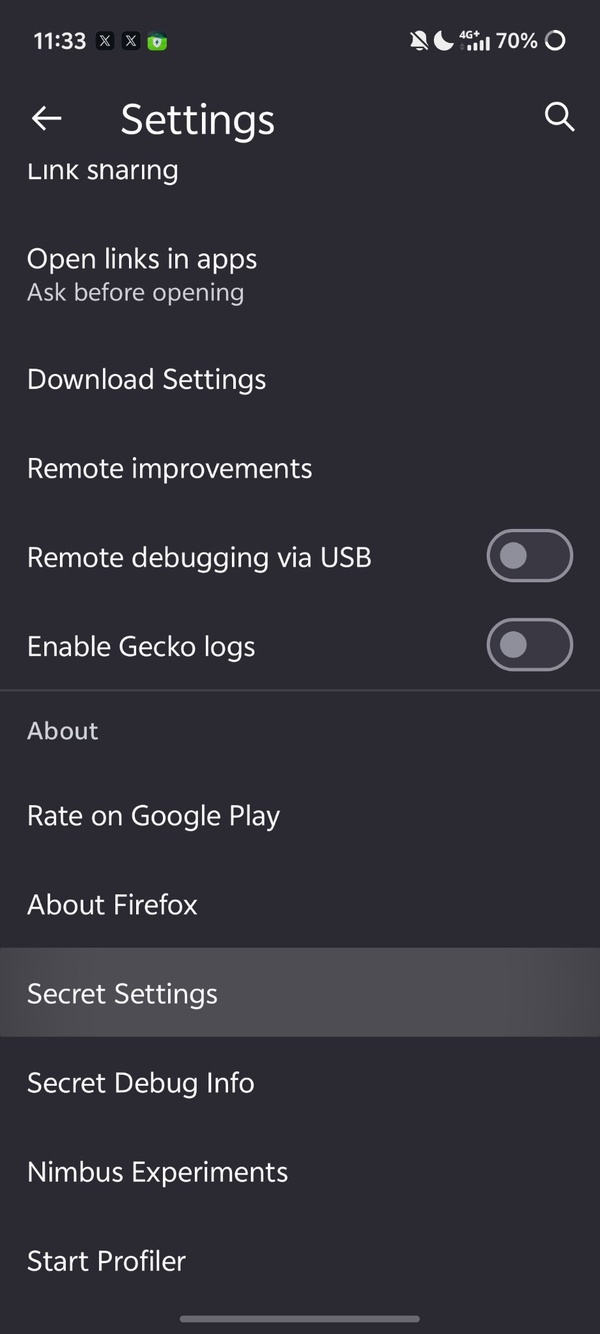
- A new “Secret Settings” section should show up (scroll down in the Settings menu).
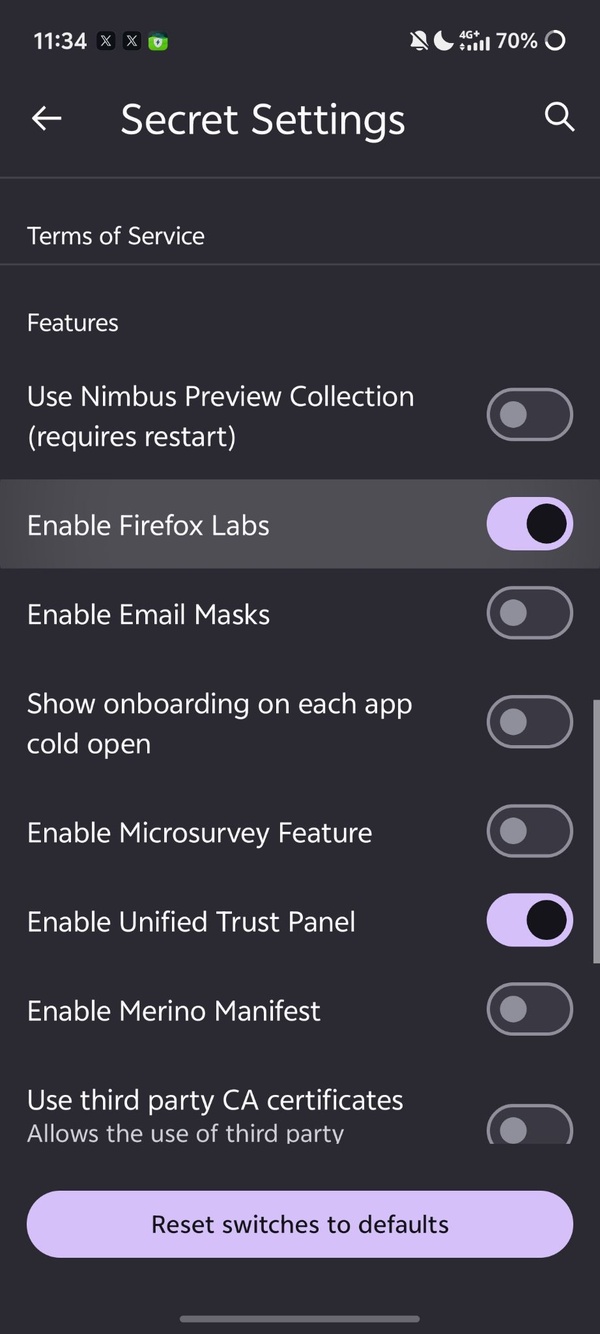
- Tap on that, and enable “Firefox Labs.”
- Go back to the Settings menu, and you’ll find the “Firefox Labs” section.
- From here, turn on “Homepage as a New Tab.”
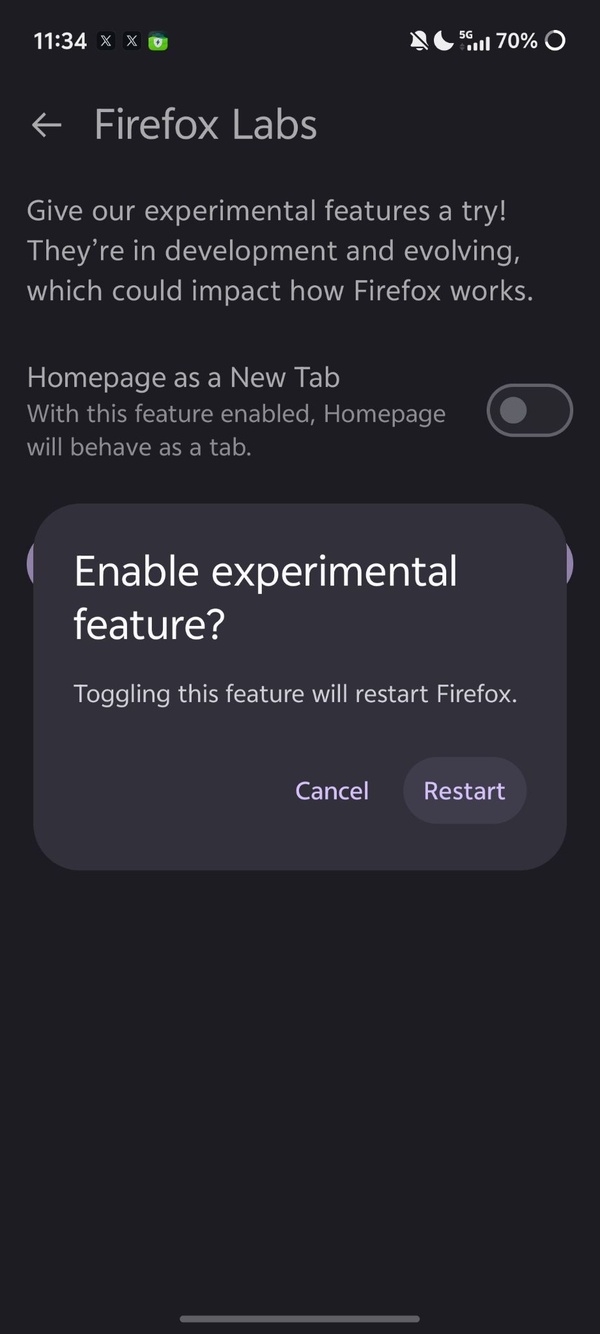
- Restart the browser.
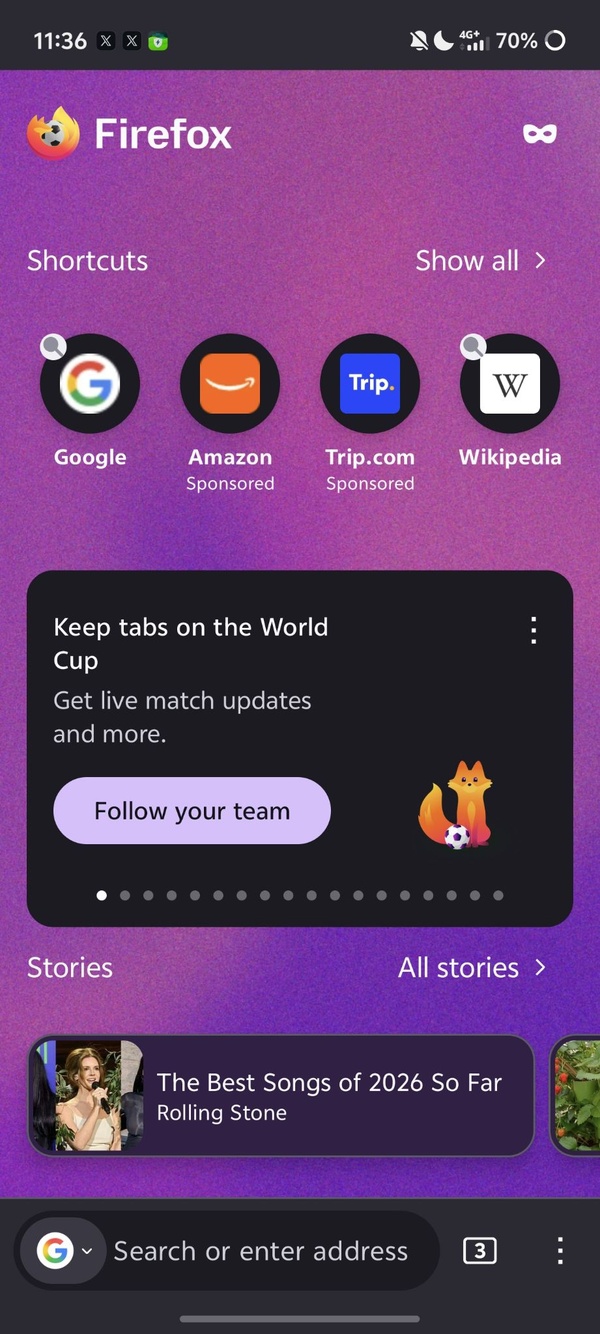
As you can observe in the image below, it creates a proper new tab instead of an overlay.
Additionally, on v152 (which has started rolling out recently), you can also enable the experimental Nova redesign.
For those unaware, Nova is Mozilla’s upcoming visual refresh for the Firefox desktop interface. It introduces more rounded elements, subtle design changes, and is still under active development. You can try it with a testing flag in about:config (browser.nova.enabled).
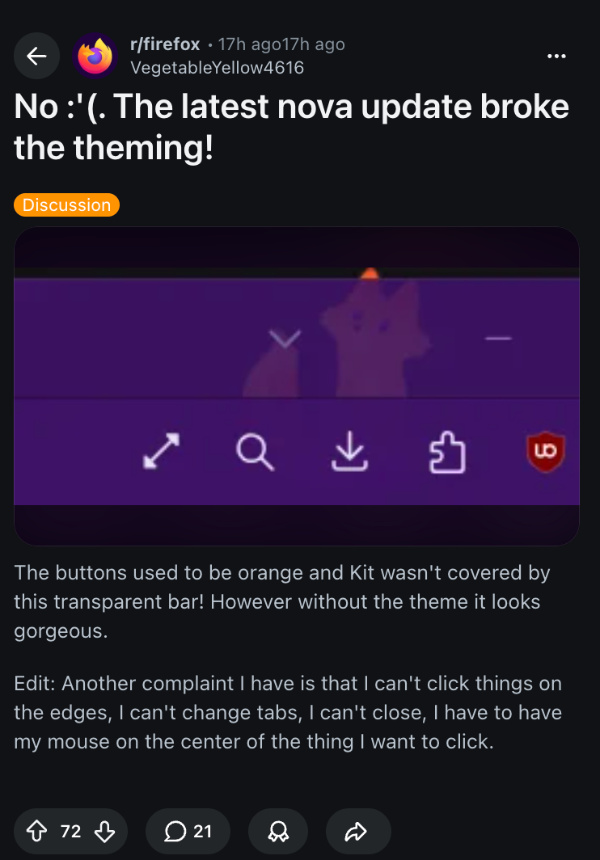
Since Nova is still technically under testing, some users who enabled Nova noticed issues with it. Reports indicate that the latest Nova design broke the theming. Custom themes that previously displayed normally now have problems, such as buttons losing their intended colors.
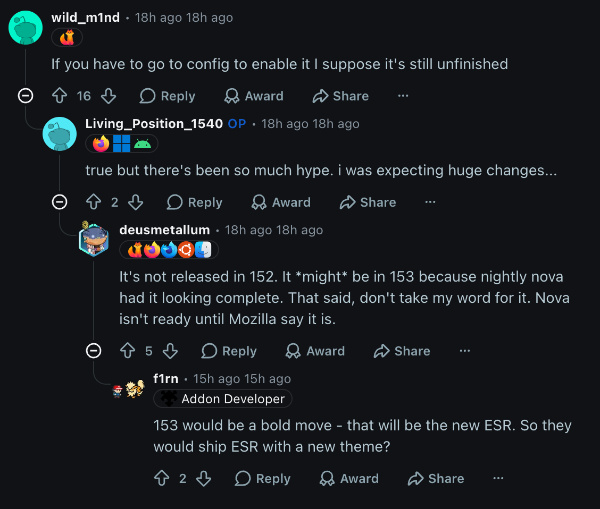
Furthermore, users also complain about needing to aim precisely at the center of buttons, breaking muscle memory. Similar issues affect scrollbars and vertical tabs mode.
One user shared screenshots showing orange buttons turning the wrong color and a transparent bar overlapping the “Kit” area. Clearly, Nova still needs a lot of working before it can actually launch publicly.
In other Firefox news, a new Nightly update adds a preference to hide the Firefox logo when you open a new tab. We covered that here.


Sudhanshu K
297 Posts
I have been a consumer technology enthusiast for over 5 years. Thanks to my experience in software beta testing and product reviews, I've understood and learnt a lot about what bugs and issues bother people, and I spend time trying to simplify their solutions. I cover smartphones, software, social media, apps, AI, and most consumer tech gadgets. Actively pursuing a Computer Science bachelor’s degree. I'm mostly active on Twitter/X (@TechWhirlUlt), drop a DM or tag me if you want to share info or connect!
Next article View Article