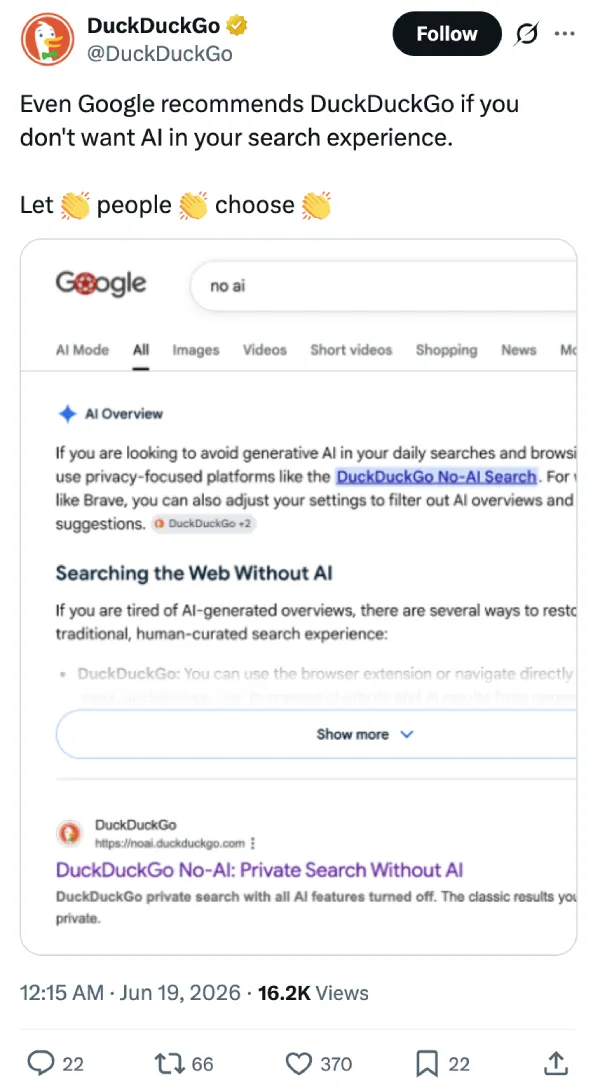
Google’s AI just handed its main privacy rival a massive free endorsement. DuckDuckGo shared a screenshot on X showing Google’s own AI Overviews instructing users to abandon Google if they want to escape generative content.
The AI Overviews screenshot they shared shows the automated system pointing users directly to DuckDuckGo. The text explains that people tired of AI-generated summaries can easily restore a traditional, human-curated search experience. It even suggests adjusting settings in alternative browsers like Brave to filter out Google’s AI completely.
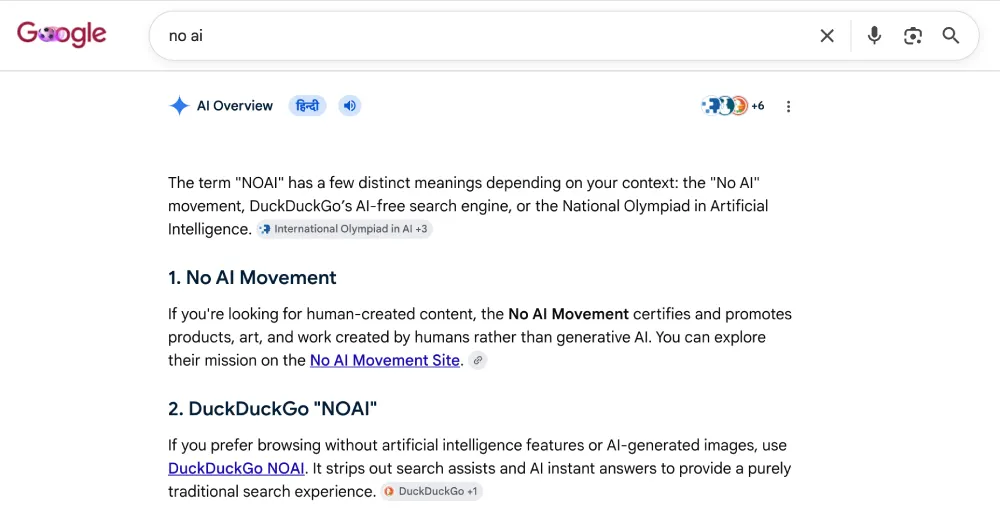
I ran the exact search query “no ai” to verify the post myself. The AI Overview box immediately popped up with advice on how to avoid generative text during daily browsing. It explicitly recommended privacy-focused platforms like DuckDuckGo No-AI Search.
That said, while this self-own is hilarious, you should also not overlook the fact that DuckDuckGo also offers its own AI-powered “Search Assist” feature that’s on by default. But the big difference here is that DuckDuckGo gives you a clear, easy way to disable that feature without navigating any complicated settings menus.
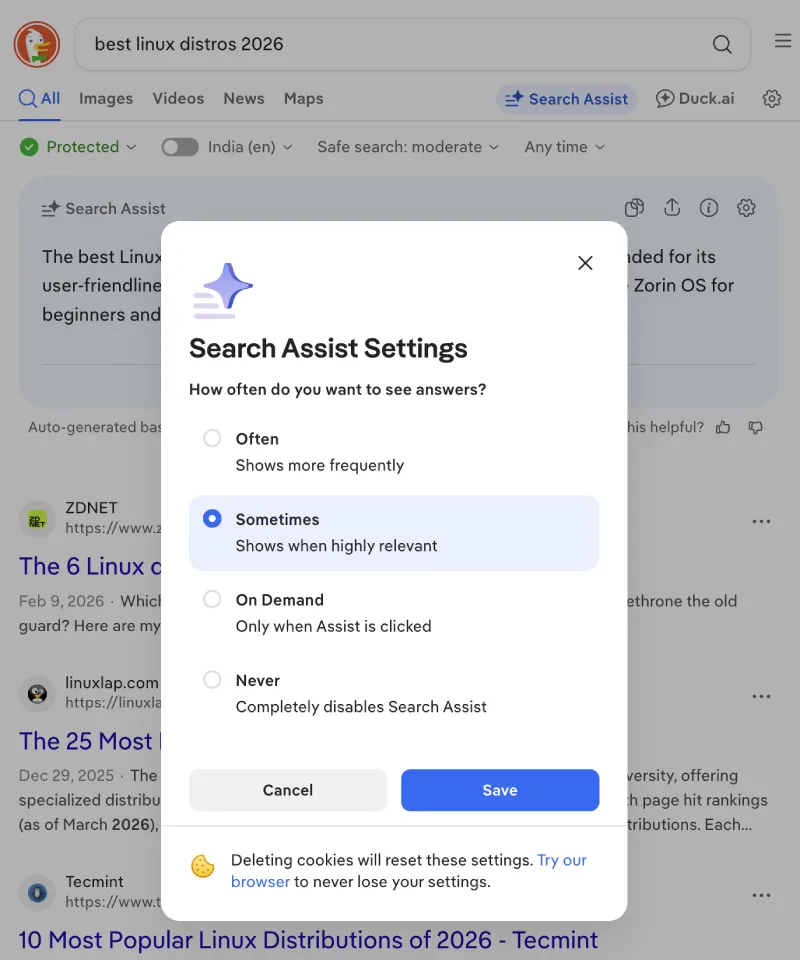
Adding to that, DuckDuckGo also has a “No AI” search page that gets rid of the AI altogether. We recently even reported on how that very same No AI page got triple the amount of traffic shortly after Google’s I/O keynote, where it leaned into AI even more. So it’s clear that users are actively fleeing the platform because they want clean web results without a giant wall of automated text clogging the top of the screen.
Google spent the last year forcing experimental tools into every corner of its site. The company began quietly testing AI Overviews in place of its classic dictionary box a few months ago. If implemented, a simple word definition lookup will trigger a massive paragraph of conversational text instead of a quick, clean answer.
We also reported on how Google’s AI Overviews is getting weird and letting users force the search engine into video game roleplay.
Even with all this, you still can’t permanently disable AI Overviews within standard Google account settings. The platform offers a separate Web filter to view traditional blue links, but you have to manually select it for every single query. It adds a tedious extra step to a process that used to be instantaneous.
Google built its AI to scrape the web and deliver the most accurate solutions to frustrated users. The system correctly concluded that abandoning the platform is the only real fix.


Dwayne Cubbins
3101 Posts
I cover fast-moving stories across apps, online platforms, and everyday tech — phones, wearables, consoles, and whatever else people are fighting with this week. Bugs, rollouts, scams, policy enforcement, and the occasional internet-culture rabbit hole are all fair game. My goal is simple — make confusing tech news readable. When I'm not working, I'm working out or chilling with my dog. Got a tip? You can find me on X @dcubbins.
Next article View Article