





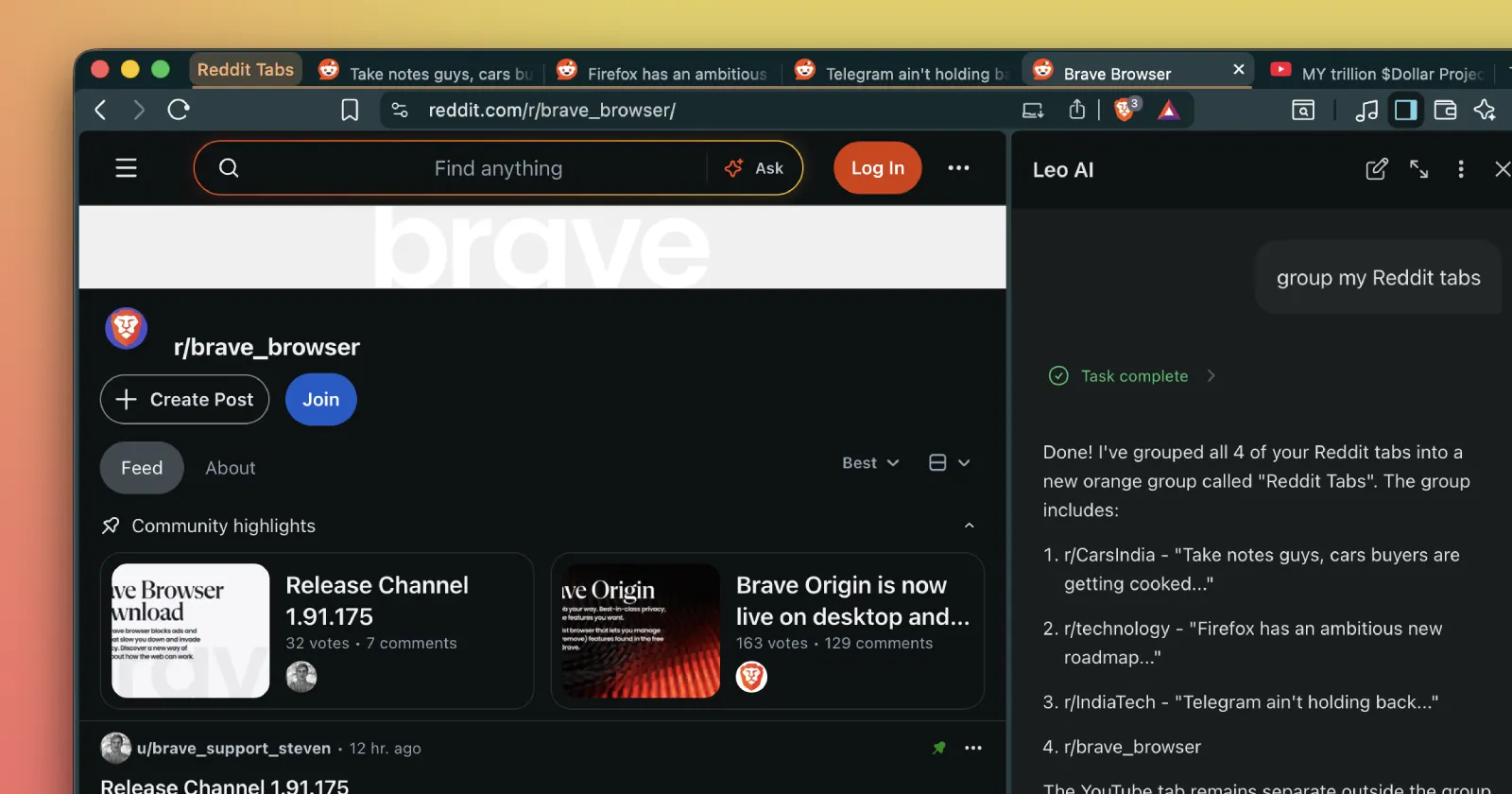
Leo can now clean up your tabs in Brave Nightly! 🧹
— Brave Nightly (@BraveNightly) June 17, 2026
You can ask Leo to:
- Rearrange tabs within a window
- Send tabs to different or new windows
- Create and edit tab groups
- Close tabs
Give it a shot and let us know what you think! pic.twitter.com/LuUBLAcVh3
Brave Nightly just got a genuinely useful Leo feature. You can now ask Leo to clean up your tabs, and it’ll actually go ahead rearranging tabs within a window, moving them to different or new windows, creating and editing tab groups, and closing tabs you don’t need.
The team put the spotlight on the feature in a recent post on X from the Brave Nightly team.
I immediately went and installed the latest Nightly build and gave it a shot myself, and it worked exactly as advertised. I typed “group my Reddit tabs” into Leo, and it identified all four of my Reddit tabs, grouped them together in a new orange tab group it named “Reddit Tabs,” and left my YouTube tab sitting outside the group on its own. You can see it in the screenshots below.
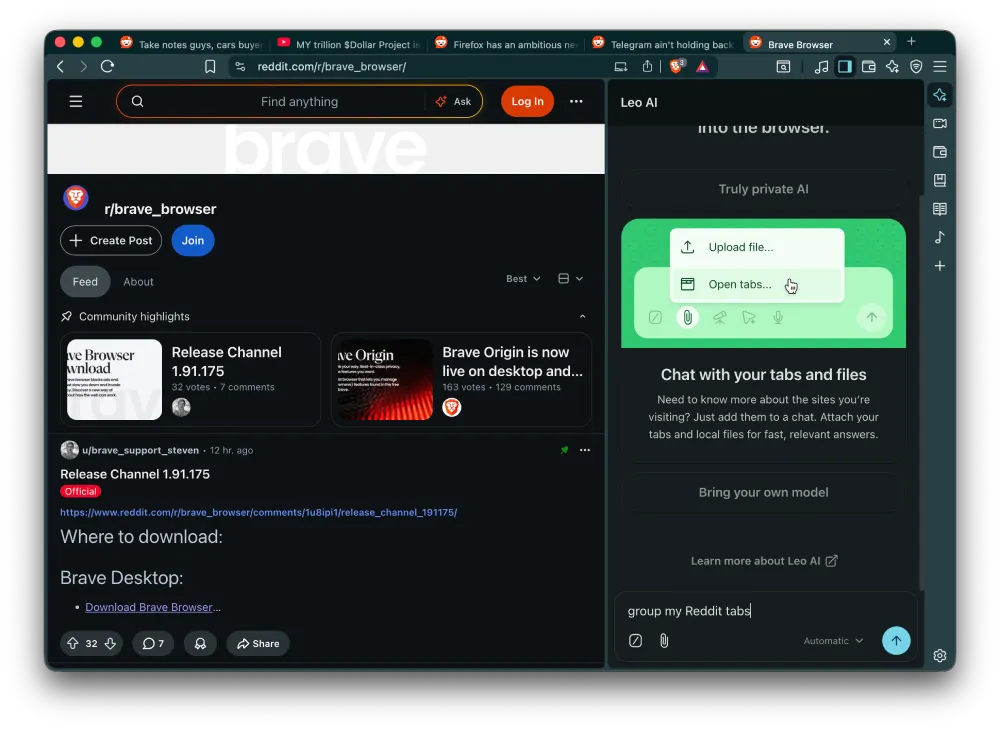
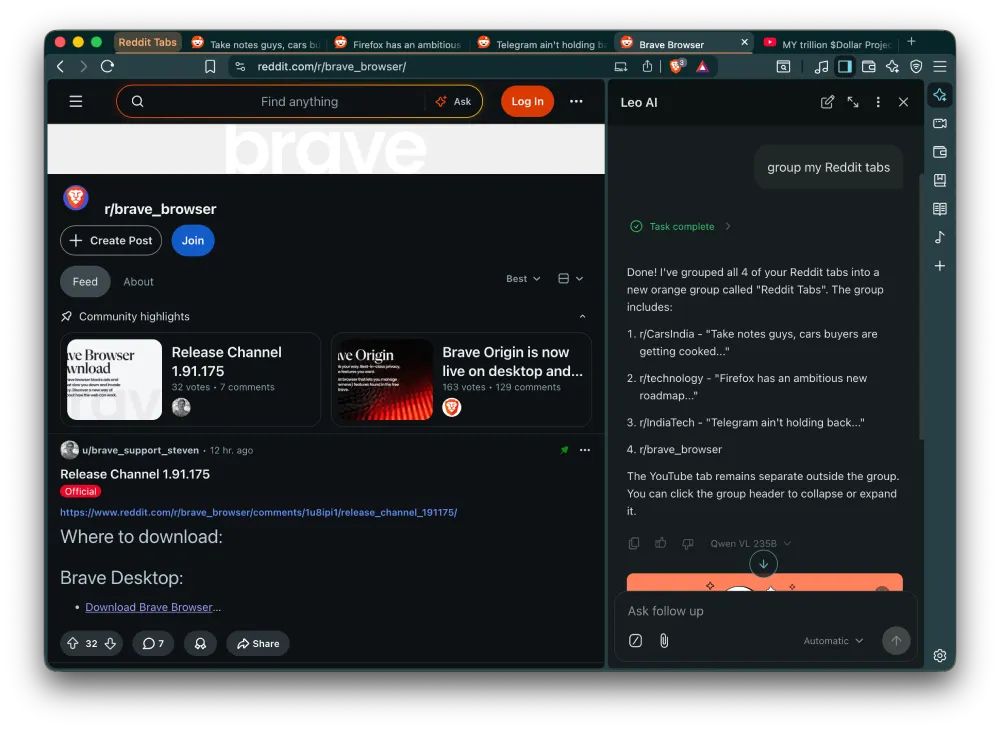
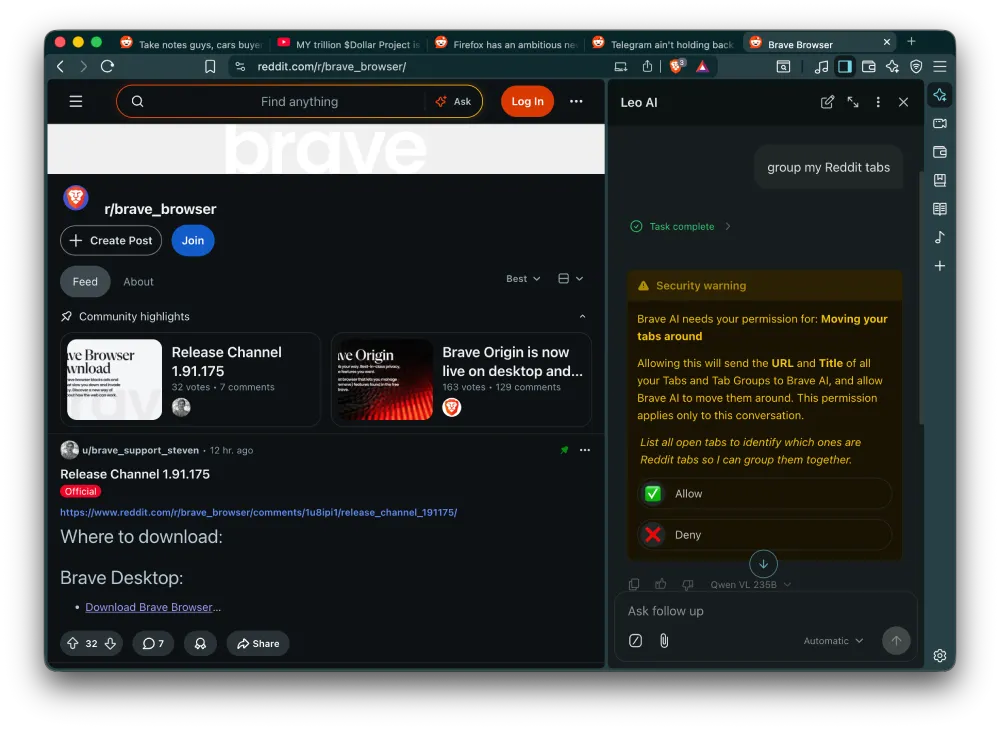
Before Leo actually does anything with your tabs, it throws up a security warning asking for permission. It tells you clearly that allowing this will send the URL and title of all your open tabs to Brave AI, and that it’ll have permission to move things around. The permission is scoped to that specific conversation only, which is a reasonable guardrail.
The attachment button in Leo’s chat input also shows an “Open tabs…” option now, so you can feed Leo your tab context directly without typing everything out.
Right now this is Nightly only, so it hasn’t landed in the stable or beta channels yet. That said, if you already run Nightly for testing, it’s worth playing around with. The tab management actually works well enough that I wouldn’t be surprised to see it ship to more users soon.
Brave has been working on a few other features lately. We covered how Brave brought Containers to the desktop beta channel just a couple of days ago, and before that, Brave Origin hit the stable channel for desktop and Android, giving users a stripped-down, Leo-free version of the browser. The Leo tab management feature sits on the opposite end of that spectrum, since it’s leaning into the AI assistant rather than cutting it out.
For now you’ll need to be on the Nightly build to try it. You can grab it from the official Brave Nightly download page.

We stand out from the tech-media crowd because we break news stories; we mainly bring you stuff that you won’t find anywhere in the mainstream tech media. Our stories have been picked up by some of the world’s most popular websites and media outlets—more info is available here.

Dwayne Cubbins
2881 Posts
I cover fast-moving stories across apps, online platforms, and everyday tech — phones, wearables, consoles, and whatever else people are fighting with this week. Bugs, rollouts, scams, policy enforcement, and the occasional internet-culture rabbit hole are all fair game. My goal is simple — make confusing tech news readable. When I'm not working, I'm working out or chilling with my dog. Got a tip? You can find me on X @dcubbins.
Next article View Article

Firefox AI chatbot flaw could expose your email login codes through a malicious webpage
Mozilla has been steadily expanding Firefox’s AI capabilities, allowing users to summarize articles, explain text, and proofread content directly from a sidebar powered by third-party chatbots like Copilot...
Jun 18, 2026 3 Min Read