When YouTube rolled out its latest Premium price hike, Brave saw a golden marketing opportunity. The privacy-first browser heavily pitched its built-in “Playlist” feature as a savior for cash-strapped users, offering a seamless way to download YouTube videos for offline listening on iOS without paying for a Premium subscription. It was a brilliant, pro-consumer alternative. However, if you have tried saving media on your iPhone recently, you likely noticed that this beloved loophole has abruptly vanished.
As I tracked down growing user complaints across Reddit and Brave’s community forums, a troubling pattern emerged. Users reported that the offline “Download” option had completely disappeared from their contextual menus.
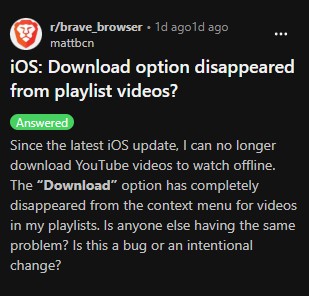
The compliance mystery was finally solved when Brave Support confirmed the worst: Apple stepped in and mandated the feature’s removal. According to Brave officials, Apple required them to strip offline playback from the iOS Playlist feature entirely just to remain on the App Store. While Brave is currently appealing the decision, Apple’s strict ecosystem rules have effectively neutralized the browser’s biggest anti-YouTube Premium selling point.
Apple required Brave to remove offline playback for Playlist on iOS in order to remain on the App Store. We’re appealing Apple’s decision and hope to restore this functionality to Playlist in the future.
~ Brave support via Reddit
Compounding this policy headache is a separate, technical glitch that is tracked in Brave’s open-source GitHub repository as issue #55010. Some iOS users running recent updates have encountered a glaring popup stating, “Sorry, there was a problem loading the resource!” when attempting to play cached videos.
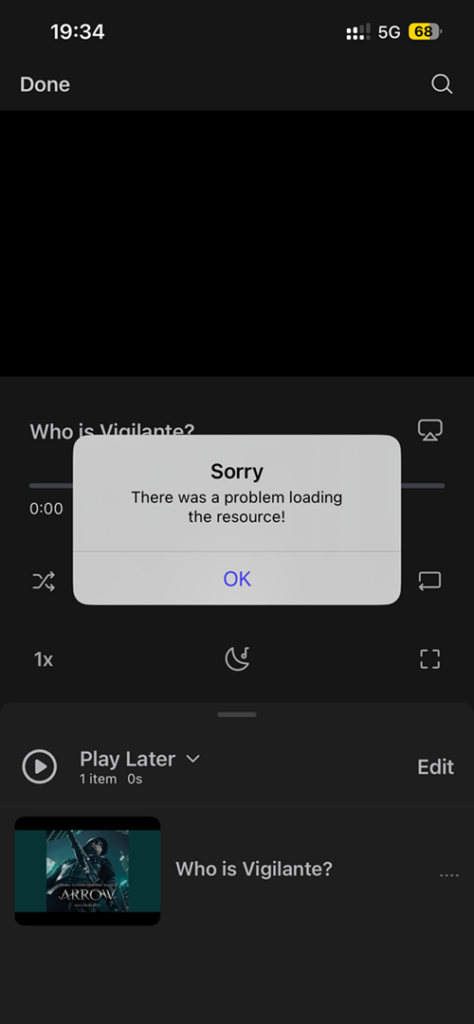
This occurs because Brave’s current media-capture mechanism allows users to add videos to their playlists directly from YouTube’s home feed or search results. Because the user hasn’t actually loaded the active video page, the browser fails to properly parse the underlying media stream. This results in a permanently broken playlist item displaying a generic thumbnail and a playback failure.
While we wait for Brave to fight Apple’s App Store restrictions and officially patch its software, there’s a temporary workaround that keeps the playlist feature semi-functional. By utilizing the “Request Desktop Site” option in Brave before adding any video to your playlist, you can force the browser to properly cache the file. Brave’s development team has also recommended this quick desktop-mode switch as a short-term fix.
For now, the clash between Brave’s anti-premium rebellion and Apple’s walled garden leaves iPhone users stranded in the middle, proving once again how fragile third-party features can be on iOS.


Hillary Keverenge
2723 Posts
Tech has been my playground for over a decade. While the Android journey began early, it truly took flight with the revolutionary Lollipop update. Since then, it's been a parade of Android devices (with a sprinkle of iOS), culminating in a mostly happy marriage with Google's smart home ecosystem. Expect insightful articles and explorations of the ever-evolving world of Android and Google products coupled with occasional rants on the Nest smart home ecosystem.
Next article View Article