As we recently covered, Microsoft has been quietly cleaning house, permanently retiring both the Sidebar app list and Collections features from Microsoft Edge. Unsurprisingly, this decision hasn’t sat well with everyone, and many users are already missing the quick access the Sidebar app list provided.
But before you start looking for a new daily driver, there might still be a glimmer of hope. Renowned browser sleuth Leopeva64 recently highlighted a workaround using command-line flags that can bring both of these features back from the dead.
While these workarounds have been floating around for a while, they are incredibly relevant right now if you are desperately missing your old Edge layout. Here is how you can try to restore them.
How to bring back the Edge Sidebar app list
Microsoft may have officially retired the Hub Apps Sidebar, but the code still lingers in the background. You can force the browser to ignore the retirement mandate by tweaking the Edge desktop shortcut.
- Right-click on your Microsoft Edge desktop shortcut and select Properties.
- Navigate to the Shortcut tab.
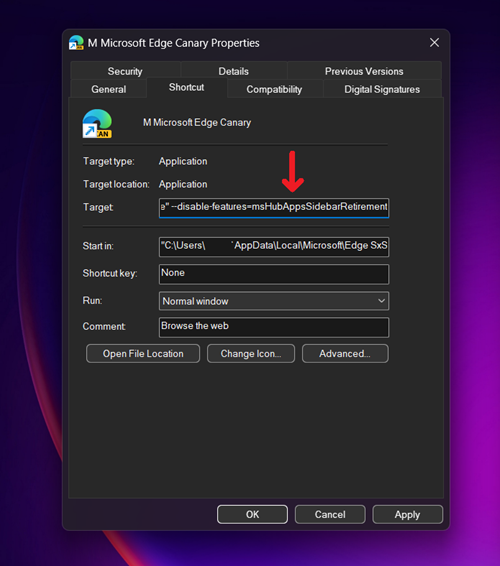
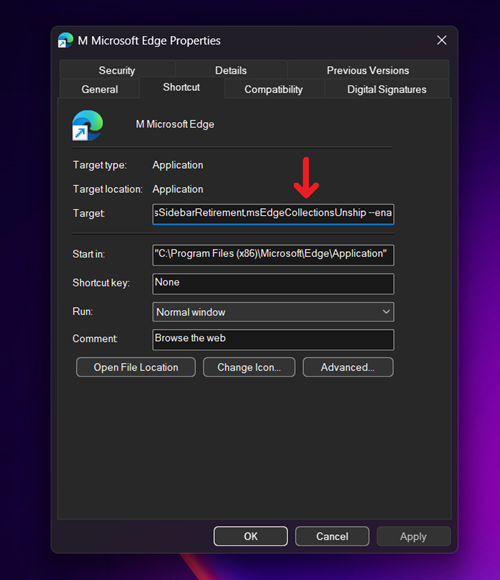
- Locate the Target field. Place your cursor at the very end of the existing text, add a single space, and paste the following command line flag exactly as written:
--disable-features=msHubAppsSidebarRetirement - Click Apply and then OK.
- Close any running instances of Edge and relaunch the browser using that modified shortcut.
If successful, your sidebar should populate with your apps once again. You can see how this specific flag setup looks in the properties menu in the image below.
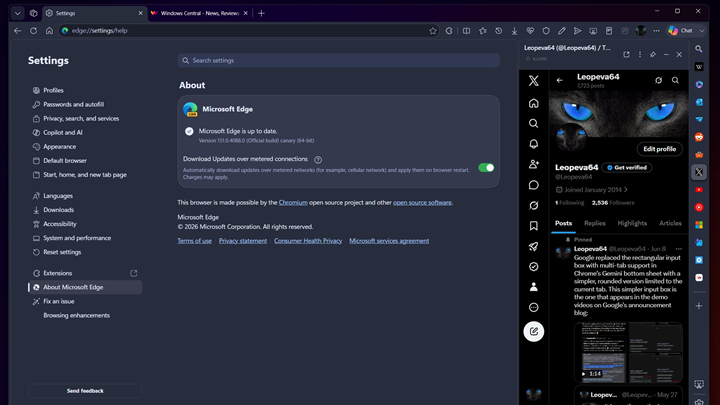
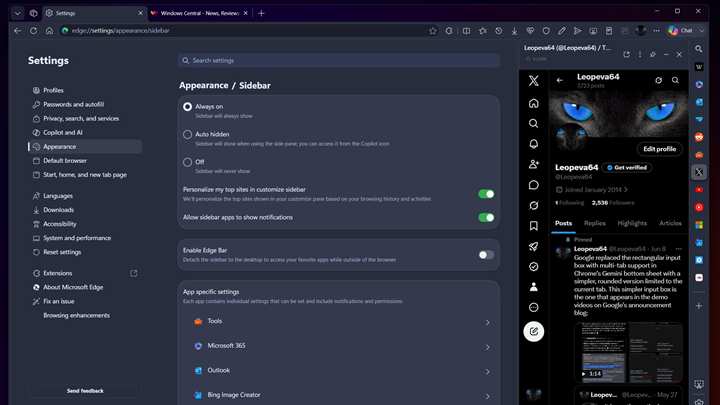
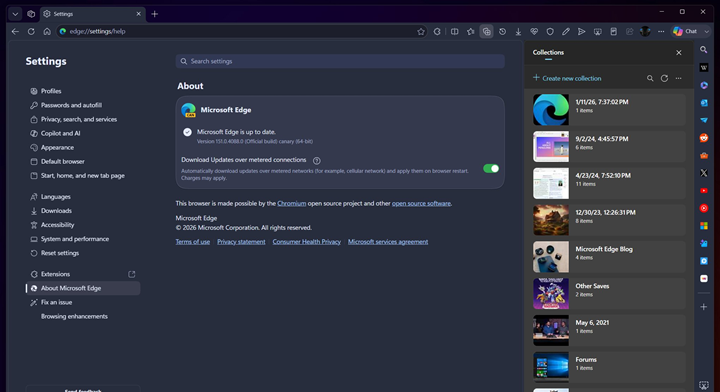
The successful restoration of the sidebar on Edge Canary is also shown in the images below.
How to restore Edge Collections
Collections might not have enjoyed the same massive popularity as the Sidebar app list, but power users who relied on it for research and organization immediately felt its absence. Luckily, the restoration process is identical.
- Open your Microsoft Edge shortcut Properties.
- In the Shortcut tab, go to the Target field.
- Add a space at the end of the text and paste this flag:
--disable-features=msEdgeCollectionsUnship - Click Apply, hit OK, and restart your browser.
Note: If you want to restore both features simultaneously, you can chain the commands together in the Target field, separated by a comma (e.g.,
--disable-features=msHubAppsSidebarRetirement,msEdgeCollectionsUnship).
A quick word of caution? Your mileage may vary
I have to be completely upfront with you: when my colleague and I took these flags for a spin on our own machines, we hit a brick wall. We tested the workaround thoroughly on both the stable version 149 and the bleeding-edge Canary version 151, but neither the Sidebar app list nor Collections magically reappeared for us.
However, Leopeva64 maintains an incredibly solid track record with browser discoveries and confirms this still works for them on Canary version 151. It is entirely possible that Microsoft is executing a staged rollout of the permanent block, meaning they may have already severed the connection for some users (like us) while leaving the backdoor open for others.
As the tipster rightfully warned, Microsoft can and will remove this workaround entirely at any time. But given how simple the process is, it is absolutely worth trying your luck to see if you can squeeze a few more weeks or months of life out of your favorite retired Edge features.


Hillary Keverenge
2723 Posts
Tech has been my playground for over a decade. While the Android journey began early, it truly took flight with the revolutionary Lollipop update. Since then, it's been a parade of Android devices (with a sprinkle of iOS), culminating in a mostly happy marriage with Google's smart home ecosystem. Expect insightful articles and explorations of the ever-evolving world of Android and Google products coupled with occasional rants on the Nest smart home ecosystem.
Next article View Article