We’ve known for a minute now that Microsoft was planning to put the Edge Sidebar and Collections on the chopping block. The company hasn’t been shy about its goal to simplify the browser, which is usually corporate-speak for removing features you like to make room for AI. But while the retirement announcement was the warning shot, the axe has officially fallen in the latest preview builds.
The writing is on the wall, and the execution date is practically tomorrow. Right now, tapping the ‘+’ button on the Edge sidebar in the stable build triggers a blunt notification: “We’re simplifying Microsoft Edge. Starting with Edge 149, the sidebar app list will be retired.”
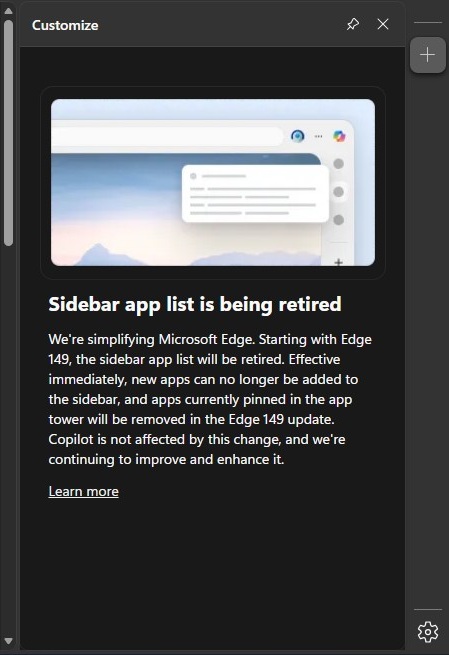
Effective immediately, Microsoft is blocking users from pinning new apps to the sidebar. If you already have apps parked in the app tower, enjoy them while they last, because they will be wiped out when Edge 149 drops. Considering we are currently on Edge stable version 148, and version 149 is slated to roll out next week, the clock is ticking loudly.
The exact same fate awaits the Collections feature. A similar change in the browser’s settings warns that Collections will also vanish in the impending Edge 149 update.
To see exactly how this plays out, I took a spin on Edge Canary, the early preview channel currently sitting on version 150. Sure enough, the purge is already complete. I noticed today that Microsoft has entirely ripped out the sidebar and its app list from the right-hand side.
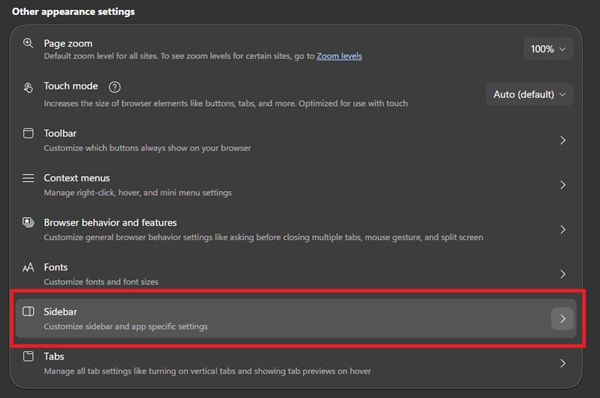
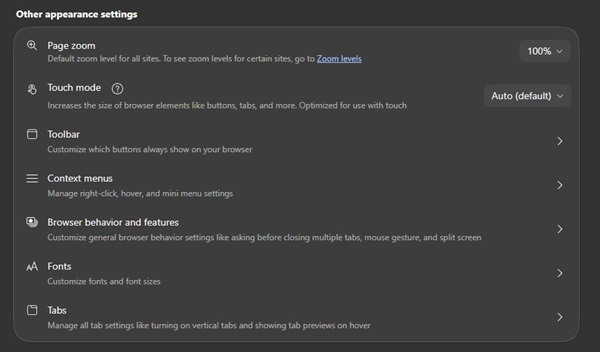
I also poked around the browser’s settings to see if there was any hidden toggle to salvage these tools. No luck. If you head into Settings > Appearance in Edge Canary, the entire ‘Sidebar’ preferences section where you could previously set it to always on, auto-hide, or off, has been wiped from existence.
Furthermore, the Collections shortcut is missing from the toolbar, the settings toggle has vanished, and it’s completely absent from the main menu under “More tools” where it traditionally lived.
So, what happens to your workflow? According to Microsoft’s official support page, the retirement will happen gradually over upcoming updates. While adding new icons is dead, your currently pinned apps will technically work until the axe fully falls. Moving forward, Microsoft expects you to access these services directly via the web (like WhatsApp or Instagram) or rely on the Edge toolbar for built-in tools like Drop.
Meanwhile, Microsoft is making it very clear that its AI darling remains completely untouched. “Copilot is not affected by this change, and we’re continuing to improve and enhance it,” the company notes.
It’s clear that Microsoft is aggressively streamlining Edge, stripping away older utilities to make Copilot the undisputed star of the show. If your daily workflow heavily depends on the App Tower or Collections, it’s time to start migrating your data and looking for alternatives before Edge 149 hits your machine next week.


Hillary Keverenge
2723 Posts
Tech has been my playground for over a decade. While the Android journey began early, it truly took flight with the revolutionary Lollipop update. Since then, it's been a parade of Android devices (with a sprinkle of iOS), culminating in a mostly happy marriage with Google's smart home ecosystem. Expect insightful articles and explorations of the ever-evolving world of Android and Google products coupled with occasional rants on the Nest smart home ecosystem.
Next article View Article