





long time no posting, here's some of the stuff we released in helium recently:
— Helium (@heliumbrowser) June 10, 2026
- customizable keyboard shortcuts on all platforms
- automatic updates on windows
- frameless mode (previously zen mode), with floating sidebar, is now out of beta and included in settings by default
-… pic.twitter.com/okuJGnWc5a
Helium has just released a myriad of new features and improvements. The company has added customizable keyboard shortcuts across platforms, automatic updates on Windows, and more.
Information about these changes was posted on X through the @heliumbrowser account.
A developer at Helium (and the co-founder of the company behind it), @uwukko, also highlighted key additions such as keyboard shortcut customization.
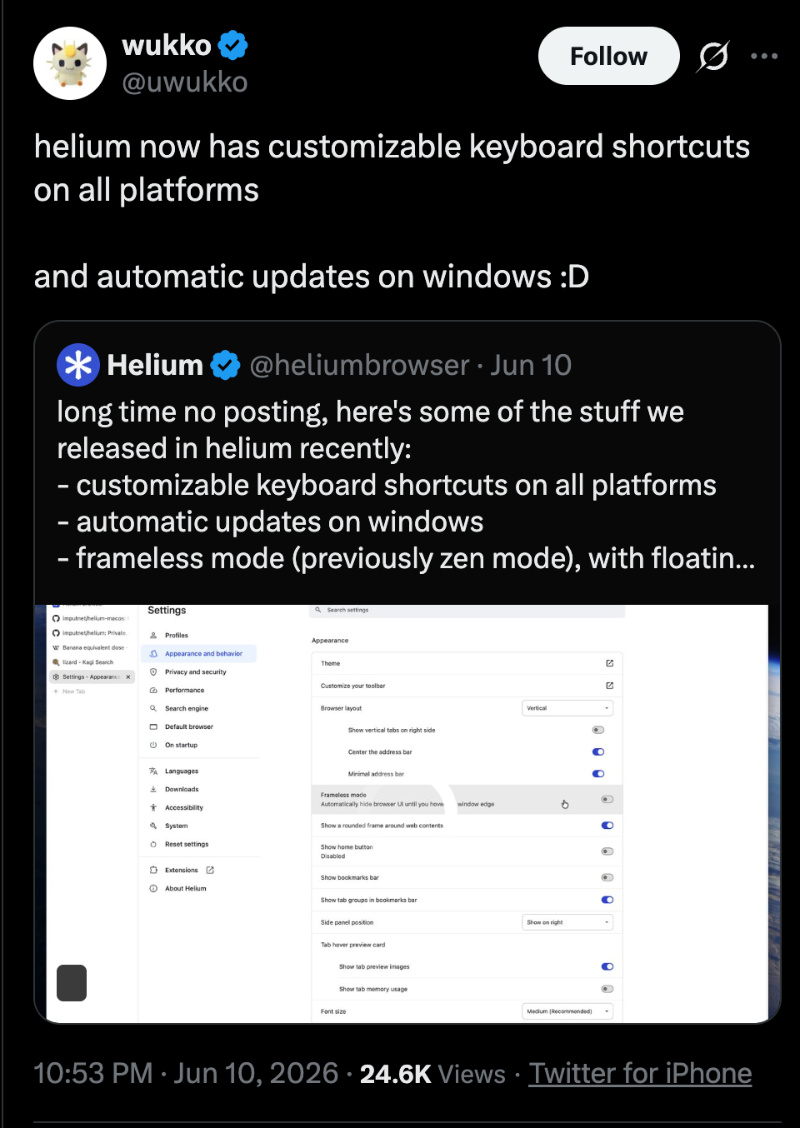
You can access these new features in the latest version of Helium (version 0.13.2.1). While macOS has had automatic updates for a while, those on the Windows camp have now received them as well. This addresses a long-standing pain point for Windows users, who previously had to manually download and install updates each time, as we highlighted here.
I’ve tested the key new features on the Helium browser, and here’s a list of the important changes.
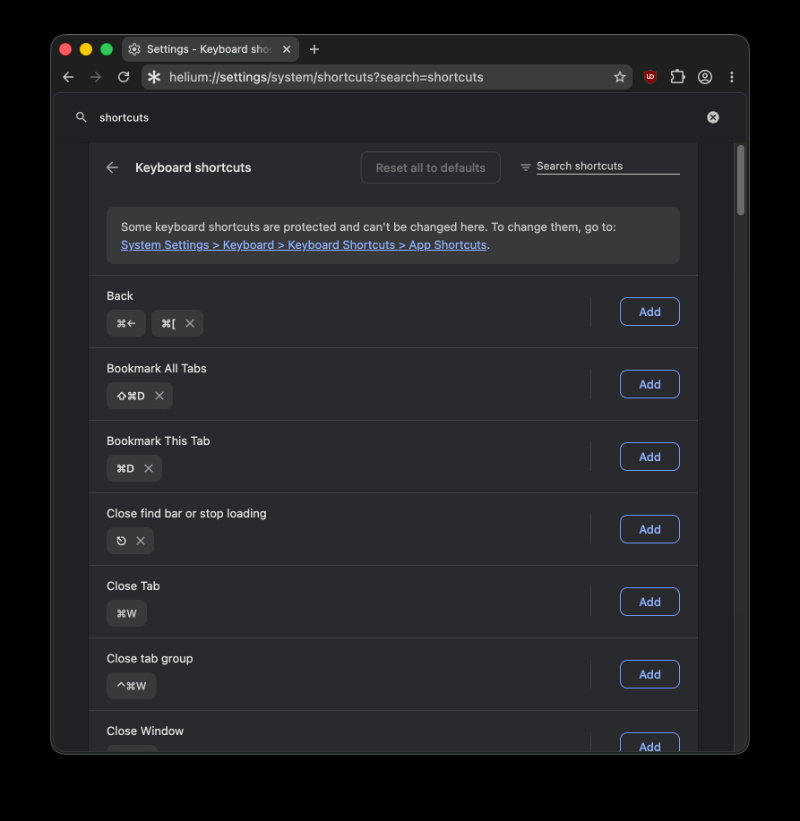
- Custom keyboard shortcuts: Under System -> Keyboard Shortcuts, there’s the option to add, modify, or reset combinations. Defaults are protected, and they remain in place.
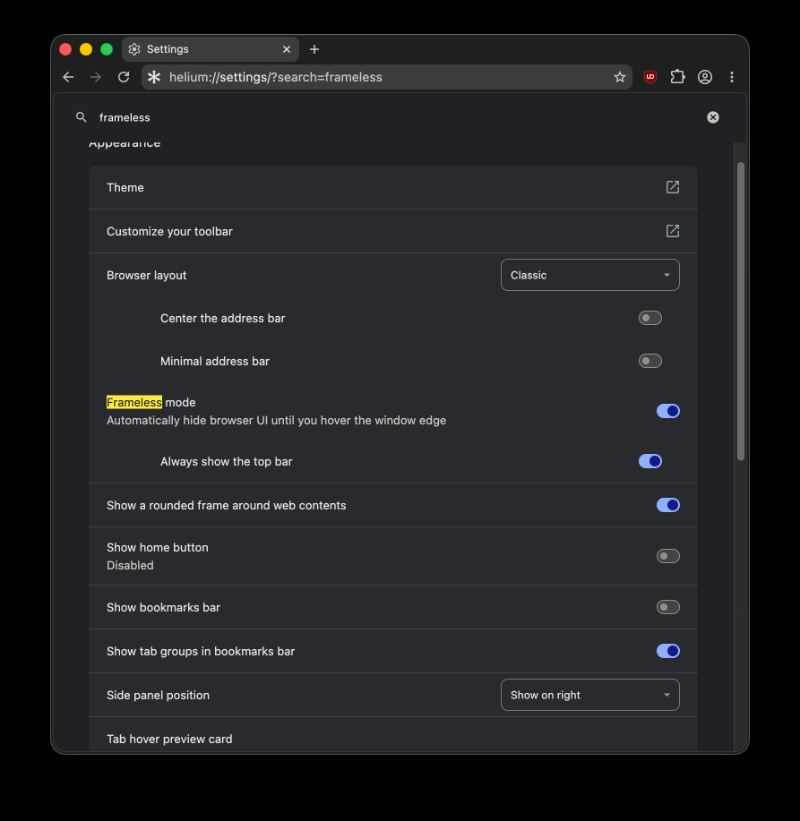
- Frameless mode: It was previously known as Zen mode, and it features a floating sidebar. While the feature was in beta earlier, you can now directly enable it through a toggle from Settings.
- Better tab management: Users can copy one or multiple tab URLs. There’s also the option to hibernate tabs manually; you can choose specific ones to mute/hibernate. Copied URLs can also be formatted as a list.
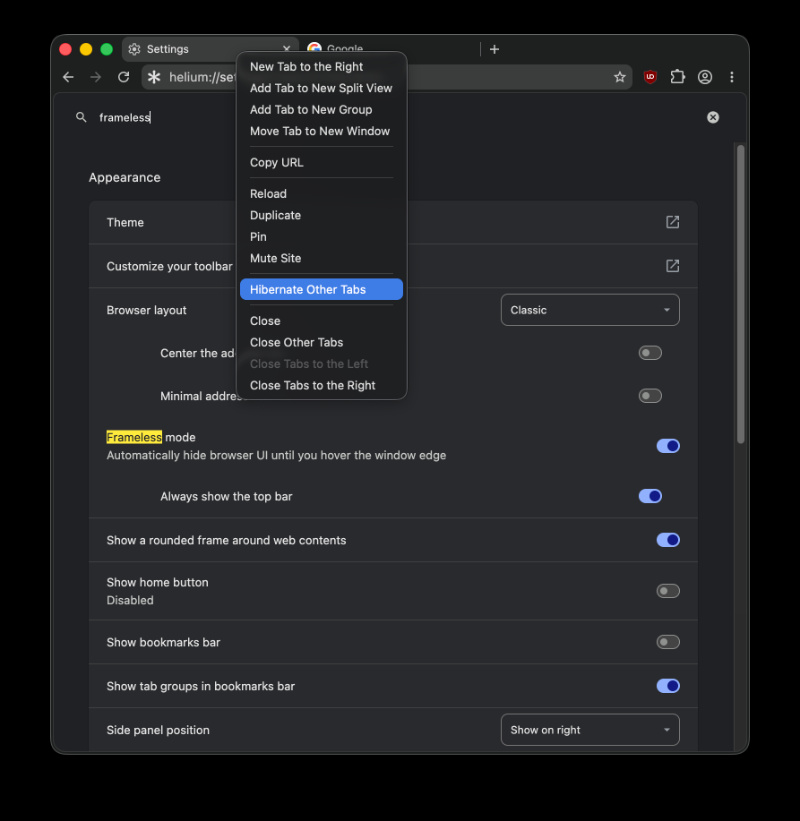
- Redesigns were made to toast notifications, and various other UI element refreshes.
- Smoother animations throughout the browser.
- Fingerprinting protections also received improvements. Developers fixed the algorithm and added more safeguards against attacks.
- Improved QR code generation.
- Kagi search now supports reverse image search directly from the image context menu.
- Other bug fixes and refinements.
Beyond the desktop improvements, Helium’s Android version has also seen some progress. The latest Android build brings full Manifest V2 extension support, allowing desktop extensions directly from the Chrome Web Store. We covered that here.

We stand out from the tech-media crowd because we break news stories; we mainly bring you stuff that you won’t find anywhere in the mainstream tech media. Our stories have been picked up by some of the world’s most popular websites and media outlets—more info is available here.

Sudhanshu K
297 Posts
I have been a consumer technology enthusiast for over 5 years. Thanks to my experience in software beta testing and product reviews, I've understood and learnt a lot about what bugs and issues bother people, and I spend time trying to simplify their solutions. I cover smartphones, software, social media, apps, AI, and most consumer tech gadgets. Actively pursuing a Computer Science bachelor’s degree. I'm mostly active on Twitter/X (@TechWhirlUlt), drop a DM or tag me if you want to share info or connect!
Next article View Article
Orion browser teases immersive 1.1 version with dynamic color-changing borders
The Orion browser is getting a pleasing new design tweak with version 1.1. The browser will automatically assign a separate color for the borders, based on the current tab...
Jun 12, 2026 2 Min Read