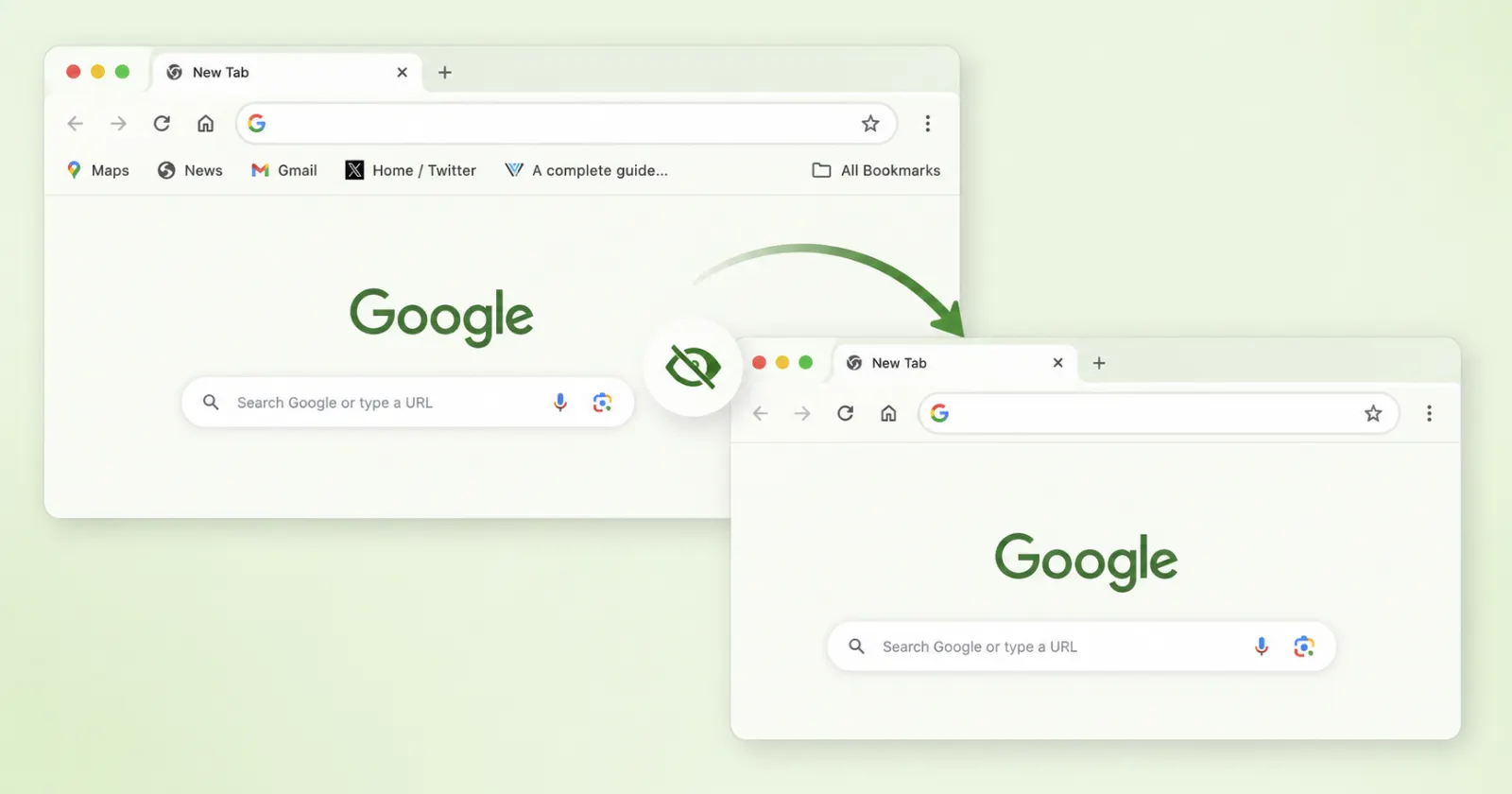
Google is finally testing a way to completely remove the bookmarks bar from the Chrome New Tab page. The browser currently forces the bar to appear on new tabs even when you toggle it off in your main appearance settings.
This forced layout annoys people who just want a clean screen when they start a new browsing session. Other web browsers figured out this basic customization years ago. A new test flag inside Chrome Canary changes this behavior and gives users actual control over the interface.
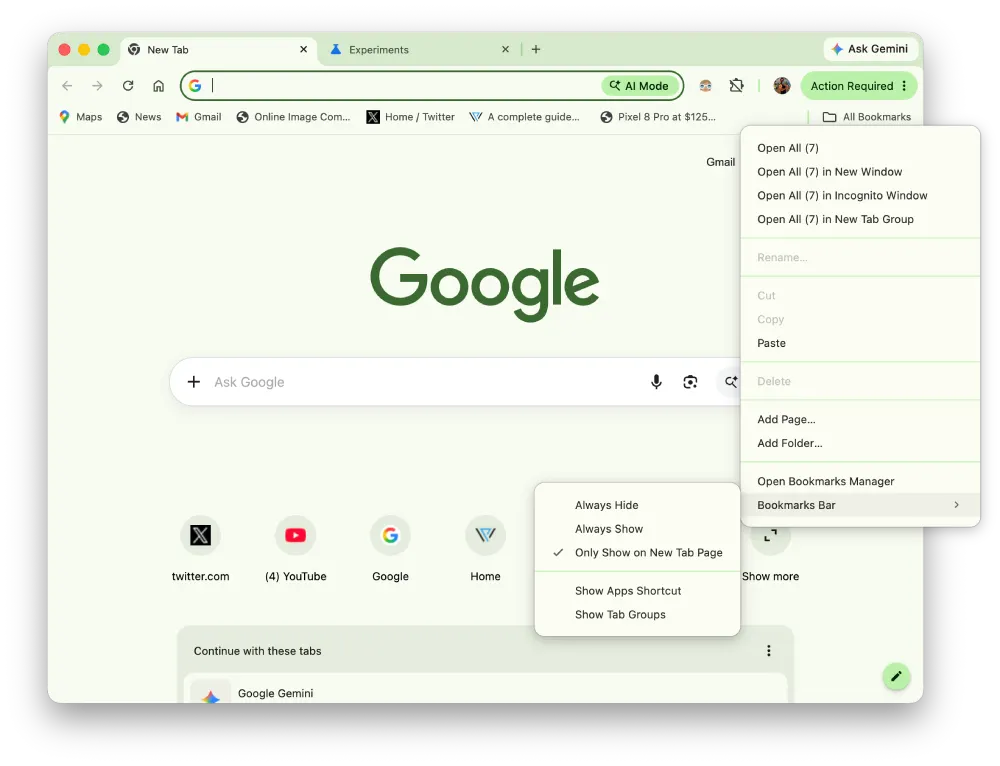
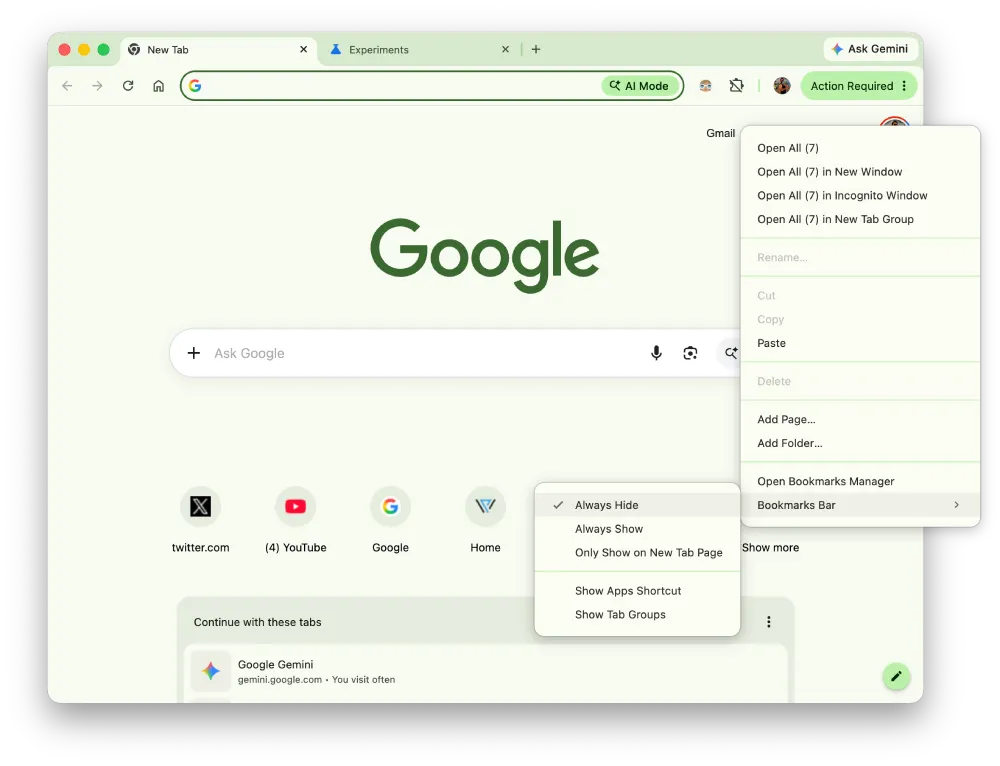
The team at Windows Report spotted the new setting first. The update replaces the basic on and off toggle with a dropdown menu featuring three distinct choices. Users can pick between showing the bar everywhere, showing it only on the New Tab page, or hiding it permanently. I fired up the latest Canary build today to test this out, and the “Always hide” option works as expected to clean up the interface.
Here’s a screenshot of how things look by default:
Here’s a screenshot after selecting “Always hide”:
You’ll have to manually enable the feature right now. Anyone running Canary can type chrome://flags into the address bar and search for the NTP Simplification Bookmark Bar flag. Setting it to enabled will swap out the old settings menu after a quick browser restart. You can then navigate to the Appearance section and pick your preferred layout.

With this, along with a few other changes that we reported, it looks like Google is making Chrome more customizable. For instance, we recently looked at how the company is testing individual side panel alignment for Gemini and bookmarks. Giving users more control over the main window fits right into that ongoing UI overhaul. The developers are also experimenting heavily with search functionality. Just last week, we went hands-on with a new floating Everywhere Omnibox that acts like a standalone desktop search tool.
Most of these interface tweaks seem tied to the browser’s evolving artificial intelligence features. The Chrome team is busy preparing Gemma 4 to power Chrome’s built-in AI APIs. It makes perfect sense that they want to offer cleaner basic layouts, like a hidden bookmarks bar, before adding more clutter with AI features into the mix.
The new bookmarks bar setting does break one classic feature. The standard keyboard shortcut to toggle the bar on and off completely stops working when you enable the experimental flag. Pressing the keys together simply does nothing once the new dropdown is active. People who rely on the keyboard to quickly check their saved links will be out of luck for the moment. A fix will need to happen before this reaches the stable release channel.
Google hasn’t provided a timeline for a wider rollout. The code is active and functioning in the Canary channel across Windows, Mac, Linux, and ChromeOS right now.


Dwayne Cubbins
3055 Posts
I cover fast-moving stories across apps, online platforms, and everyday tech — phones, wearables, consoles, and whatever else people are fighting with this week. Bugs, rollouts, scams, policy enforcement, and the occasional internet-culture rabbit hole are all fair game. My goal is simple — make confusing tech news readable. When I'm not working, I'm working out or chilling with my dog. Got a tip? You can find me on X @dcubbins.
Next article View Article