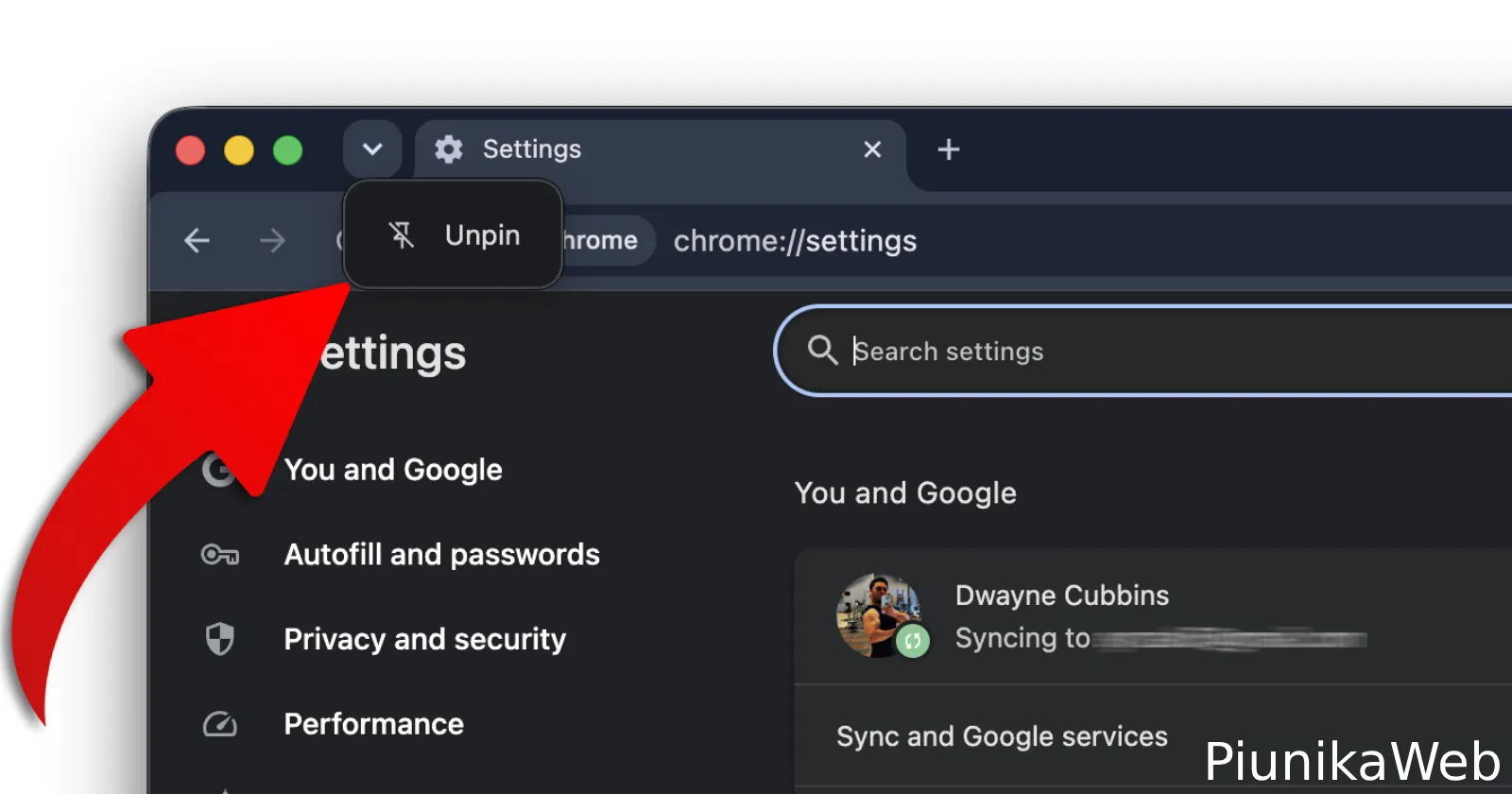
Chrome added a straightforward way to remove the Tab Search icon from the tab strip without touching any flags.
I came across it while using the browser earlier today. Right-clicking either the search icon itself or the empty space in the tab strip brought up a context menu with a fresh choice. Unpin Tab Search.
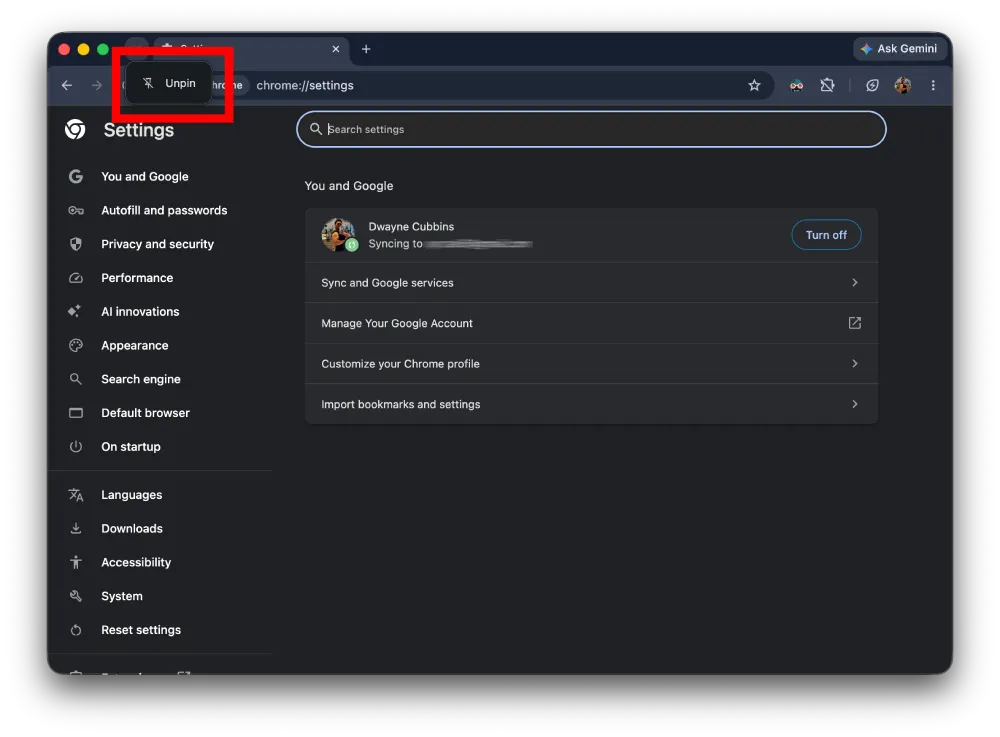
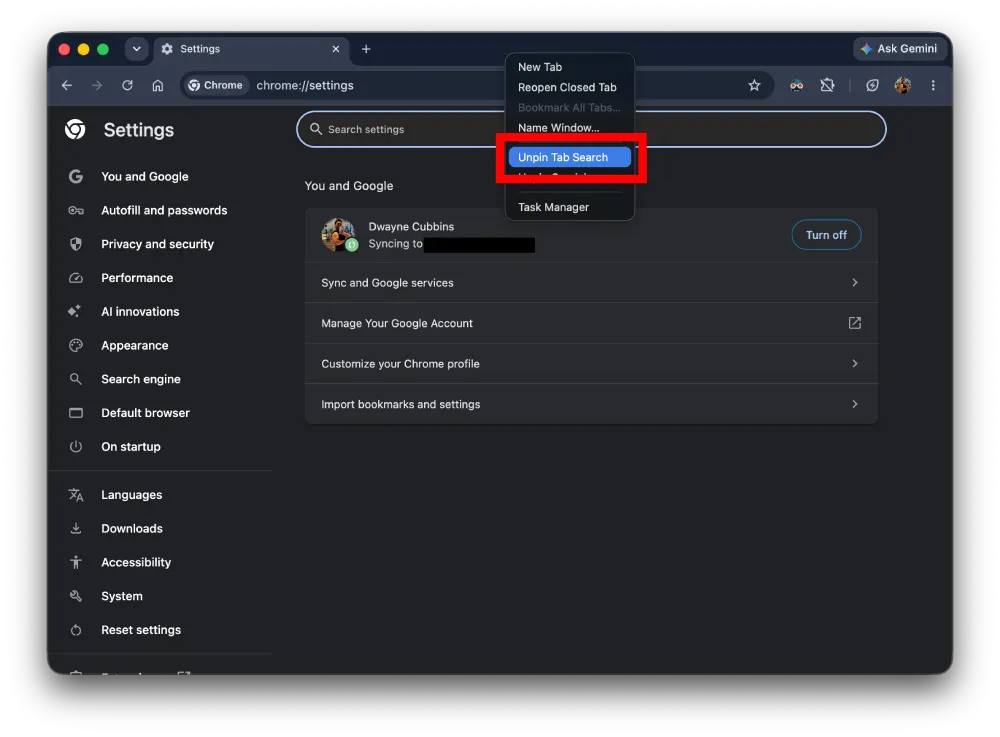
Selecting it made the button disappear immediately. No restart, no settings change, nothing else shifted in the interface.
This option actually showed up in Canary builds a little while back. It has now reached the stable channel, which means more users now get to turn it on or off with just a couple of clicks without having to switch to experimental versions.
Tab Search itself is the tool that lets you quickly search through every open tab by name or address. It can be genuinely useful when you have dozens of tabs scattered around. At the same time, plenty of people find the extra button unnecessary and just want a simpler tab bar.
For the longest time the only way to hide it was through chrome://flags. That meant hunting down the right experiment, flipping it off, and accepting the small risk that something else might behave differently. It worked, but never felt like the right solution for such a basic preference.
The new unpin entry changes the experience completely. It gives anyone a direct and safe way to clean up the tab strip on the spot.
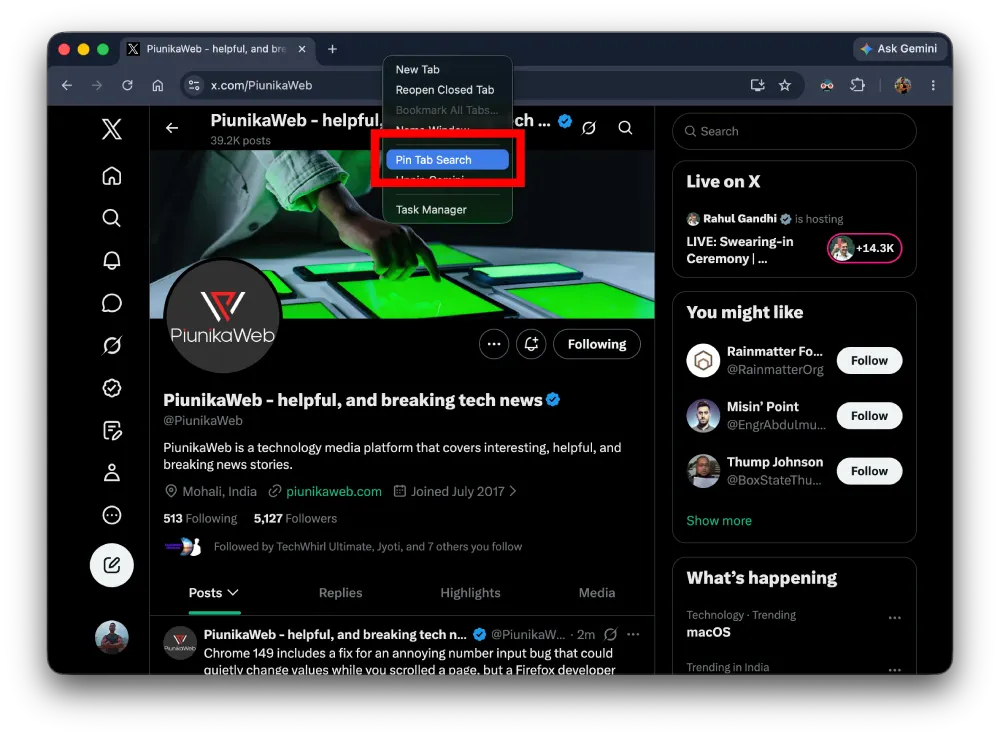
That said, it’s as easy to bring back in case you want it. Right-click the tab strip and select “Pin Tab Search.” The icon will pop back in the corner.
But this isn’t all that’s new. Chrome just picked up a new v149 update, which also brings some other improvements and fixes that we outlined earlier today.
Google is also beginning to promote Ask Gemini in Chrome a lot more as it carries on its push for AI everywhere. So all this, coupled with a major UI refresh slated for later this year, means browser enthusiasts will have a lot to unpack in the coming weeks.


Dwayne Cubbins
3091 Posts
I cover fast-moving stories across apps, online platforms, and everyday tech — phones, wearables, consoles, and whatever else people are fighting with this week. Bugs, rollouts, scams, policy enforcement, and the occasional internet-culture rabbit hole are all fair game. My goal is simple — make confusing tech news readable. When I'm not working, I'm working out or chilling with my dog. Got a tip? You can find me on X @dcubbins.
Next article View Article