![Chrome Incognito opening Split View on your tablet? Here's how to disable it [U: Fixed]](https://piunikaweb.com/wp-content/uploads/2026/03/Chrome-Logo-Featured-Image.png "Chrome Incognito opening Split View on your tablet? Here's how to disable it [U: Fixed]")
Update 04/06/26 – 10:33 am (IST): Good news for those annoyed by this feature! Google has heard the feedback and is officially changing how this works. Instead of forcing you into a split-screen layout, opening a new Incognito window will soon go back to being full-screen by default.
Developers have already tested and verified this fix on a Pixel Tablet. You can see this much-needed change with the latest Chrome version 149 update, meaning you won’t have to rely on confusing workarounds now.

Original article published on May 28, 2026, follows:
Chrome users on Android tablets are annoyed about not being able to remove the Split View feature, which displays tabs side-by-side (within the same window). The problem occurs specifically within Incognito mode.
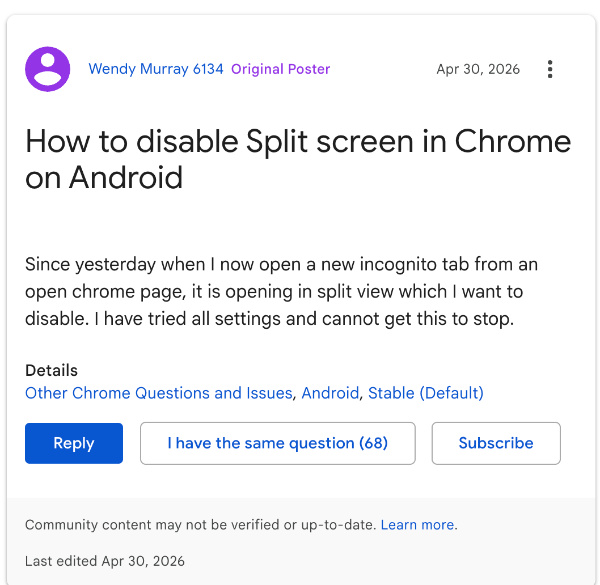
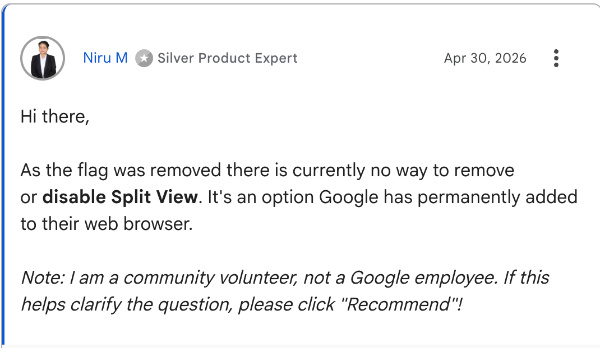
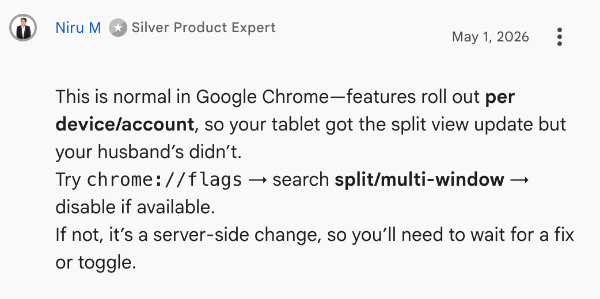
Google Support threads offer limited help. Experts in the forums state that there’s “currently no way to remove that feature.” People also state that some of their devices have it and others don’t, so it’s a phased rollout.
Sounds familiar? That’s because accidental clicks were common when Split View took the place of the “Open link in new window” option on the desktop version of Chrome. Tablet users are facing a similar issue now. And yes, it’s not possible to remove the feature entirely anymore on the desktop version, not even through Chrome flags. Some versions may still consist of experimental flags, but there’s no easy solution.

I have checked for the issue on the mobile and tablet apps of Chrome, but tabs don’t open in Split View for me yet, suggesting that not everyone will get this update at the same time.
On Reddit, one comment from u/rtopz01 offers a workaround, and several replies to it confirm that this method works.
Copy and paste this into the address bar: chrome://flags/#android-open-incognito-as-window
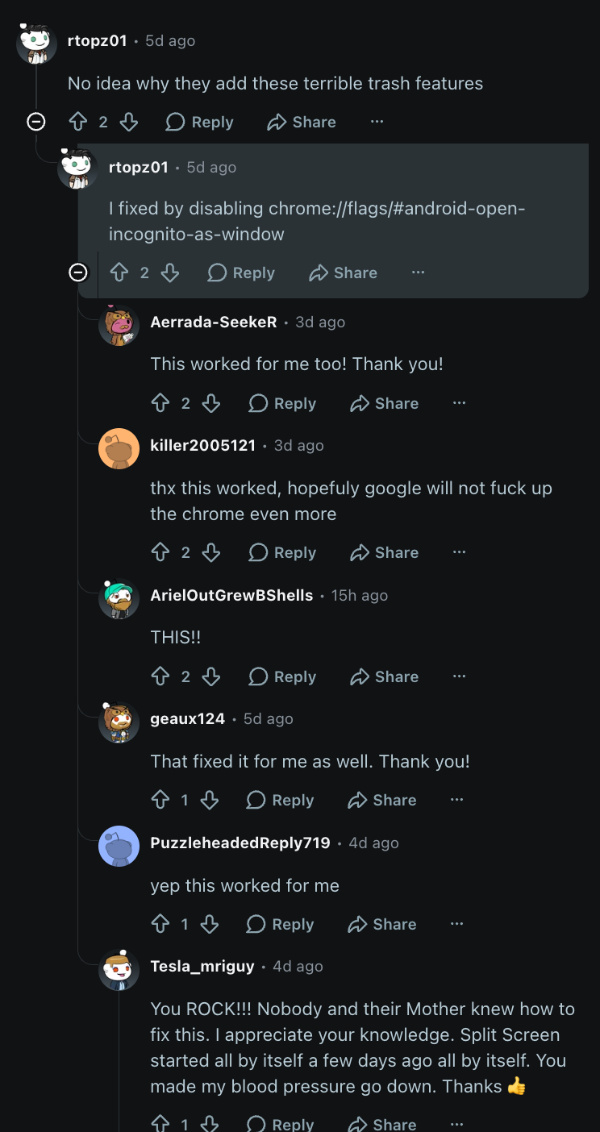
From here, you’ll need to disable that specific flag. If the flag doesn’t appear on your version, you’ll probably need to wait for an update to the Chrome app or until it’s updated on the server-side, since it’s currently unclear whether the feature is tied to a specific app version.
It appears that Google is treating Split View as a core productivity feature of Chrome, and it doesn’t look like they’ll let you disable it fully. Future updates might focus on reducing accidental triggers, though not a full toggle to remove it. If it bothers you a lot, you can consider alternative browsers.
If you’re using the tablet version of Chrome and facing issues with opening the app, that’s a bug; Chrome’s actively investigating it. You can read about that here.


Sudhanshu K
337 Posts
I have been a consumer technology enthusiast for over 5 years. Thanks to my experience in software beta testing and product reviews, I've understood and learnt a lot about what bugs and issues bother people, and I spend time trying to simplify their solutions. I cover smartphones, software, social media, apps, AI, and most consumer tech gadgets. Actively pursuing a Computer Science bachelor’s degree. I'm mostly active on Twitter/X (@TechWhirlUlt), drop a DM or tag me if you want to share info or connect!
Next article View Article