





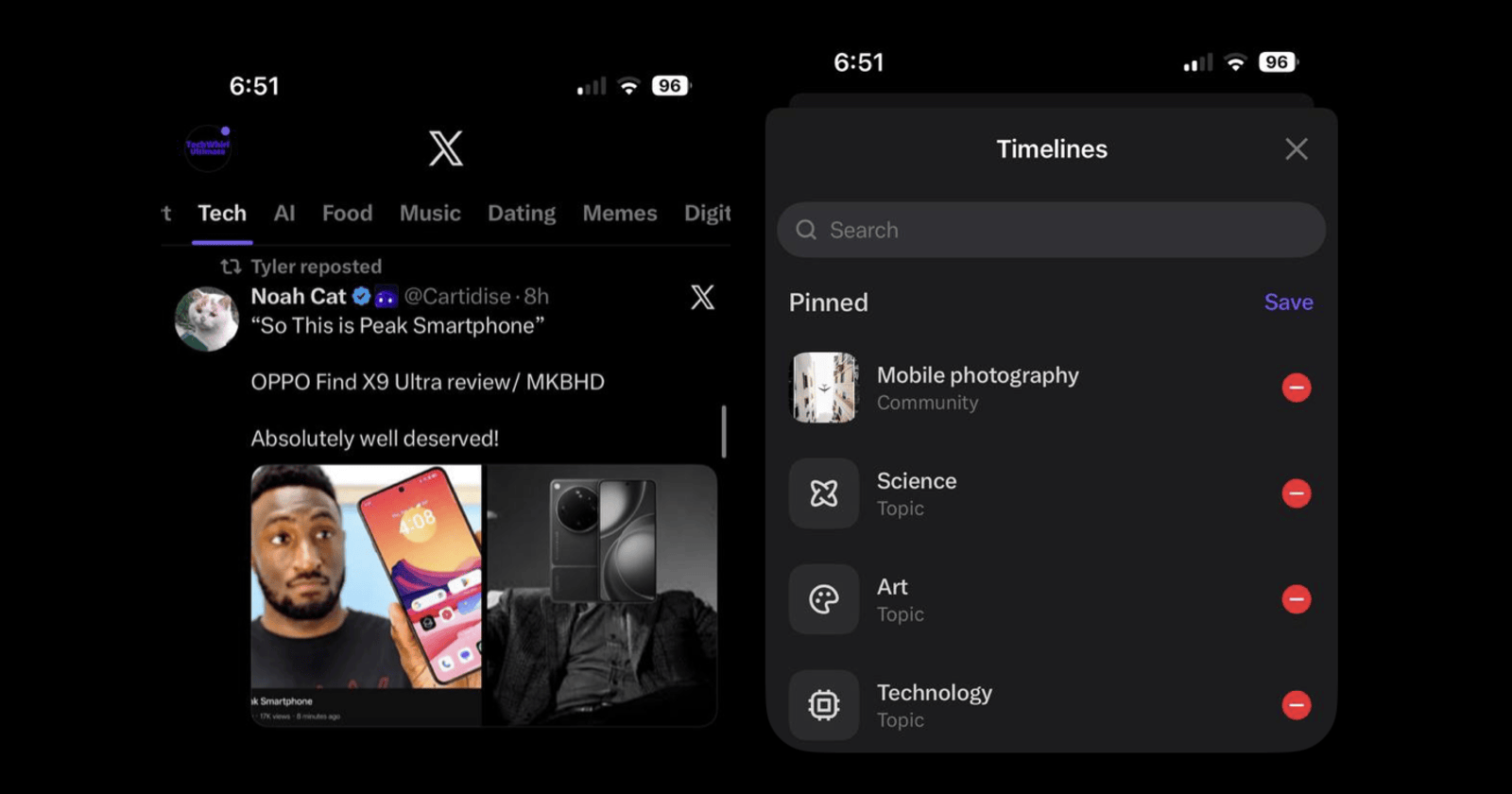
Ladies and gentlemen, today we're launching one of our biggest changes to 𝕏
— Nikita Bier (@nikitabier) April 21, 2026
Introducing Custom Timelines
This feature allows you to pin a specific topic to your home tab. With support for over 75 topics, you can dive deep into your favorite niche on X.
It's powered by Grok's… pic.twitter.com/9jkIEXvubj
X has finally shipped full-fledged, topic-wise timeline customization on the app. Nikita Bier, the Head of Product at X, officially announced this through a post. For now, it supports over 75 topics and is powered by Grok.
That means each custom timeline is uniquely tailored to you, based on Grok’s understanding of your interests and interactions across topics.
Do note that this is exclusive to Premium and Premium Plus subscribers for now, and it is only available on the iOS app. Once you configure the pinned timelines on iOS, they will also show up on the web app. It is still in early access, and no timeline has been shared yet for when it will roll out to free X users or to the Android app.
X is also seemingly broadening access to its recently released topic snooze tool for Premium subscribers. That feature, which was covered earlier in our previous report, lets users hide specific topics from the For You feed for 24 hours.
Based on the latest rollout, it now appears to be reaching more users more widely, alongside the new custom timeline tools.
Today we're also rolling out a tool to snooze topics on your For You tab—if you ever want to crank up or turn down the slop.
— Nikita Bier (@nikitabier) April 22, 2026
Rolling out now on iOS and Web for Premium subscribers. https://t.co/fXIHmwhKO4 pic.twitter.com/xESabDu295
I’ve checked for this feature myself on the iOS app, and sure enough, it is available. To try out this feature, navigate to the menu bar at the top, where you usually see “For You” and “Following.” Swipe left on the menu until you see the “+” icon, and you can choose custom topics from here.
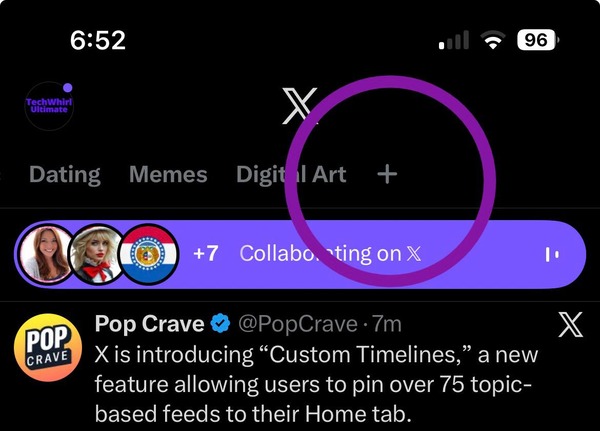
You can pin both communities and topics, and you can also search for topics. The limit is a total of 10 pinned custom timelines. For now, Religion as a category is not present because it did not meet X’s standards for quality. It is expected to roll out in the next two weeks.
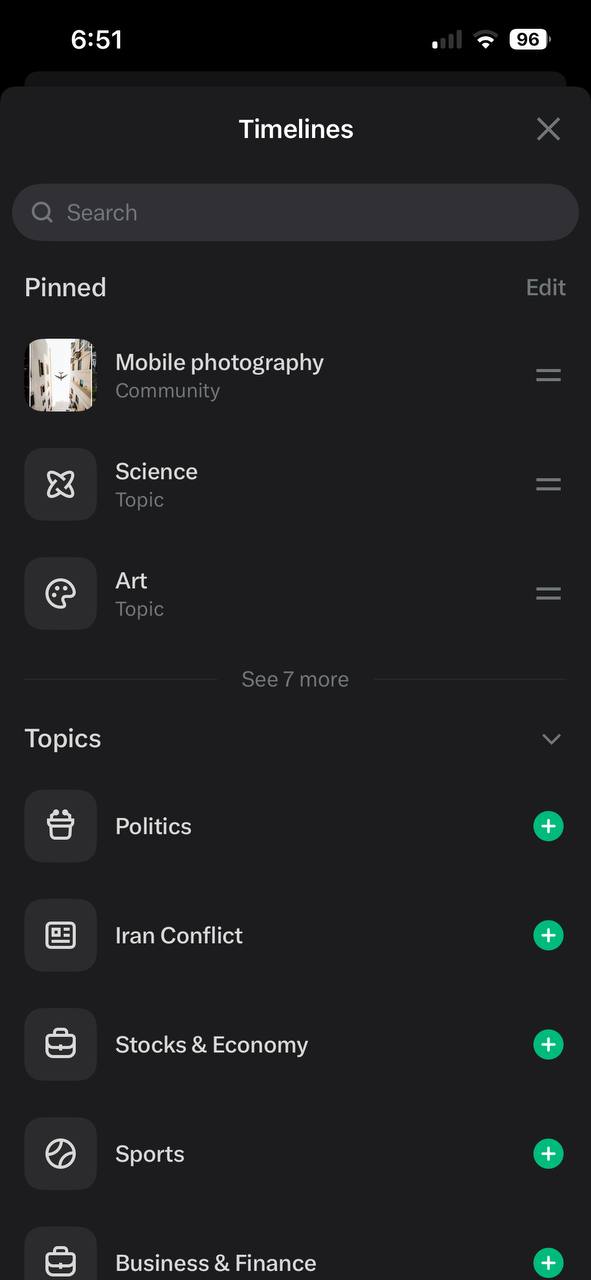
They have a lot of the main topics covered, like Politics, the Iran Conflict, Stocks, Crypto, Sports, AI, Technology, Music, and more. These custom-made timelines show up as individual, clickable tabs within the top menu bar, and they sit next to your usual “For You” and “Following.” If you do not want to use either of those tabs, you can just stay on whichever timeline you like.
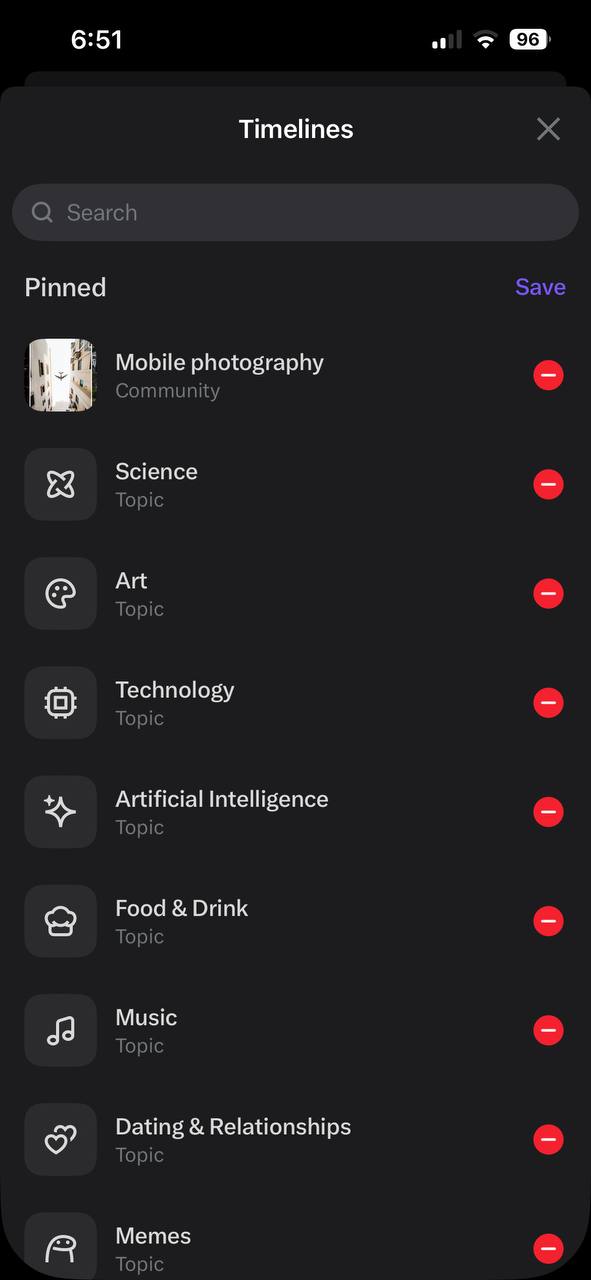
I can also confirm that each timeline is uniquely crafted with Grok. For example, technology is a very broad topic, and it can mean consumer tech, hardware, code, and more.
However, when I picked the “Technology” category, it specifically filtered everything out and only surfaced posts from consumer technology. That suggests Grok has recognized my sub-niche within a broader topic and is tailoring my feed accordingly. This applies to all custom timelines, and it is an excellent feature.

I would have liked the option to mix multiple topics into a single timeline to create something closer to a combined timeline, but what X has shipped is working well so far. It is a major improvement over the earlier topic snooze tool, which only allowed users to hide specific topics for 24 hours. That feature now appears to be rolling out more broadly, but it still applies only to the For You feed.
X and xAI are on a roll with features. They have recently shipped custom templates and smarter video extensions for Grok Imagine. You can read about that here.

We stand out from the tech-media crowd because we break news stories; we mainly bring you stuff that you won’t find anywhere in the mainstream tech media. Our stories have been picked up by some of the world’s most popular websites and media outlets—more info is available here.

Dwayne Cubbins
3055 Posts
I cover fast-moving stories across apps, online platforms, and everyday tech — phones, wearables, consoles, and whatever else people are fighting with this week. Bugs, rollouts, scams, policy enforcement, and the occasional internet-culture rabbit hole are all fair game. My goal is simple — make confusing tech news readable. When I'm not working, I'm working out or chilling with my dog. Got a tip? You can find me on X @dcubbins.
Next article View Article
GPT-5.5 briefly surfaces in Codex as Altman signals possible Thursday drop [U: Officially released]
Update 24/04/26 - 10:05 am (IST): The rumors were completely accurate, and OpenAI has now officially launched GPT-5.5 for Plus, Pro, Business, and Enterprise users. This...
Apr 24, 2026 2 Min Read