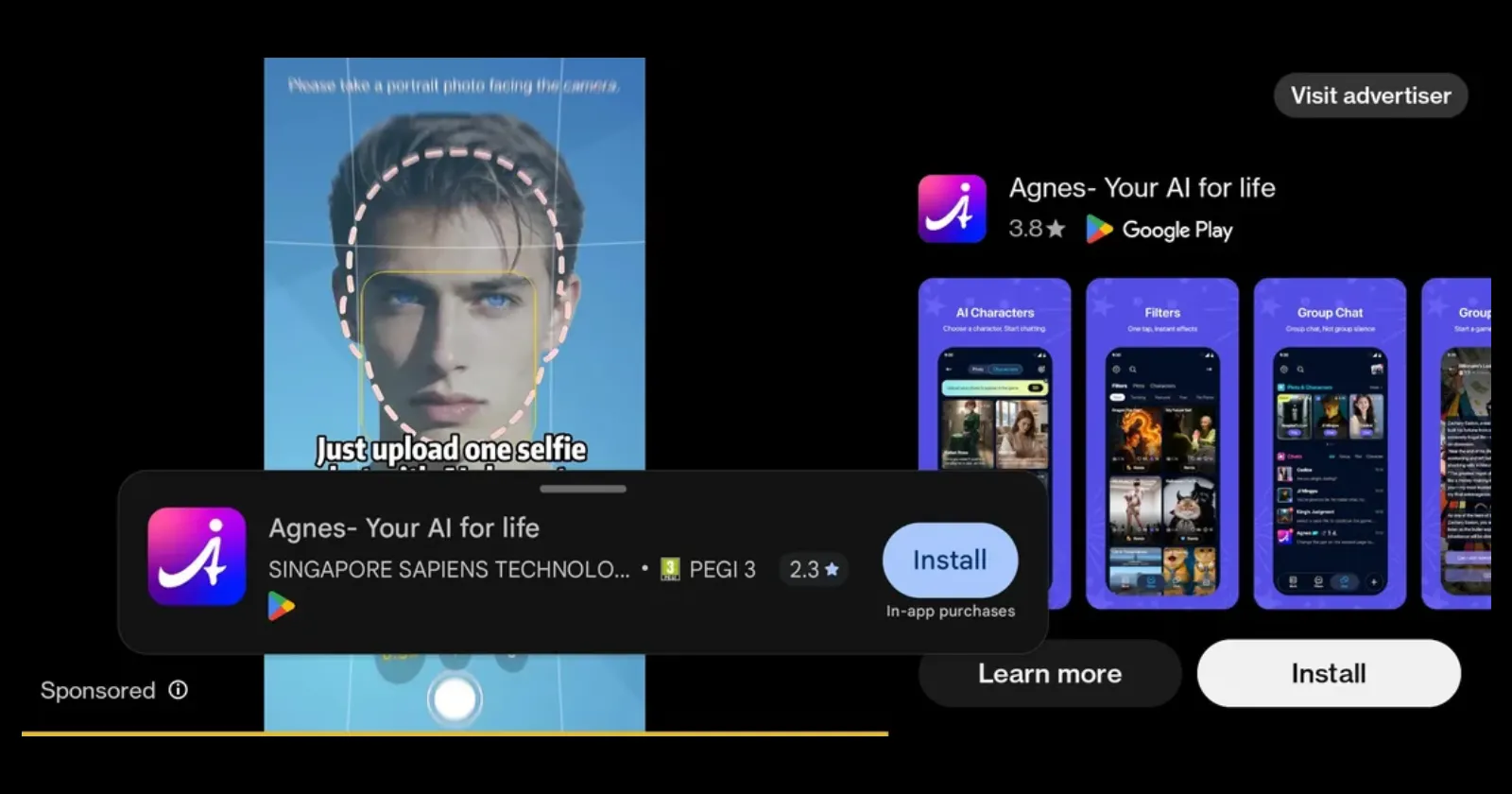
YouTube users are running into a new ad format where an expandable install card sits directly over the Skip button, making ads look completely unskippable.
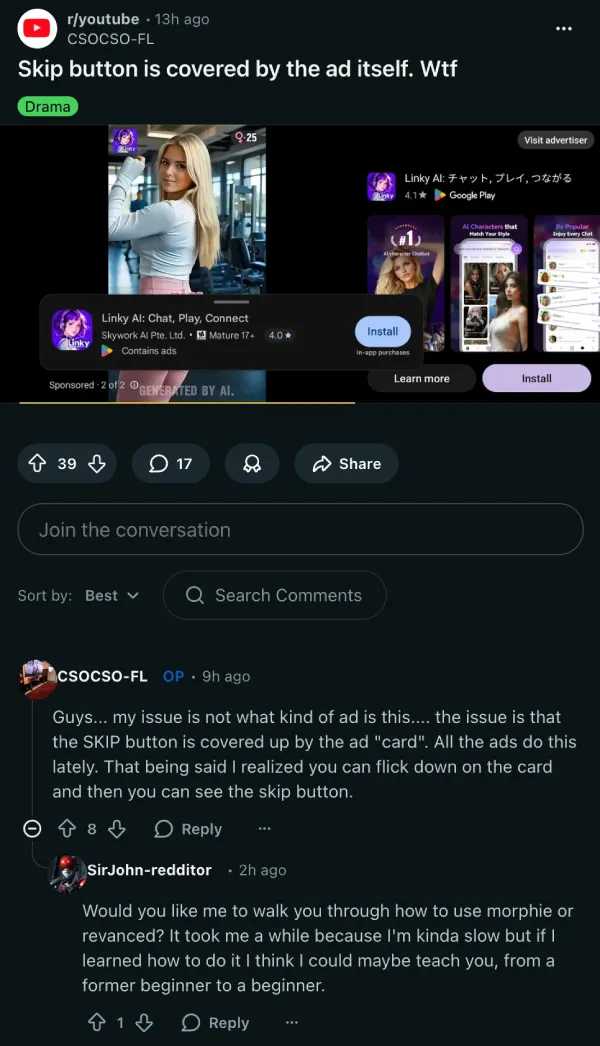
The problem has surfaced in multiple Reddit threads over the past few weeks. In one recent post, the original poster had to jump in the comments just to clarify that the Skip button wasn’t actually removed. “It’s BEHIND that freaking Card,” they wrote. The fix is dragging the install card downward to uncover it.
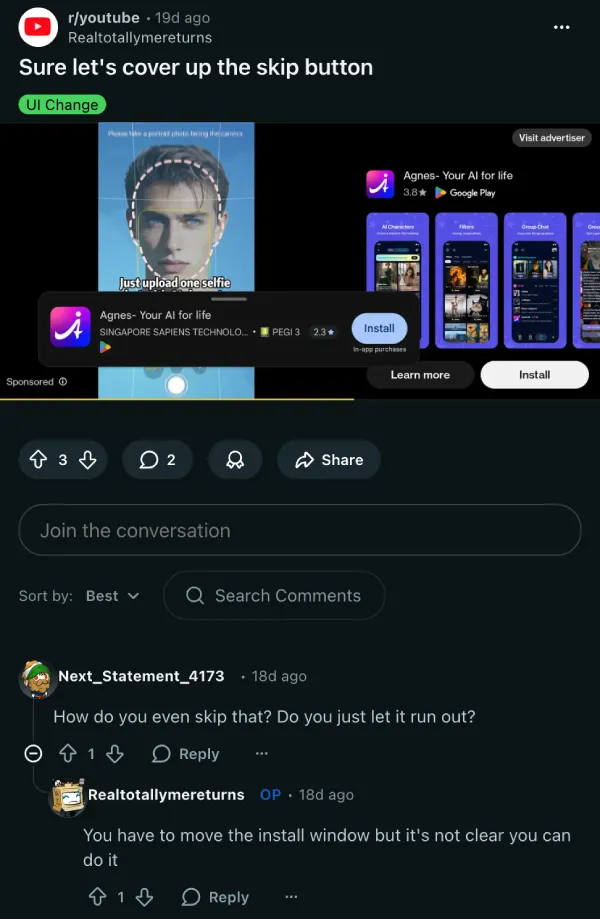
A separate thread from about three weeks ago highlighted the exact same thing. In the thread, a commenter asked: “How do you even skip that? Do you just let it run out?” The OP’s noted the same thing that you have to move the install window, but there’s nothing telling you that.
The ad in the screenshot promoting this format is for Linky AI, an AI chat app rated Mature 17+ on Google Play. One user noted their child got the same ad on YouTube Kids. That’s a separate problem, but it doesn’t help YouTube’s case here.
A thread from earlier this week describes ads with no skip button at all, no countdown timer, and the video freezing at the end. Whether that’s tied to this new card format or a different bug isn’t clear yet.
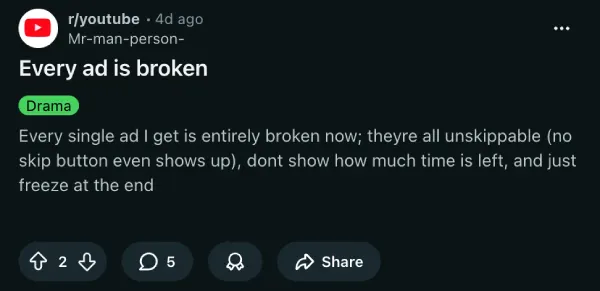
We covered YouTube’s full-screen corner ads back in March, when users reported ads that simply wouldn’t dismiss. Though in that case, it was a bug, not the ad hiding the skip button. Still, this behavior is part of the same new ad layout that YouTube is pushing.
Google hasn’t commented on the skip card behavior. For now, pulling down the install card is the only way out. Have you encountered the same thing on YouTube? Let us know in the comments below.
Featured image credit: u/Realtotallymereturns / Reddit


Dwayne Cubbins
3064 Posts
I cover fast-moving stories across apps, online platforms, and everyday tech — phones, wearables, consoles, and whatever else people are fighting with this week. Bugs, rollouts, scams, policy enforcement, and the occasional internet-culture rabbit hole are all fair game. My goal is simple — make confusing tech news readable. When I'm not working, I'm working out or chilling with my dog. Got a tip? You can find me on X @dcubbins.
Next article View Article