Google has started rolling out Android 17 Beta 3 to eligible Pixel devices, and this is the kind of beta release that matters. Not just because it lands a month after Beta 2, but because it pushes Android 17 to platform stability.
It’s been exactly a month since Google dropped Beta 2. With Beta 3, Android 17 has officially reached Platform Stability. For developers, this means the API surface is locked and final compatibility testing begins. For everyday Pixel users, it means the rocky shores of early beta bugs are mostly behind us, and the final public rollout is just over the horizon.
I’ve dug through the official Android Developers release notes and cross-referenced the excellent hands-on digging from the team at 9to5Google to give you a comprehensive breakdown of exactly what is changing.
Here is everything you need to know about Android 17 Beta 3.
Android 17 Beta 3 build details
Before we get to the flashy stuff, here are the core specs of this update for those looking to flash it manually via Factory Images or OTA:
- Build ID: CP21.260306.017
- Security Patch: March 2026
- Play Services: 26.02.35
What’s new for Google Pixel users
Moving from Beta 2 to Beta 3, we are seeing a massive focus on UI refinement and quality-of-life toggles. The folks over at 9to5Google have already spotted at least 10 new user-facing features.
Here are the most impactful changes you will notice immediately:
- Split Wi-Fi and mobile data toggles: The long-awaited return! Android 17 finally splits the internet quick settings back into dedicated Wi-Fi and Mobile Data toggles.
- Redesigned screen recording: Brought out of Canary, screen recording now features a sleek, floating toolbar that improves recording controls. Even better, this UI is automatically excluded from your final video capture.
- Hide app labels: Minimalists, rejoice. You can now hide app names on your home screen by navigating to Wallpaper & style > Icons > Names.
- Per-app expanded dark theme controls: You now have much more granular control over forcing dark mode on a per-app basis.
- Universal app bubbles: First announced last month, the ability to turn any app into a floating bubble is now fully live.
- Granular hearing aid audio routing: A massive accessibility win. Users can now independently route specific system sounds—like alarms, notifications, and ringtones—directly to connected Bluetooth LE hearing aids or choose to keep them on the device’s speaker.
- VPN app exclusion: You no longer need a third-party workaround to bypass your VPN. A new system-managed settings screen allows you to select specific apps to bypass the VPN tunnel.
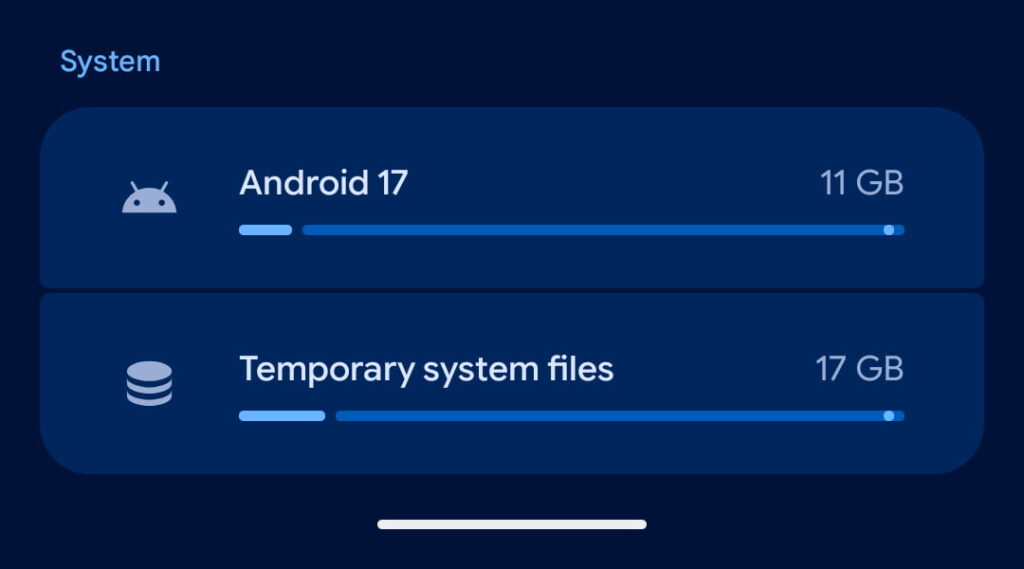
- Goodbye “Cinnamon Bun”: The internal dessert codename has been officially scrubbed, replaced universally by “Android 17” in the settings menus.
- UI tweaks: You’ll also notice system blur added to widget panes, a dedicated Assistant volume slider, a tweaked location permissions pane, and a new shortcut customization option on the Pixel Launcher search bar (replacing the Material 3 Expressive bar).
Developer changes (and what they mean for you)
A lot of Beta 3’s magic is happening behind the scenes. While these are developer-facing changes, they translate to tangible upgrades for how you use your phone.
Battery life boosts: Developers now have access to “allow-while-idle” alarms that don’t require continuous wakelocks. In plain English? Messaging apps that constantly check for new texts will drain significantly less battery while your phone is sitting in your pocket.
Photo Picker Customization (1:1 or 9:16):
The Dev Side: Developers can use the PhotoPickerUiCustomizationParams API to change the grid view aspect ratio.
What it means for you: No more oddly cropped squares when you are trying to select a portrait photo for social media. Apps will now match the photo picker UI to the type of content you are actually uploading.
System-Provided Location Button:
The Dev Side: Apps can embed a system-rendered location button to grab precise location without triggering a permission dialog.
What it means for you: Smoother app experiences. If you just need to share your location once (like dropping a pin in a delivery app), tapping this button grants permission for that session only, completely eliminating annoying permission pop-ups.

RAW14 Image Format & Camera APIs:
The Dev Side: Native support for 14-bit per pixel RAW images, plus APIs to identify external webcams and access vendor-defined extensions.
What it means for you: Third-party camera and editing apps will be able to capture and process significantly higher-quality, pro-grade photos. They will also be able to tap into Pixel-exclusive AI features like Super Res natively.
Desktop Interactive Picture-in-Picture (iPiP):
The Dev Side: Apps can request to be moved to a “pinned” layer during desktop mode.
What it means for you: If you connect your Pixel to an external display, pinned windows will now stay on top of other apps and remain fully interactive. It’s a massive step forward for Android desktop productivity.
Taken together, Android 17 Beta 3 feels like more than a stabilization release. Yes, platform stability is the headline for developers, and yes, that makes this one of the most important checkpoints before stable rollout. But for Pixel users coming from Beta 2, this release also brings a healthy amount of visible change: cleaner recording tools, new home screen options, fresh multitasking behavior, more refined Quick Settings, smarter permissions, and early signs of where Google wants Android’s interface to go next.
And if Beta 3 is this busy, the stable release is starting to look a lot more interesting than a routine yearly refresh.


Hillary Keverenge
2723 Posts
Tech has been my playground for over a decade. While the Android journey began early, it truly took flight with the revolutionary Lollipop update. Since then, it's been a parade of Android devices (with a sprinkle of iOS), culminating in a mostly happy marriage with Google's smart home ecosystem. Expect insightful articles and explorations of the ever-evolving world of Android and Google products coupled with occasional rants on the Nest smart home ecosystem.
Next article View Article