





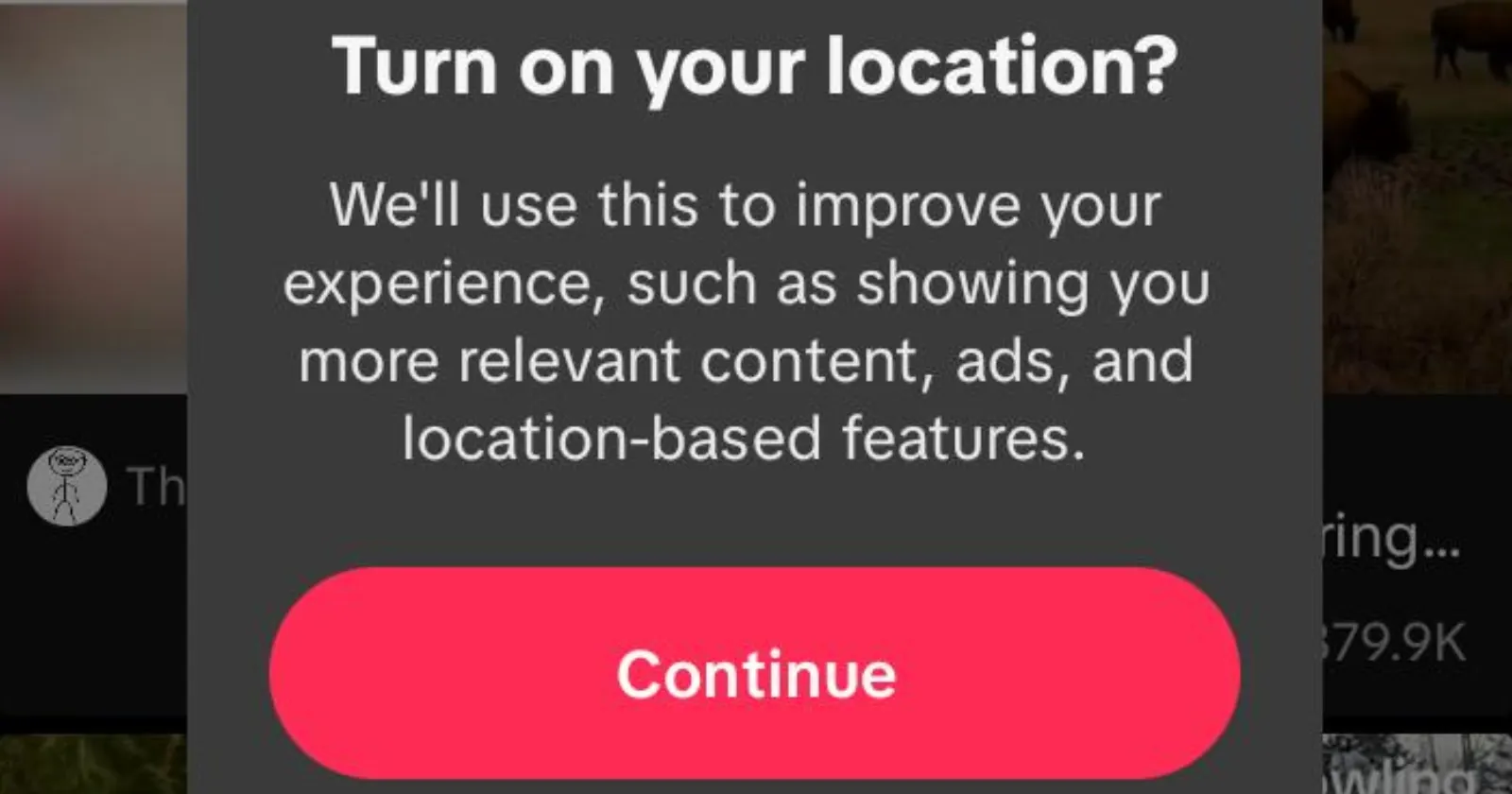
Over the past few days, several discussion threads have blown up on forums like Reddit, claiming that TikTok has turned off the ability to turn off location tracking. Some posts suggest that the app does not let you disable location collection, and that the issue is isolated to the US. These posts, while causing confusion and concern among users, lack a factual basis.
It’s no secret that TikTok does collect your information. All social media apps collect your data for personalized ads and recommendations, local tags, and TikTok is no exception. However, the claim that TikTok always wants you to keep your precise location active at all times, specifically in the US, is false.
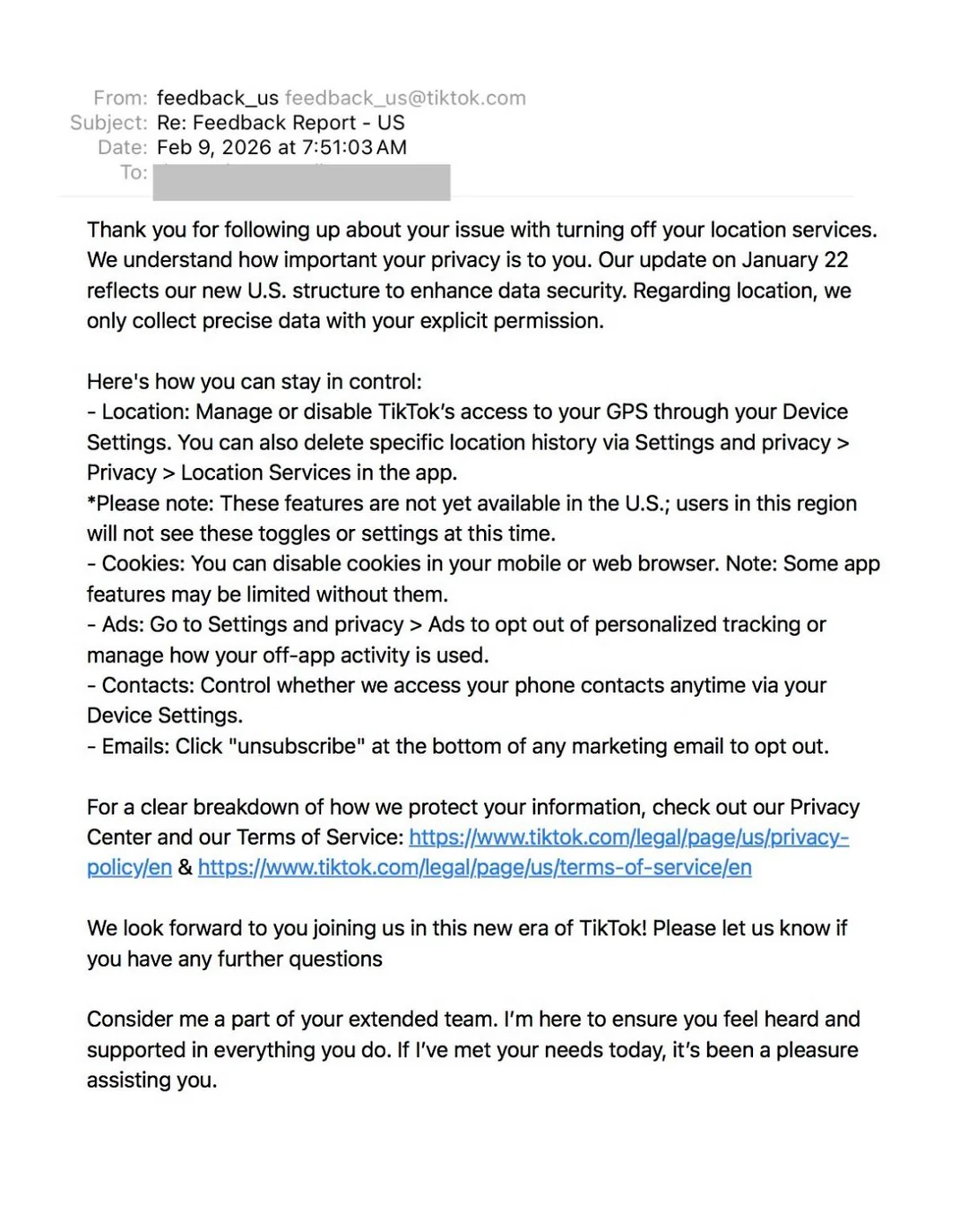
A screenshot showing a TikTok support email that says the privacy toggles and settings won’t show up in the app in the US right now has users panicking. However, what plenty of folks are missing is the fact that no app can use your location data without it being granted on an OS-level.
The process of disabling location access depends on your phone. On iOS and Android, apps only appear under device location controls if they’ve requested the permission at least once. If you’ve never granted it location permissions, it will not show up in the location panel. So if you’re wondering why you don’t see the permission, it’s simply because you haven’t granted the app to turn on location sharing in the first place.
For reference, check these two screenshots below. One shows the permissions page for Chrome when it was never granted location permissions, the other shows the page after it was granted location permissions.
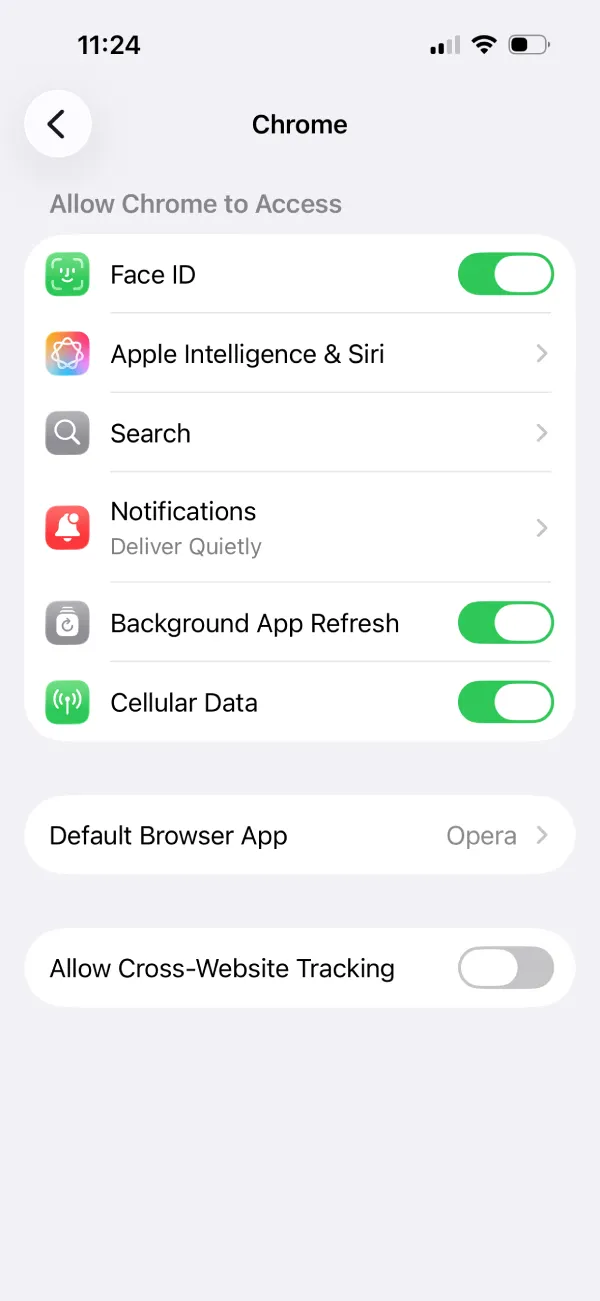
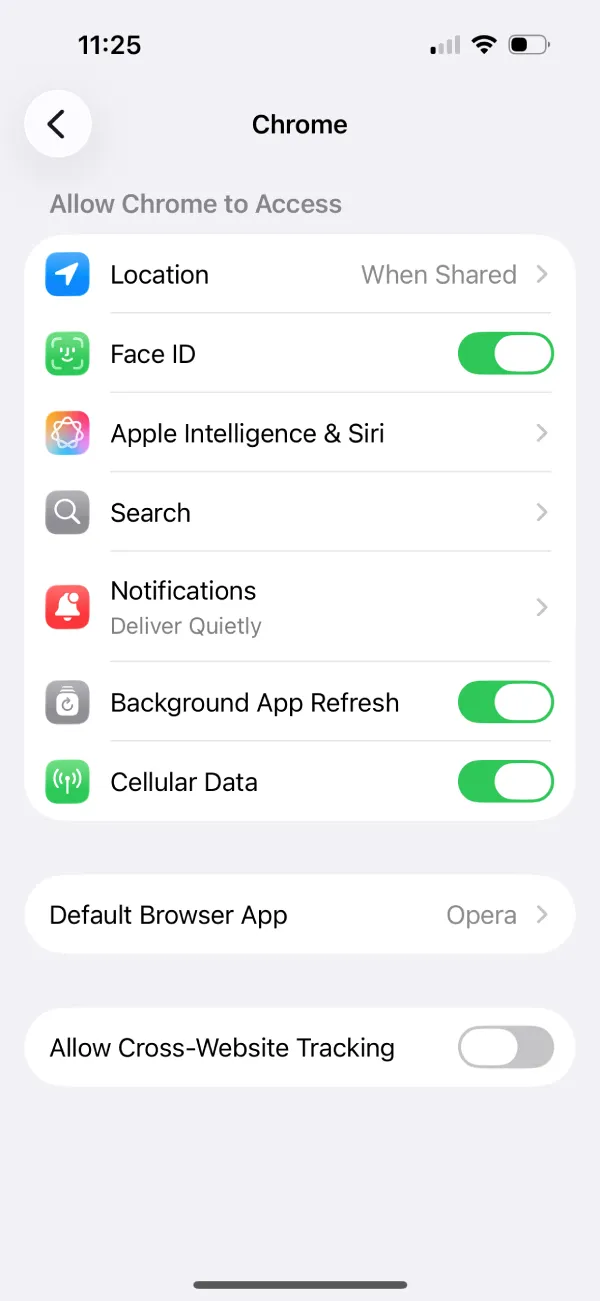
Since the permissions were never granted in the first place, the page didn’t list location settings. It didn’t mean that Chrome had access to location data and didn’t provide an option to turn it off.
Furthermore, there’s no mention of mandatory location data sharing anywhere in TikTok’s policies. We’re not surprised by the wave of panic. Similar posts went viral a few weeks ago regarding ‘Epstein censorship,’ and the claim fell apart pretty quickly after just a few minutes of digging.
A combination of device behaviour and how location permission controls are portrayed is the root cause of this confusion among users.
If you want to disable location tracking on TikTok:
- On iPhone, you can go to Settings -> Privacy & Security -> Location Services -> TikTok -> Never.
- On Android, it’s Settings -> Apps -> TikTok -> Permissions -> Location -> Don’t allow.
So, you can still disable location tracking; just that the option may not reside within the TikTok app if you’re in the US (according to TikTok’s support team).
If you’ve never granted TikTok permission before, the OS might not show TikTok in location controls yet, as we’ve mentioned before. This is just the default behavior on Android and iOS.
TikTok has also recently updated its policies under the new US ownership, and the app can collect precise location data only if you allow it. The bigger issue here is that TikTok doesn’t show users an option to say ‘No’ to location sharing in its pop-up.
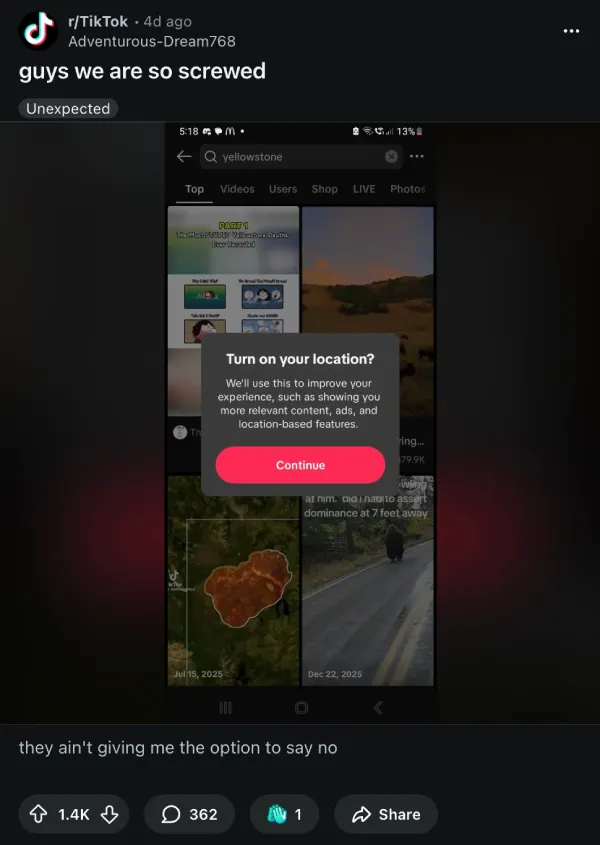
This is disingenious and TikTok should change its location-sharing permission request to add a clear way for users to cancel it. But even if you do accidentally tap that ‘Continue’ button, you should be able to opt out by following the steps we listed above.


Dwayne Cubbins
3055 Posts
I cover fast-moving stories across apps, online platforms, and everyday tech — phones, wearables, consoles, and whatever else people are fighting with this week. Bugs, rollouts, scams, policy enforcement, and the occasional internet-culture rabbit hole are all fair game. My goal is simple — make confusing tech news readable. When I'm not working, I'm working out or chilling with my dog. Got a tip? You can find me on X @dcubbins.
Next article View Article
