





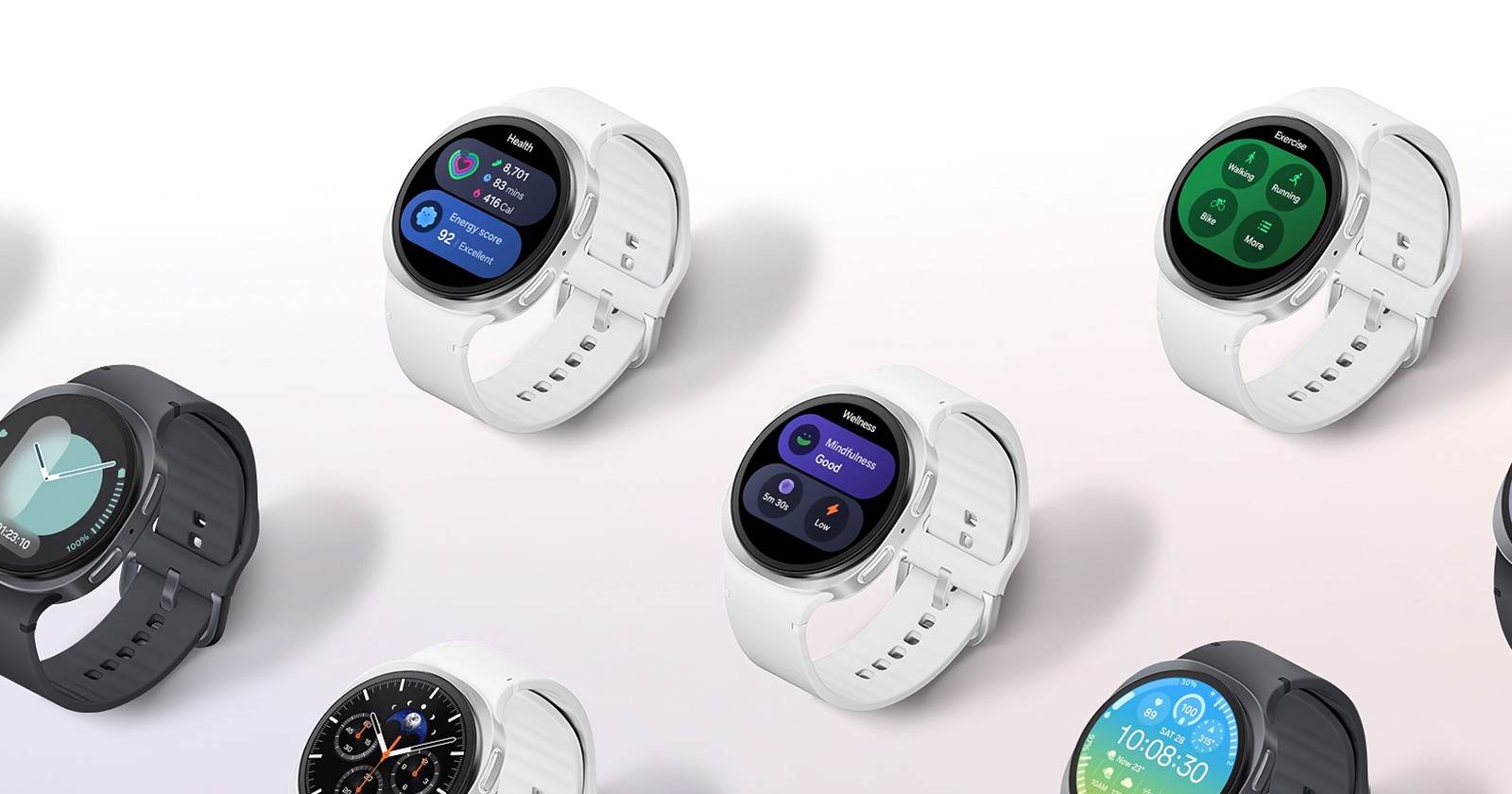
Samsung’s rollout of One UI 8 for Galaxy Watch, based on Wear OS 6, is triggering widespread issues for users who rely on WatchMaker custom watch faces. The problems, which have been brewing for several weeks, range from missing faces and broken scripts to completely non-functional touch actions, and they appear to stem from Google’s shift to the new Watch Face Format (WFF) in Wear OS 6.
This comes shortly after reports that Wear OS 6 breaks Always-On Display (AOD) transitions for third-party watch faces on Pixel and Galaxy watches, suggesting deeper compatibility cracks in Google’s latest wearable platform.
WatchMaker faces disappearing, breaking, or losing core features
Affected users across Galaxy Watch 4, Watch 5 Pro, Watch 6 Classic, Watch 6 LTE, Watch 7, and even Galaxy Watch Ultra describe remarkably similar behavior after updating to One UI 8.
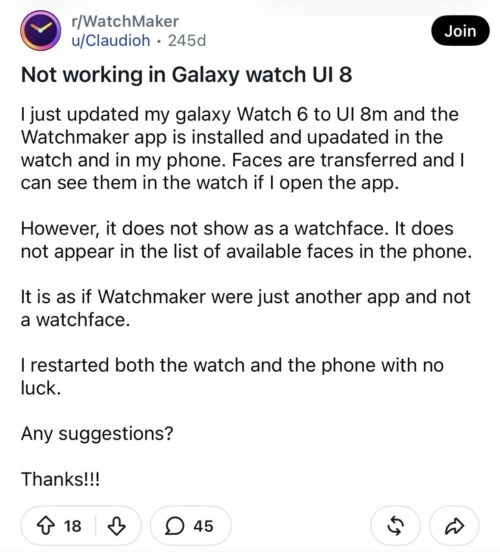
For some, WatchMaker faces vanish entirely from the available watch face list, even though the WatchMaker app remains installed on the watch. Others report that the faces technically load, elements no longer work.
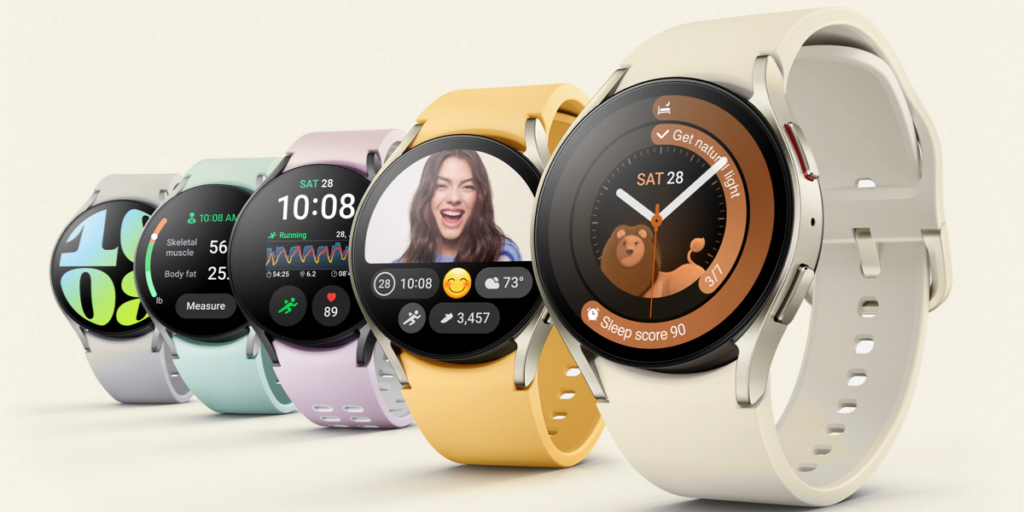
Common complaints include:
- Watch faces no longer appear as selectable faces
- Lua scripts failing to execute
- Tasker variables and integrations no longer sync
- Calendar entries, phone battery indicators, and weather data are disappearing
- Tap actions (launching apps, running scripts, shortcuts) do nothing
- Distorted layouts, broken fonts, missing charts, and malformed shapes
In several cases, users say WatchMaker now behaves “like a normal app” rather than a proper watch face provider.
One Galaxy Watch 6 Classic owner says their custom WatchMaker face, built over years to display CGM blood glucose values with graphs, completely disappeared after the One UI 8 update. Despite resets, cache clears, and reinstalls, the WatchMaker companion app would no longer load faces onto the watch.
Others report partial recoveries after reinstalling WatchMaker on both phone and watch, only to find that scripts, buttons, and dynamic functions remain broken, leaving the face visually intact but functionally useless.
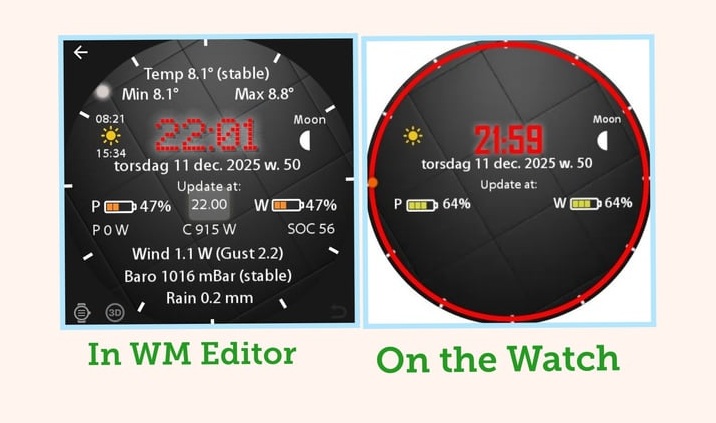
Tap actions appear completely broken on Wear OS 6
One of the most serious regressions affects tap actions, a core feature of advanced WatchMaker faces.
A detailed bug report from a Galaxy Watch 7 user running Wear OS 6 and One UI 8 explains that all tap interactions are intercepted by Wear OS 6’s new Watch Face Framework before WatchMaker can process them. This affects:
- Built-in actions (vibration, widgets, weather refresh)
- App launches
- Script execution
- Tasker and AutoWear integrations
According to the report, ADB logs show Wear OS 6’s native gesture detector handling taps internally, leaving WatchMaker’s tap handler unreachable. As a result, interactive watch faces lose nearly all functionality, with no reliable user workaround currently available.
Faces now appear individually, not under WatchMaker
Adding to the confusion, some users note that WatchMaker faces no longer appear collectively under a single “WatchMaker” category. Instead, each face shows up as a separate watch face, mixed in with Samsung and third-party faces.
While this behavior can be worked around by manually naming faces and adding them via the “Add” menu, it highlights how deeply Wear OS 6 has changed how third-party watch faces are handled.
Inconsistent experiences add to the frustration
Interestingly, not all users are affected in the same way.
A few report that everything works fine on One UI 8, including Tasker integrations, at least initially. Others say their setup worked after the update, then suddenly broke days or weeks later, without any clear trigger.
This inconsistency has led some users to delay upgrading to Wear OS 6 entirely, fearing permanent loss of legacy WatchMaker functionality.
Samsung forum response points to WatchMaker compatibility issues
A Samsung Care Ambassador responding on the official Samsung forum suggested that WatchMaker is currently not fully supported on One UI 8, implying that users may need to wait for app updates before things stabilize.
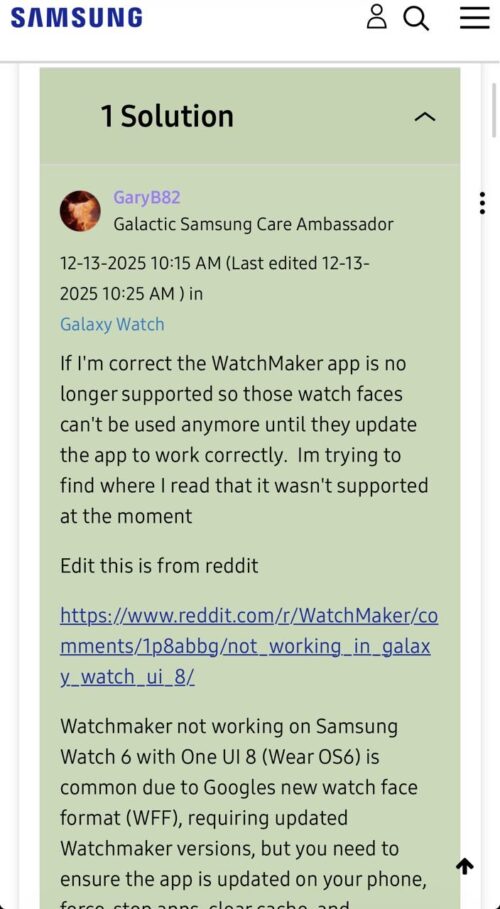
That response aligns with broader community findings: the issue isn’t limited to Samsung’s firmware alone, but rather the intersection of One UI 8, Wear OS 6, and Google’s new Watch Face Format (WFF).
The real cause: Wear OS 6’s Watch Face Format transition
At the heart of the problem is Google’s mandatory shift to Watch Face Format (WFF) starting with Wear OS 6.
WFF is designed to be faster, more battery-efficient, more secure, and easier to distribute and validate via Play Store policies. However, the transition also breaks compatibility with older, legacy watch face systems, including many advanced WatchMaker features that power users rely on.
Back in July 2025, WatchMaker developers announced a Wear OS 6-ready version of the app, warning users that watch faces would need to be re-synced after updating and that some features would be temporarily unavailable.
While WatchMaker confirmed support for progress bars, weather, GIFs, steps, moon phases, gradients, and dynamic text, it also acknowledged that several major features are not yet supported in WFF, including:
- Charts and graphs
- Stopwatches and countdowns
- 3D graphics
- Tasker integrations and some scripting features
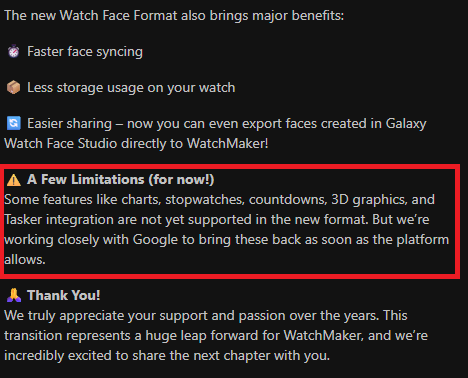
This explains why users upgrading to One UI 8 suddenly see faces load but lose interactivity, automation, or complex visual elements.
Some experienced users claim the best short-term solution is not updating either the WatchMaker phone app or the watch app, allowing the system to continue using the legacy watch face format. Others say rolling back one or two app versions restored classic WatchMaker faces, at least temporarily. However, this workaround may soon stop working.
Google is expected to fully enforce WFF-only watch faces after mid-January 2026, when Play Store and Galaxy Store policies tighten. Once that happens, legacy faces may no longer be installable at all.
At this point, there is no single fix that restores full WatchMaker functionality on One UI 8. However, what does seem clear is:
- This is not an isolated Samsung bug
- Wear OS 6 fundamentally changes how watch faces work
- WatchMaker developers are constrained by platform-level limitations
- Some beloved features may not return until Google expands WFF capabilities
For now, Galaxy Watch users dependent on WatchMaker’s advanced scripting, automation, and data integrations are stuck in limbo, forced to choose between updating for security and new features or staying back to preserve functionality.
As Wear OS 6 continues rolling out more broadly, these WatchMaker issues may be an early warning of how disruptive Google’s watch face transition could be for power users across the ecosystem.


Hillary Keverenge
2723 Posts
Tech has been my playground for over a decade. While the Android journey began early, it truly took flight with the revolutionary Lollipop update. Since then, it's been a parade of Android devices (with a sprinkle of iOS), culminating in a mostly happy marriage with Google's smart home ecosystem. Expect insightful articles and explorations of the ever-evolving world of Android and Google products coupled with occasional rants on the Nest smart home ecosystem.
Next article View Article
