





YouTube Music recently redesigned its Now Playing interface, and it’s causing confusion across Reddit and Google Support forums. Users are frantically searching for the lyrics button that seemingly vanished overnight.
The lyrics button hasn’t disappeared — it’s just moved. Google relocated it to a horizontal scrolling carousel located directly below the song progress bar. You’ll find it tucked between buttons for Comments and Save, alongside Thumbs Up/Down and the Song/Video switcher.
If you don’t see it immediately, swipe left on that button row. According to multiple Reddit users and as seen in screenshots of the new UI, the lyrics option sits just past the more frequently accessed buttons, making it easy to overlook at first glance.
I’ve still not received the updated UI on my account, so here’s a screenshot shared on Reddit for reference:
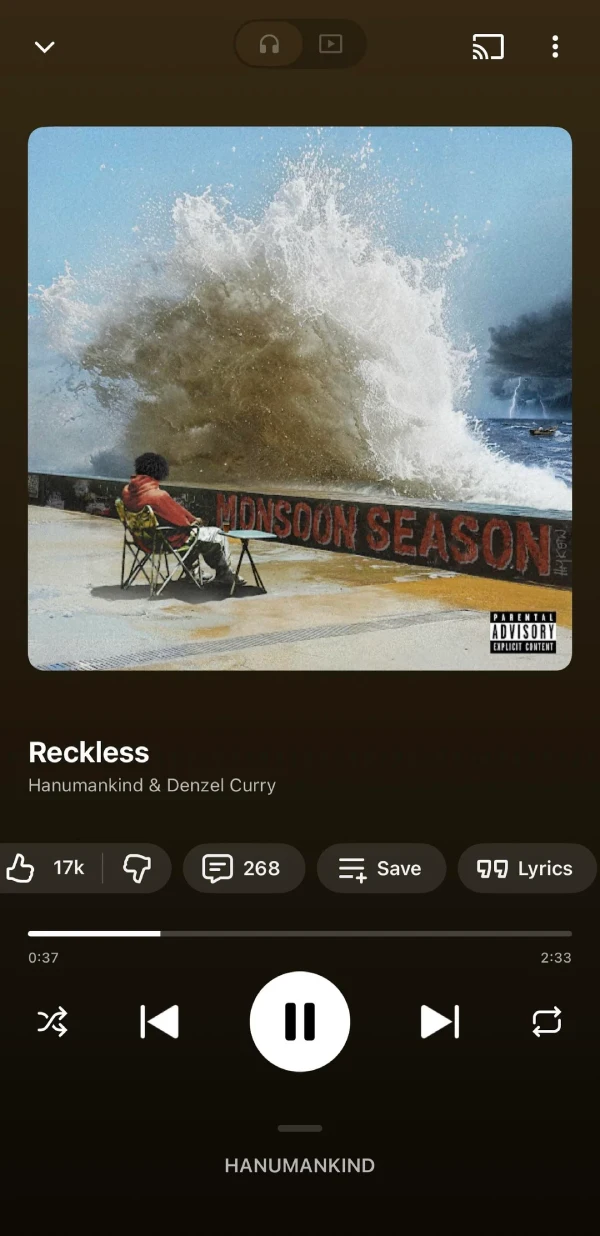
Here’s where the redesign actually gets clever. The lyrics button now only appears next to the Save button when lyrics are available for the song you’re playing. If a track doesn’t have lyrics in YouTube Music’s database, the button gets pushed all the way to the end of the carousel.
This adaptive behavior is a departure from the old UI, where the lyrics button remained visible but grayed out when unavailable. Some users appreciate not having to tap on a button just to be told lyrics don’t exist. Others miss the predictable button placement.
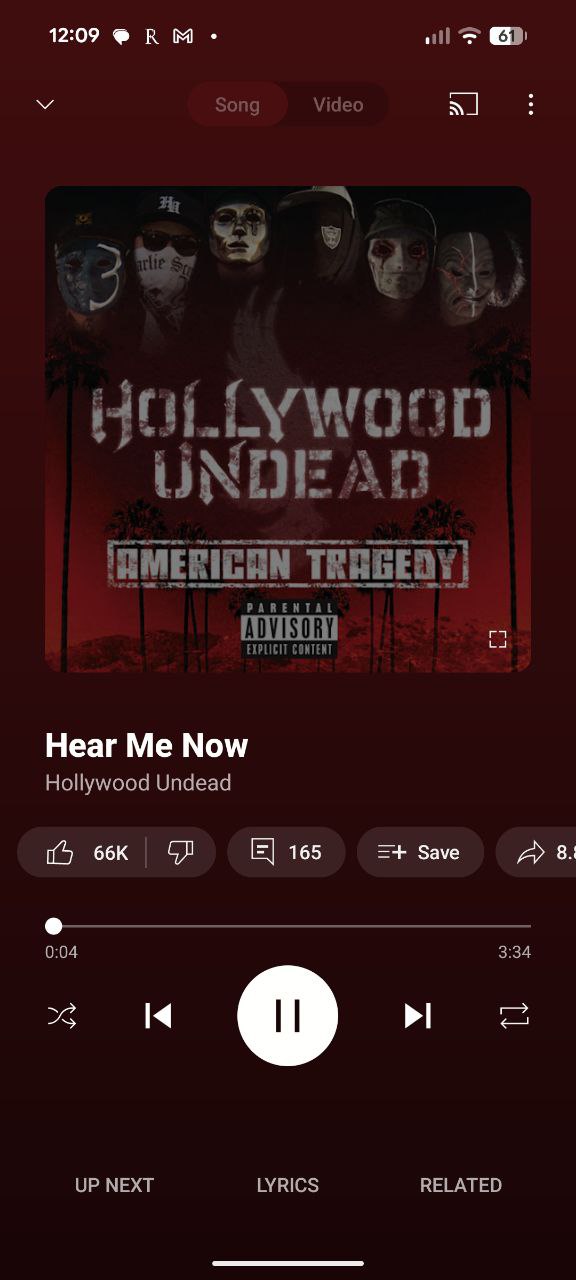
User reactions have been mixed. Reddit threads show some people praising the cleaner look, while others want the lyrics button back in its original prominent position. One user on the r/YoutubeMusic subreddit admitted they “swiped by it twice” before realizing where it had gone.
The update began rolling out via a server-side change in September, affecting both Android and iOS versions of the app. That means you don’t need to manually update anything — the new interface should appear automatically once Google enables it for your account.
If you’re still seeing the old layout, you can try force-stopping the YouTube Music app through your phone’s settings and relaunching it, though there’s no guarantee this will trigger the update.

Dwayne Cubbins
1802 Posts
My fascination with Android phones began the moment I got my hands on one. Since then, I've been on a journey to decode the ever-evolving tech landscape, fueled by a passion for both the "how" and the "why." Since 2018, I've been crafting content that empowers users and demystifies the tech world. From in-depth how-to guides that unlock your phone's potential to breaking news based on original research, I strive to make tech accessible and engaging.