





Material 3 Expressive Gboard redesign leak from Pixel 10 ad
byu/techraito inpixel_phones
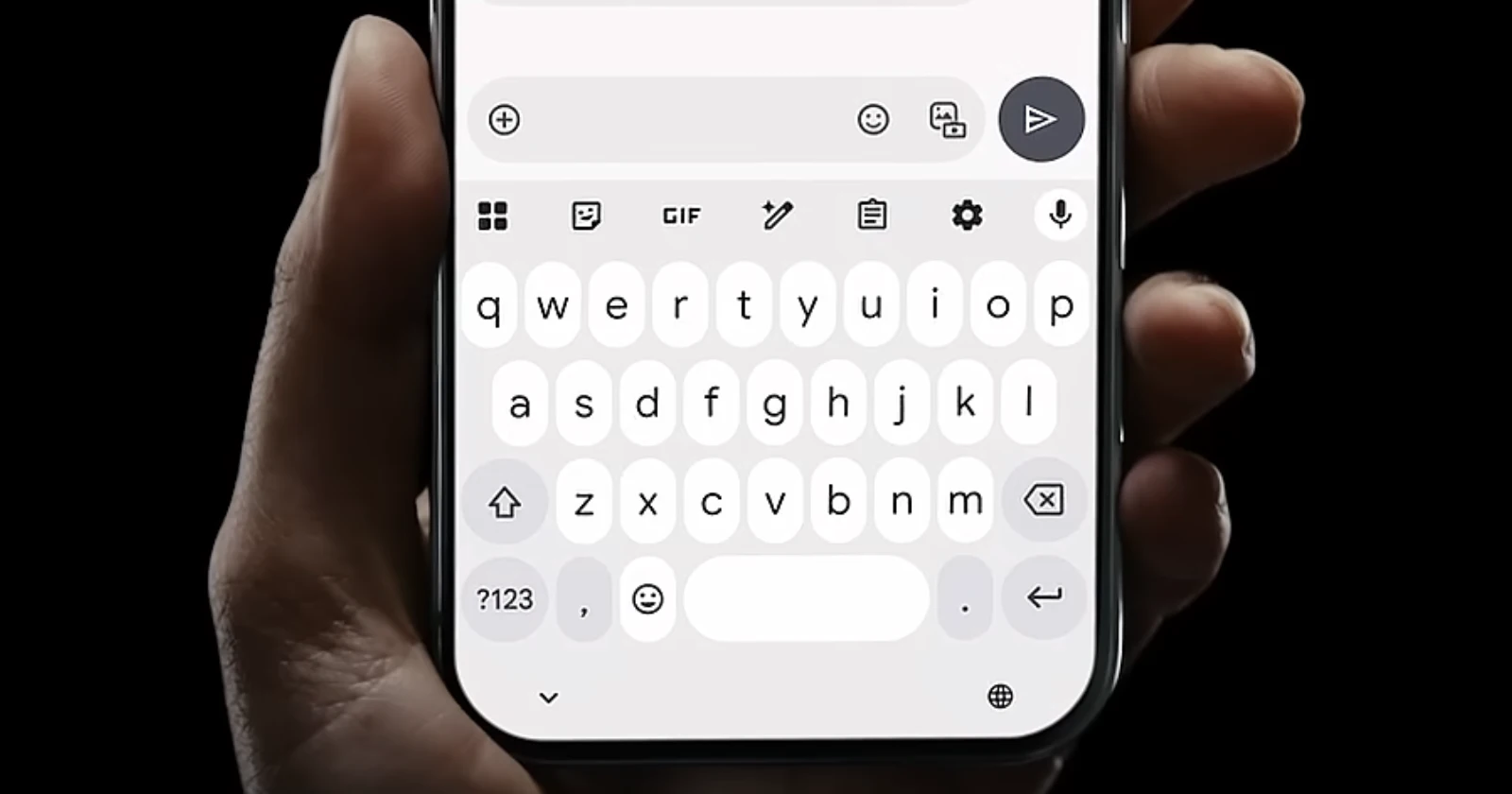
Google’s ongoing Pixel 10 ad campaign on social media is giving users a glimpse of the upcoming Gboard revamp. And some people are even sharing screenshots of the ad highlighting the keyboard.
However, it isn’t the first time we’ve seen the much-discussed Material 3 Expressive Gboard redesign. In fact, if you rewind a little, you’ll notice that this new keyboard look actually popped up as early as August 22 in Google’s own Magic Cue promo video for the Pixel 10.
Google’s been planting these hints out in the open, and honestly, at this point, I think it’s safe to say they’re just teasing us.
That said, while these official teasers are fairly recent, we’ve also seen the revamped Gboard uncovered much earlier too. Back in April, the folks over at Android Authority managed to enable it through an APK teardown, and later even confirmed with an inside source that these rounded, pill-shaped keys are part of the real deal.
If you hadn’t picked up on it, Material 3 Expressive is a pretty striking shift from the familiar rectangular and squircle shapes we’re used to tapping out messages on. Instead, you get those soft, rounded pills and bubbly five-row layouts, right in line with Google’s ongoing refresh for its Material design. While some might find the change a little bold (and sure, I’m still not totally sold on the pills either — though, knowing myself, I’ll get used to it), it’s refreshing to see Google finally shake things up for everyday users.
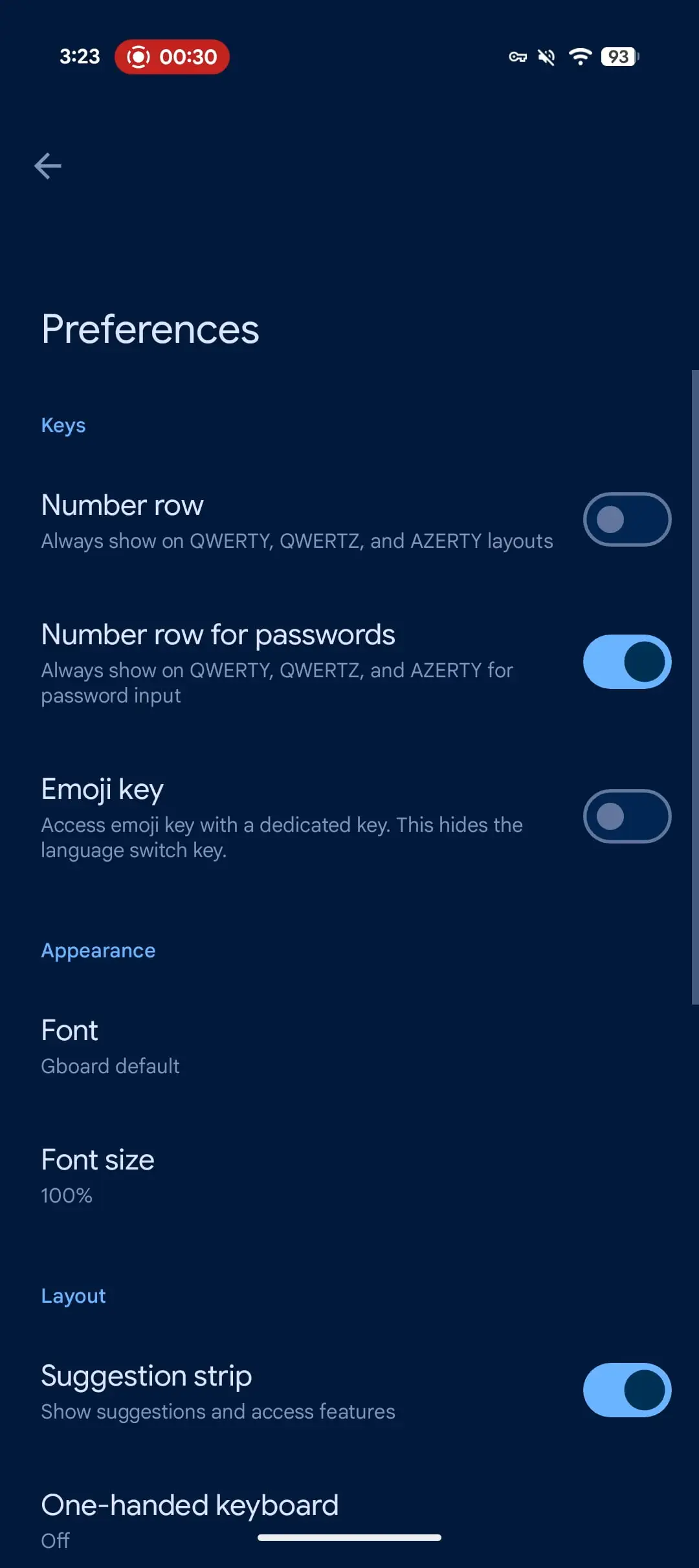
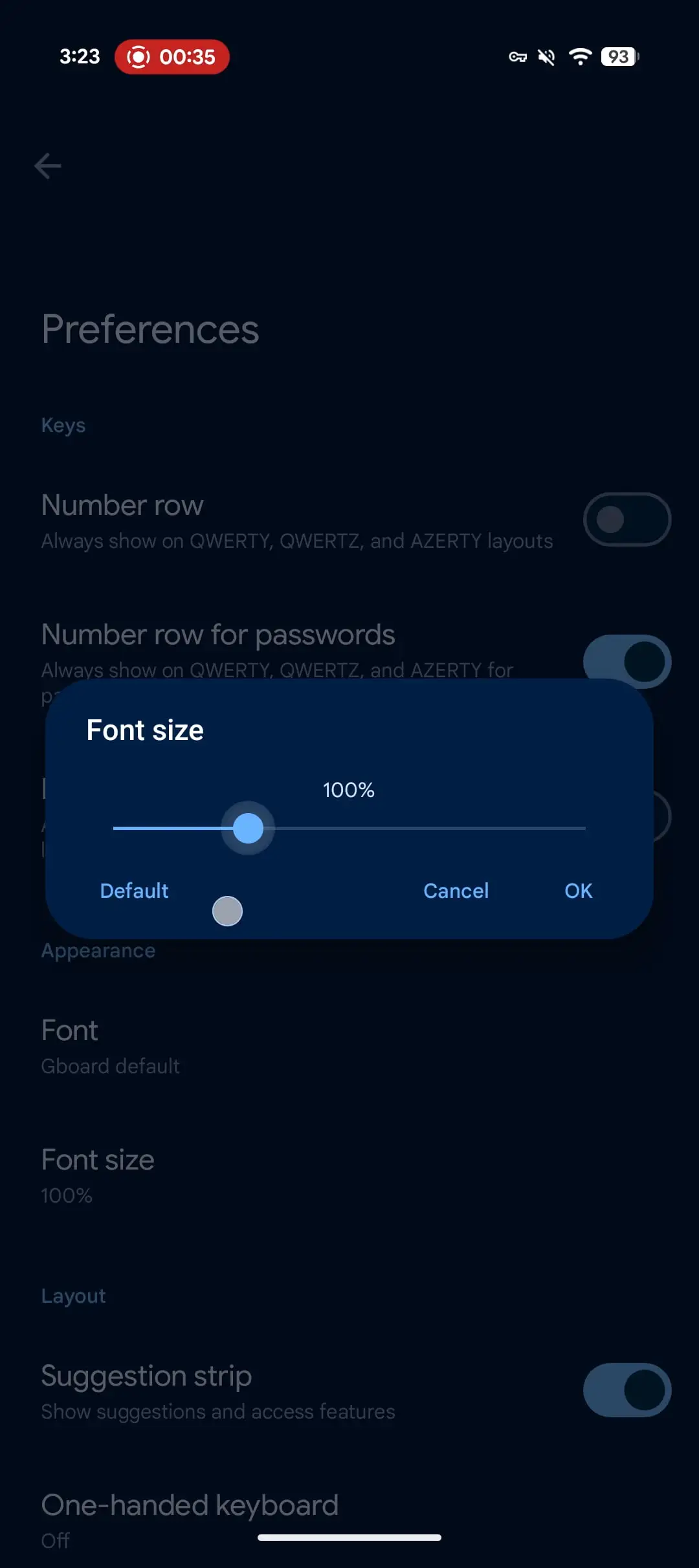
That said, while the redesigned Gboard is still getting its final touches added in the kitchen, one new feature that’s already making its way to some beta testers is the new font size setting. This was first spotted by 9to5Google, and they noticed the option appear on a few devices.
But since this is still an A/B test, not everyone has it yet. The setting wasn’t present on a Pixel 8 and Pixel 7a when I checked. If you want to check if you have it, go into the Gboard Settings > Preferences and look for Font size. From there, you can adjust the keyboard’s font size anywhere from 85% to a chunky 200%, completely separate from Android’s system-wide settings. Just don’t expect it to affect emoji sizes; those stay the same regardless of what font size you pick.
At this point, Google really ought to quit teasing us and just let everyone try the new design out for themselves. In the meantime, if you want to keep up with all things Pixel 10, check our dedicated section for these new flagships for more.

We stand out from the tech-media crowd because we break news stories; we mainly bring you stuff that you won’t find anywhere in the mainstream tech media. Our stories have been picked up by some of the world’s most popular websites and media outlets—more info is available here.

Dwayne Cubbins
3088 Posts
I cover fast-moving stories across apps, online platforms, and everyday tech — phones, wearables, consoles, and whatever else people are fighting with this week. Bugs, rollouts, scams, policy enforcement, and the occasional internet-culture rabbit hole are all fair game. My goal is simple — make confusing tech news readable. When I'm not working, I'm working out or chilling with my dog. Got a tip? You can find me on X @dcubbins.
Next article View Article

Pixel 10 users frustrated with missing auto-rotate for home screen, and this change might come to older Pixels too
Some Pixel 10 owners who've just bagged their devices have noticed something off with the Pixel Launcher - there's no option to make it auto-rotate. On other Pixel...
Sep 02, 2025 2 Min Read