Update 1 (February 29, 2024)
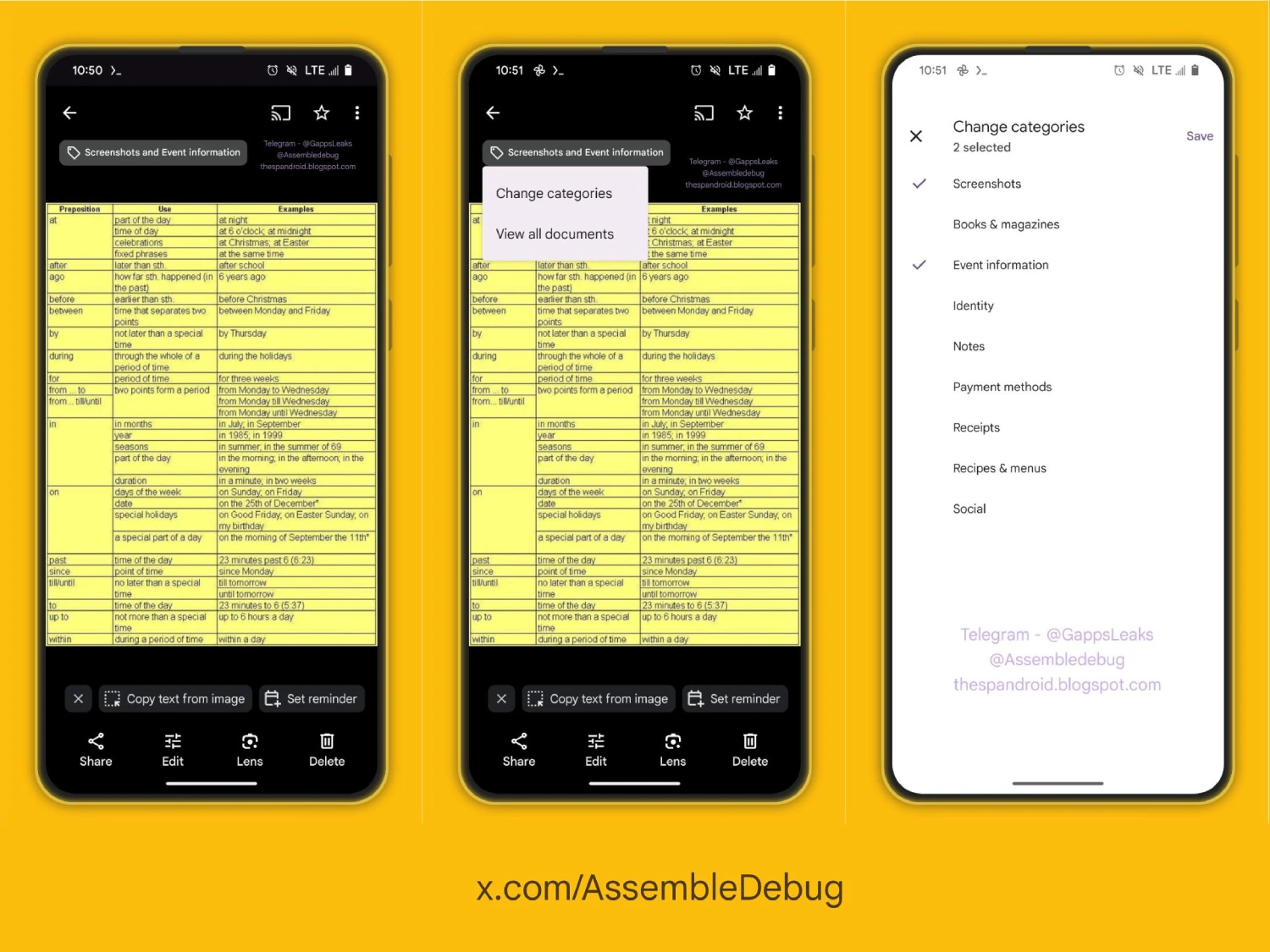
3:25 pm (IST): AssembleDebug, the tipster who first spotted the change, has now shared screenshots highlighting this upcoming new feature. Check out the image below for reference. You can click/tap to enlarge the image.
Original article published on February 15, 2024 follows:
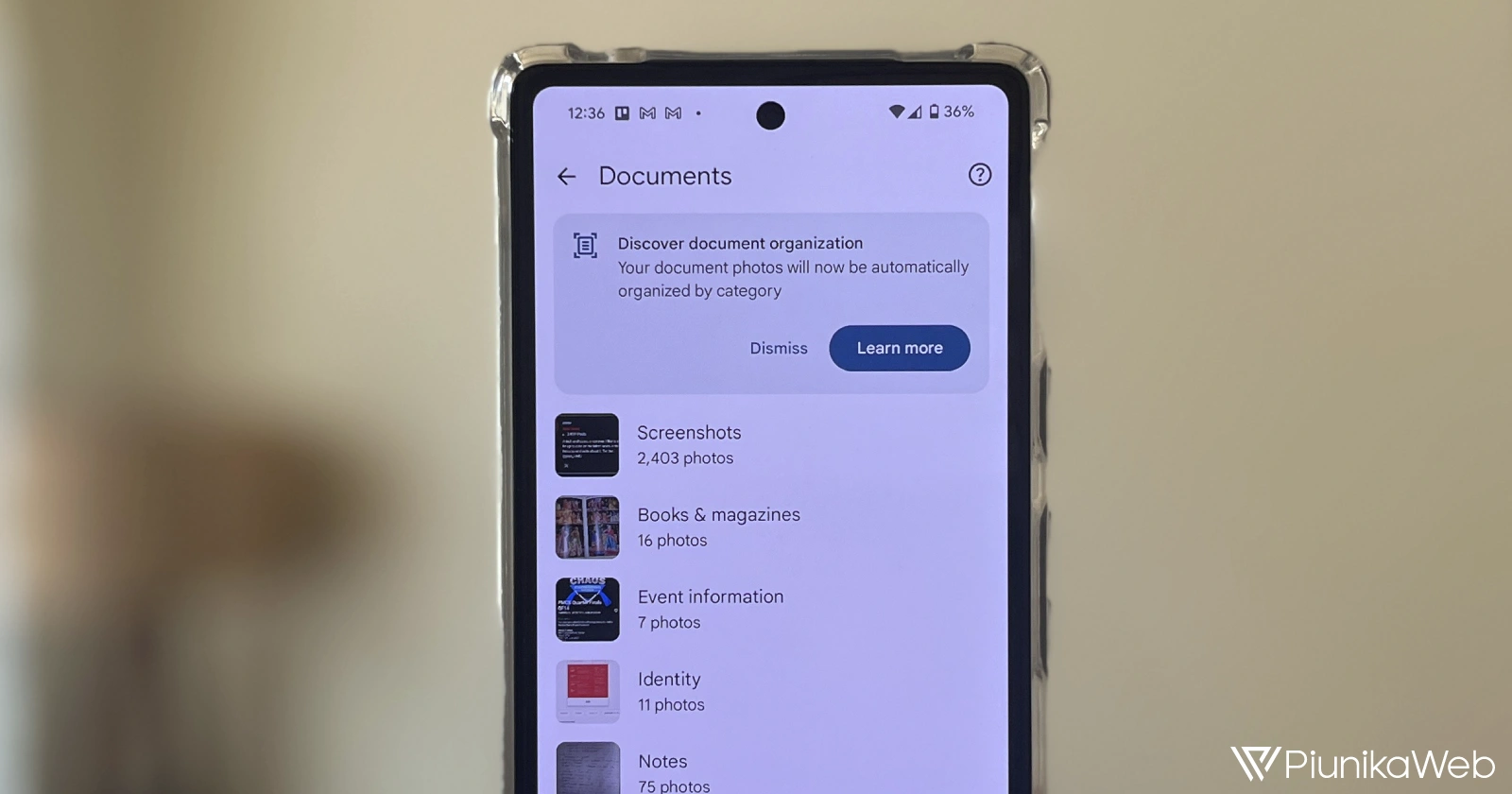
Google Photos’ automatic document categorization feature has been a helpful addition, but its reliance on AI can sometimes lead to miscategorized images. Thankfully, Google seems to be addressing this issue by introducing the ability to manually change image categories within the Documents section of the Photos app.
When Google first rolled out the updated Documents section, I appreciated the convenience of having screenshots, receipts, posters, and other document-like images automatically sorted. However, the AI-driven system isn’t foolproof, and miscategorizations were a common frustration. So this upcoming feature is something I’m looking forward to.
As discovered by AssembleDebug, Google Photos will soon let users rectify these AI hiccups. By selecting one or several images within a category and tapping the three-dot menu, you’ll find a new ‘Change Categories’ option. This will open a list of available categories, allowing you to reassign images for improved organization.
Following is the code uncovered in Google Photos that hints towards this new upcoming change:
<string="photos_search_functional_categorization_title">Change categories</string>
<string="photos_search_destination_list_heading_categories">Categories</string>
This welcome change means you’ll spend less time searching for miscategorized documents in the Google Photos app. The ability to change categories further streamlines the Google Photos experience and should give you greater control over your photos.
Google is also expected to introduce ‘My Week’ and ‘Real-time album’ features to its Photos app. That said, we’ll just have to wait and see how long it takes for these features to be dragged out of the shadows.


Dwayne Cubbins
3141 Posts
I cover fast-moving stories across apps, online platforms, and everyday tech — phones, wearables, consoles, and whatever else people are fighting with this week. Bugs, rollouts, scams, policy enforcement, and the occasional internet-culture rabbit hole are all fair game. My goal is simple — make confusing tech news readable. When I'm not working, I'm working out or chilling with my dog. Got a tip? You can find me on X @dcubbins.
Next article View Article