






Where Winds Meet players trying to jump into the open-world action RPG through GeForce Now are getting stopped in their tracks by a login error that appeared right after today’s version 1.3 update.
According to reports, it seems like the game refuses to launch and throws up a message reading “[10] abnormal account information. Please try logging in again.” It also doesn’t provide players an option to manually sign out and reconnect their Epic Games account inside the cloud gaming session.
A thread on Reddit’s r/GeForceNOW sub is quickly growing with complaints. The OP noted that instead of seeing the usual Resume button, they now see Start, and clicking it only brings up the error.
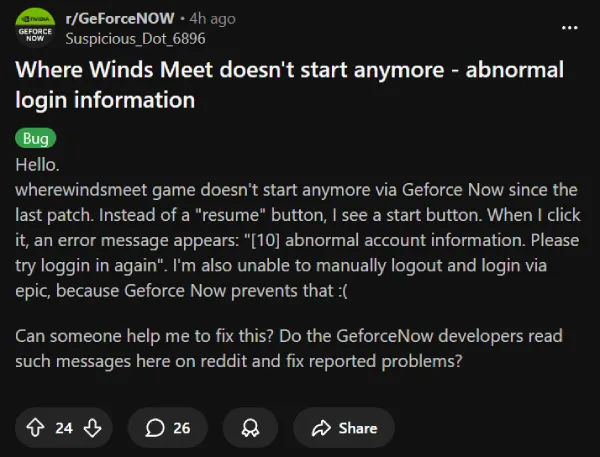
Many others have also chimed in, confirming the same experience, with some frustrated that they can’t complete the daily quests and guild activities.
This isn’t the first time the abnormal account information error has disrupted Where Winds Meet players on cloud platforms. A similar wave of login failures hit GeForce Now users back in December, and that episode was also tied to a game update.
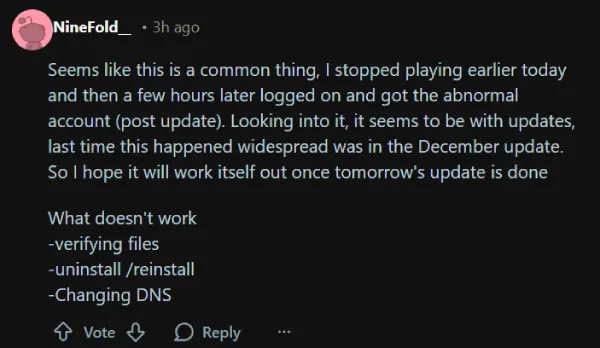
One commenter in the current thread noted that past occurrences cleared up after the next scheduled update rolled out, though fixes like verifying files, reinstalling, or changing DNS settings didn’t help this time around.
At the time of writing, neither NVIDIA nor the Where Winds Meet team has posted an official acknowledgment of the ‘error 10’ spike following the 1.3 patch.
The last major update, version 1.2, arrived on January 9 and brought new story quests, guild features, and performance optimizations. Version 1.3 added world bosses, spotlight mode, and new events, but the rollout seems to have broken Epic account connectivity for cloud users.


Dwayne Cubbins
2702 Posts
I cover fast-moving stories across apps, online platforms, and everyday tech — phones, wearables, consoles, and whatever else people are fighting with this week. Bugs, rollouts, scams, policy enforcement, and the occasional internet-culture rabbit hole are all fair game. My goal is simple — make confusing tech news readable. When I'm not working, I'm working out or chilling with my dog. Got a tip? You can find me on X @dcubbins.
Next article View Article
