





Samsung users, primarily in the United States and Europe, are being hit with a sophisticated phishing attack that’s using the company’s own Members app as the delivery method. Scammers have created fake accounts with Samsung logos and usernames like “Verification Bot” to send alarming messages warning users their accounts will be suspended within 24 hours if they don’t verify their information.
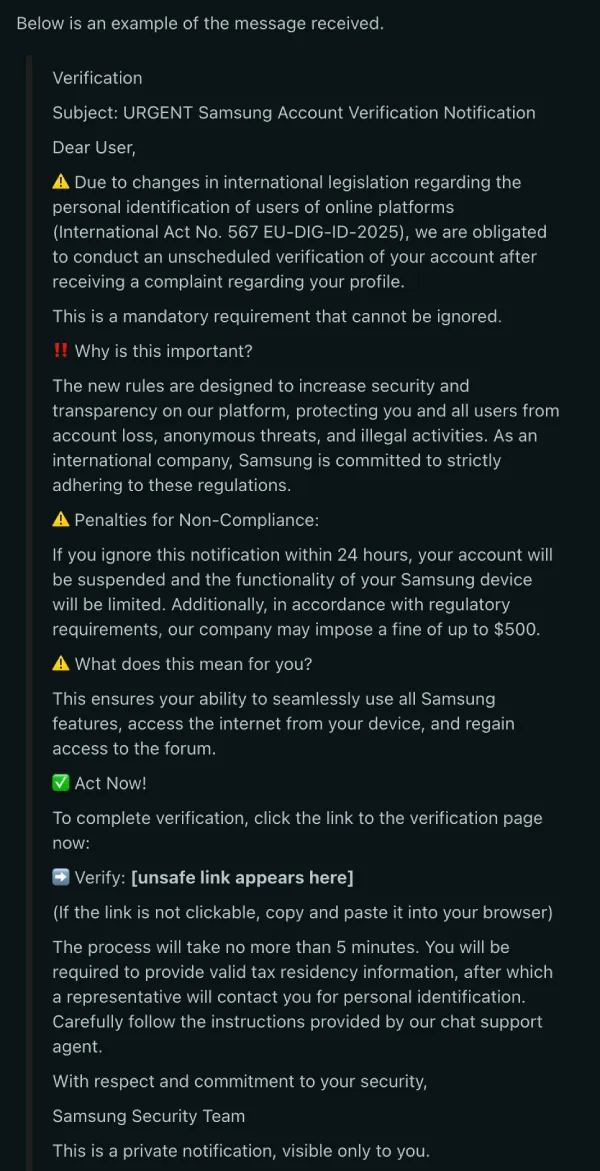
The fraudulent messages claim to be enforcing a new international law called “International Act No. 567 EU-DIG-ID-2025” and threaten victims with a $500 fine if they don’t comply. What makes this scam particularly sneaky is that it appears directly in the Samsung Members app inbox, where users might expect legitimate communications from the company. The messages include official-looking language about compliance requirements and security protocols, making them seem credible at first glance.
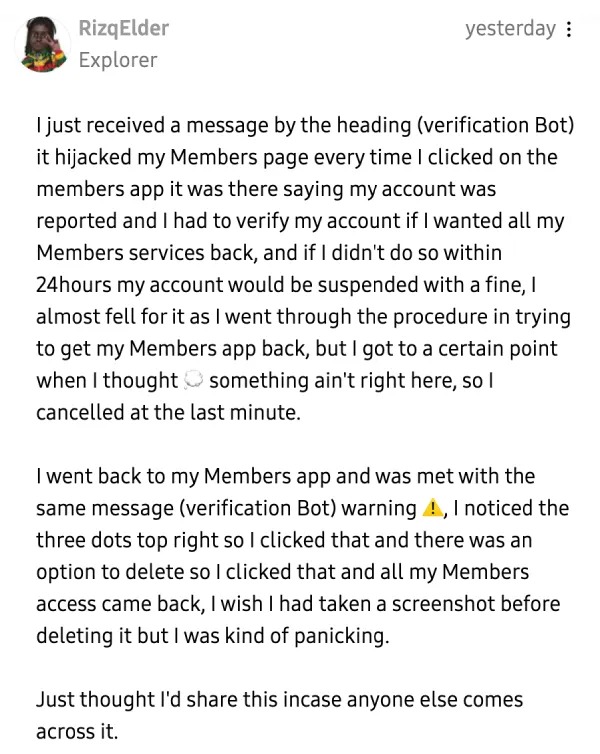
A user named RizqElder shared their close call on Samsung’s EU community forum, explaining how the fake verification message “hijacked” their Members page and reappeared every time they opened the app. They nearly fell for it before realizing something felt off and canceling the process. After deleting the message using the three-dot menu, their Members app access returned to normal.
Similar warnings have popped up across Reddit, where user Robert_D posted a detailed alert showing the full text of the scam message.
In the replies, one user noted that multiple fake “Verification” accounts with numbers (Verification1, Verification2, etc.) were created in quick succession, all using Samsung’s logo as their profile picture. Community members also pointed out that the fake urgency and threats of penalties are classic phishing tactics.
The scam has also been documented on Samsung’s US community forum, where Galaxy Care Ambassador GaryB82 posted warnings about the malicious links. Samsung moderators have confirmed they’re aware of the situation and have been taking down the fake accounts.
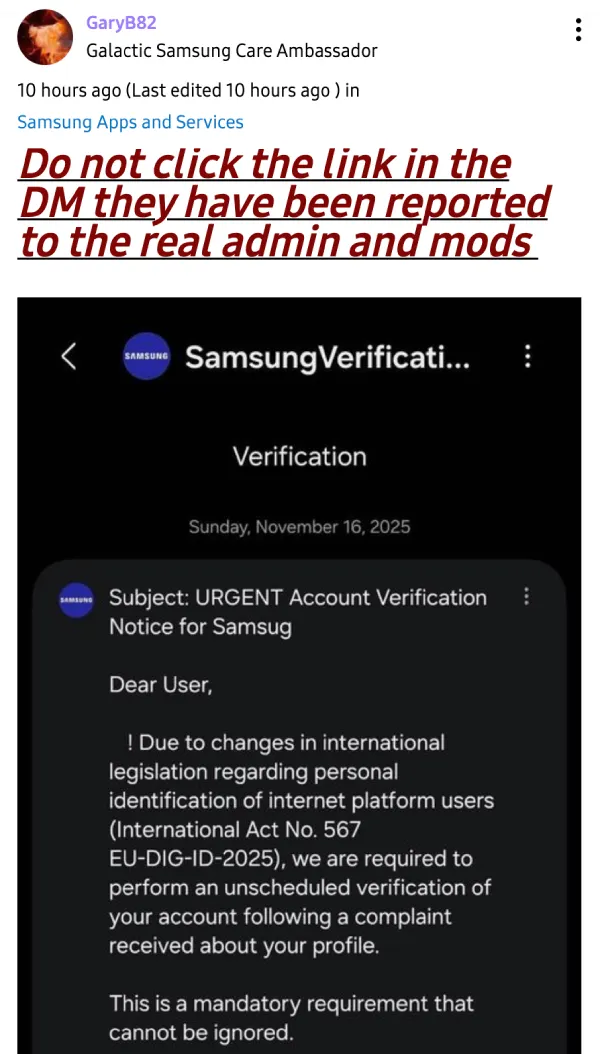
If you receive one of these messages, don’t click any links. Delete the message immediately using the three-dot menu in the top-right corner. Real Samsung communications will address you by your username, not with generic “Dear User” greetings. You can find additional reports and warnings here, here, here, and here.


Dwayne Cubbins
2687 Posts
I cover fast-moving stories across apps, online platforms, and everyday tech — phones, wearables, consoles, and whatever else people are fighting with this week. Bugs, rollouts, scams, policy enforcement, and the occasional internet-culture rabbit hole are all fair game. My goal is simple — make confusing tech news readable. When I'm not working, I'm working out or chilling with my dog. Got a tip? You can find me on X @dcubbins.
Next article View Article
