


Microsoft is expanding its on-device AI capabilities on Edge. The company just announced three new improvements, primarily aimed at web developers.
For starters, the Aion Instruct language model is now “generally available” to developers, which means it has moved out of the testing phases. The second change is that Prompt API testing has been opened to live websites (through an Origin Trial), and finally, an experimental Decisions API that can analyze text and return structured answers has been introduced.
So, what exactly is Aion Instruct? That’s the built-in small language model on Edge, and it replaces Phi-4 mini. It consists of 2.3 billion parameters, and it’s faster while being smaller in size at the same time. According to Microsoft, it’s supported on more devices while offering similar quality on “common web tasks.” Summarizing content, following instructions, generalizing text, etc have been considered common web tasks.
Moreover, Aion Instruct is also available as an open-weight model on Hugging Face.
It’s worth noting that Edge only downloads the model when a website or browser requires the feature. It also downloads on devices that are capable of running it properly. If you want to, you have the choice to disable on-device AI through Edge settings.
Meanwhile, Microsoft is making it easier for developers to bring these features to their own websites with “Prompt API”. It was previously available as a developer preview in Edge Canary and Dev. Now, the Prompt API can be tested on live websites through an Origin trial. So, developers can experiment with in-browser AI features.
Finally, the third announcement is an experimental Decisions API. For now, it’s just a developer preview in Edge Canary and Dev. This AI can examine shared text and return specific answers in a single pass. It’s more interactive, since developers can ask questions, offer multiple choices, and more.
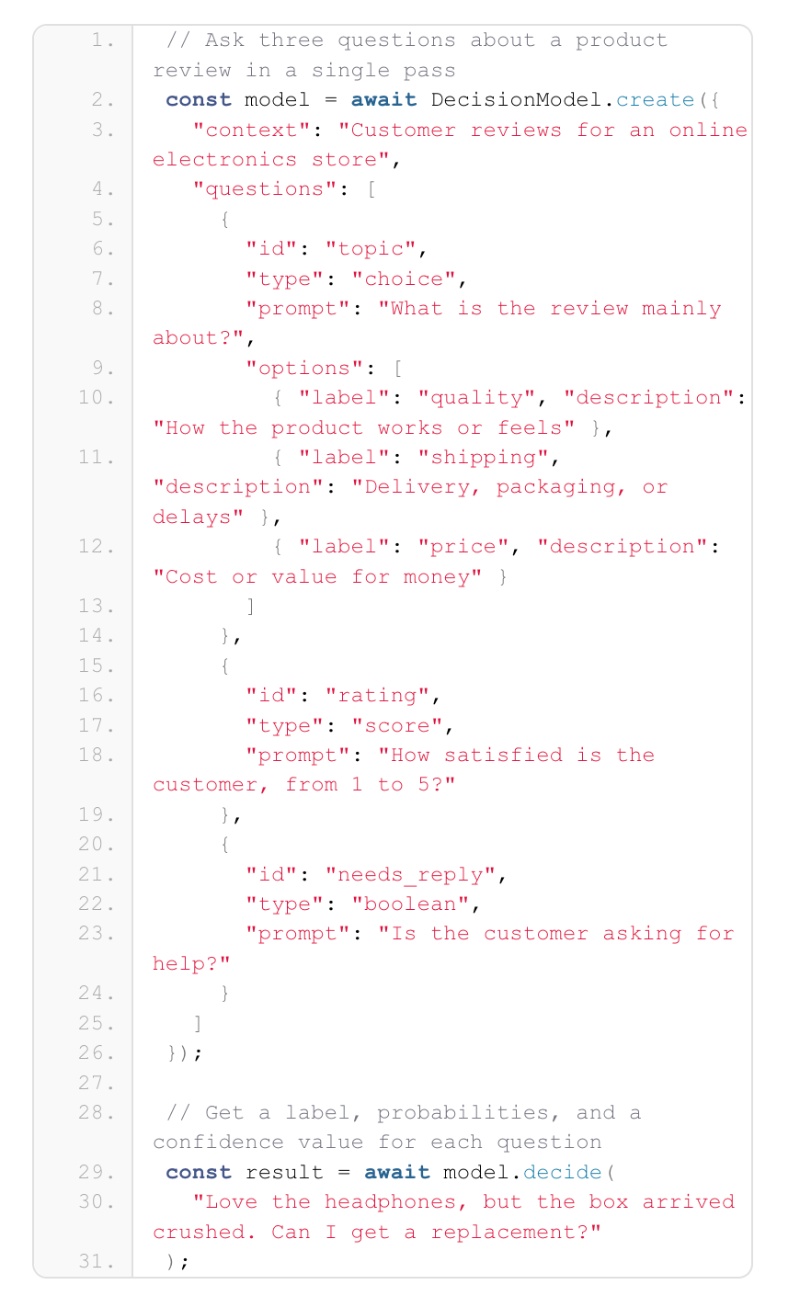
For example, an online store can identify specific information from a customer’s review about product quality, delivery time, and pricing, while also finding out whether the customer needs any assistance.
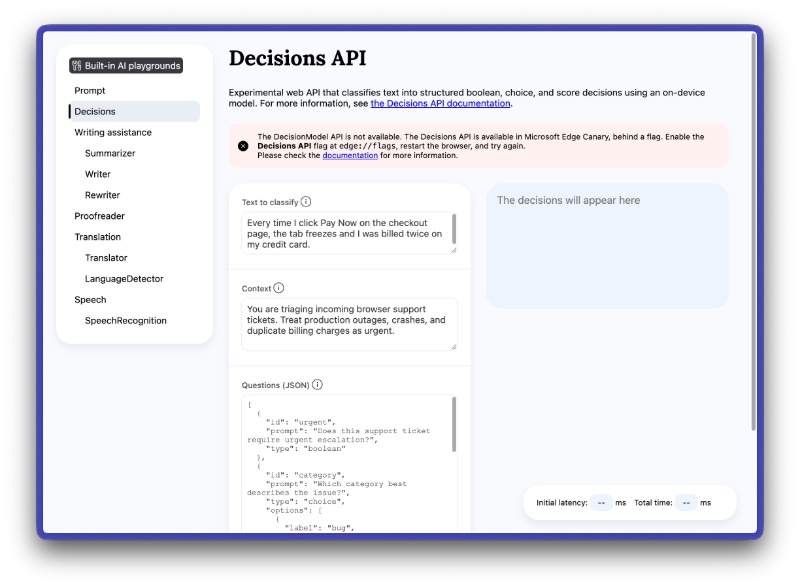
The Decisions API is available to try out through a Playground link, and you can find it here. Microsoft has asked developers for feedback on this API as well. To read the entire blog from Microsoft, you can find it here.
In other Edge news, some users are receiving notifications about Manifest V2 extensions getting phased out soon. More on that here.


Sudhanshu K
398 Posts
I have been a consumer technology enthusiast for over 5 years. Thanks to my experience in software beta testing and product reviews, I've understood and learnt a lot about what bugs and issues bother people, and I spend time trying to simplify their solutions. I cover smartphones, software, social media, apps, AI, and most consumer tech gadgets. Actively pursuing a Computer Science bachelor’s degree. I'm mostly active on Twitter/X (@TechWhirlUlt), drop a DM or tag me if you want to share info or connect!