


Would you use these html-in-canvas effects in a prod website and how would you use them ?https://t.co/GvYdYS6dXC pic.twitter.com/RxfJcZeANG
— Abderrahmen Gharsallah (@abderrahmen_g) November 8, 2026
Chrome v157 introduces HTML-in-Canvas for developers. It’s a new API that lets devs place HTML elements inside 2D and 3D canvas scenes. They don’t have to sacrifice essential browser features to do it.
This change was officially announced in a Chrome for Developers blog post, and it could make web-based games, creative tools, and other complex applications better. Essentially, it combines the visual freedom benefits of canvas graphics with the convenience of normal HTML. So, it offers the best of both worlds.
Until now, if developers wanted to build visually demanding websites, they had to make a choice and sacrifice something. While HTML offered familiar text formatting, support for accessibility, interactive buttons, and text selection, it also lacked graphical control for good visual effects. That’s something Canvas can do.
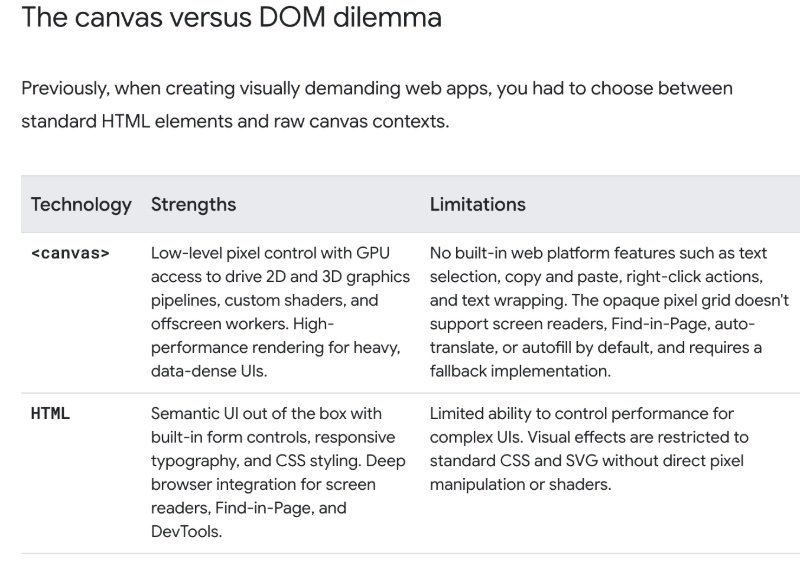
On the other hand, Canvas delivered powerful graphics. However, it used to treat text elements as pixels. As a result, users couldn’t naturally select, copy, or search text that was rendered using Canvas on Chrome. To fix this problem, developers had to resort to some awkward workarounds or implement these capabilities separately, which was a considerable waste of time and effort.
One of the common workarounds involved placing HTML elements on top of the canvas. Unfortunately, these elements could drift out of alignment during scrolling or zooming. The new HTML-in-Canvas feature is the solution to these problems.
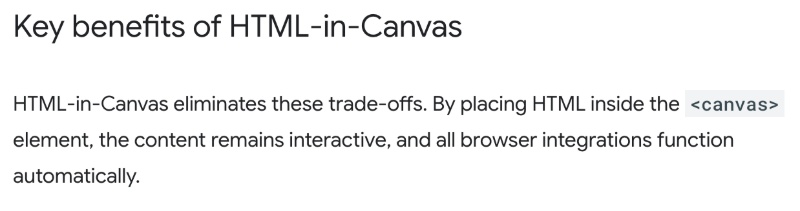
Since it lets developers render HTML elements directly into canvas graphics, features like text selection/copy/translate, etc will remain accessible to users. Developers can conveniently apply graphical effects now without needing to make choices.
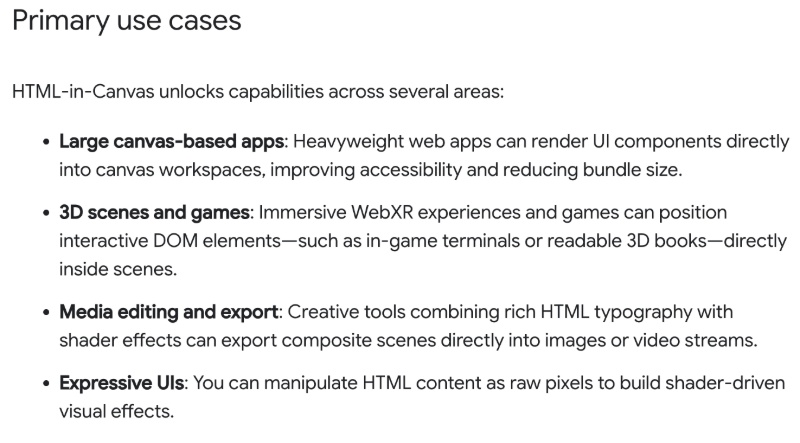
So, what exactly can developers improve with this new feature? It’s possible to build interactive 3D books, for example. Immersive WebXR experiences, media editors, and more can benefit from HTML-in-Canvas.
To get started, developers have to set content=”drawable” on the canvas and mark individual HTML elements with the “drawable” attribute. These elements can be rendered with drawElementImage() in a 2D context, while WebGL and WebGPU require additional steps. You can find further technical information in the official blog.
To get a better idea, you can view the post attached below. It demonstrates a use case for an advertisement: A product website that has been improved thanks to the new feature.
In other Chrome news, an upcoming Search Journeys feature could bring AI overviews to a side panel if you leave the tab that contains them. You can read about that here.

We stand out from the tech-media crowd because we break news stories; we mainly bring you stuff that you won’t find anywhere in the mainstream tech media. Our stories have been picked up by some of the world’s most popular websites and media outlets—more info is available here.

Sudhanshu K
379 Posts
I have been a consumer technology enthusiast for over 5 years. Thanks to my experience in software beta testing and product reviews, I've understood and learnt a lot about what bugs and issues bother people, and I spend time trying to simplify their solutions. I cover smartphones, software, social media, apps, AI, and most consumer tech gadgets. Actively pursuing a Computer Science bachelor’s degree. I'm mostly active on Twitter/X (@TechWhirlUlt), drop a DM or tag me if you want to share info or connect!