


The web client on X (Twitter) is now intercepting the right-click action on images. Instead of displaying the browser’s native context menu (which is supposed to say Copy image, Open image in new tab, etc), it just says “Copy photo link” instead now.
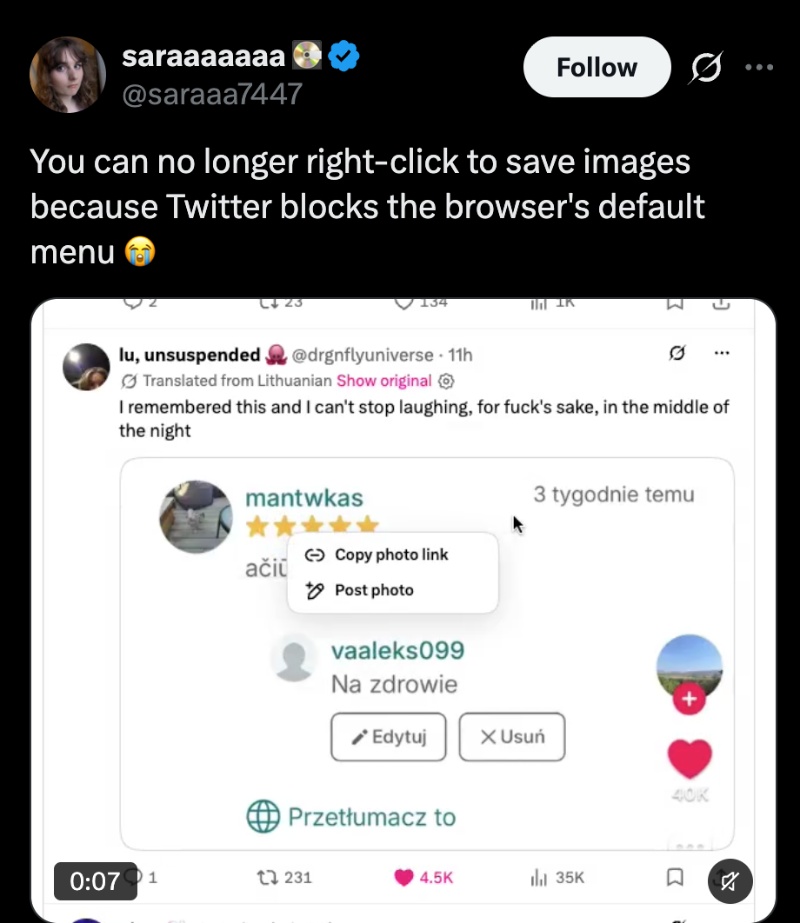
The change removes the familiar options that people were used to. You can no longer simply right-click on an image on X and expect to copy it or save it. You only get to copy the URL now. This behavior is fairly recent, following a redesign/overhaul of the platform’s web client.

However, it’s fairly simple to bypass. You don’t even have to install any extensions or make custom tweaks.
All you have to do is right-click once, and then trigger the “Copy photo link” option. Then, move your cursor out of that and right-click for the second time, anywhere else on the image. It will then open the browser’s usual context menu. You can now use all of your old options without any issues.
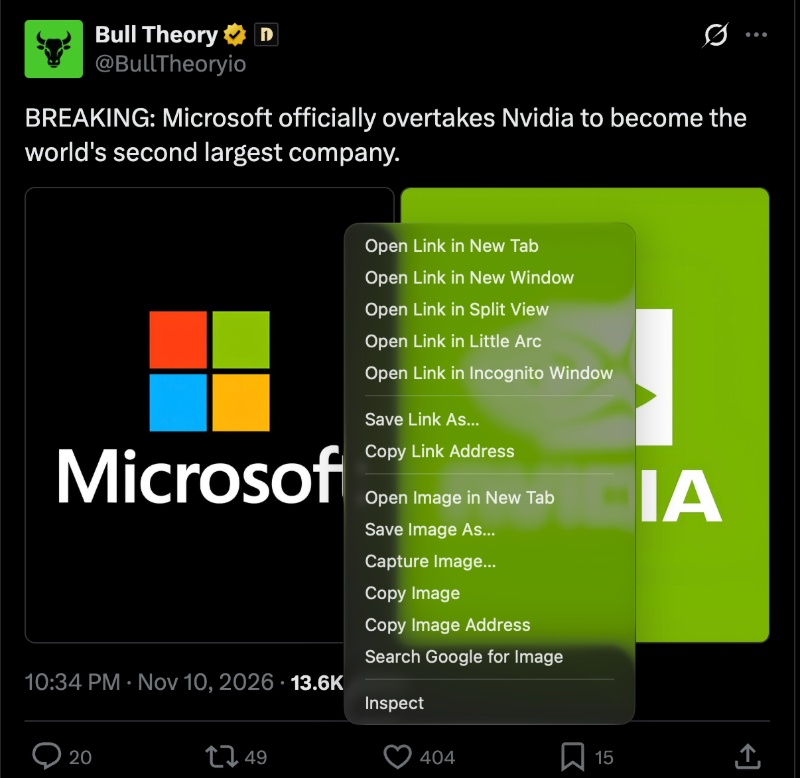
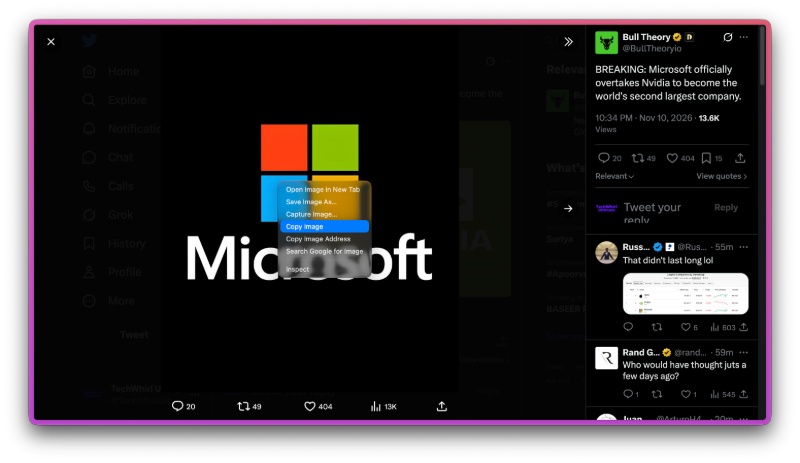
There are a few other ways to bypass this. You can click into the image and expand it; viewing the entire image in an expanded view still gives you the old context menu. Another way is by using Shift + Right-click, which bypasses X’s custom menu.
If you don’t want to do any of these and want the old functionality back entirely, there is an extension now on the Chrome Web Store called “Right-click Restore for X.” Installing this extension will restore the previous functionality.

As usual, the platform hasn’t really explained the reason behind these changes.


Sudhanshu K
374 Posts
I have been a consumer technology enthusiast for over 5 years. Thanks to my experience in software beta testing and product reviews, I've understood and learnt a lot about what bugs and issues bother people, and I spend time trying to simplify their solutions. I cover smartphones, software, social media, apps, AI, and most consumer tech gadgets. Actively pursuing a Computer Science bachelor’s degree. I'm mostly active on Twitter/X (@TechWhirlUlt), drop a DM or tag me if you want to share info or connect!