






Google has recently published its November 2026 DevTools roundup. It covers the overall debugging and UI improvements that arrived recently in Chrome.
The whole “New in DevTools” blog post details all of these changes.
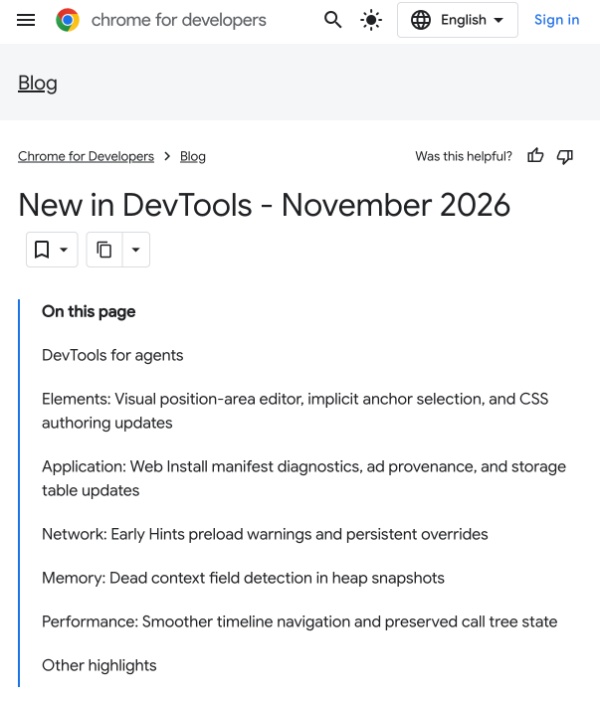
One of the major additions is expanded support in Chrome DevTools for agents. Coding agents can now inspect computed and matched CSS styles. The tool supports various formats, and agents also gain better configuration file and path controls. The update also includes improvements to memory consumption, automatic handling of JS dialogs, and more.
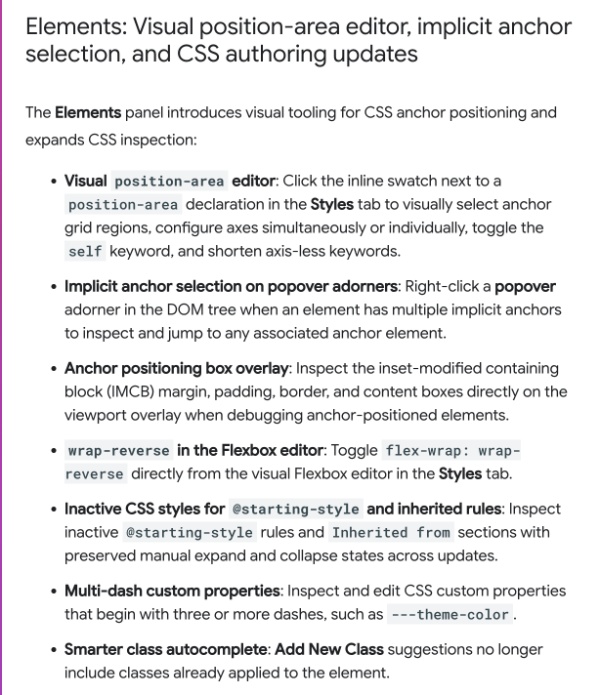
The post highlights an improvement to the Elements panel. Developers get visual tools for CSS anchor positioning. It lets developers select anchor grid regions, configure axes together or separately, and more.
Moving on to the Application panel, the company has added diagnostics for Web Install manifests. Errors such as fetch failures, syntax errors, invalid URL values, and others will appear in the “Issues” panel. As for the Ads section, it gets an “Ad provenance” column that shows whether an ad script matches an ancestor chain or a filter list rule.
The Memory panel can now spot unused variables that stay in memory longer than needed. When one long-lived function keeps a shared context alive, any variables that no active code actually uses get highlighted and sorted by how much memory they hold.
Performance timeline navigation is smoother now. Zooming, panning, and dragging the minimap no longer lag.
The device mode remembers scale and auto-adjusts zoom per emulated device and keeps the “Save-Data” override.
There are smaller updates that appear overall too. You can manually set or reflect CPU performance levels in the Sensors panel; the device mode remembers zoom, and it scales preferences for each simulated device and keeps the Save-Data setting; and the color picker suggests better contrast options for light text on dark backgrounds. It converts colors that fall outside normal ranges into modern formats without producing invalid values.
You can read the entire blog post explaining all of the features in detail here.


Sudhanshu K
352 Posts
I have been a consumer technology enthusiast for over 5 years. Thanks to my experience in software beta testing and product reviews, I've understood and learnt a lot about what bugs and issues bother people, and I spend time trying to simplify their solutions. I cover smartphones, software, social media, apps, AI, and most consumer tech gadgets. Actively pursuing a Computer Science bachelor’s degree. I'm mostly active on Twitter/X (@TechWhirlUlt), drop a DM or tag me if you want to share info or connect!