





Google COULD add a "Website appearance" setting that would let you set the theme of websites independently from the browser UI theme. This doesn't force dark mode on websites; it simply informs them of your preferred theme so sites set to "follow browser theme" match your choice: https://t.co/eH1X5S5OM9 pic.twitter.com/sOOtiRIFD8
— Leopeva64 (@Leopeva64) October 24, 2026
On the current version of Chrome, if you set the overall theme of the browser to light or dark, the entire browser, including the webpages, turns… light or dark. Google is testing an option that could let you change this.
For example, if you want your browser’s overall theme to remain in dark mode, but want the websites you open to appear in light mode, then you would find this feature useful. For a better example, the entire browser’s elements and menus would appear in dark mode, but the specific websites you visit (like X/Twitter) would show up in light mode.
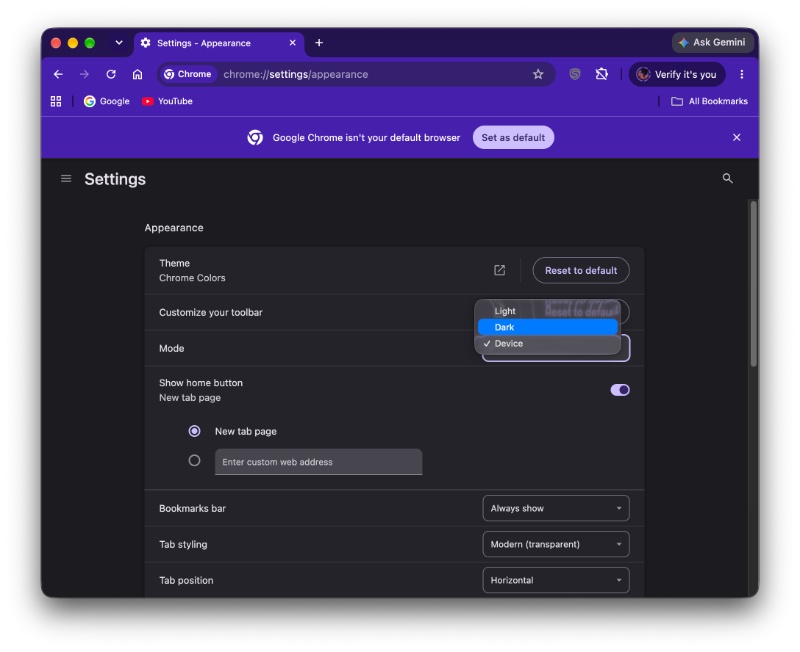
However, the ETA for a release and the availability remain a question mark. I updated to the latest version of Chrome Canary on my laptop (running macOS), and I looked for the option under “Appearance.” However, all I could find was “Light,” “Dark,” and “Device.” These are the exact same options that would show up in Chrome Stable.
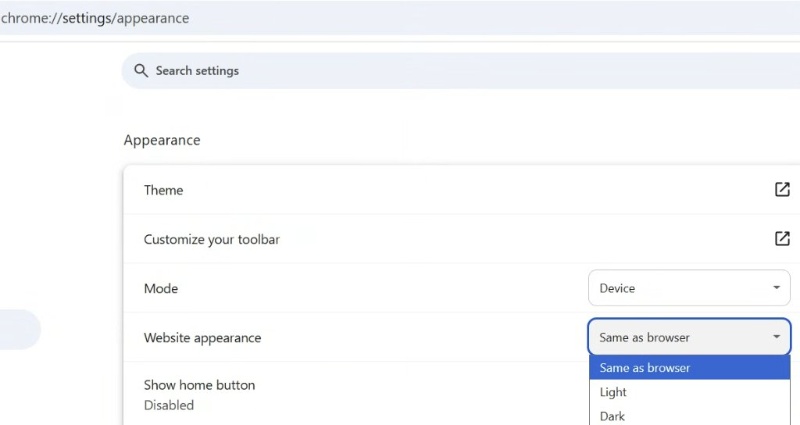
The toggle is supposed to be called “Website appearance.” If you set it to “Same as browser,” the websites will continue to follow the same theme as the overall browser. However, you can configure it independently by choosing Light or Dark instead. The image below represents what it’s supposed to look like. We’re not sure whether it’s an actual screenshot or a concept of the feature.
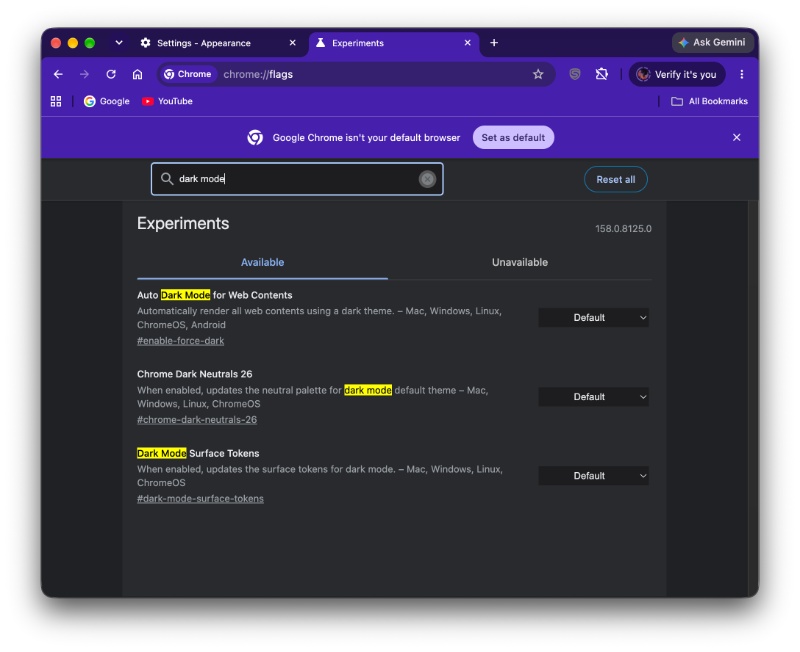
I looked for any relevant flags that could enable this feature, but nothing showed up in Chrome Canary.
Furthermore, the original source of this information, @Leopeva64 on X (the post has been attached below), seems to have a Windows system. In our observation, Chrome features make it to the Canary versions of Windows faster than macOS. We also can’t rule out the possibility that it could be an A/B test, and I merely haven’t received it yet. Moreover, the image from the original source might just be a concept too.
It’s worth noting that Google hasn’t mentioned this feature in any Canary changelogs, so the release is still not confirmed.
In other Chrome news, the browser now partially supports the insertion of rich media, such as GIFs, directly from the keyboard. More on that here.

We stand out from the tech-media crowd because we break news stories; we mainly bring you stuff that you won’t find anywhere in the mainstream tech media. Our stories have been picked up by some of the world’s most popular websites and media outlets—more info is available here.

Sudhanshu K
347 Posts
I have been a consumer technology enthusiast for over 5 years. Thanks to my experience in software beta testing and product reviews, I've understood and learnt a lot about what bugs and issues bother people, and I spend time trying to simplify their solutions. I cover smartphones, software, social media, apps, AI, and most consumer tech gadgets. Actively pursuing a Computer Science bachelor’s degree. I'm mostly active on Twitter/X (@TechWhirlUlt), drop a DM or tag me if you want to share info or connect!