






Linux users using NordVPN seem to be hitting a wall today. Many users have taken to Reddit and GitHub to complain that they’re seeing “server not found” errors when trying to connect to the VPN.
Complaints about the issue have popped up from users running various distros, including Linux Mint, Ubuntu, and Arch. The client insists users are securely connected, but the second they open a browser tab or ping a domain name, their internet goes completely dark.
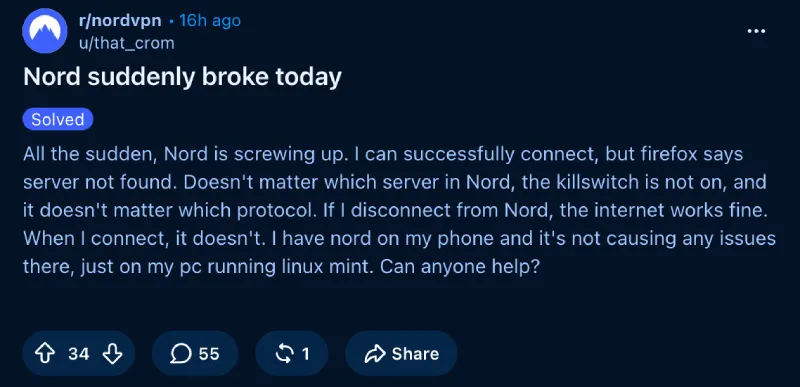
One frustrated user said, “If I disconnect from Nord, the internet works fine. When I connect, it doesn’t.”
The good news is that you can stop restarting your router or reinstalling network packages. NordVPN is fully aware of the mess and has reportedly posted notices across its official support channels acknowledging the breakdown.
A Redditor said they spotted a notice on the official website that read: “Unfortunately, we are currently experiencing some issues with our Linux application, and users are unable to access the internet when connected.”
However, we couldn’t find any such notice on the website, even when accessing it from a Linux machine.
The VPN connection itself is working as expected. The issue is that your computer can’t resolve domain names, so it can’t find the websites you’re trying to visit.
If you are stuck right now, you definitely should not rush into downloading random free privacy utilities. We previously covered how hundreds of sketchy Chrome VPN extensions secretly hijack traffic, so grabbing an unverified workaround is never worth the risk.
According to a Nord team update, developers are preparing a permanent fix for the upcoming 6.0.0 release.

Until that update arrives, you can get back online by opening a terminal and disabling DNSSEC on your tunnel interface with sudo resolvectl dnssec nordlynx off, or by temporarily setting custom DNS addresses in the app.


Dwayne Cubbins
3104 Posts
I cover fast-moving stories across apps, online platforms, and everyday tech — phones, wearables, consoles, and whatever else people are fighting with this week. Bugs, rollouts, scams, policy enforcement, and the occasional internet-culture rabbit hole are all fair game. My goal is simple — make confusing tech news readable. When I'm not working, I'm working out or chilling with my dog. Got a tip? You can find me on X @dcubbins.