





Filling out online forms is annoying enough, but doing it on a phone is even worse, especially when you’re asked to enter a code sent to you by email. You have to switch to the email app, copy the code, then head back to the form and paste it into the field. And if your phone was having a bad RAM-management day, the browser might reload the page and leave you starting over.
Well, it looks like that process is about to get a lot easier. Google has been working for months to eliminate that whole song and dance. When Gmail joined Chrome’s email verification test in Chrome 150, the idea was simple: the browser checks your address directly with your provider, so there’s no need to involve your inbox.
In August, we also highlighted some usability tweaks for the feature. Back then, however, the experiment was limited to desktop users. So mobile users, until now, have had to handle email verification manually.
When we covered the usability updates in August, Google said it was “actively exploring support on Android, too.” Now, the mobile rollout is officially underway.
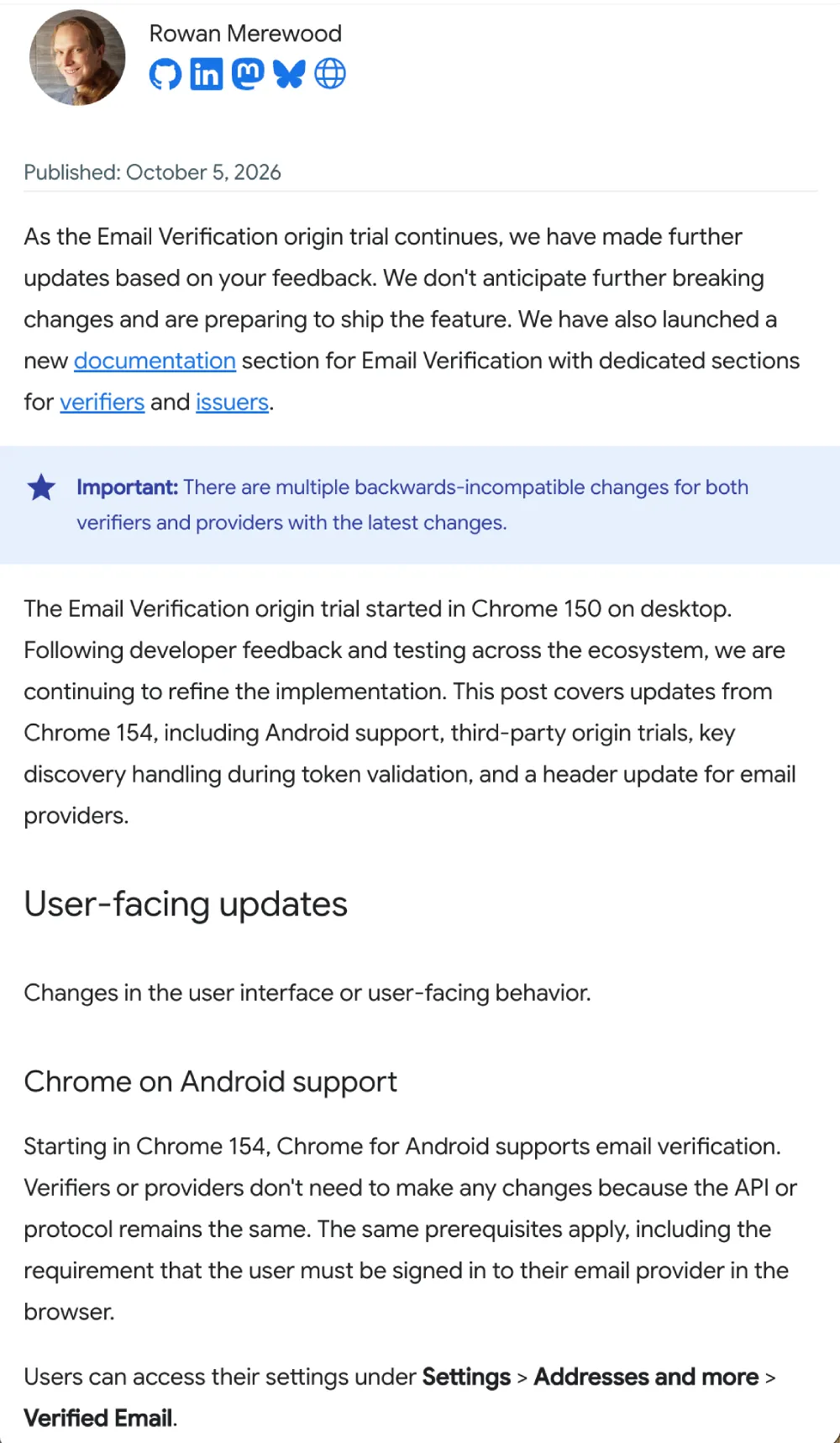
In a recent developer update, Google confirmed that Chrome 154 brings email verification to Chrome for Android. More importantly, the team mentioned that they “don’t anticipate further breaking changes and are preparing to ship the feature.” This means that the experimental phase is over and the feature is now here to stay.
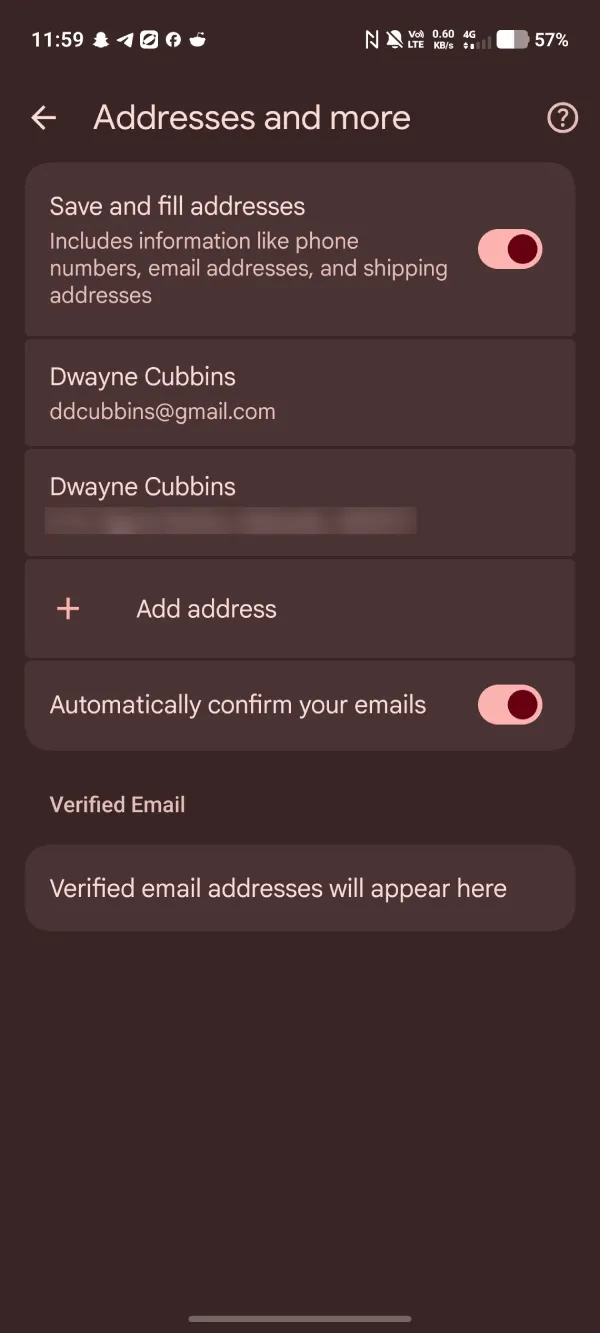
We spotted it sitting in the Chrome app on Android. If you open Chrome settings and tap into Addresses and more, you will spot a Verified Email section paired with an “Automatically confirm your emails” switch.
The basic rules are the same as on desktop. You’ll need to be signed in to your email account in the browser so Chrome can connect to your provider, and the site you’re visiting must support the protocol.
To make adoption easier, Google also added support for third-party origin trials. It may sound like behind-the-scenes developer work, but it lets identity platforms and sign-in SDKs offer the tool across their clients’ sites without requiring every webmaster to register their own token.


Dwayne Cubbins
3085 Posts
I cover fast-moving stories across apps, online platforms, and everyday tech — phones, wearables, consoles, and whatever else people are fighting with this week. Bugs, rollouts, scams, policy enforcement, and the occasional internet-culture rabbit hole are all fair game. My goal is simple — make confusing tech news readable. When I'm not working, I'm working out or chilling with my dog. Got a tip? You can find me on X @dcubbins.