






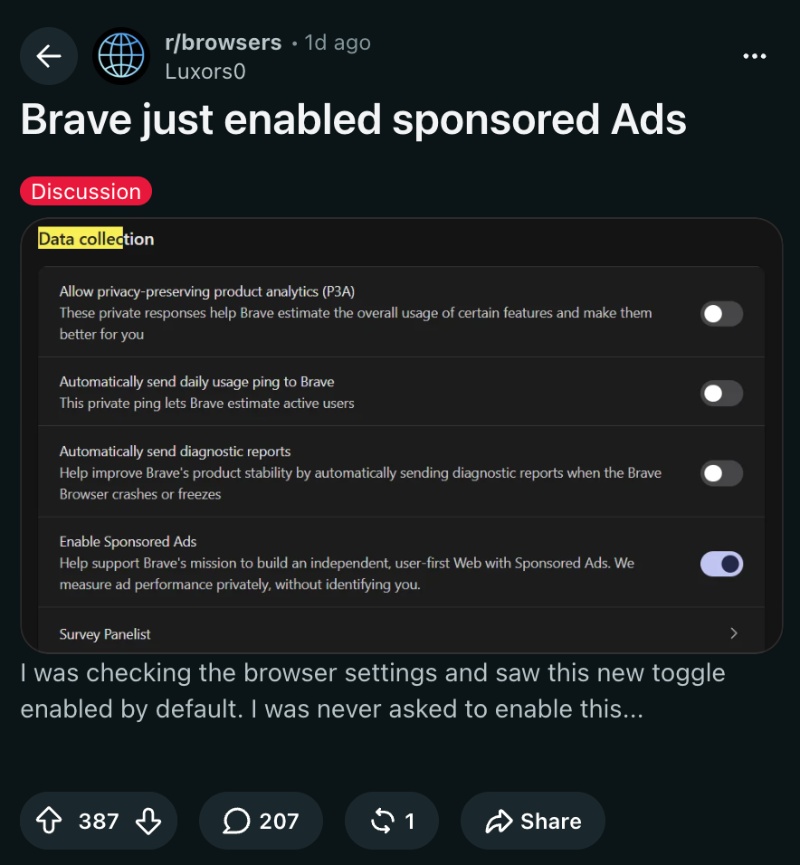
After the latest Brave v1.96.59 update, there’s a new toggle under the “Data collection” settings, which has been enabled by default. This toggle sparked discussions on social media, with posts claiming that Brave automatically enabled the toggle without consulting the user.
You can view a screenshot of the post in r/browsers, which mentions the “Enable Sponsored Ads” toggle. However, is this what actually happened, and did Brave just enable this without asking the user?
A comment I found on Reddit offers a reasonable explanation for this question. Earlier, there were “New Tab sponsored content” settings. Now, Brave has consolidated the settings into one simple toggle. The location of the toggle has moved, and the related sponsored New Tab content has been moved to the new “Enable Sponsored Ads” toggle.
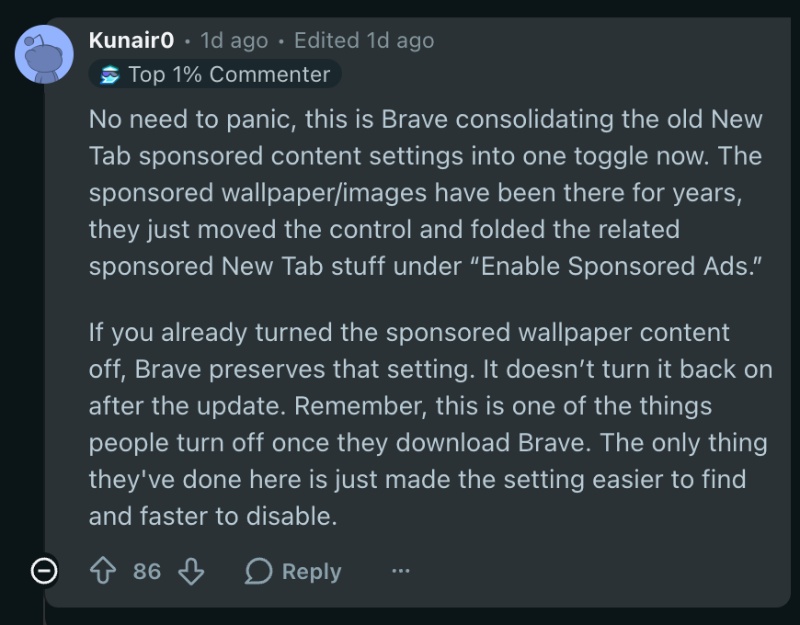
If the other “Sponsored wallpaper” toggle has been turned off by the user already, then the setting is preserved. It doesn’t automatically turn back on after an update. However, they’re all enabled by default, so the toggles have to be specifically disabled by the user immediately after installing Brave. The comment goes on to claim that Brave only did this to make the option easier to find and disable.
Just to confirm, I updated Brave to the latest version and compared the differences on the “Data collection” page.
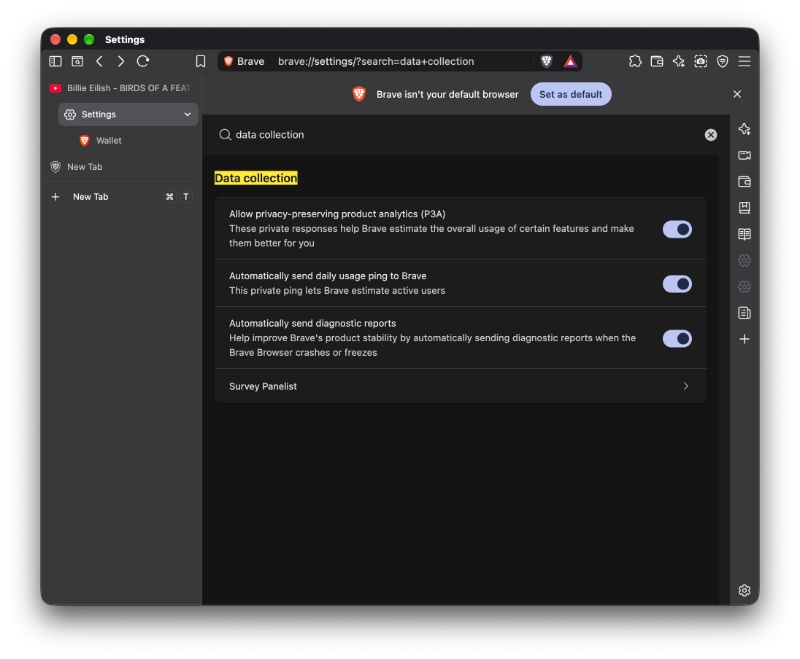
The screenshot below shows how the page looked before the update. The “Enable Sponsored Ads” toggle wasn’t present at all previously.
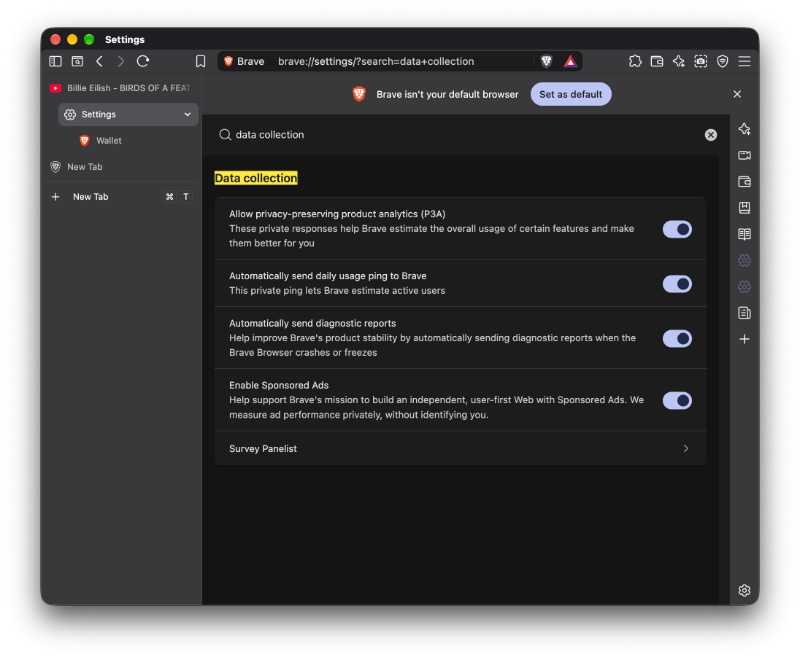
After the update, the toggle appears as the fourth option in the main menu. All they seem to have done here is consolidate a bunch of options into one simple toggle under the Data collection section. It doesn’t look like there’s much to worry about for now, since Brave is a company that heavily relies on privacy and user choice as the main marketing element.
In other Brave news, this v1.96.59 update also ships math support in Leo, and plenty of bug fixes. More on that here.


Sudhanshu K
297 Posts
I have been a consumer technology enthusiast for over 5 years. Thanks to my experience in software beta testing and product reviews, I've understood and learnt a lot about what bugs and issues bother people, and I spend time trying to simplify their solutions. I cover smartphones, software, social media, apps, AI, and most consumer tech gadgets. Actively pursuing a Computer Science bachelor’s degree. I'm mostly active on Twitter/X (@TechWhirlUlt), drop a DM or tag me if you want to share info or connect!