
If you’ve been running into problems when using some web apps on Microsoft Edge following the latest version 153 update, you’re not alone. A bug in the browser is causing it to lock up and freeze web apps out of the blue.
Luckily, Microsoft is already aware of the issue and has confirmed that it’s working on a fix, as spotted by Neowin.
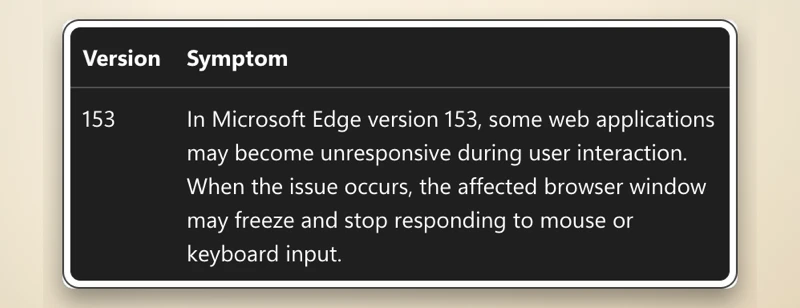
In its known issues page, the company says “some web applications may become unresponsive during user interaction” after updating. When the glitch triggers, the browser stops responding to mouse clicks or keyboard input.
We don’t yet know all the web apps that are affected by the glitch, but there is an active Salesforce status incident tracking the same problem. In its status update, Salesforce confirmed that the issue is tied to Chromium 153 itself.
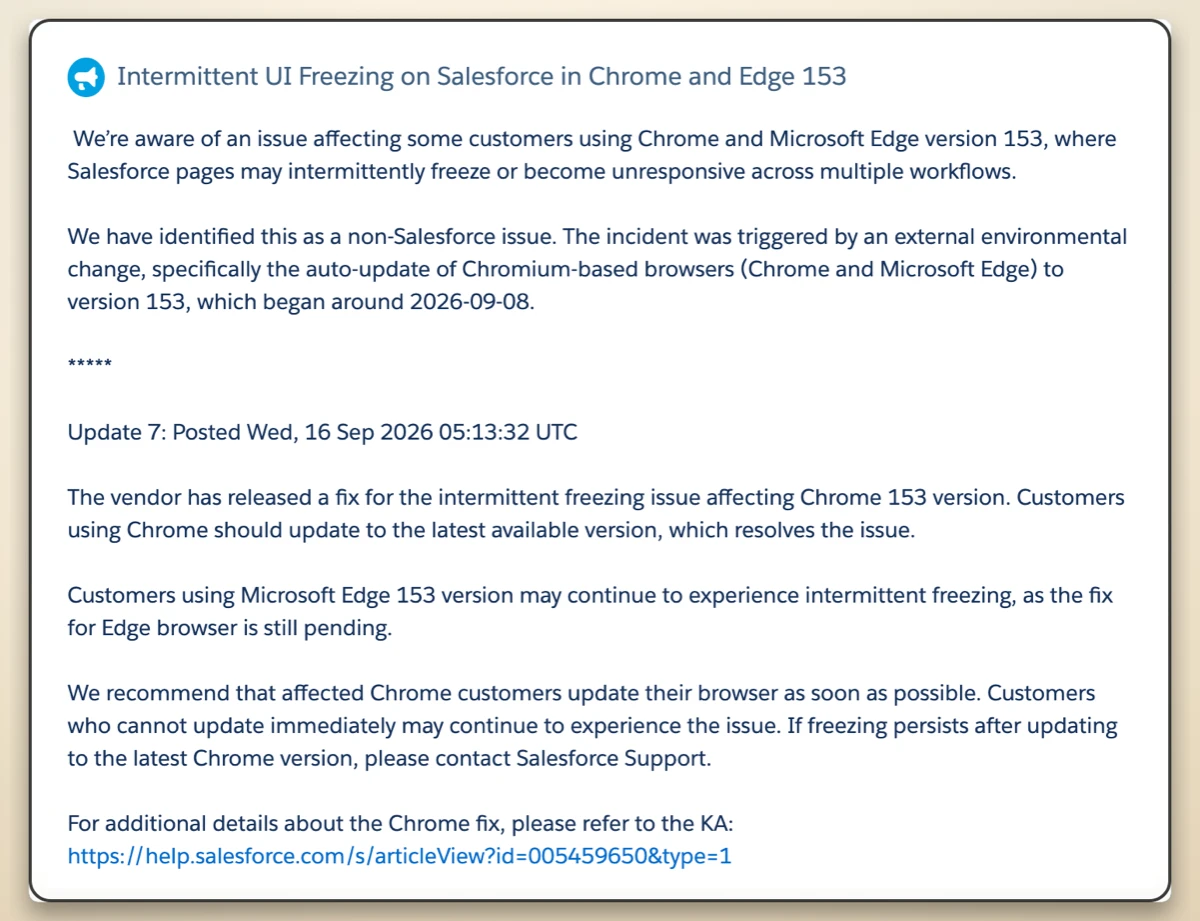
Meaning, the issue affects even users on Chrome; however, Google has already pushed out a patch for Chrome to fix the issue. Edge users are still waiting for Redmond to release an update.
We often see Microsoft and Google working together on tricky Chromium bugs, but their rollout timelines do not always align. This time around, it’s Microsoft that’s falling behind.
That said, Microsoft is urging users to revert to version 152 of the browser as a temporary workaround. Enterprise users can follow the official rollback instructions here.
Anyone else affected by the issue would be better off jumping over to Chrome for now or waiting for a fix.
There’s no ETA for a fix. Microsoft says it’s “working to determine when the fix will be available in Microsoft Edge.” So we’ll have to wait and see how long it takes for that to happen.


Dwayne Cubbins
3123 Posts
I cover fast-moving stories across apps, online platforms, and everyday tech — phones, wearables, consoles, and whatever else people are fighting with this week. Bugs, rollouts, scams, policy enforcement, and the occasional internet-culture rabbit hole are all fair game. My goal is simple — make confusing tech news readable. When I'm not working, I'm working out or chilling with my dog. Got a tip? You can find me on X @dcubbins.
Next article View Article