





If you wanted your videos to continue playing in the background after you’ve minimized your browser, a new update on Firefox for iOS brings exactly that. It matches the desktop behavior, where minimizing your browser or switching away from the tab doesn’t end up pausing the audio output and progression of the video.
Earlier, the iOS version of Firefox used to instantly pause the video after you’ve minimized it. Now, according to a Reddit post in r/firefox, Mozilla has brought the “Background Audio” feature to the browser in a recent update.
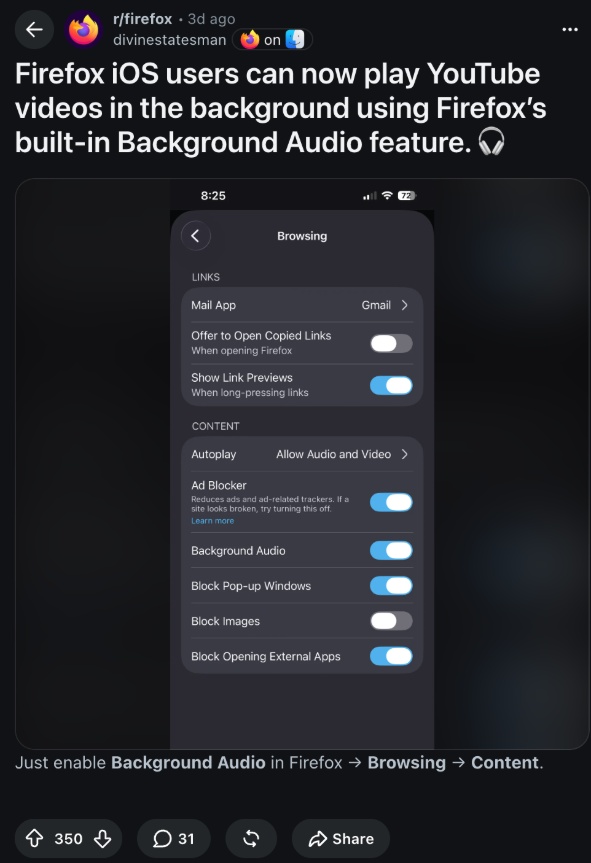
To enable this feature, you’ll need to head over to Settings and then tap on “Browsing.” Under the Content submenu, you’ll find an option that says “Background Audio.” Enable this toggle, and audio shouldn’t freeze after you minimize the browser.
To check whether it’s available for everyone, I’ve updated Firefox to the latest version and navigated to the same Browsing page under Settings. However, the option hasn’t shown up on my end yet. I could find Autoplay, Ad Blocker, and other options in the menu, but not Background Audio.
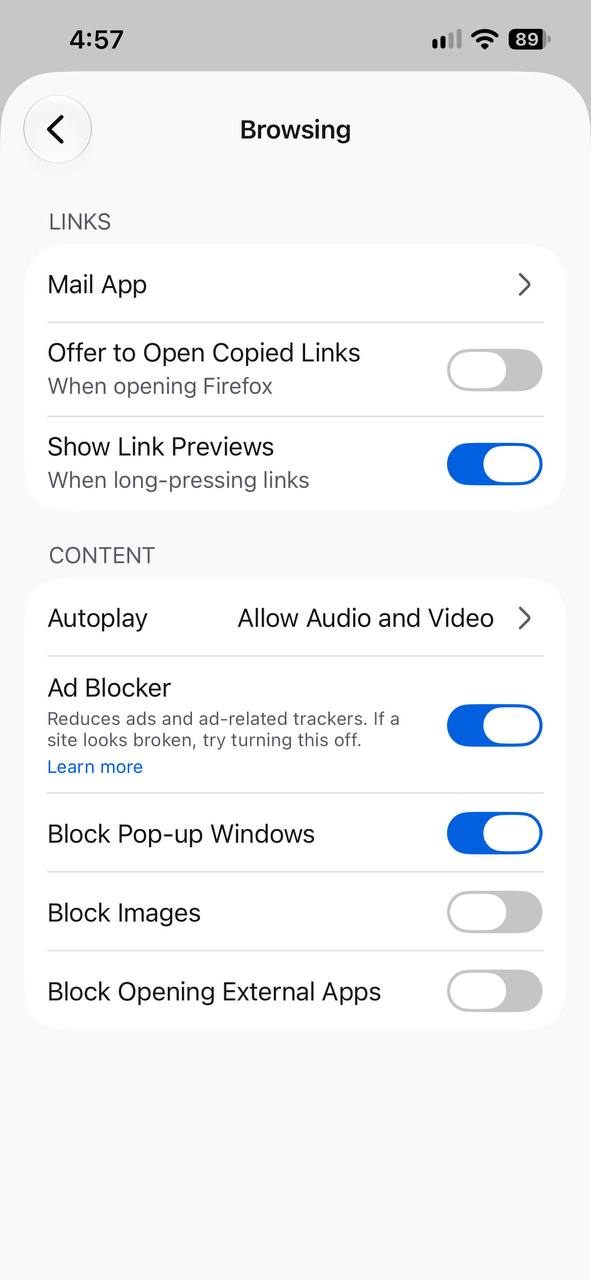
I’ve also checked for this on a beta version of Firefox on iOS (v156), and the option doesn’t exist there either. Sure enough, minimizing the browser still pauses the audio, so it hasn’t been enabled. In my case, enabling “Feature Studies” from Settings doesn’t help either.
We’re also unable to confirm whether the feature is enabled by default. However, the post on Reddit suggests that you need to specifically enable the toggle.
If you’re not able to find it on your phone as well, Mozilla is likely running a phased rollout. One where the feature won’t reach everyone simultaneously. Keep an eye out on your Settings page in case you get it.
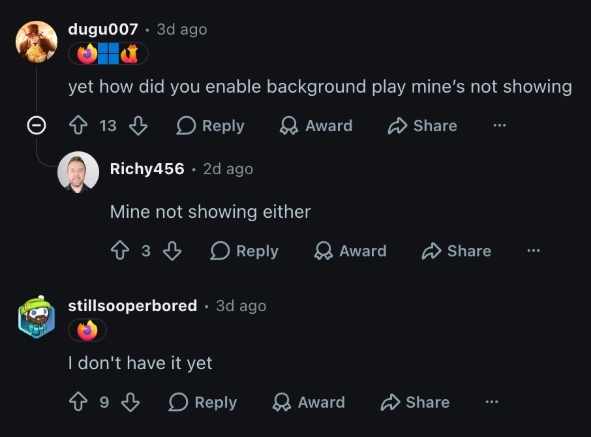
Various comments on Reddit also confirm: a lot of people don’t have the feature yet.
In other Firefox news, the Android version of the browser now has desktop-grade protection against malicious tabs. More on that here.


Sudhanshu K
270 Posts
I have been a consumer technology enthusiast for over 5 years. Thanks to my experience in software beta testing and product reviews, I've understood and learnt a lot about what bugs and issues bother people, and I spend time trying to simplify their solutions. I cover smartphones, software, social media, apps, AI, and most consumer tech gadgets. Actively pursuing a Computer Science bachelor’s degree. I'm mostly active on Twitter/X (@TechWhirlUlt), drop a DM or tag me if you want to share info or connect!