
Microsoft pushed out the Edge 152 update a few days ago with a bunch of new features and improvements, including the ability to sign in with your Apple account. But the company didn’t just add features; it also removed a big one that long-time Edge fans will miss. That feature is Drop.
Of course, the removal isn’t a surprise. Microsoft gave Edge users a heads-up back in June, when a banner in Edge Canary said Drop would no longer be available in the browser. Now, it’s actually gone.
There’s no good reason for its removal. Microsoft just says it’s because they’re simplifying Edge. Whatever that’s supposed to mean.
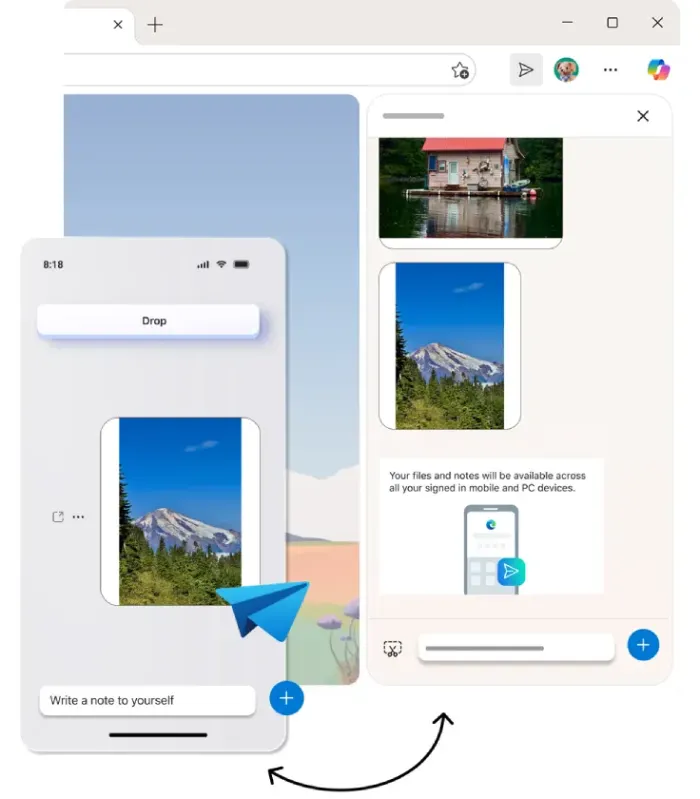
So if you were an avid Drop user in Edge, you were likely already aware of its removal and hopefully backed up your data. Since it’s unlikely that the company will have a change of heart, the best thing to do is to find an alternative.
Now here’s the tricky part. I’ve tried out and tested a bunch of potential alternatives to Drop, and while most of them can get the job done, none of them can be considered a 1:1 replacement. So if you don’t mind dealing with a few cut corners or extra steps, here’s what you can do to get over Edge dumping its Drop feature.
Microsoft Edge Drop alternatives
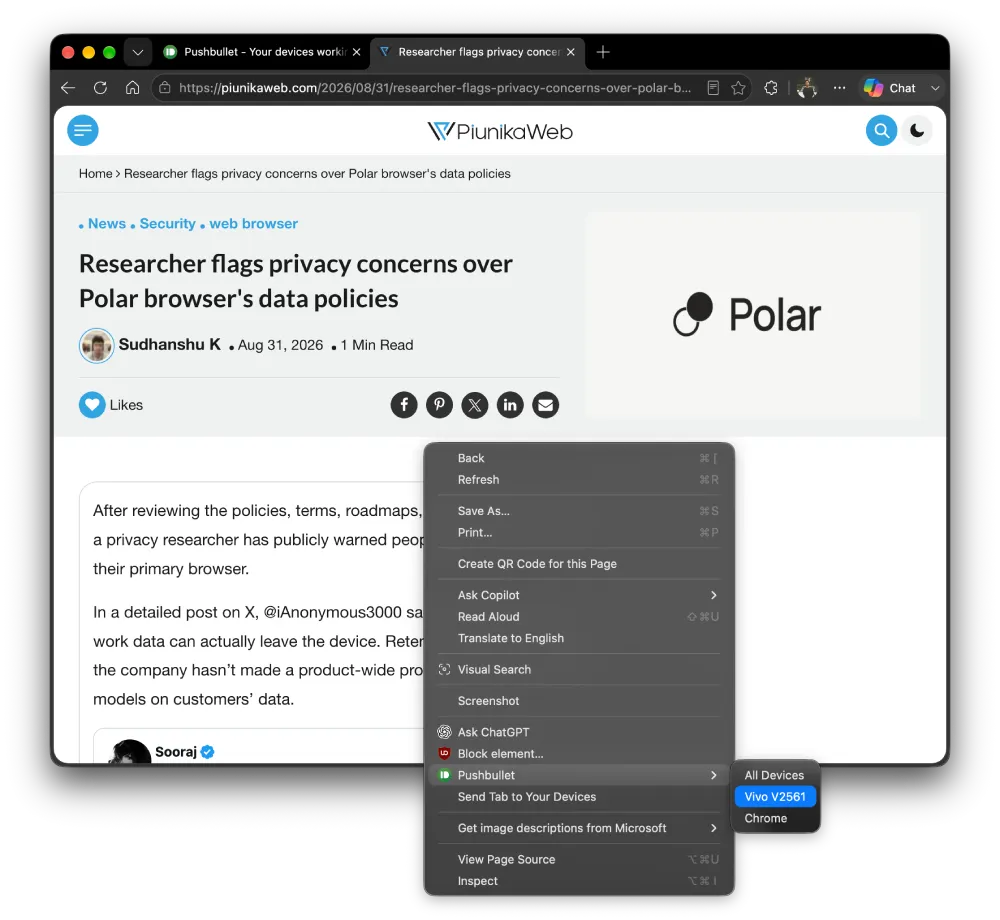
First up is Pushbullet. This used to be my go-to extension years ago to send and receive files between devices, and it looks like this just might be the closest replacement to Drop for Edge.
You can set up Pushbullet on all your devices and use it to push links, files, and even notes between them. A bonus is that you can even mirror your phone notifications to your computer. The only caveat is that Pushbullet’s free version caps you at 100 pushes a month and 25MB per file. A Pro subscription would cost you $3.33/month if paid yearly, or $4.99 if you pay monthly.
If paying for yet another subscription service isn’t your thing, you can check out LocalSend. Another crowd favorite. Not only is it free, but it’s also open source and works over Wi-Fi. None of your data is being sent off to remote servers, so you don’t need an account.
The caveat here is that you’ll need your devices to be connected to the same Wi-Fi network. It’s not a deal-breaker if you don’t find yourself sharing files or links with devices that you don’t have on hand. This is a handy video guide that shows you how to use LocalSend:
Next up is KDE Connect. If you’re a Linux user, you probably need no introduction to this one. And if you’re a Windows user, don’t skip past it either. KDE Connect is available across all major platforms. It lets you sync clipboards and notifications while also letting you drag files from one device to another. So it could be a useful alternative to Drop, but it’s not the same feature.
Now, for a more creative approach, if you already use Microsoft Teams, you can make use of the “Message Yourself” feature on the platform. You will have to pin teams.live.com somewhere on your desktop or keep it in your browser’s quick access shortcuts. With this, you’ll have a thread for notes, PDFs, and screenshots that syncs across your phone and desktop.
Then comes Phone Link, which is already installed on your Windows PC. It offers photo and clipboard syncing with your phone. However, it is designed to work with one phone and one PC, not multi-device like what Drop offers.
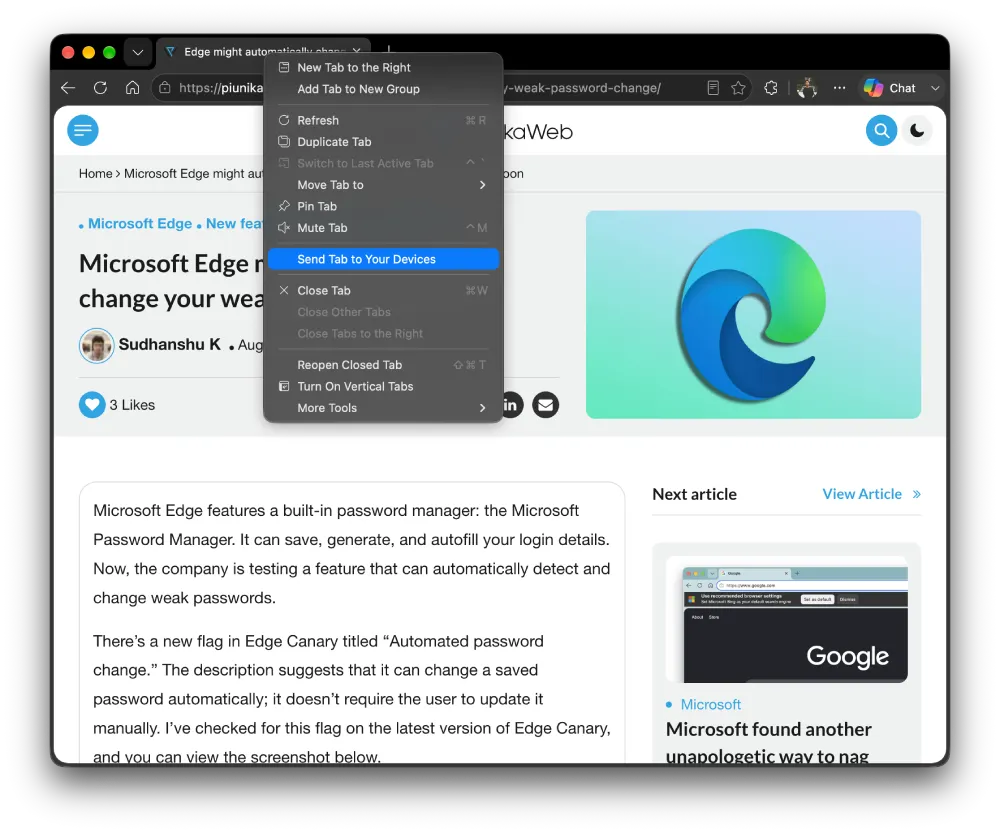
For those who only use Drop to share a link from their phone to their laptop, use Edge’s built-in “Send to devices” option.
Last but not least, if you’re someone who used Drop to bookmark links, then consider using Raindrop.io for organizing bookmarks across devices.
In case you have a better alternative in mind, feel free to tag our @PiunikaWeb account on X and share your recommendations with us. We’d love to hear what tool you’re using to replace Drop.


Dwayne Cubbins
3167 Posts
I cover fast-moving stories across apps, online platforms, and everyday tech — phones, wearables, consoles, and whatever else people are fighting with this week. Bugs, rollouts, scams, policy enforcement, and the occasional internet-culture rabbit hole are all fair game. My goal is simple — make confusing tech news readable. When I'm not working, I'm working out or chilling with my dog. Got a tip? You can find me on X @dcubbins.
Next article View Article