





Chrome recently picked up the much-needed ability to arrange tabs in a vertical sidebar, something that users had long requested. However, if you’ve used vertical tabs in Chrome, you may have noticed one big problem: you can only have the tabs expanded or collapsed. There’s no auto-hide option, at least not without having to mess around with flags.
This means that you have to either sacrifice some screen real estate to quickly glance at all your open tabs, or collapse the sidebar and only be able to see the favicons of the tabs you’ve got open. And let’s be real, that’s a terrible experience, especially if you have multiple tabs open from the same website. You have to hover your cursor over each tab for a card to pop up with the information you need.
Check out the screenshot below for a visual example:
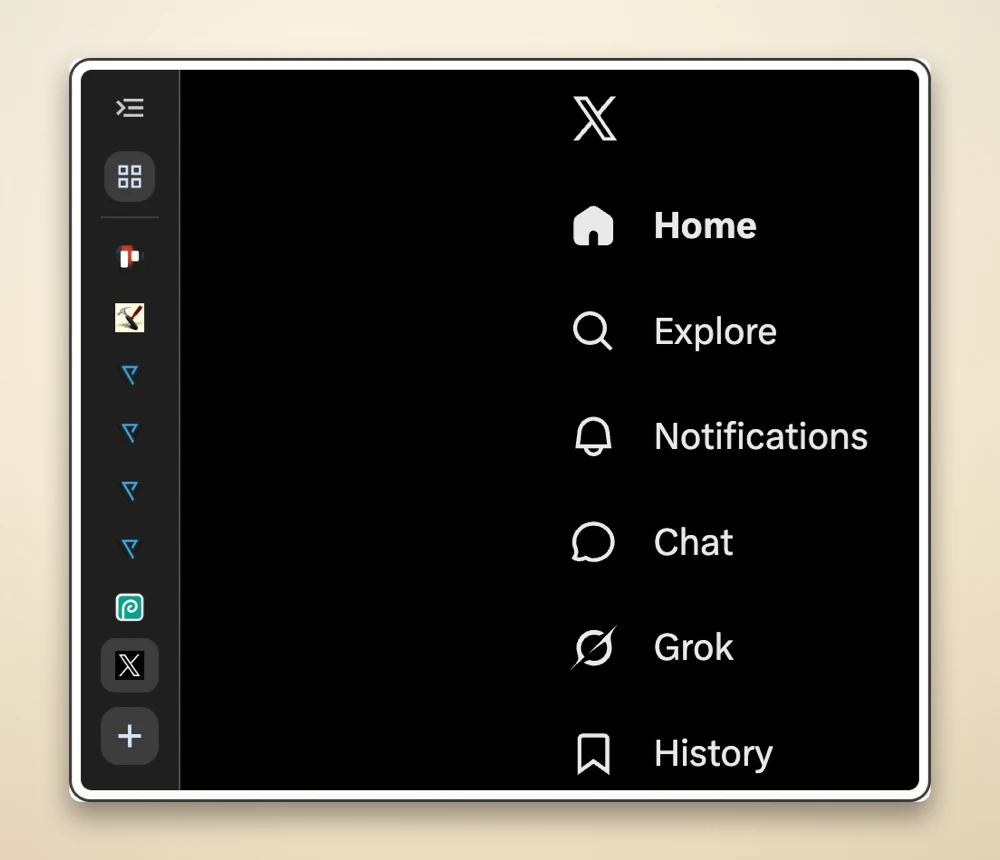
Notice how I have four PiunikaWeb tabs open, but there’s no quick way to see what pages are open.
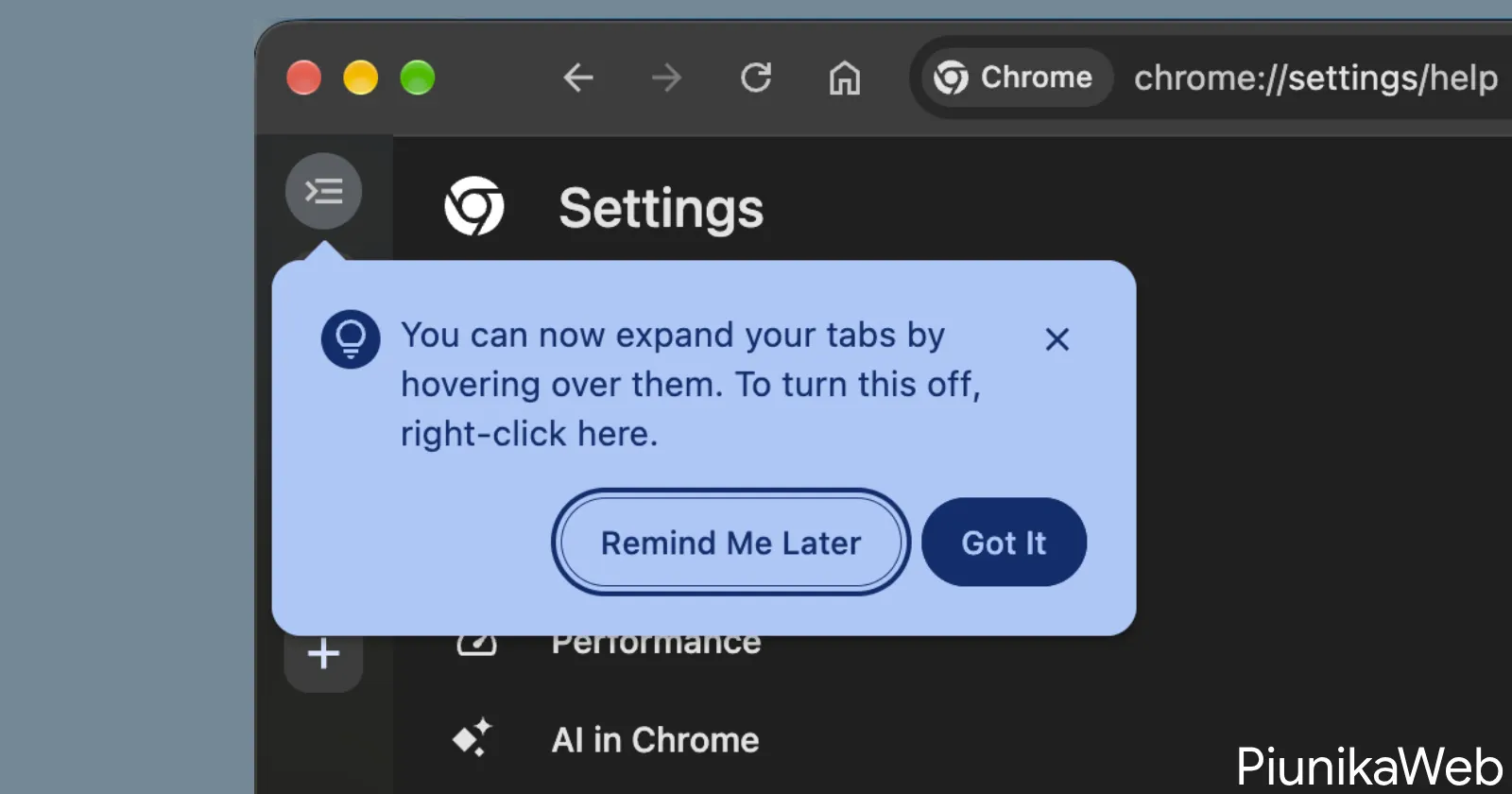
Well, it looks like Google might finally be working to fix this for good. Earlier today, when using Chrome Canary on my Mac, I noticed a pop-up appear in the top-left corner of my screen. It said, “You can now expand your tabs by hovering over them. To turn this off, right-click here.
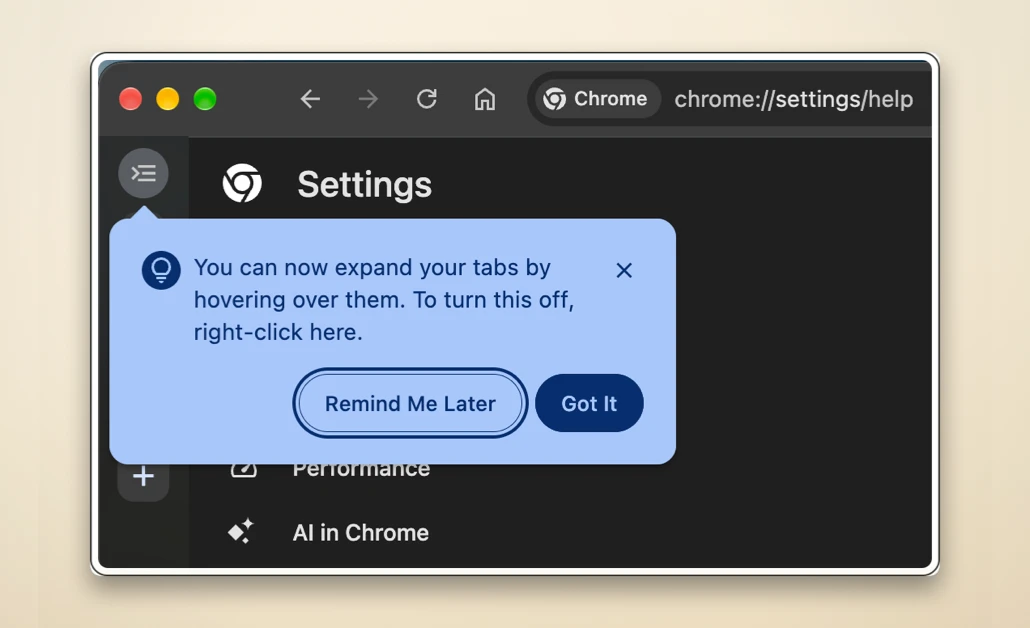
This got me excited because I’ve been switching between Chrome and Dia a lot lately, and the limitation has always bothered me when moving to Chrome. That said, Dia completely hides the whole sidebar when set to auto-hide. So you don’t even see the website favicons. Chrome Canary’s implementation is somewhere in the middle and might even be a better system for some users.
The feature works as expected, and you can now just hover the cursor over the sidebar to expand it. Moving the cursor away from the sidebar will collapse it.
That said, in case you’re not a fan of the ‘Auto expand tabs on hover’ feature, you can easily disable it from Chrome’s settings. Head to Settings > Appearance, and then check the ‘Tab position’ section where you’ll find the option to turn it off.
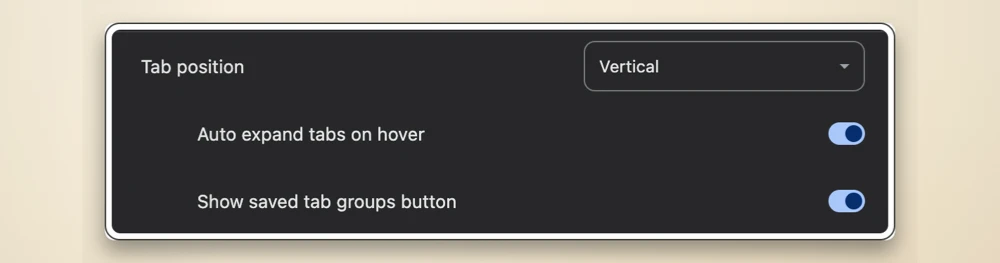
This is the same option that currently appears if you toggle on the ‘Vertical tabs expand on hover’ flag even on the stable Chrome channel. So the only difference now is that Google might soon bake the feature into the stable channel without requiring you to dive into chrome://flags.
So, in case you didn’t want to rely on a hidden flag or didn’t know about the flag’s existence in the first place, you can wait for Google to bring the feature to the stable channel very soon.
Google has been working on a ton of new features and improvements for Chrome lately. You can check out our coverage of all of them here.


Dwayne Cubbins
2975 Posts
I cover fast-moving stories across apps, online platforms, and everyday tech — phones, wearables, consoles, and whatever else people are fighting with this week. Bugs, rollouts, scams, policy enforcement, and the occasional internet-culture rabbit hole are all fair game. My goal is simple — make confusing tech news readable. When I'm not working, I'm working out or chilling with my dog. Got a tip? You can find me on X @dcubbins.