
If you’re using the Brave browser on an Android tablet, you might have noticed an issue where the bookmarks simply get cut off after a specific number. Brave has confirmed that the team is aware of the bug, and they’re actively working on resolving it.
On the Brave Community, one user posted a complaint about this bug. They added more than 8 bookmarks to the favorites bar of the browser, but all of the bookmarks after the 8th one were cut off. Despite there being sufficient space on the tablet’s screen, it refused to show the rest of the pinned favorites/bookmarks.
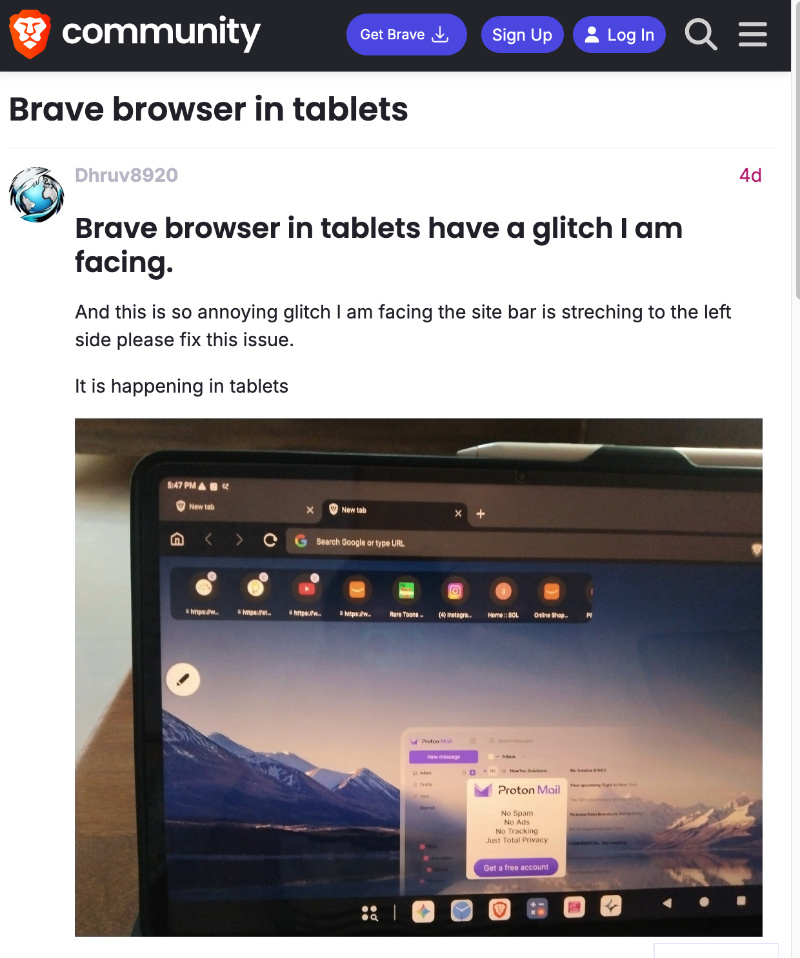
Thankfully, Brave has confirmed that the team is aware of this bug. Directly responding to the community post, someone from Browser Support mentioned that it’s a known issue that’s actively being looked into.
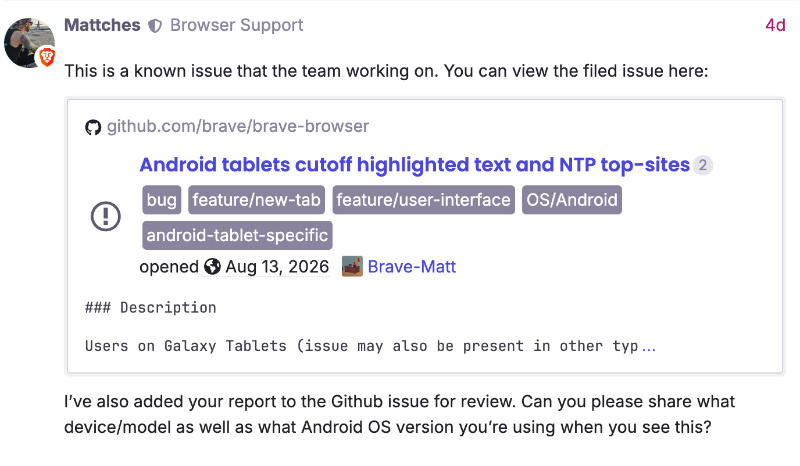
The report has been added to an existing GitHub thread as well. You can view the filed issue here.
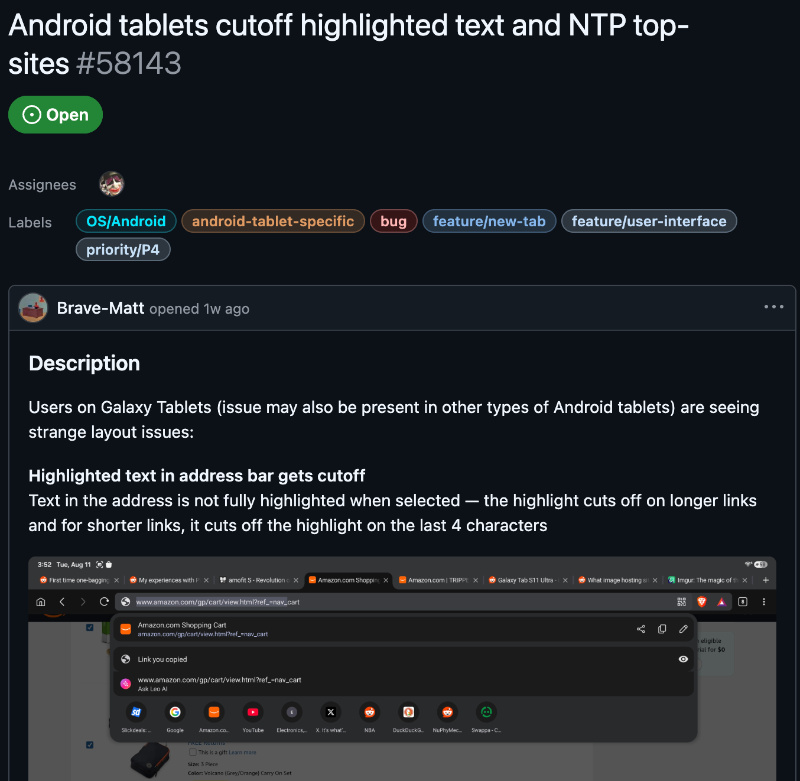
It’s worth noting that the issue isn’t model-specific. While the device of the original post on the Brave community is not currently known (since the user didn’t respond), the GitHub post mentions the Galaxy Tab S10 Ultra and S11 Ultra as the models, confirming that it’s happening across Android 16.
In fact, we’ve tested this ourselves. On a Xiaomi tablet running Android 16 (h/t: @MicrsoftvApple on X), we faced the same issue. As you can see in the image below, exactly 8 bookmarks work perfectly fine. After that, the browser refuses to use the entire screen and simply cuts off all the bookmarks starting from the 9th one.
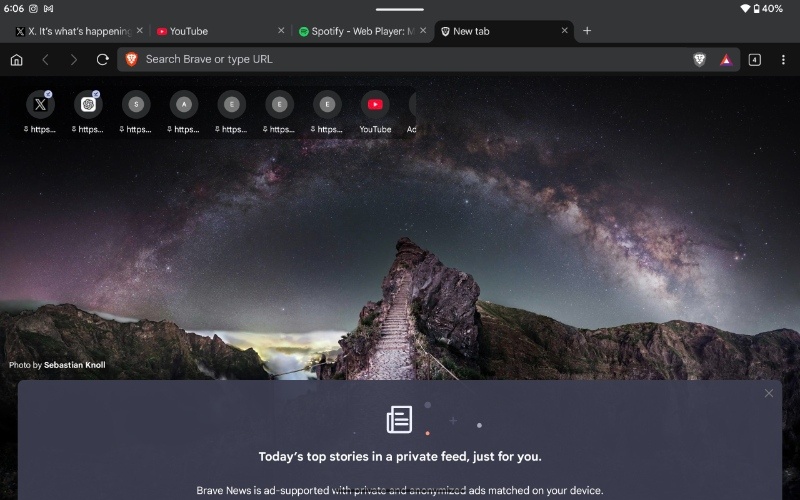
In case you’re wondering, switching the tablet from landscape to portrait orientation doesn’t solve the issue, and it stays the same.
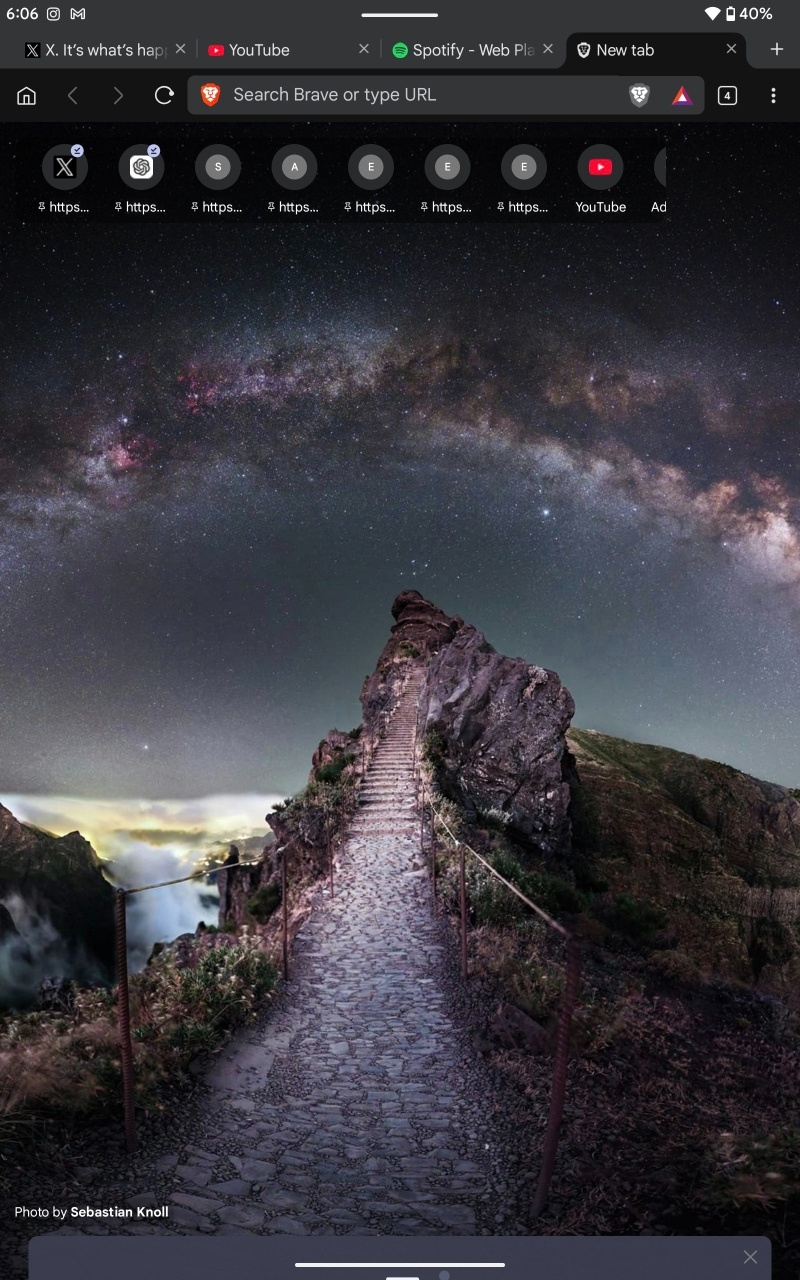
At the time of writing the post, the issue hasn’t been fixed yet. The next update that rolls out to Brave on Android tablets might presumably solve it, since the team has been aware of the issue for several days at this point.
In other Brave news, the iOS version of the app has started picking up the Liquid Glass design partially. More on that here.


Sudhanshu K
339 Posts
I have been a consumer technology enthusiast for over 5 years. Thanks to my experience in software beta testing and product reviews, I've understood and learnt a lot about what bugs and issues bother people, and I spend time trying to simplify their solutions. I cover smartphones, software, social media, apps, AI, and most consumer tech gadgets. Actively pursuing a Computer Science bachelor’s degree. I'm mostly active on Twitter/X (@TechWhirlUlt), drop a DM or tag me if you want to share info or connect!
Next article View Article