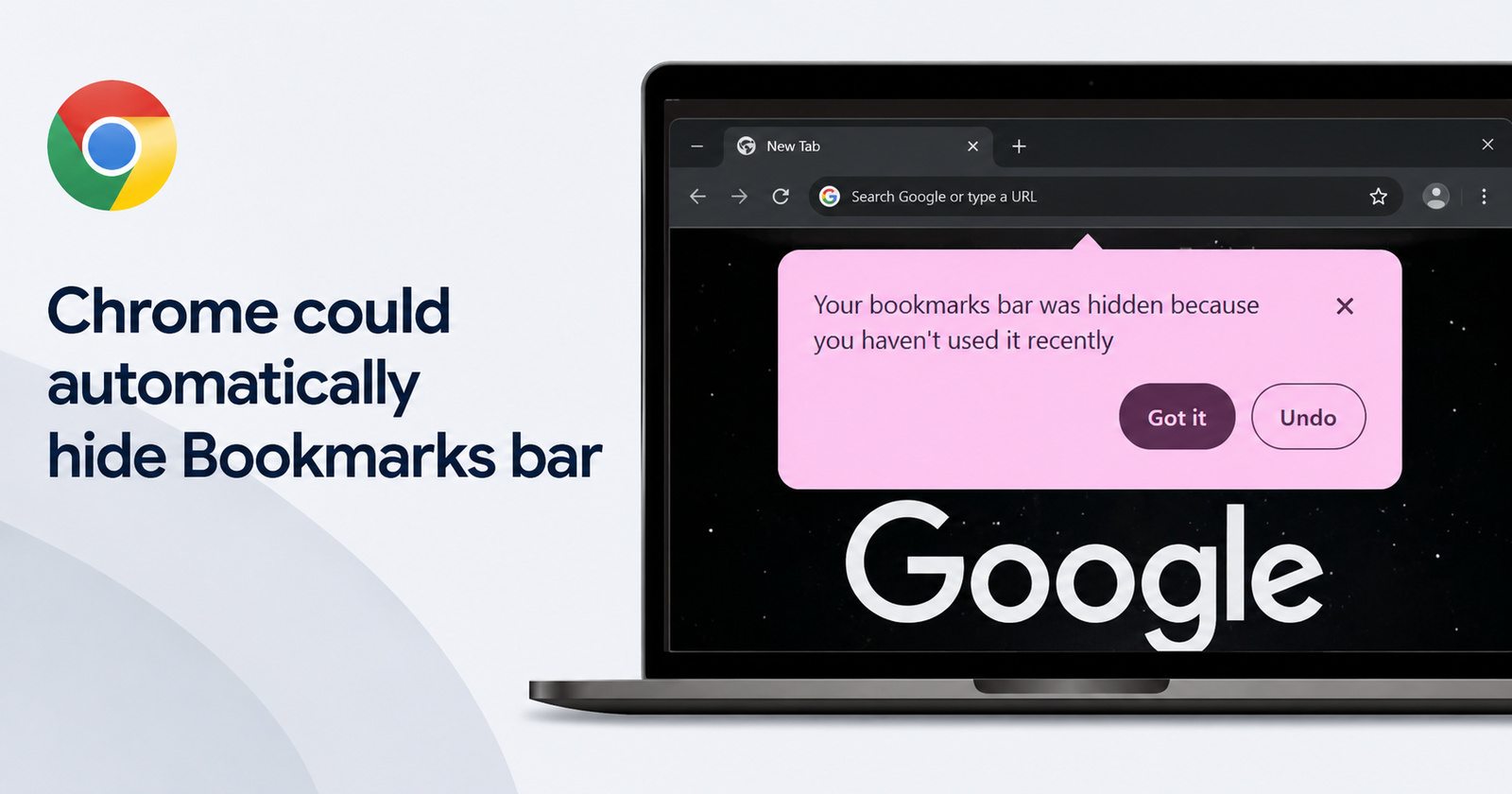
Chrome is testing a new feature (on the stable version) that could catch users by surprise. At the moment, your Bookmarks bar remains continuously visible even if you don’t use it much. However, in a new test, the Bookmarks bar might automatically disappear if the browser detects inactivity for a long period.
This feature was first spotted by the folks at Windows Report, and they were able to obtain screenshots of it in action. We’ve attached an image for reference below.
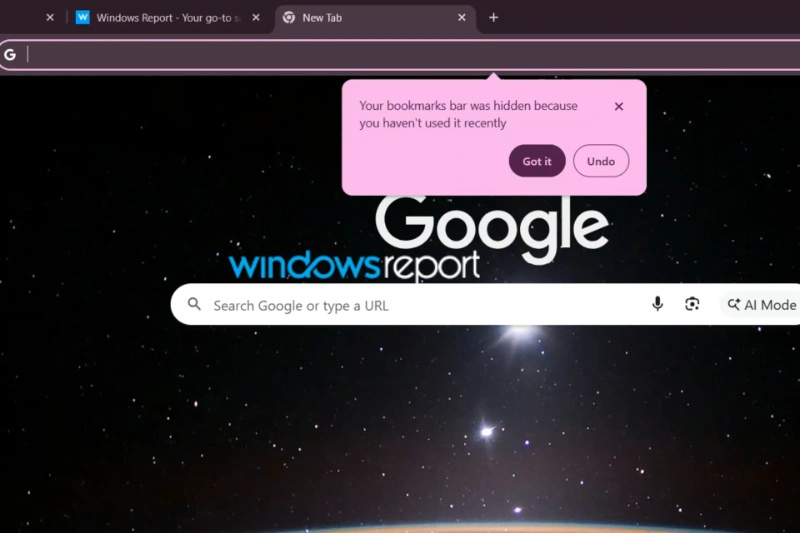
As you’ll notice, if the Bookmarks bar is sitting unused for a while, it’ll hide itself on its own. Thankfully, it also notifies the user and provides an undo option if they want it back. While people unaware would be surprised at the bar being hidden automatically, the notification makes up for it since a person can choose to bring it back at any time.
At the time of writing, this feature isn’t enabled by default. If you want to check whether it works, you’ll need to enable a specific Chrome flag. It’s called “NTP Simplification Bookmark Bar.” It’s available on all platforms and is described as automatically removing the Bookmarks bar from the New Tab page.
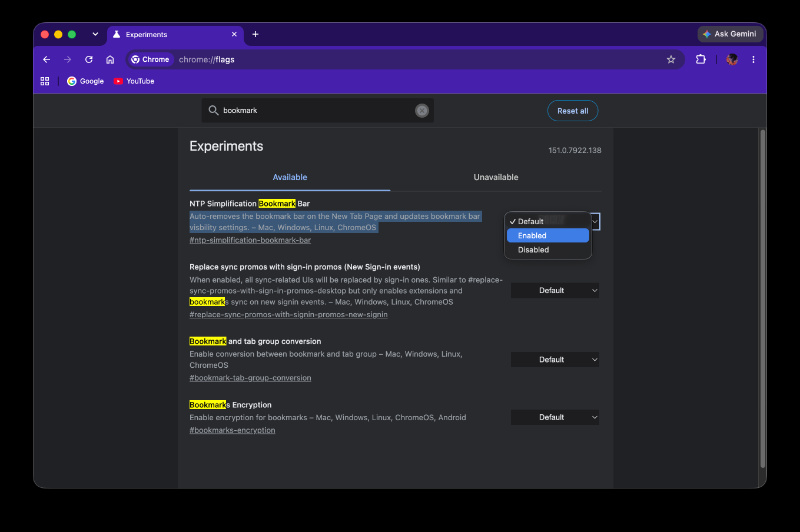
Furthermore, enabling this flag also alters the Bookmark visibility options from Settings. The image below represents the normal behavior in Chrome stable, without the flag enabled. It’s a simple toggle for visibility.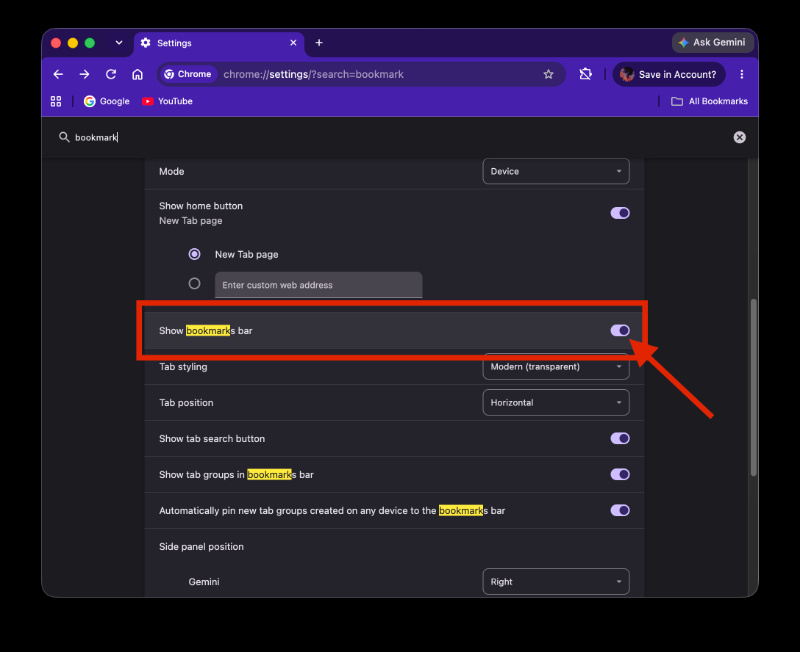
However, after enabling the NTP simplification flag, you’ll find that the toggle has been replaced by three different options. The first one is “Always show,” followed by “Only show on the New Tab page,” and finally “Always hide.”
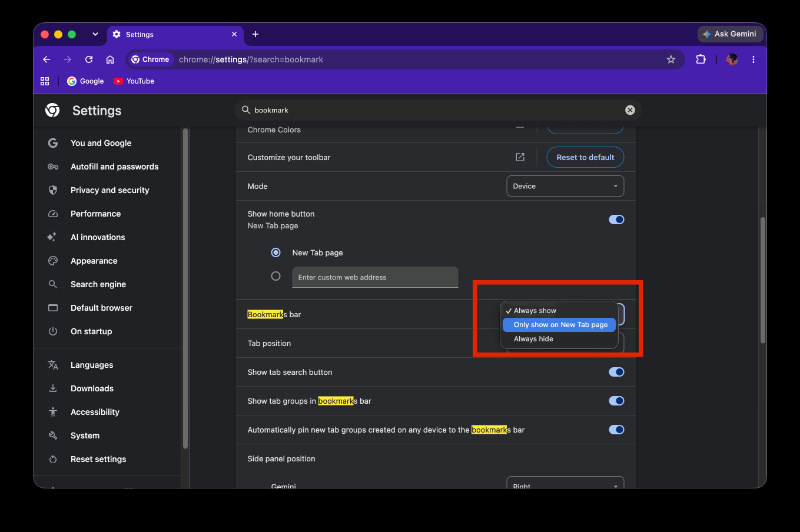
While the original source mentions that “Only show on the New Tab page” is the option selected by default, that hasn’t been the case in my personal testing. After enabling the flag, Chrome automatically set “Always show” as the default option for me. As a result, I cannot confirm what the exact default option is, since there’s a chance it could vary by user.
Basically, enabling the NTP simplification flag now lets Chrome automatically shift between the “Always show” and “Always hide” options, provided it detects inactivity for a specific period of time. The exact amount of time you’ll have to leave the Bookmarks bar unused to trigger this auto-hide is unclear at the time of writing.
Either way, it’s still a test, and it’s not confirmed that Google will enable it in the stable version.
In other Chrome news, the company is improving its email verification shortcut. More on that here.


Sudhanshu K
328 Posts
I have been a consumer technology enthusiast for over 5 years. Thanks to my experience in software beta testing and product reviews, I've understood and learnt a lot about what bugs and issues bother people, and I spend time trying to simplify their solutions. I cover smartphones, software, social media, apps, AI, and most consumer tech gadgets. Actively pursuing a Computer Science bachelor’s degree. I'm mostly active on Twitter/X (@TechWhirlUlt), drop a DM or tag me if you want to share info or connect!
Next article View Article