






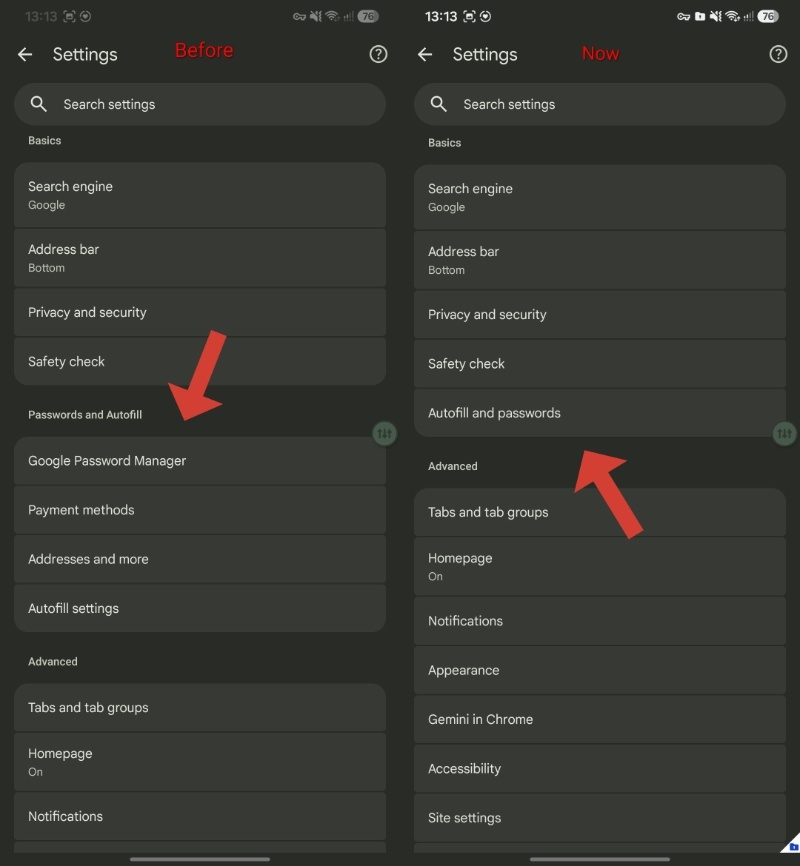
The change that aims to simplify the Settings menu in Chrome for Android by merging the "Google Password Manager," "Payment methods," "Addresses and more," and "Autofill services" entries into a single "Autofill and passwords" section has begun rolling out to Chrome Stable: https://t.co/N23H2ygwbS pic.twitter.com/he6Rtw9RWw
— Leopeva64 (@Leopeva64) August 2, 2026
The settings menu on Chrome for Android is functional, though some people might feel that there are too many options laid out sometimes. On the latest stable version, one section in particular gets a simplification: Passwords and Autofill.
This change was initially spotted on Chrome Canary, and it’s now live for some people in the stable version. @Leopeva64 initially posted information about the simplified settings page on X, and you can view the post with the relevant images below.
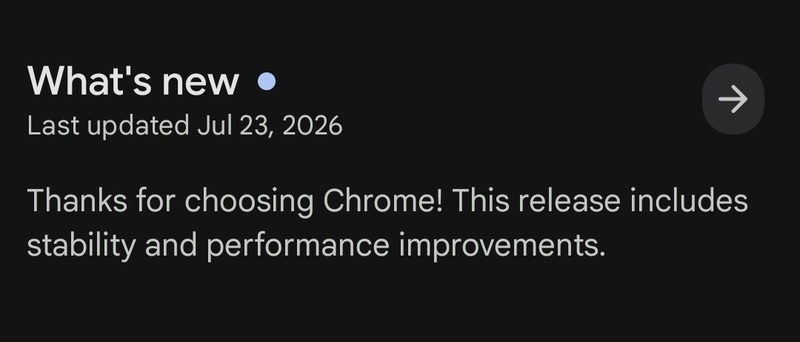
However, I’m not sure whether this change is tied to a specific app version. The last update I got was on July 23 for Google Chrome, implying that the menu simplification might’ve rolled out on the server side, without the user needing to update Chrome.
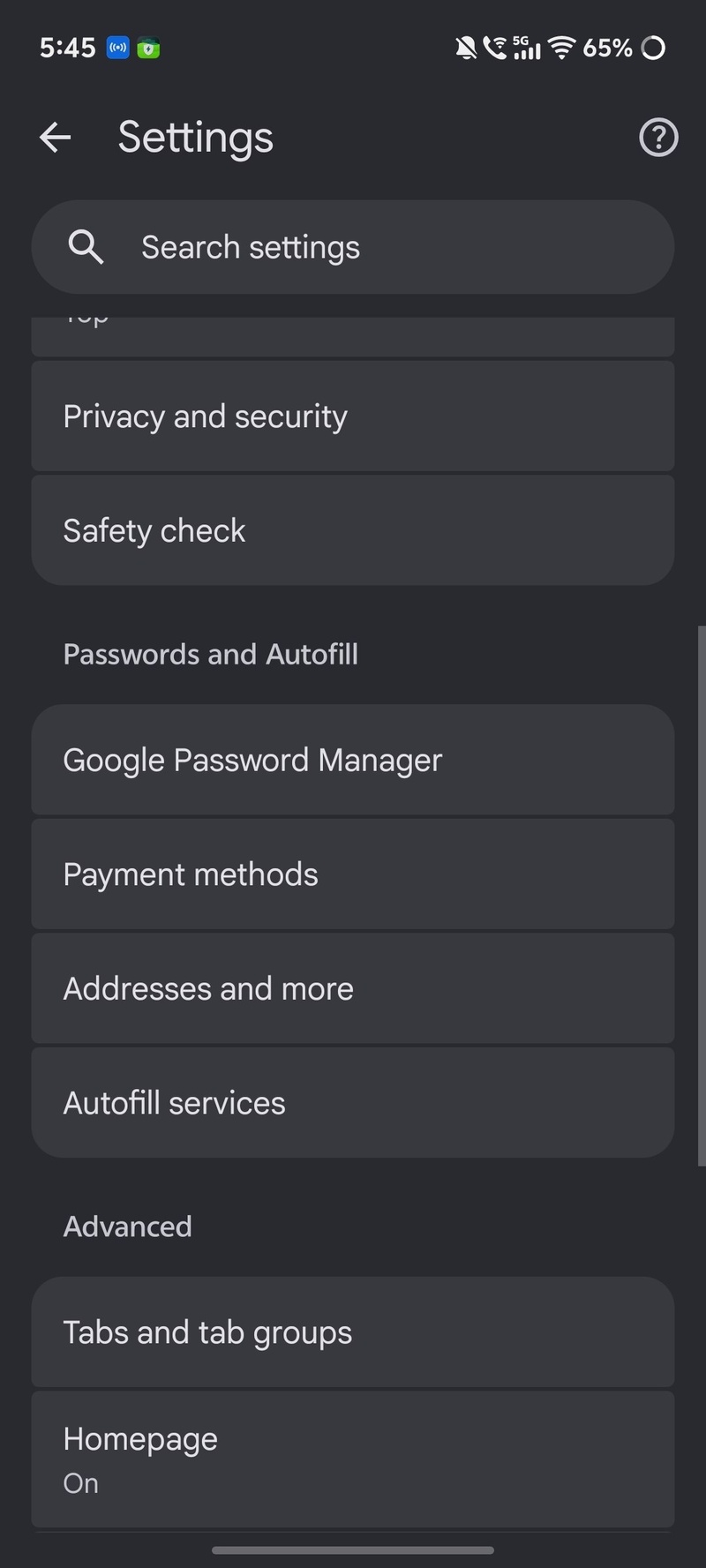
On my device, the menu hasn’t changed. It still gives me the 4 options (Google Password Manager, Payment methods, Addresses and more, Autofill services) under “Passwords and Autofill.” I don’t see the new “Autofill and passwords” submenu under the Basics category.
If you’re on the latest version of Chrome and haven’t received it, Google is likely rolling out the update in batches. Not everyone will get it at the same time, and a wider rollout could take days or weeks. Once it rolls out, you can take a look at the image below to understand how it’ll look.
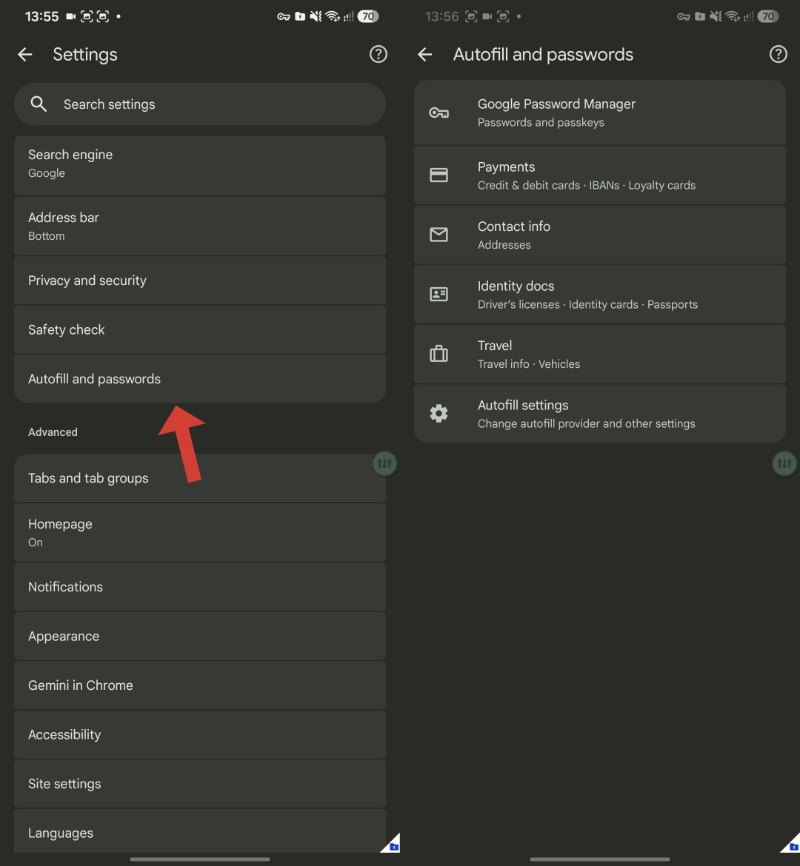
Clicking the new menu will expand into 6 different options. You’ll have the Passwords manager, Payments & Contact info, Identity docs, Travel, and Autofill settings, all in one place. It’s no longer laid out directly in the main settings menu, and all of the options have been moved to this submenu, presumably to declutter the experience of using Settings.
In other Chrome news, the browser will soon block the malware trick that can hold your New Tab page hostage. We covered that here.

We stand out from the tech-media crowd because we break news stories; we mainly bring you stuff that you won’t find anywhere in the mainstream tech media. Our stories have been picked up by some of the world’s most popular websites and media outlets—more info is available here.

Sudhanshu K
332 Posts
I have been a consumer technology enthusiast for over 5 years. Thanks to my experience in software beta testing and product reviews, I've understood and learnt a lot about what bugs and issues bother people, and I spend time trying to simplify their solutions. I cover smartphones, software, social media, apps, AI, and most consumer tech gadgets. Actively pursuing a Computer Science bachelor’s degree. I'm mostly active on Twitter/X (@TechWhirlUlt), drop a DM or tag me if you want to share info or connect!
Next article View Article
Google and Microsoft team up to fix the biggest pain point in browser screen sharing
When your Wi-Fi drops mid-presentation, and the spreadsheet you’re sharing dissolves into a blur, that’s the encoder throwing away detail to keep up. A change just...
Aug 03, 2026 1 Min Read