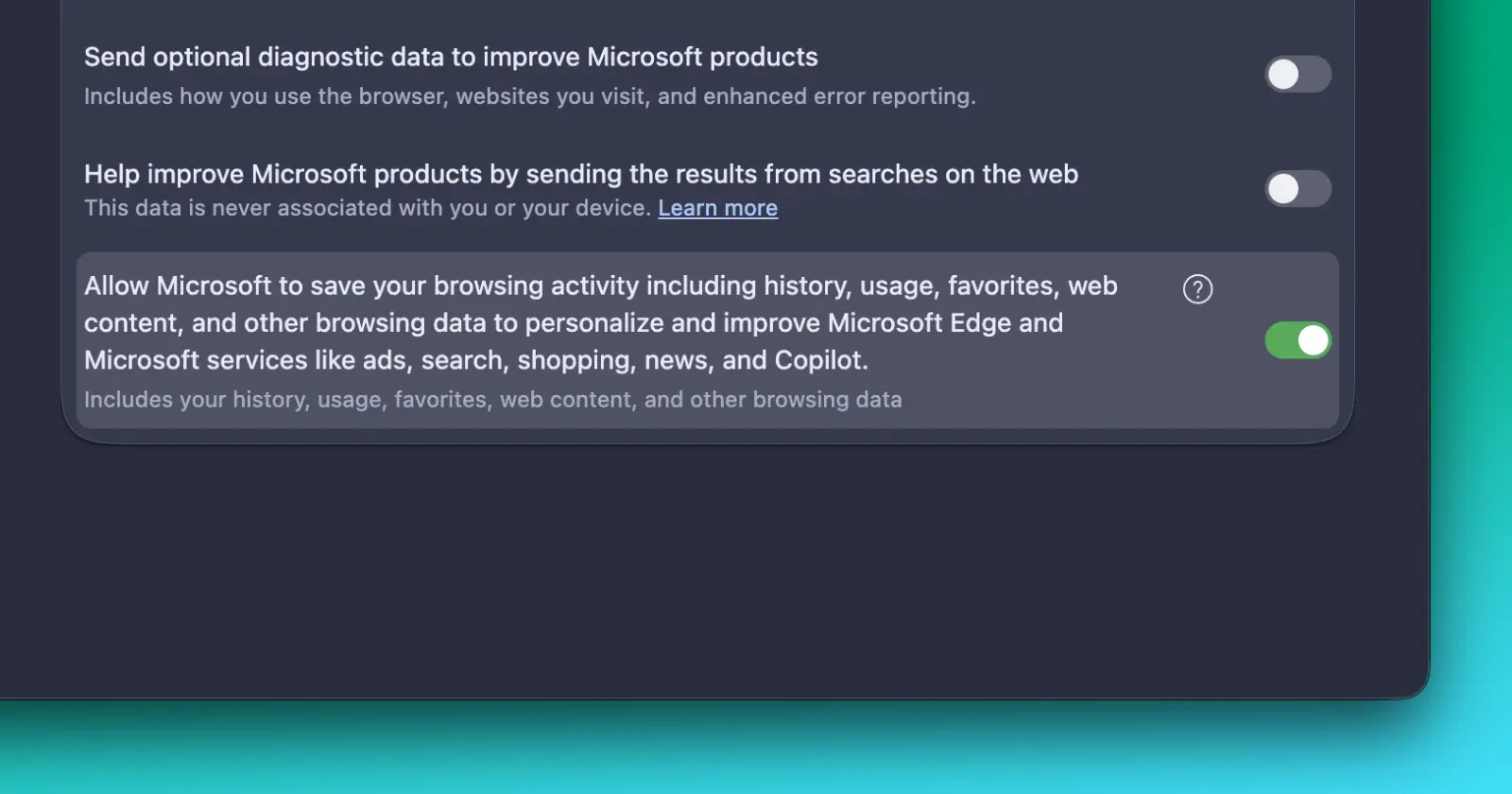
A Microsoft Edge privacy setting appears to be ignoring user preferences by turning itself back on even after being disabled.
I first came across reports of the issue in a Reddit thread where several Edge users said the same privacy toggle wouldn’t stay off. Since it sounded odd, I tried reproducing it myself, and I ran into the exact same behavior.
The setting is found under Edge’s Privacy page. It controls whether Microsoft can save your browsing activity, including history, usage, favorites, web content, and other browsing data, to personalize Microsoft Edge and services such as ads, search, shopping, news, and Copilot.
Turning the toggle off works, at least initially. The switch changes state and there’s nothing to suggest anything went wrong.
The problem shows up after leaving the page. Even if you go back a page or move to another settings menu and then return, you’ll find the toggle turned back on.
I repeated the process several times with the same result. Restarting Edge didn’t help either. I also disabled every installed extension to rule out a third-party conflict, but the toggle continued turning itself back on.
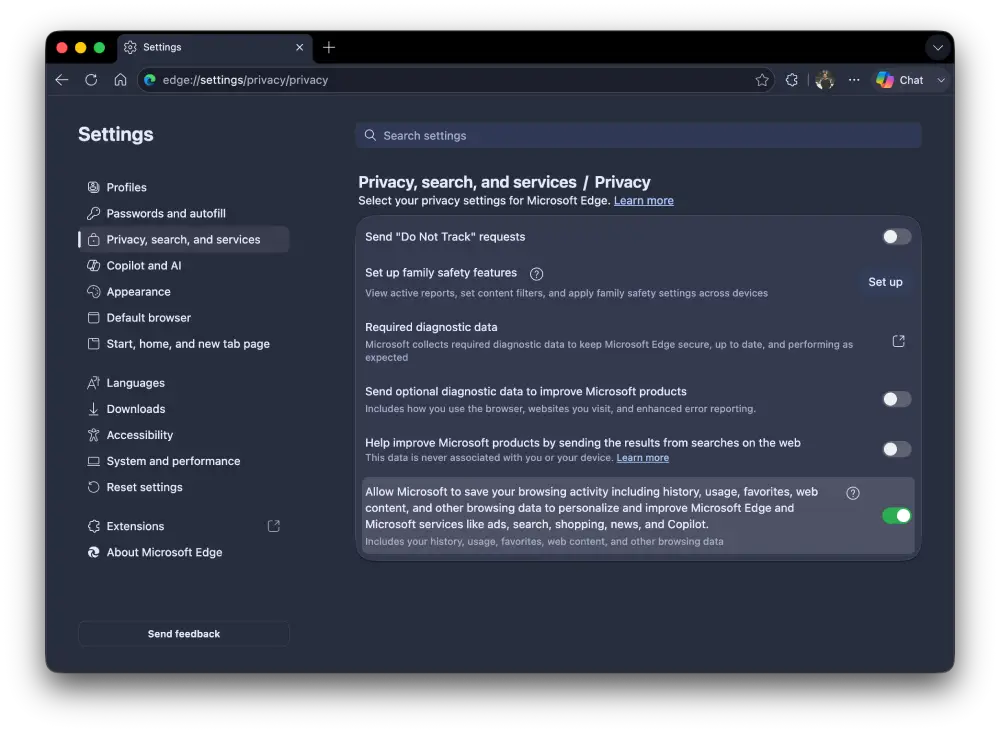
Other users have reported seeing the same thing.
At this point, it’s not clear whether this is an actual bug or whether another Edge setting is silently overriding the preference. If that’s what’s happening, the browser certainly doesn’t explain it. There’s no warning, no message saying another feature depends on the setting, and no indication that your choice won’t be saved.
Microsoft hasn’t acknowledged the behavior publicly, and it’s unclear how widespread the problem is. For now, if you’ve noticed this particular toggle refusing to remain disabled, you’re probably not the only one. I was able to reproduce it myself, and multiple users are reporting the same thing on Reddit.
Hopefully Microsoft addresses it soon, whether it’s a bug or an unintended interaction with another feature. Until then, it’s worth double-checking the setting if you’ve already turned it off, because it may not still be in the state you left it.


Dwayne Cubbins
3123 Posts
I cover fast-moving stories across apps, online platforms, and everyday tech — phones, wearables, consoles, and whatever else people are fighting with this week. Bugs, rollouts, scams, policy enforcement, and the occasional internet-culture rabbit hole are all fair game. My goal is simple — make confusing tech news readable. When I'm not working, I'm working out or chilling with my dog. Got a tip? You can find me on X @dcubbins.
Next article View Article