The latest Zen browser update is largely about fixing bugs and making various features more reliable. There aren’t any major feature additions, since it’s a polish/stability-focused release based on Firefox v153.0.1.
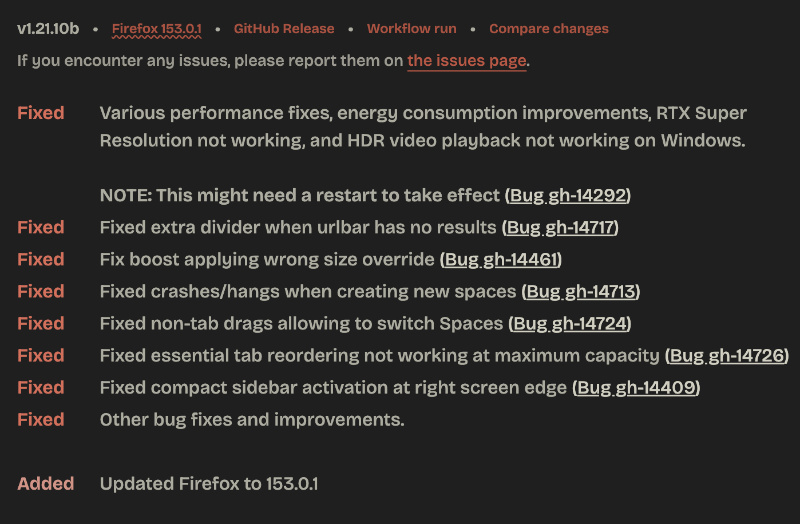
Zen officially posted information about this update on the Release Notes website. You can also view a screenshot of the official changelog below. The latest version is v1.21.10b, which came out on July 29.
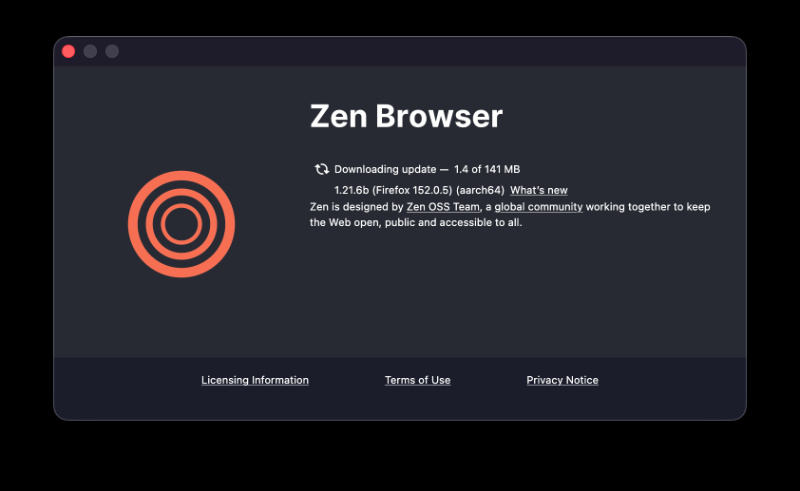
To apply this update, open the Zen browser and hit “About Zen.” As you can see in the attached image, an update does show up.
Below is a summary of the changes:
- Better performance and less battery drain on Windows: The browser should feel snappier and use less battery in the background. This is quite useful if you leave Zen open for a long time.
- HDR-related: NVIDIA RTX and HDR videos both work on Windows properly now. You can also use NVIDIA’s AI upscaling feature. (You’ll need to restart the browser to apply the changes).
- Spaces: Earlier, creating a new Space used to freeze/crash the browser. This has been addressed.
- Sidebar & Tabs: Various refinements have been made here. The compact sidebar (that auto-hides) used to behave irregularly. Rearranging your Essential tabs is now possible even if you’ve hit the maximum number. Dragging things around used to accidentally switch you to a different Space, which should also no longer occur.
- Address bar: When you type something in the address bar, but there aren’t any results, extra lines no longer appear.
- Boosts: If you use Zen Boosts (customization), then size-related settings should now apply correctly.
While these are the additions for the stable version of Zen, the Twilight version also got one important update: Spaces will now sync via a Mozilla account. For example, if you create a Space for “Work” on your desktop, you can now sign in to the same Mozilla account on a different computer (laptop) and get the same Space there.
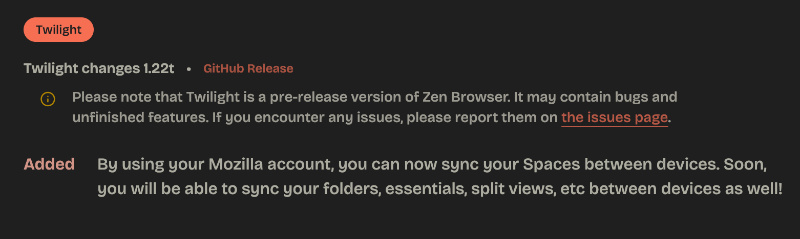
For now, it only syncs the Spaces, but the team has specified that folders, Essentials, Split Views, etc will come later. You won’t have to manually recreate your Space setup once this makes it to the stable version.
All in all, the stable version is a good refinement, and I’d recommend updating to enjoy a relatively more stable experience.


Sudhanshu K
299 Posts
I have been a consumer technology enthusiast for over 5 years. Thanks to my experience in software beta testing and product reviews, I've understood and learnt a lot about what bugs and issues bother people, and I spend time trying to simplify their solutions. I cover smartphones, software, social media, apps, AI, and most consumer tech gadgets. Actively pursuing a Computer Science bachelor’s degree. I'm mostly active on Twitter/X (@TechWhirlUlt), drop a DM or tag me if you want to share info or connect!
Next article View Article