





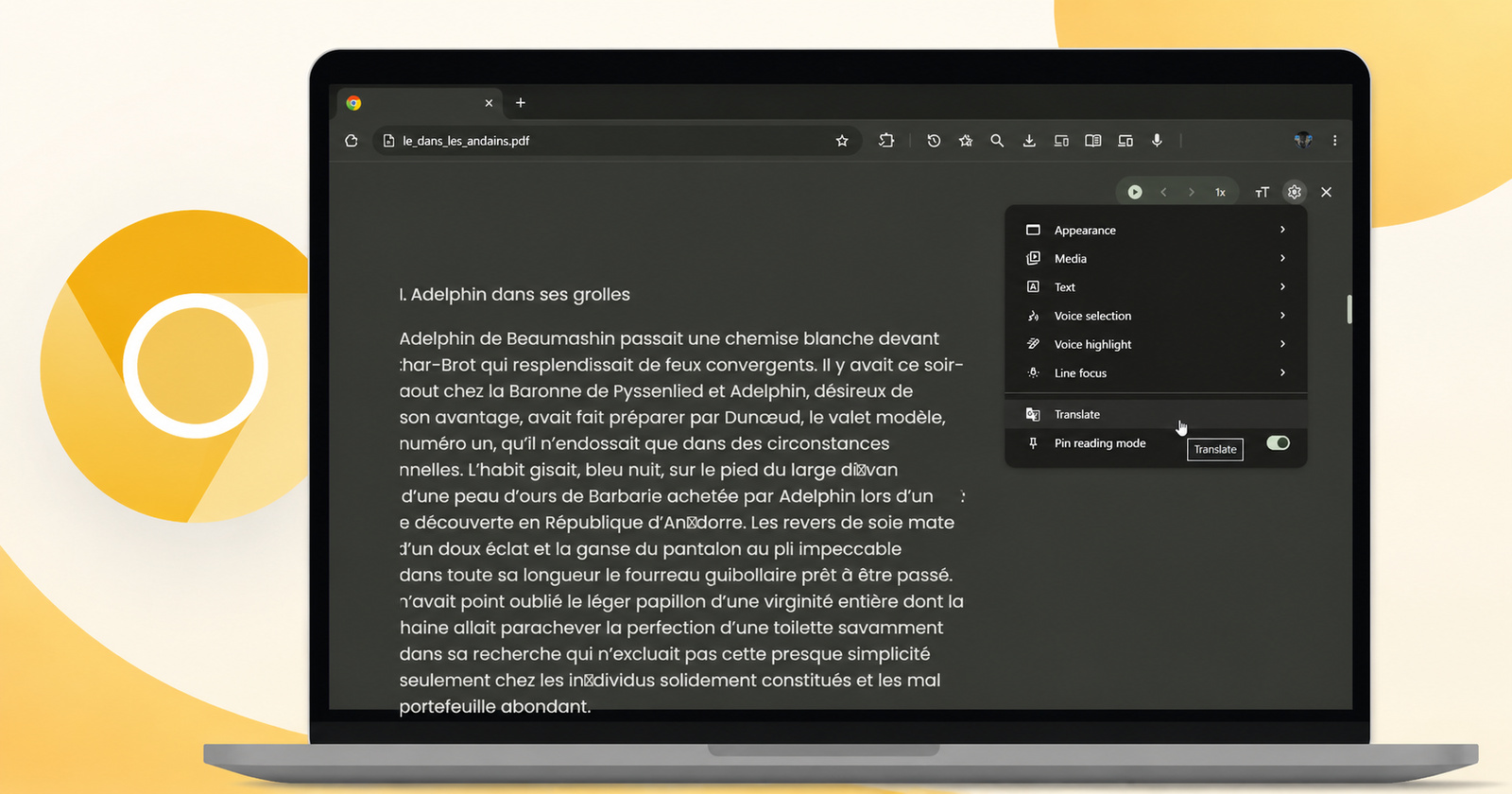
The new feature that translates web pages and PDFs in Chrome's Reading Mode is now functional in Canary. Here it is in action: https://t.co/KtRsAYLbzE pic.twitter.com/YnL5lO2U4D
— Leopeva64 (@Leopeva64) July 29, 2026
In the Reading Mode of Chrome, the Translate option has now started working in Canary. If you open a PDF file or a website that’s in a different language, you can just click the Translate option.
@Leopeva64 posted information about this feature on X. The post also includes screenshots and video demos of the feature in action. You can view them below.
Earlier, this option in Reading Mode didn’t do anything, even if you clicked the button. Now, it actually translates the text, signifying that it might move from Chrome Canary to Beta soon. Considering the pace of releases, it’d take a few more months before the feature shows up in the stable version of Chrome.
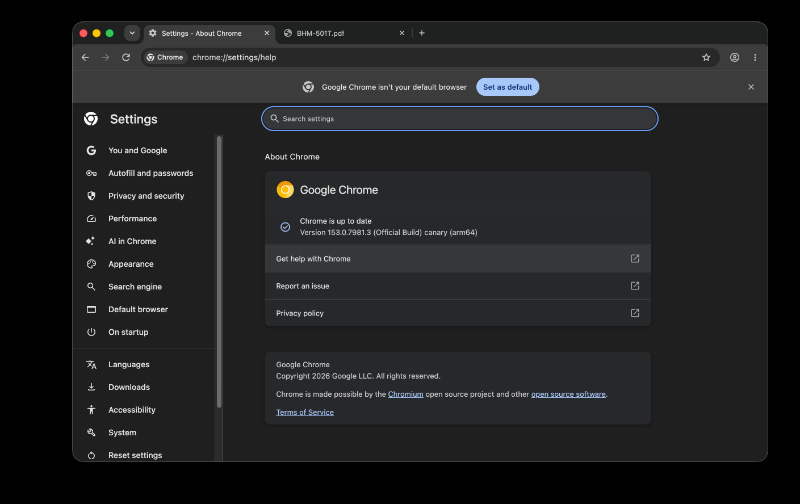
I’ve checked for this feature on the latest version of Chrome Canary. For me, that’s version 153.0.7981.3 on macOS.
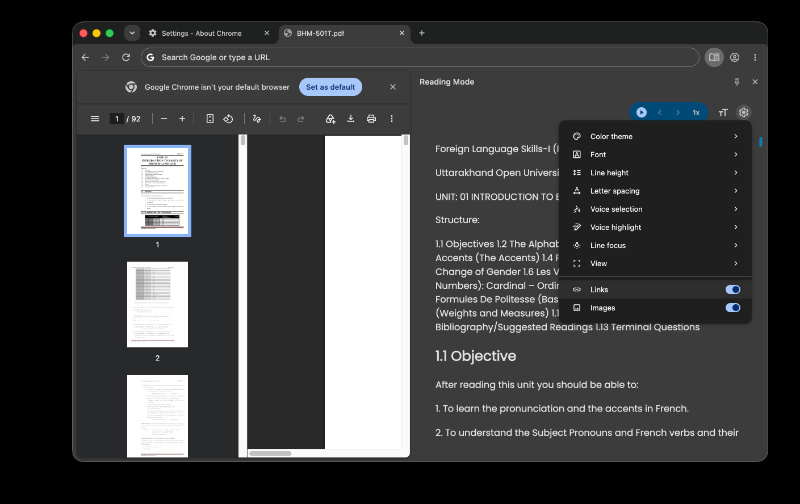
However, the option to Translate still does not show up even after entering Reading Mode after opening a PDF. I’ve also tried changing to different PDFs in different languages, restarting the browser after force-quitting, and all the basic workarounds. However, the Translate button simply refused to show up in the menu. I got all the usual Theme, Font, Links, Images, etc, but this option hasn’t rolled out for me yet on Canary.
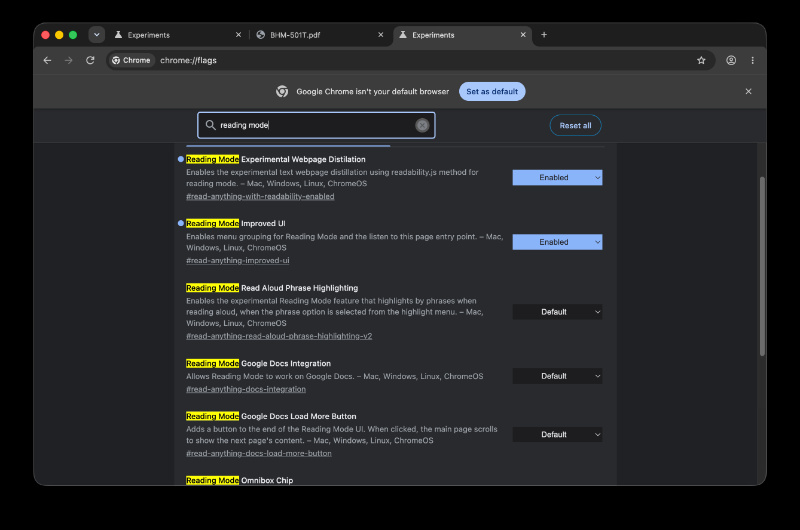
Additionally, I’ve also tried enabling various flags related to Reading Mode on Chrome Canary. One of the flags also mentions a new UI for Reading Mode. However, enabling these flags also doesn’t make the Translate option appear.
I’m assuming that it’s a staged rollout, and not everyone will get the option simultaneously. It’s also worth noting that the original source shows a demo of the feature on Windows. Since I’m on macOS, the feature has probably not made it to the macOS version of Chrome yet.
A few days ago, we covered a story about Google testing the same Translate button in Chrome Canary, in Reading Mode. It was not functional at the time. However, we were unable to find this option back then either.
In other Chrome news, the stable version has recently picked up an update that fixes hundreds of security issues, some critical. I’d recommend updating your browser immediately. More on that here.

We stand out from the tech-media crowd because we break news stories; we mainly bring you stuff that you won’t find anywhere in the mainstream tech media. Our stories have been picked up by some of the world’s most popular websites and media outlets—more info is available here.

Sudhanshu K
308 Posts
I have been a consumer technology enthusiast for over 5 years. Thanks to my experience in software beta testing and product reviews, I've understood and learnt a lot about what bugs and issues bother people, and I spend time trying to simplify their solutions. I cover smartphones, software, social media, apps, AI, and most consumer tech gadgets. Actively pursuing a Computer Science bachelor’s degree. I'm mostly active on Twitter/X (@TechWhirlUlt), drop a DM or tag me if you want to share info or connect!
Next article View Article
Chrome 152 enters beta across desktop, Android, and iOS
Google has officially pushed Chrome 152 into the beta channel for desktop, Android, and iOS platforms. Build version 152.0.7977.8 is rolling out to Windows, Mac, Linux, and...
Jul 31, 2026 1 Min Read