





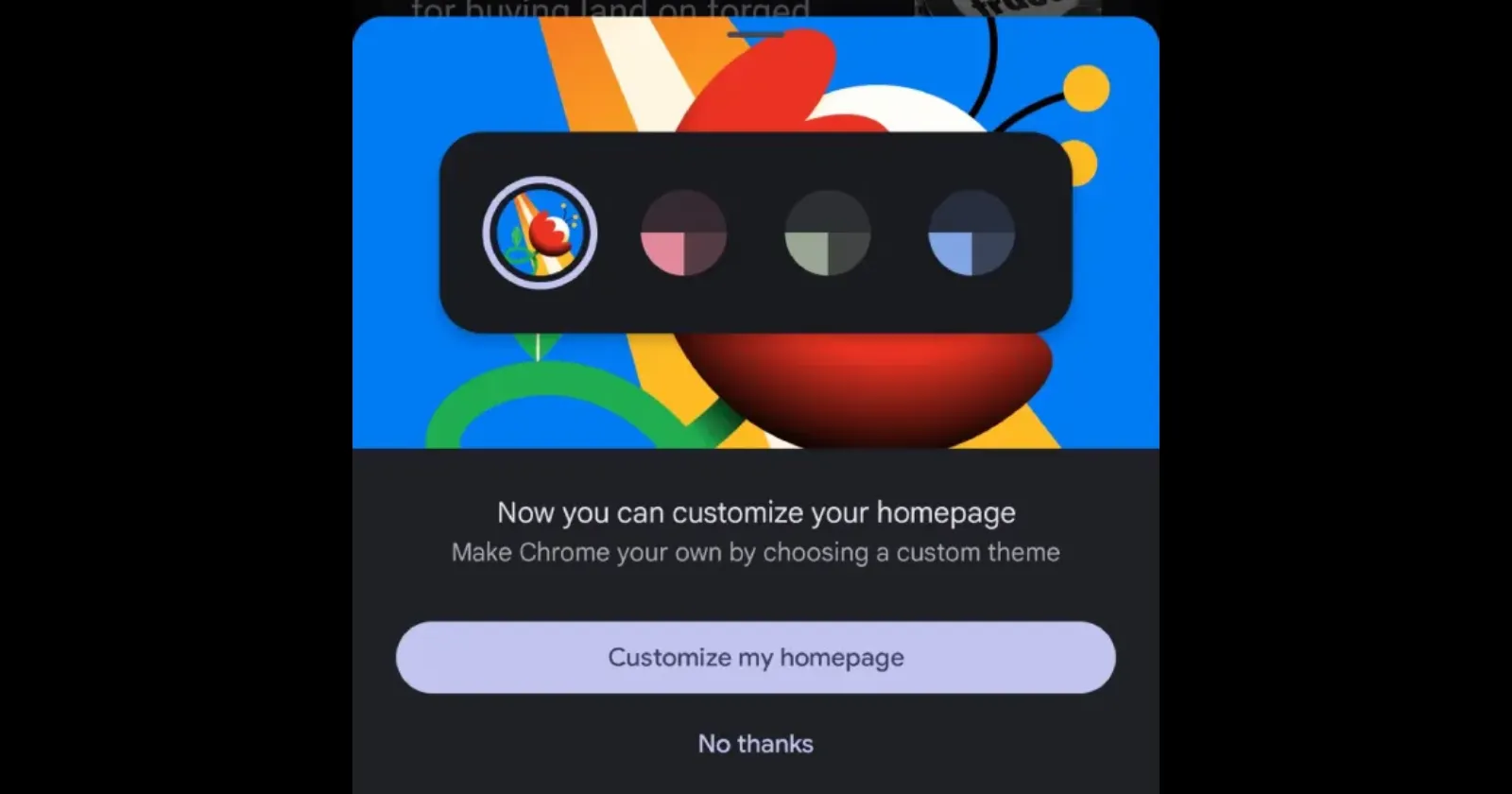
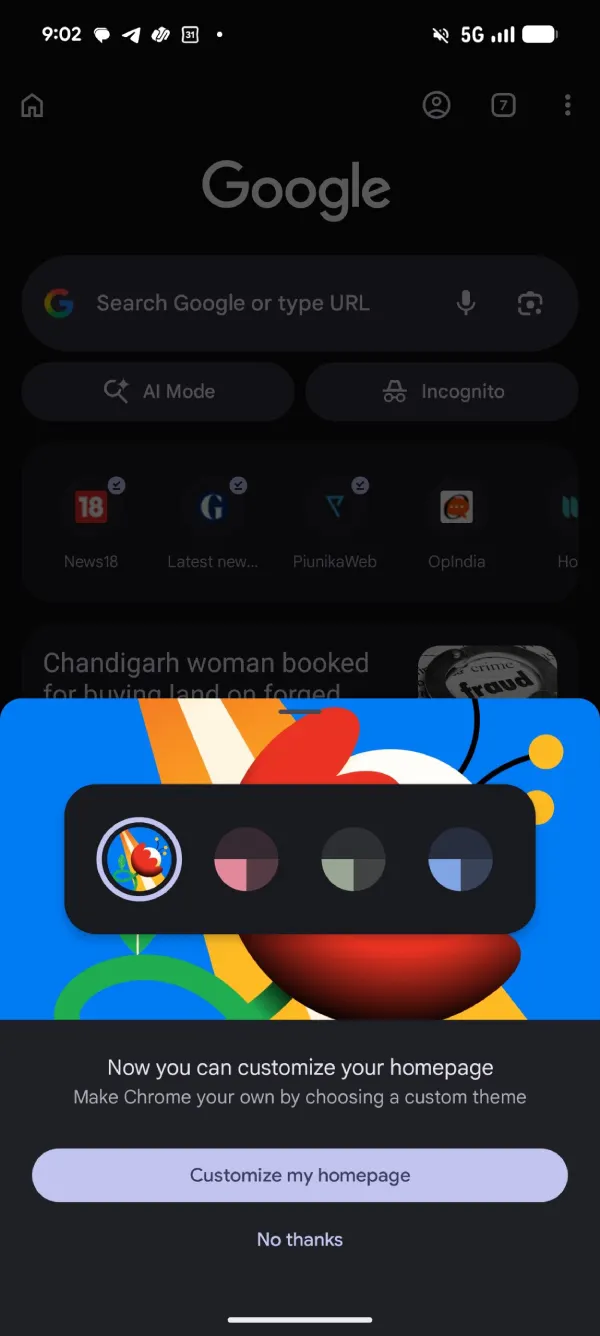
Chrome on Android is finally catching up with its iOS counterpart. After bringing homepage customization to Chrome on iOS late last year, Google has now started rolling out the same feature on Android.
We spotted the change after Chrome showed a new in-app prompt inviting users to “Customize my homepage.” Tapping it opens a new customization menu where you can change the look of the browser’s new tab page without digging through Chrome’s settings.
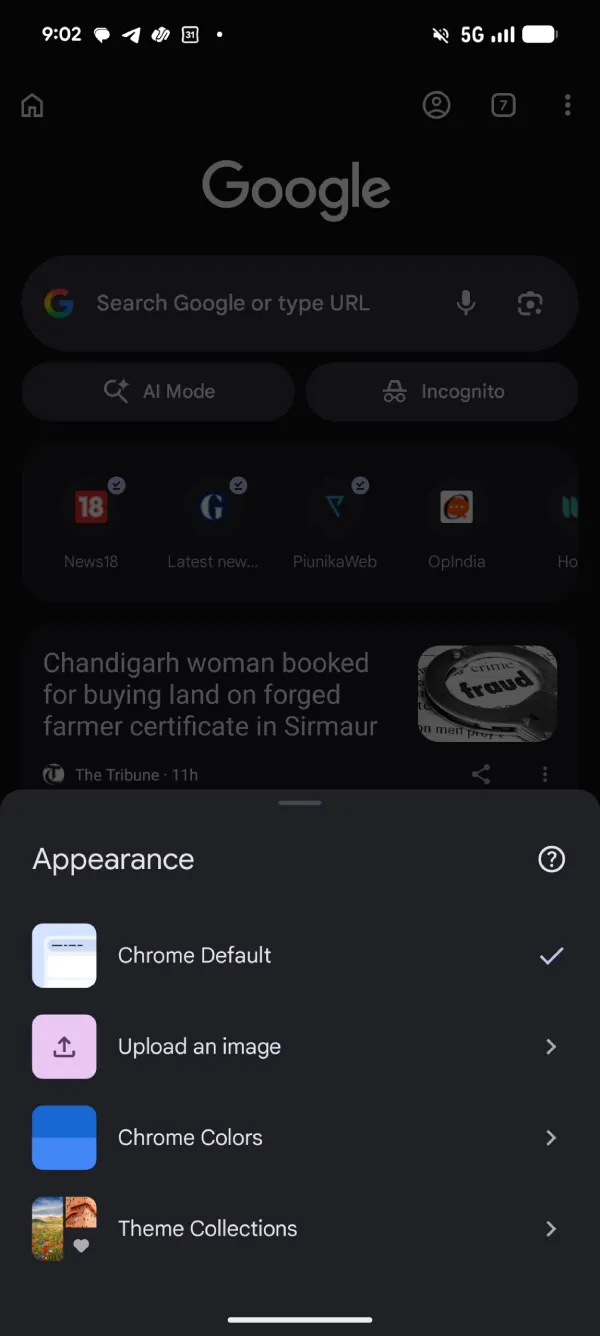
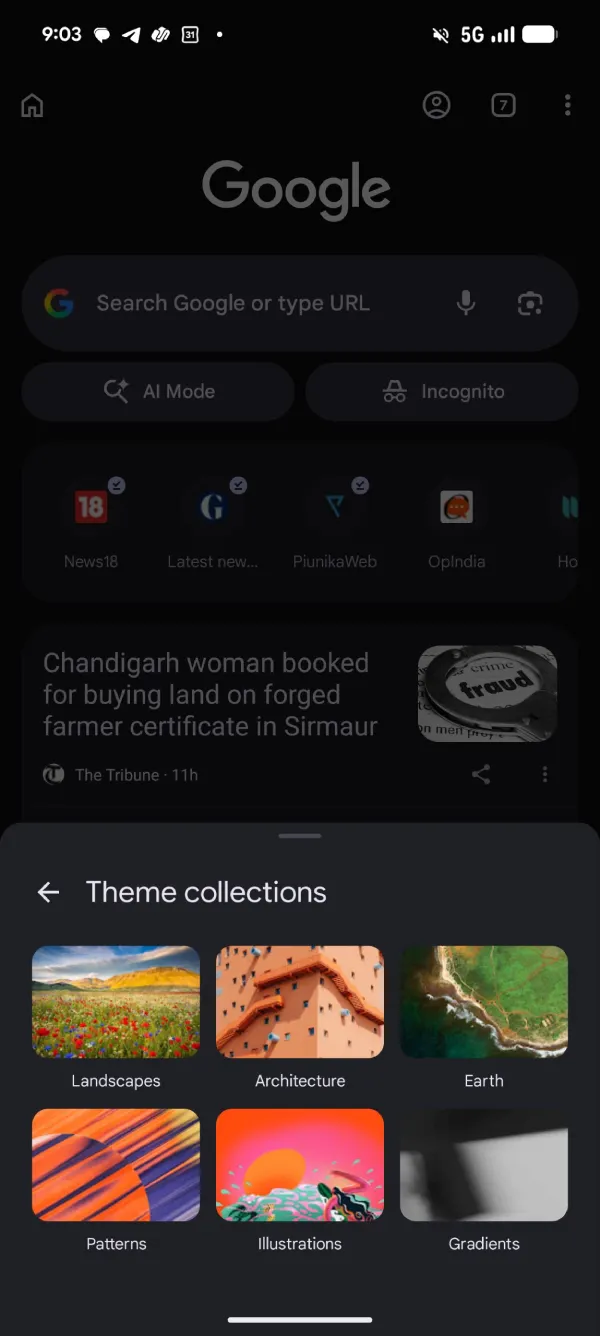
The feature lives under the three-dot menu on the new tab page. Tap Customize new tab page, then Appearance, and you’ll see four options to choose from. You can stick with Chrome Default, upload your own image, pick from a set of Chrome Colors, or browse Google’s Theme Collections.
The Upload an image option does exactly what it says. You can choose a photo from your device and use it as the background for the new tab page. If you’d rather keep things simple, Chrome Colors lets you switch between several preset accent colors that slightly change the overall look of the page.
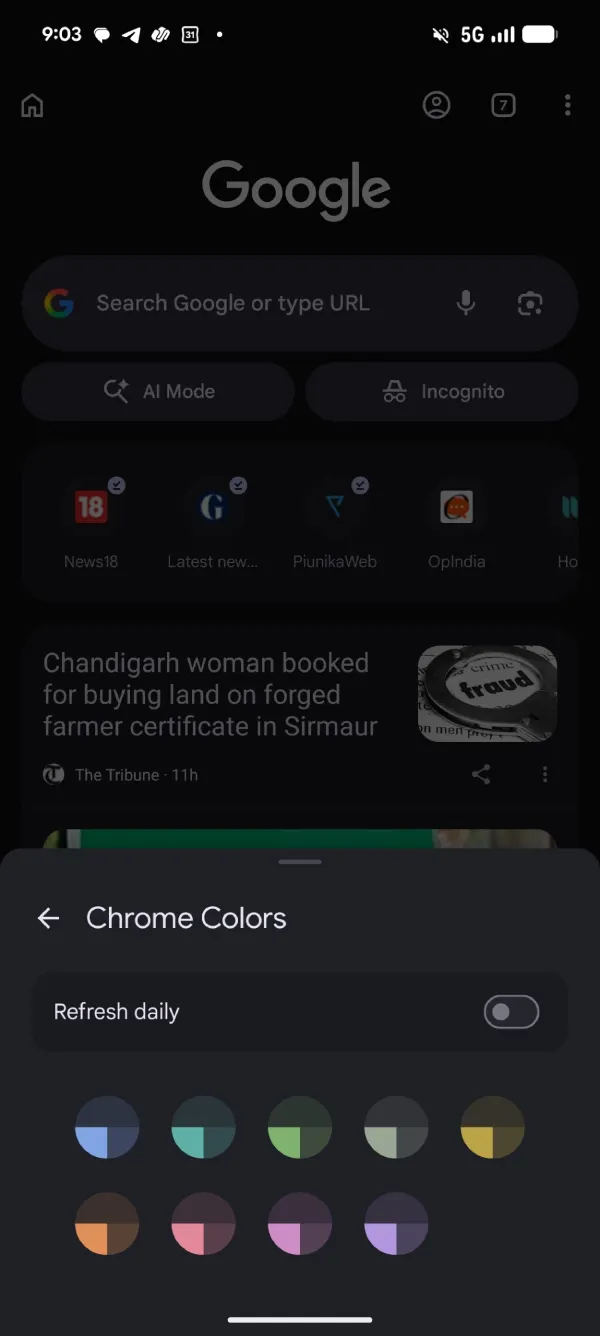
Google has also included Theme Collections, which groups wallpapers into categories like Landscapes, Architecture, Earth, Patterns, Illustrations, and Gradients. If you don’t want to stick with the same background all the time, there’s also a Refresh daily toggle for Chrome Colors that automatically rotates through different color themes.
It’s not a big change, but it’s nice to see Android catching up with Chrome’s iOS experience.
The rollout appears to be happening through the latest versions of Chrome for Android, although it may take some time before everyone sees it. We spotted it on one device running Chrome 150.0.7871.186 but not on another device running Chrome 150.0.7871.187.
If the option isn’t available yet, make sure you’re running the latest version of Chrome from the Play Store and keep an eye out for the homepage customization prompt the next time you open a new tab.


Dwayne Cubbins
3061 Posts
I cover fast-moving stories across apps, online platforms, and everyday tech — phones, wearables, consoles, and whatever else people are fighting with this week. Bugs, rollouts, scams, policy enforcement, and the occasional internet-culture rabbit hole are all fair game. My goal is simple — make confusing tech news readable. When I'm not working, I'm working out or chilling with my dog. Got a tip? You can find me on X @dcubbins.
Next article View Article
