





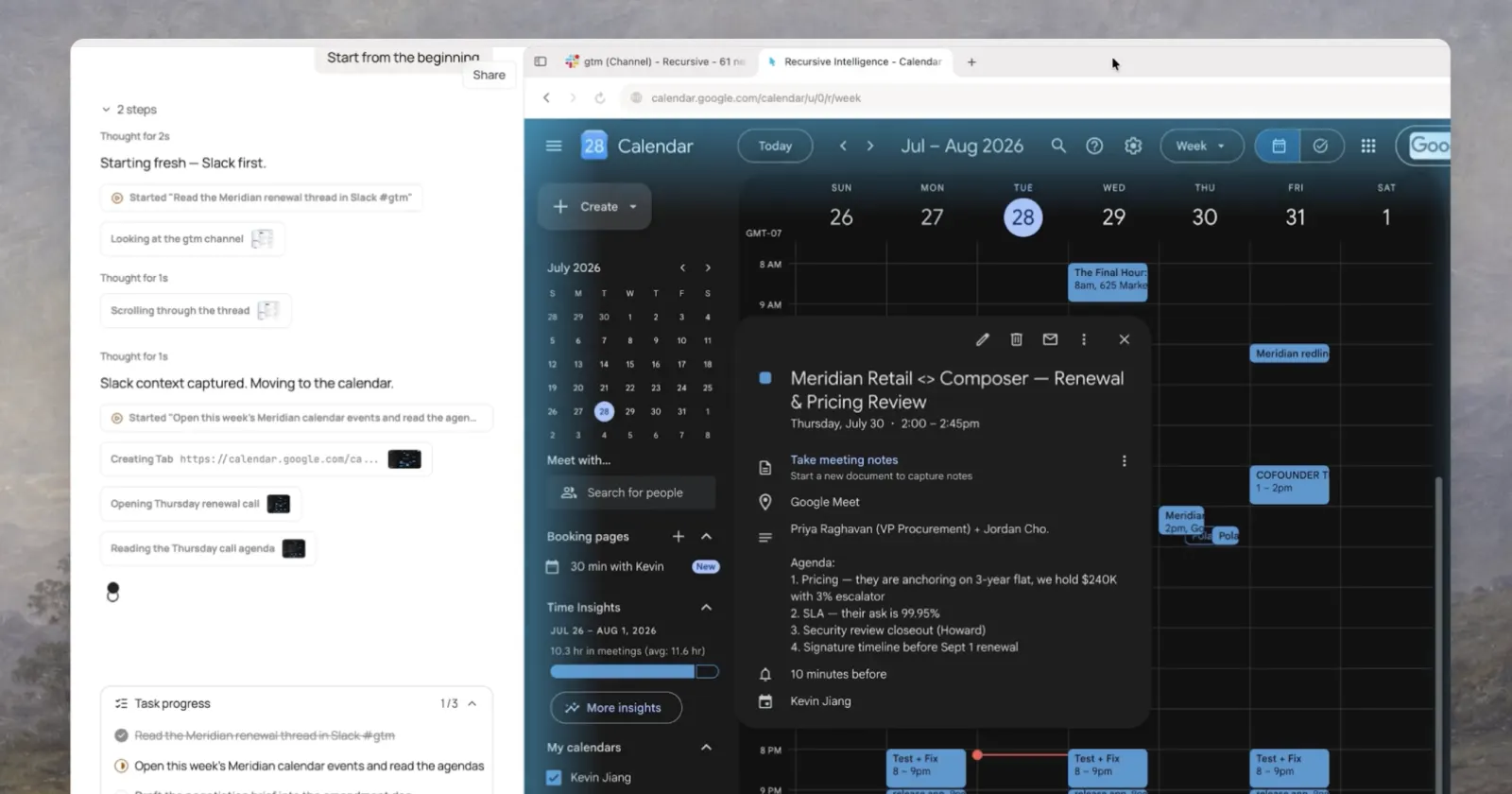
We just raised $5.7M for @PolarBrowser, the AI browser that beats Anthropic and OpenAI on every major web agent benchmark.
— Kevin Jiang (@jiang_kev) July 29, 2026
- 4,500,000+ actions taken for users, automating sales, recruiting, and ops
- One company cancelled Clay and saves 25+ hrs/wk per person
- Team is from MIT,… pic.twitter.com/MJ7j7o8SaV
Another AI browser showed up this week, but Polar isn’t chasing the same pitch we’ve been hearing over and over. Instead of promising a smarter search box or an AI assistant that can book your next vacation, it’s going after people who spend most of their day juggling repetitive work.
The browser comes from San Francisco startup Recursive Intelligence, which just announced a $5.7 million seed round led by Madrona. The round also includes former GitHub CEO Thomas Dohmke and Phia founder Phoebe Gates. Founder Kevin Jiang previously worked on Perplexity’s Comet browser, so he has already seen where the first generation of AI browsers shines and where it falls short.
He doesn’t think everyday users are the right audience.
If you think about end-user consumers, they don’t book a flight or make a reservation every day or every week. That’s why our AI browser is not focused at all on mass consumers. – Kevin Jiang / TechCrunch
Instead, Polar is aimed at people working in sales, recruiting, research, operations, and similar jobs where repetitive browser tasks actually eat up hours every week.
Polar also isn’t being shy about comparing itself with the competition. In its launch post on X, the company says it outperforms Anthropic and OpenAI across major web agent benchmarks.
Its website even includes a chart showing Polar scoring 98, while Claude Opus 4.6 sits at 44.5.
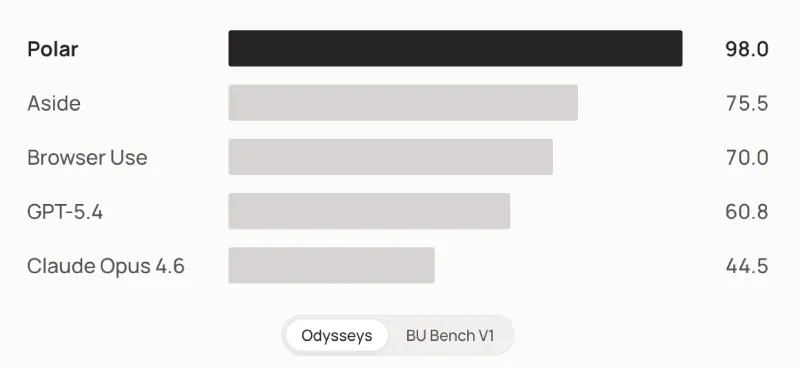
Those are the company’s own numbers, so they’re worth taking with a healthy dose of skepticism. The site also claims Polar has already completed more than 4.5 million actions and says one customer replaced Clay with Polar, saving roughly 25 hours per employee every week.
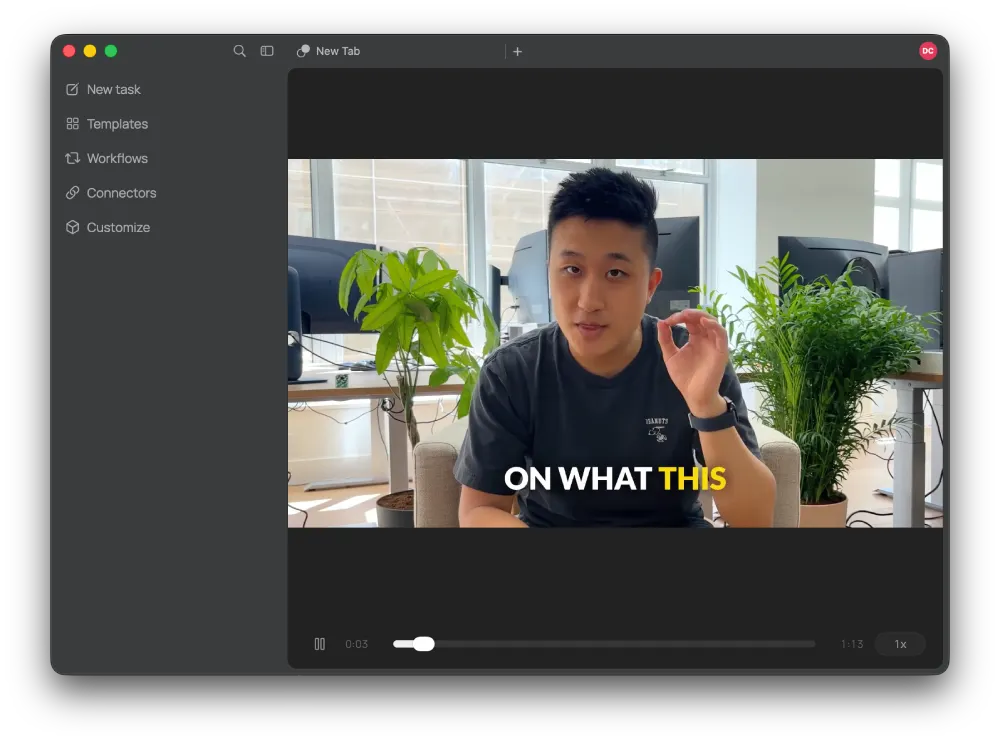
I spent some time using the browser myself. Right after installing it, I had to sign in before doing anything else. That’s expected since almost everything runs through the cloud and usage has to be tied to an account. The first launch also plays a short onboarding video explaining how the browser works.
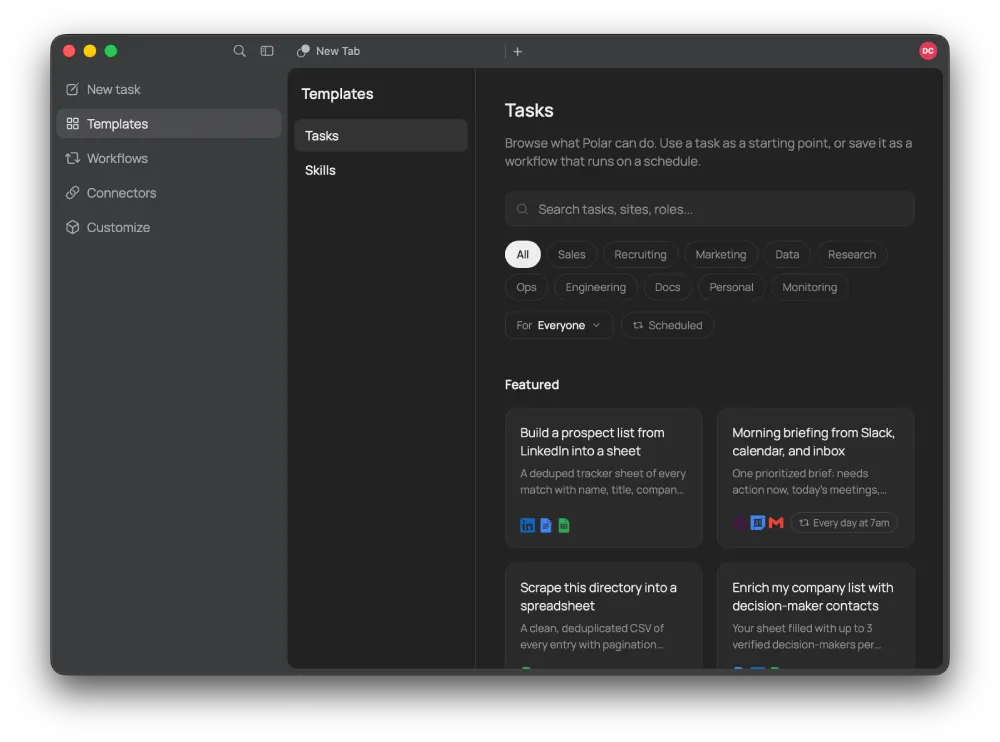
The interface feels familiar if you’ve used any of the newer AI browsers. But there’s one popular feature that seems to be missing: Vertical Tabs. I couldn’t find any setting to enable Vertical Tabs. The left sidebar is dedicated almost entirely to AI features, including New Task, Templates, Workflows, Connectors, and a Customize section where you can tweak how the assistant responds. Previous conversations stay pinned underneath.
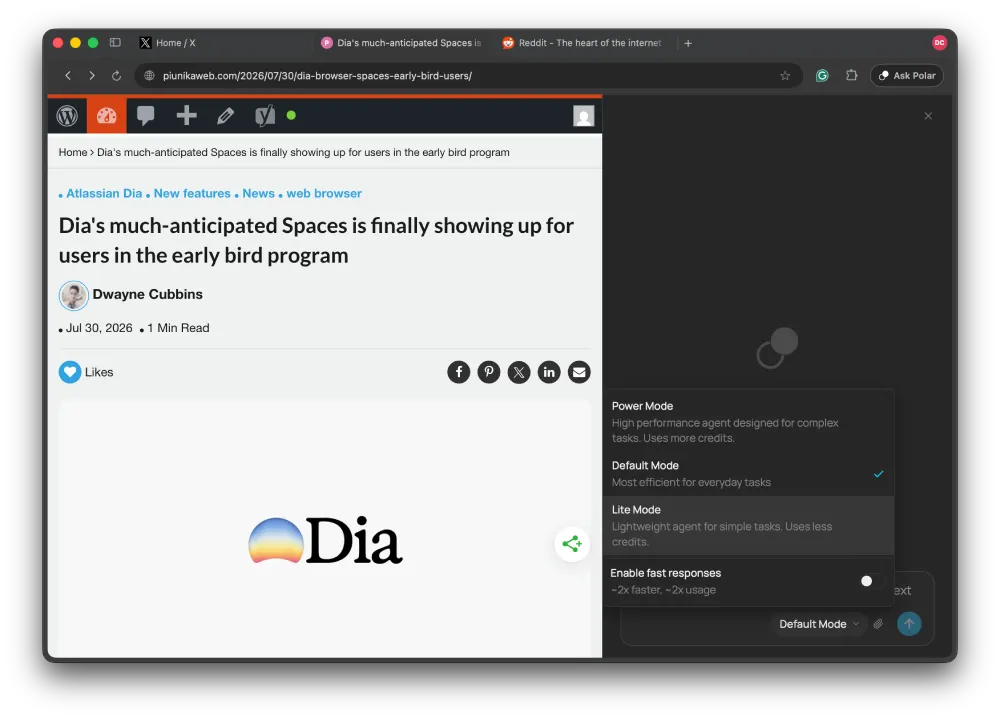
Clicking Ask Polar opens the chatbot in a panel on the right. The new tab page doubles as the chat interface, so you can either ask a question or kick off a task immediately. Standard browsing still happens through the address bar at the top. You also get three execution modes called Default, Lite, and Power, along with a Fast Responses toggle that burns through credits more quickly.
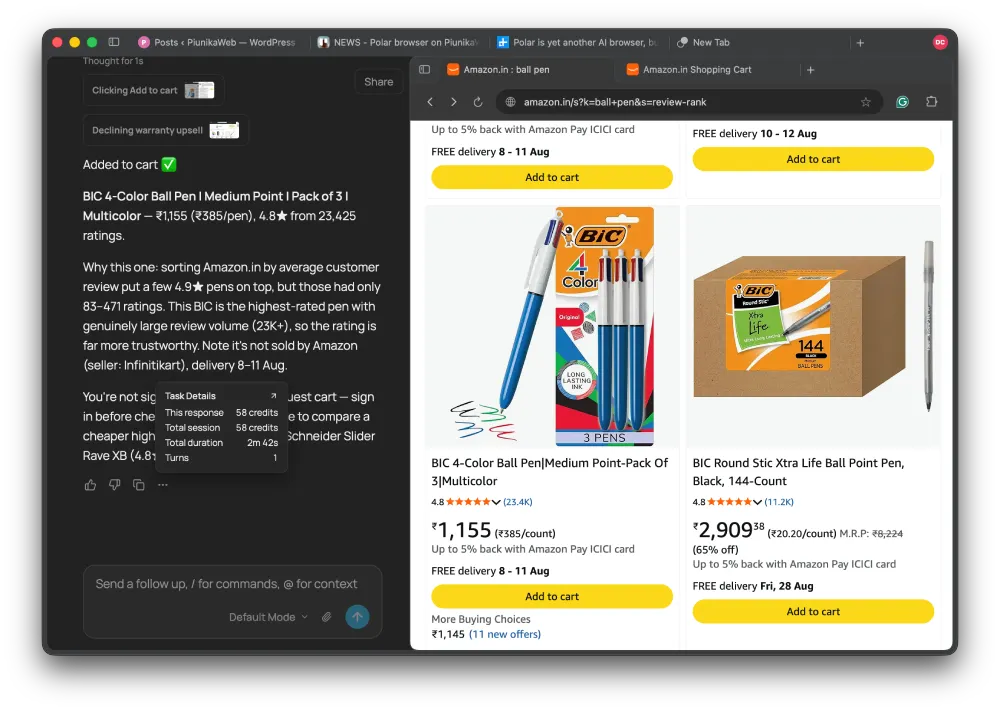
To see how well it actually handled real work, I asked it to add the highest-rated ballpoint pen to my Amazon cart.
It finished the task in 2 minutes and 42 seconds. Instead of blindly choosing the product with the highest rating, it explained why it picked a BIC pack with a 4.8-star average over products that technically scored higher but only had a handful of reviews. It also declined Amazon’s warranty upsell without me asking and let me know I wasn’t signed into my Amazon account. That single task used 58 credits.
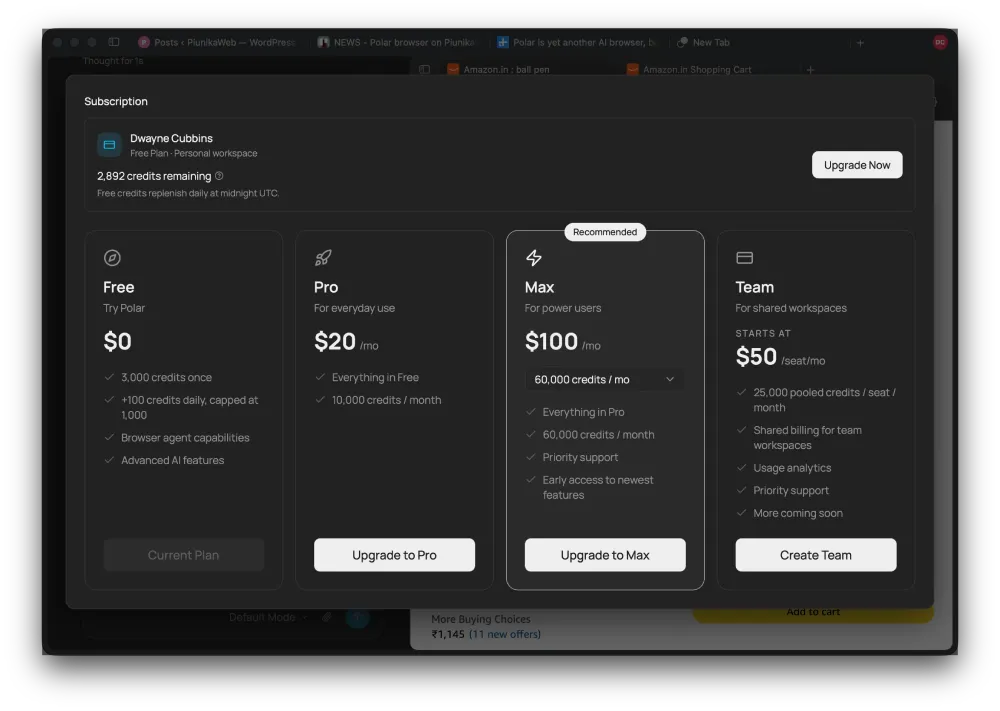
The credit system is where things start getting restrictive. You receive 3,000 credits when you first sign up, but after those are gone you’re limited to 100 credits per day, which reset at midnight. Paid plans start at $20 per month.
This got me more curious, and I wondered how many credits it would use to draft a complete article on itself. I threw in all my rough notes and hit send. Lo and behold, it obviously covered the piece way quicker than mortal me, but the output was straight-up AI-slop writing that you can tell by reading the first few sentences itself. So that went straight in the trash. And now, for the interesting part. It used up a total of 203 credits for this one article. That’s over twice the daily allowance.
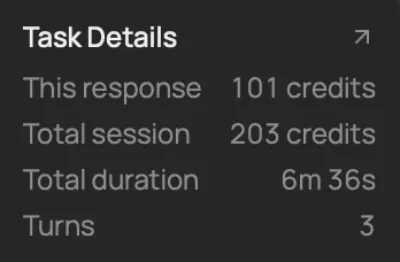
So in my testing, it looks like the free plan works out to roughly one or two meaningful agentic tasks each day before you have to wait for the next reset. At least, after you burn through your 3000 credits.
I also tried asking Polar which AI model powers the browser, but it wouldn’t give me an answer.
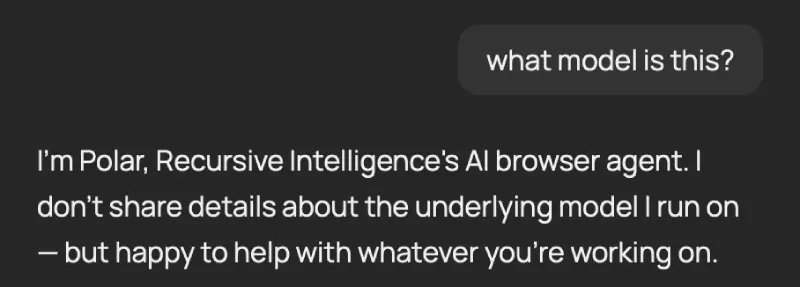
Now for the part no one seems to be talking about: performance. I actually used Polar to research and write this article (manually), and I ran into the same issue I had with another AI browser called Aside. My MacBook Air M2 got ridiculously hot. I wouldn’t be surprised if I could even fry an egg on it as I type this.
In fact, the browser even crashed on me completely just before I could add the image above, where I had asked about the model. Mind you, there were only 8 tabs open at the time.
So there’s clearly a lot of room for improvement, even when it comes to features. I’d still like to see an option for Vertical Tabs, and support for something like Brave’s Containers would make it even more useful.
Of course, not everything is grim. The browser does exactly what it says it does. And if you’re ready to break out your wallet to save your time and let the browser handle repetitive tasks, Polar is excellent at that. That said, right now, it feels more like an early preview than something I’d use as my daily browser. But I must recall what the founder said. Maybe the browser isn’t meant for users like me. And that’s okay.

We stand out from the tech-media crowd because we break news stories; we mainly bring you stuff that you won’t find anywhere in the mainstream tech media. Our stories have been picked up by some of the world’s most popular websites and media outlets—more info is available here.

Dwayne Cubbins
3079 Posts
I cover fast-moving stories across apps, online platforms, and everyday tech — phones, wearables, consoles, and whatever else people are fighting with this week. Bugs, rollouts, scams, policy enforcement, and the occasional internet-culture rabbit hole are all fair game. My goal is simple — make confusing tech news readable. When I'm not working, I'm working out or chilling with my dog. Got a tip? You can find me on X @dcubbins.
Next article View Article
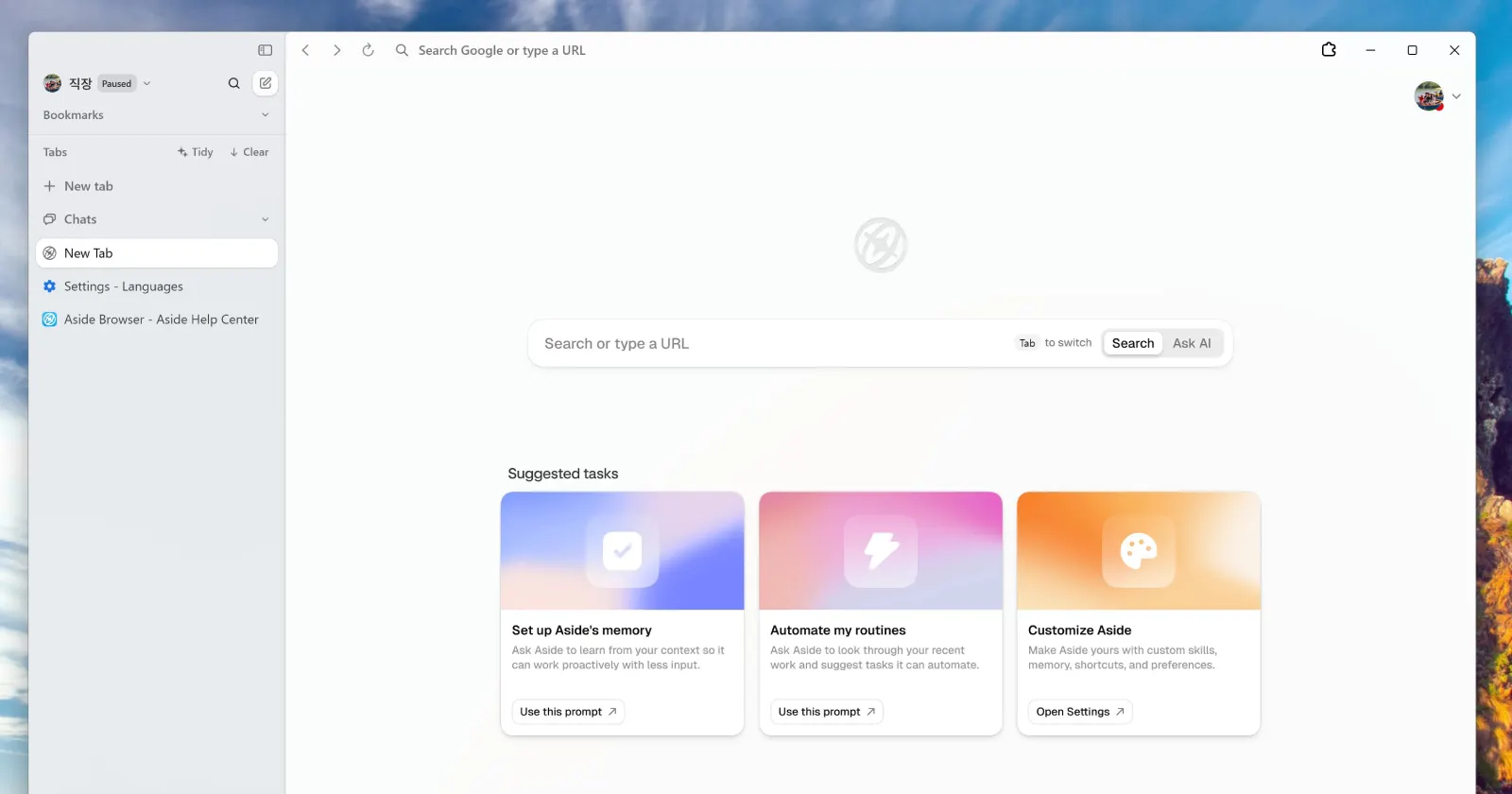
Aside teases Windows launch in August, ahead of Dia’s fall debut
Earlier today, we reported that Dia is finally bringing its browser to Windows this fall. Well, not much later, it looks like the folks at Aside also wanted to show...
Jul 30, 2026 2 Min Read