





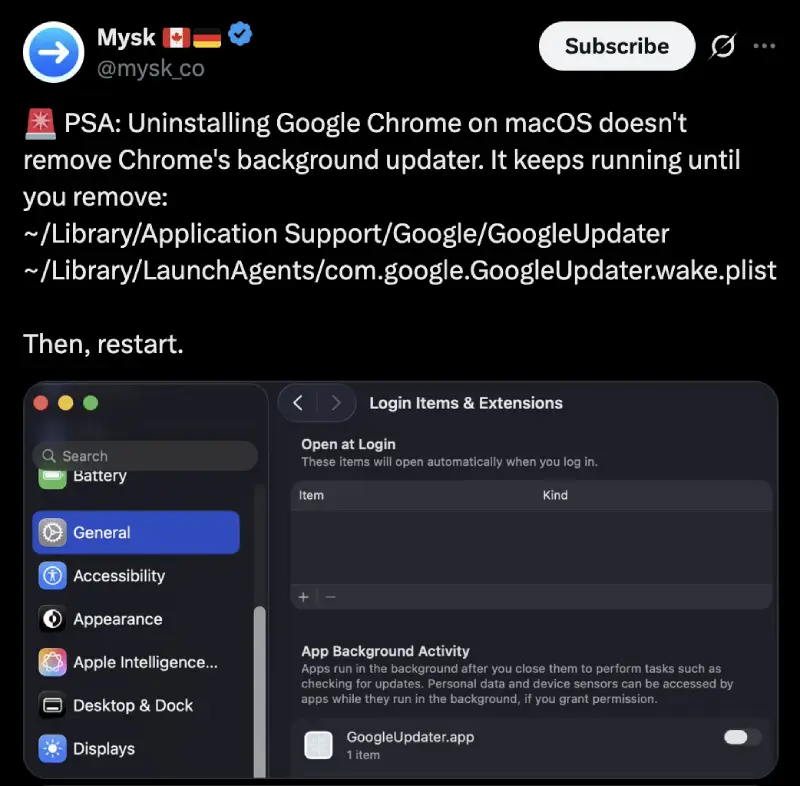
Good news to hackers: this hasn't been fixed in 26.6. Actually, it won't be fixed. Enjoy what you collect from people's clipboards. BTW you can also do the same with Microsoft Edge. Cheers! https://t.co/dMX23NnUok
— Mysk 🇨🇦🇩🇪 (@mysk_co) July 27, 2026
A newly disclosed macOS flaw could let malware turn background update tools used by Google Chrome and Microsoft Edge into clipboard spies, researchers have warned.
Mysk, the security research duo behind the report, says the issue still works in macOS 26.6 and Apple does not plan to fix it. In a follow-up post, the researchers wrote, “Good news to hackers, this hasn’t been fixed in 26.6.”
This is not a case where a random website can suddenly read your clipboard. An attacker first needs to get malicious code running on your Mac under your user account, perhaps through a dodgy download, script, or app. The target app also needs to have been downloaded from the web and opened at least once.
From there, the malware can archive the app, restore it, and replace its main executable. macOS is supposed to stop apps from changing each other’s files. In this case, it may not show a password prompt or warning, and the altered app can still launch looking legitimate.
Mysk used Chrome’s GoogleUpdater as its example. It is a background process that can start again after a Mac restart, so a tampered updater could keep reading copied text without a Chrome window or tab being open. Simply closing your browser tabs would not necessarily stop it. Mysk has also warned that deleting Chrome does not always remove GoogleUpdater from a Mac.
That said, clipboard theft is not some far-fetched problem. Earlier this month, we covered fake free VPN extensions for Chrome and Firefox that were caught stealing clipboard contents. Opera has also started trying to block suspicious copy-and-paste commands with its Paste Protect feature.
Chrome and Edge, meanwhile, have been doing the less dramatic side of clipboard work, recently making copy and paste faster and less memory-hungry. That, of course, has nothing to do with this flaw.
Apple’s view, according to Mysk, is that this does not need a security fix. The replacement code does not inherit the original app’s permissions, and requests for Keychain or protected files should still trigger prompts. Mysk’s point is that those prompts may show Chrome or Edge’s familiar name and icon, making them easier to trust. Apple reportedly sees that as “a matter of social engineering.”
There is no reason to panic or uninstall your browser today. But be careful with downloaded apps and unexpected permission requests.

We stand out from the tech-media crowd because we break news stories; we mainly bring you stuff that you won’t find anywhere in the mainstream tech media. Our stories have been picked up by some of the world’s most popular websites and media outlets—more info is available here.

Dwayne Cubbins
3097 Posts
I cover fast-moving stories across apps, online platforms, and everyday tech — phones, wearables, consoles, and whatever else people are fighting with this week. Bugs, rollouts, scams, policy enforcement, and the occasional internet-culture rabbit hole are all fair game. My goal is simple — make confusing tech news readable. When I'm not working, I'm working out or chilling with my dog. Got a tip? You can find me on X @dcubbins.
Next article View Article
Chrome is making camera prompts safer and a lot less annoying
Google has quietly changed one of the most sensitive moments in your day-to-day browsing: the split second when a website asks to switch on your camera or microphone...
Jul 29, 2026 3 Min Read