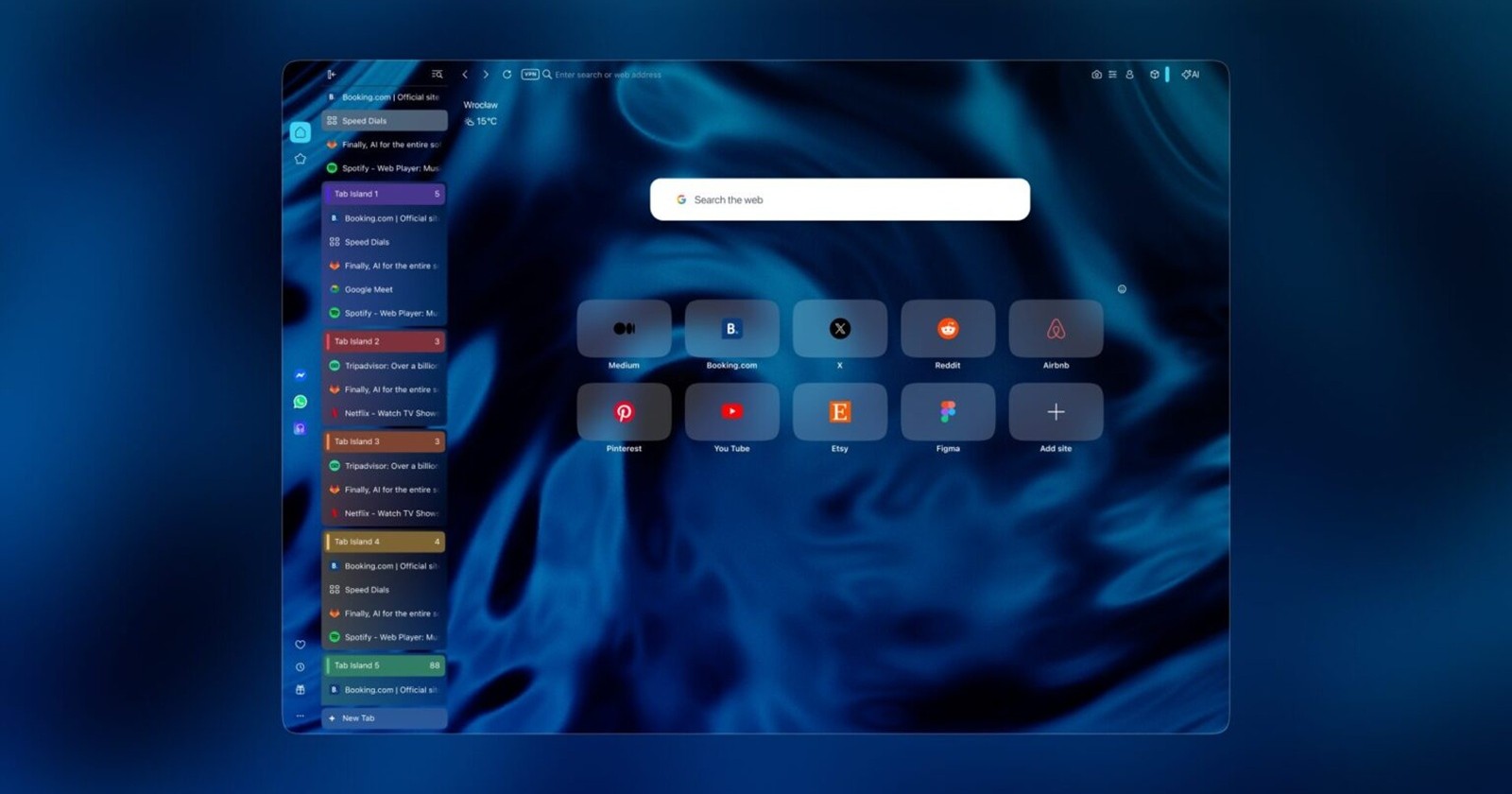
Opera has started rolling out a new Opera 133.0.5932.85 update to stable users, up from the previous v133.0.5932.34, and while the changelog is packed with bug fixes, two long-awaited features steal the spotlight: Vertical Tabs and an upgraded Google Lens experience. Both are now enabled for everyone, marking one of the more noticeable usability upgrades Opera One has received in recent months.
If you’ve ever found yourself drowning in dozens of browser tabs, you’ll probably appreciate the new Vertical Tabs layout. Instead of squeezing tabs into a shrinking horizontal strip, Opera now lets you stack them along the left side of the browser, making every tab title readable regardless of how many are open. Having spent time with web browsers that offer a similar layout, I can see why Opera is finally bringing this option to the growing number of users.
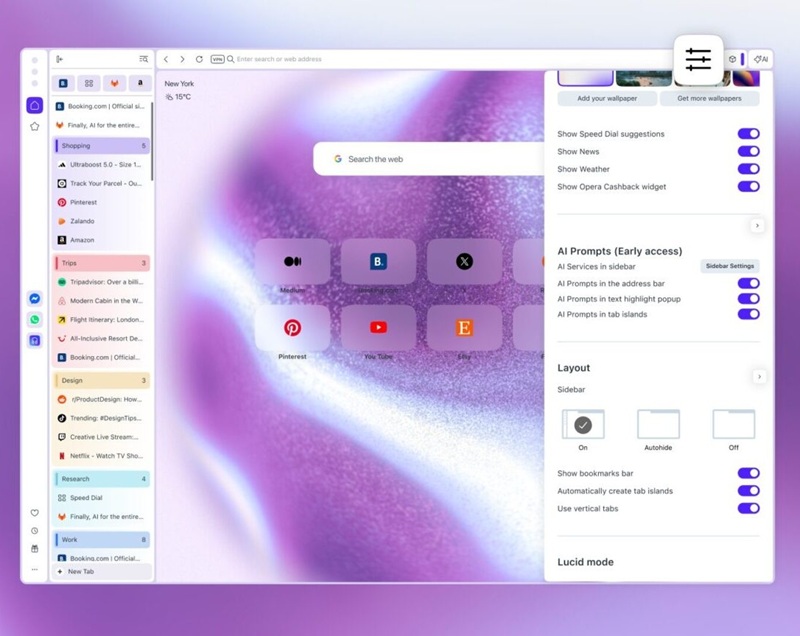
You can switch between the traditional horizontal tab bar and the new vertical layout by right-clicking any tab, using Easy Setup, or enabling the option in Settings > Browser > Tabs.
The feature isn’t simply a repositioned tab strip either. Vertical Tabs introduce several quality-of-life improvements, including a resizable and collapsible sidebar, pinned tabs arranged in a dynamic app-style grid, keyword-based tab search, automatic naming for Tab Islands, and easier identification of ongoing Google Meet calls through a recording indicator. Workspaces and Tab Islands continue to work across both layouts, so switching between horizontal and vertical views doesn’t disrupt your browsing organization.
Opera has also expanded Google Lens integration. Previously available in a more limited form, Google Lens can now be launched directly from the Start Page search box. Users can upload an image, drag and drop one, paste from the clipboard, or even enter an image URL to perform a visual search without first opening Google’s website. It’s a small change, but one that removes a few extra clicks from the workflow.
Beyond the headline features, Opera 133 also delivers an extensive list of fixes. The update resolves several issues affecting pinned tabs, including incorrect spacing, misplaced tooltips, inconsistent visual states, and layout problems when switching between horizontal and vertical tab strips. Split Screen functionality has also received attention, with fixes for incorrect active states, icon alignment, pinned tab behavior, and multiple crash scenarios.
Elsewhere, Opera addressed crashes triggered by actions such as reloading multiple selected tabs or interacting with Split Screen, improved tab ordering consistency, fixed several Google Meet integration bugs, and ironed out multiple Google Lens issues, including problems with file selection and settings behavior.


Hillary Keverenge
2723 Posts
Tech has been my playground for over a decade. While the Android journey began early, it truly took flight with the revolutionary Lollipop update. Since then, it's been a parade of Android devices (with a sprinkle of iOS), culminating in a mostly happy marriage with Google's smart home ecosystem. Expect insightful articles and explorations of the ever-evolving world of Android and Google products coupled with occasional rants on the Nest smart home ecosystem.
Next article View Article