DuckDuckGo is planning to redesign the AI toggle in its browser very soon. In a new episode of the ‘Duck Tales’ podcast released on July 1, Chief Product Officer Beah and engineering lead Aitor shared details about the upcoming changes for the AI toggle.
Users will have the option to switch between regular search and AI chat through a toggle. This toggle is currently at the top of the screen. Additionally, tapping an icon on any webpage will let users open a chat. From here, you can summarize or ask follow-up questions. They’ve also addressed privacy concerns, stating that all chats will stay on-device.
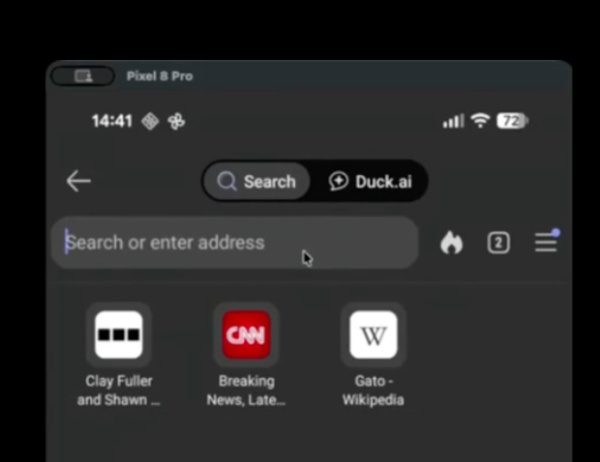
For people who aren’t interested, you can also turn off AI features entirely.
While Aitor described the current experience as “good,” the team feels it can do better, so some improvements to the AI toggle will be shipped shortly. He said: “This is, like, a good experience, but we are gonna improve it, like, even further…”
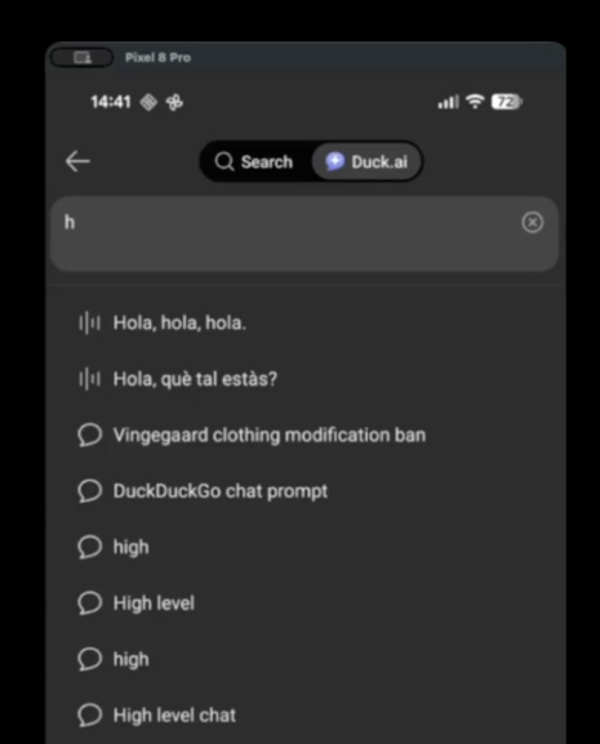
The toggle redesign basically aims to make switching between search and chat even smoother. It gives the users more control.
DuckDuckGo follows 3 ‘guiding principles’ for AI use. 1. It must be private, 2. AI must solve real users’ problems, and 3. It has to be optional for people. Beah further stressed that users will have the ability to customize the intensity of the AI features, based on how much they want. Basically, it satisfies heavy AI users, as well as people who have zero usage.
Aitor also highlighted a popular use case. Attaching webpage context to get quick summaries, and asking follow-up questions: This whole process requires easier access points, which the team is going to improve further.
While many people are aware of AI in their search engines, a simpler way of integrating it into daily browsing is being explored. The company is planning to refine its private AI chat, Duck.ai, on all common platforms, including mobile.
If you’re interested in the entire podcast, a Substack transcription is available here. The post also includes a video demo of the features in action.
The toggle aside, these were the other features discussed:
- Chat history autocomplete and better filtering.
- Per-chat delete options.
- Auto-attach context toggle in settings.
- Master AI toggle to completely hide the entire Duck.ai UI, as well as the toggle.
- A fallback access for the chats.
In other DuckDuckGo news, here’s a hilarious story of its AI spreading misinformation because of Reddit trolling.


Sudhanshu K
308 Posts
I have been a consumer technology enthusiast for over 5 years. Thanks to my experience in software beta testing and product reviews, I've understood and learnt a lot about what bugs and issues bother people, and I spend time trying to simplify their solutions. I cover smartphones, software, social media, apps, AI, and most consumer tech gadgets. Actively pursuing a Computer Science bachelor’s degree. I'm mostly active on Twitter/X (@TechWhirlUlt), drop a DM or tag me if you want to share info or connect!
Next article View Article